
Sponsored


ObiMatt87
Well-Known Member
- First Name
- Matt
- Joined
- Aug 29, 2019
- Threads
- 11
- Messages
- 1,669
- Reaction score
- 4,106
- Location
- San Antonio, Texas
- Vehicle(s)
- 2024 Anvil JULR XR, 2018 Mojito Sahara JLU, 2018 Buick Enclave Avenir
- Occupation
- USAF Active Duty (Retired), DAF Civilian (Current)
Don't get discouraged by some of these comments. Good on you for asking the question.
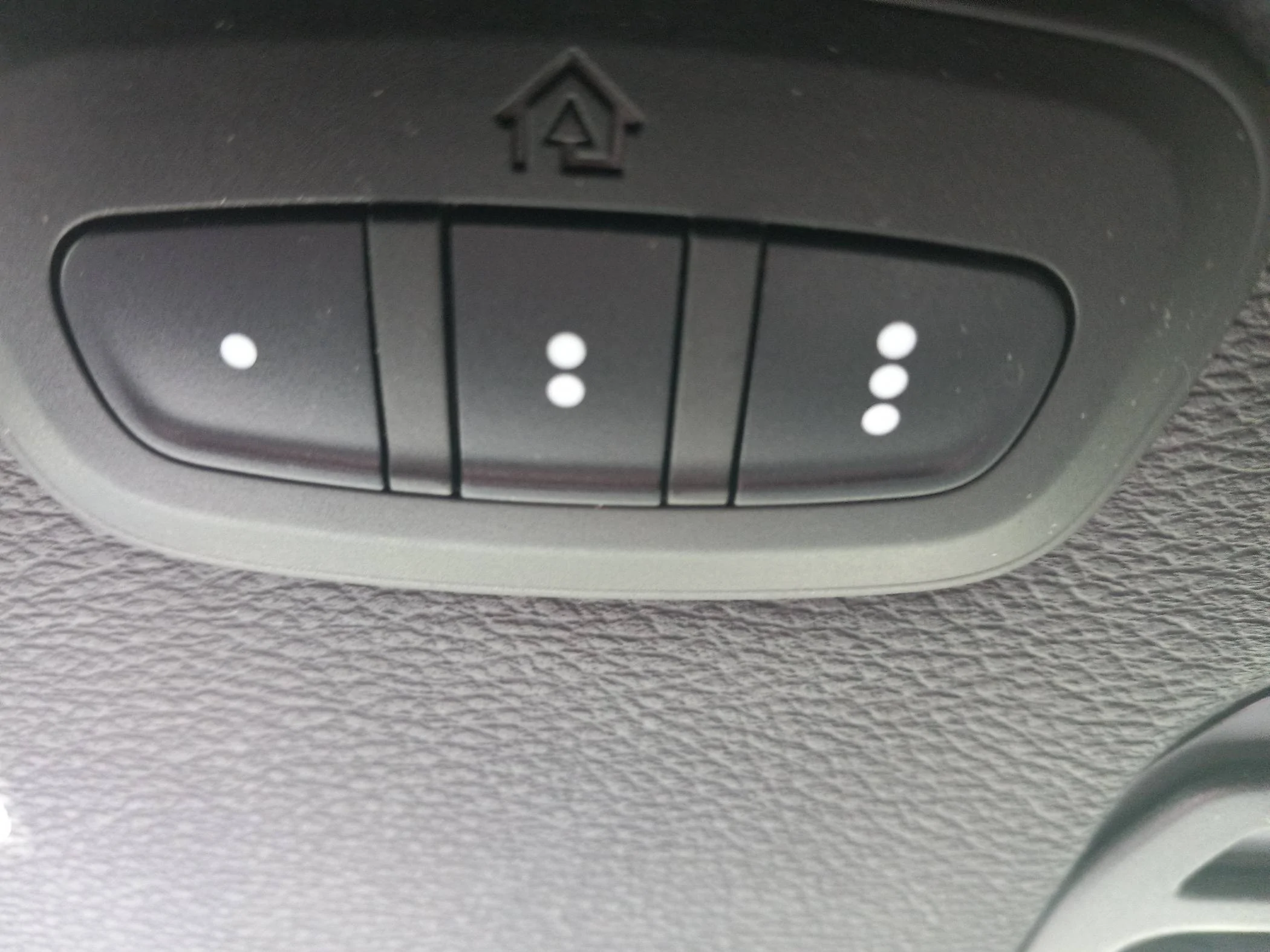
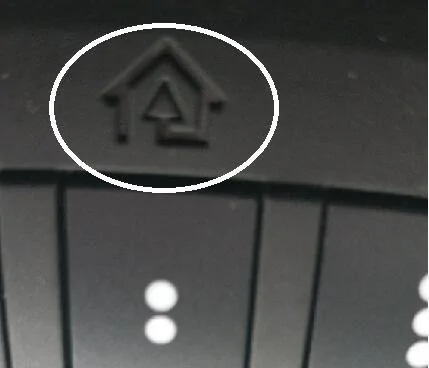
Homelink is an industry standard used amongst a range of vehicles to allow you to program your garage doors, neighborhood gates (that use remotes), etc. Once programmed, you no longer have to have a remote clipped to your visor or punch in a number for a gated community you live in. They can sometimes be a bit finicky to program, depending on what it is you are trying to link, but generally I have had no issues with the system in the JL.
The owner's manual will walk you through the programming process, but there are YouTube videos and other write-ups online that will help you out. Just be patient with it and you'll be able to do it! Just Google it and a lot of resources will come up. Best of luck!

pfletcher229648
Well-Known Member
The image shows a set of buttons typically found on the ceiling console of a car, specifically a HomeLink system. This system allows you to program and control devices such as garage door openers, gates, and home lighting systems from within your vehicle. The buttons with dots usually represent different programmable channels.
Here's an in-depth explanation of what these buttons are and how to program them:
### Understanding the HomeLink System
The HomeLink system is an in-car technology found in many modern vehicles, designed to replace up to three remote controls used to operate devices such as garage door openers, gates, and home lighting systems. It consists of three buttons, typically integrated into the vehicle's overhead console, sun visor, or rearview mirror. Each button can be programmed to control a different device.
#### How the HomeLink System Works
HomeLink uses radio frequency (RF) technology to communicate with compatible devices. When a button is pressed, the HomeLink system sends an RF signal to the target device, mimicking the signal of the original remote control.
### Programming the HomeLink System
Programming the HomeLink system involves a few steps. Here's a detailed guide to help you through the process:
#### Preparation
1. **Identify the HomeLink Buttons**: Locate the three HomeLink buttons on your vehicle. They usually have one, two, and three dots to differentiate them.
2. **Get Your Original Remote**: You'll need the remote control for the device you want to program (e.g., garage door opener).
3. **Clear Previous Settings (if necessary)**: If the buttons have been previously programmed, you may want to clear them. To do this, press and hold the two outer buttons (usually the first and third buttons) for about 10-20 seconds until the indicator light changes from a solid light to a rapid flash. Release the buttons.
#### Programming Steps
1. **Turn on Your Vehicle**: For safety and to ensure power to the system, have your vehicle in the "accessory" position or running, depending on your vehicle's make and model.
2. **Choose the Button**: Decide which HomeLink button you want to program for the device.
3. **Initiate Programming Mode**:
- Hold the chosen HomeLink button and the button on your original remote simultaneously.
- Keep holding both buttons until the HomeLink indicator light changes from a slow blink to a rapid blink. This can take about 30 seconds. Once the light starts flashing rapidly, release both buttons. This indicates that the button has learned the code from your remote.
4. **Programming Rolling Code Devices**:
- If your device uses a rolling code (most newer garage door openers do), you’ll need to perform an additional step.
- Locate the "Learn" or "Smart" button on your garage door opener motor (usually found on the back or side).
- Press the "Learn" button. You typically have about 30 seconds to return to your vehicle and complete the next step.
- Within those 30 seconds, press and hold the HomeLink button you just programmed for about 2 seconds, then release. Repeat this press/hold/release sequence up to three times to complete the training.
5. **Test the HomeLink Button**: Return to your vehicle and press the programmed HomeLink button. If the device responds (e.g., the garage door opens or closes), the programming was successful. If not, repeat the programming steps.
### Additional Tips
- **Distance**: Ensure that your vehicle is close enough to the device during programming, especially for rolling code devices.
- **Battery Life**: Ensure that the battery in your original remote is fresh and functional.
- **Compatibility**: Not all devices are compatible with HomeLink. Check your vehicle's manual or the HomeLink website for a compatibility list.
- **Professional Assistance**: If you encounter issues, consider seeking help from your vehicle's dealership or a professional installer.
### Benefits of HomeLink
1. **Convenience**: HomeLink eliminates the need to carry multiple remotes, offering a seamless integration within your vehicle.
2. **Security**: It offers a secure way to access your home, as it can be integrated with advanced security systems.
3. **Customizability**: With three programmable buttons, you can control a variety of devices beyond just garage doors, such as home lighting and security gates.
### Troubleshooting Common Issues
- **Non-Responsive Device**: Ensure that you followed the rolling code programming steps if your device uses a rolling code.
- **Indicator Light Not Blinking**: Check the battery in your original remote. Also, ensure you are pressing the buttons simultaneously.
- **Limited Range**: If the HomeLink system only works when very close to the device, check for interference or ensure the antenna on your device is not obstructed.
- **Reprogramming**: If you need to reprogram a button, simply repeat the programming steps for that specific button.
### Conclusion
The HomeLink system is a sophisticated, yet user-friendly technology that adds convenience and security to your daily routine. By following the detailed programming steps, you can effectively integrate various remote-controlled devices into your vehicle, making life just a bit easier. Whether you're opening your garage door, securing your home, or controlling your lighting, HomeLink provides a versatile solution that enhances the functionality of your vehicle.
Here's an in-depth explanation of what these buttons are and how to program them:
### Understanding the HomeLink System
The HomeLink system is an in-car technology found in many modern vehicles, designed to replace up to three remote controls used to operate devices such as garage door openers, gates, and home lighting systems. It consists of three buttons, typically integrated into the vehicle's overhead console, sun visor, or rearview mirror. Each button can be programmed to control a different device.
#### How the HomeLink System Works
HomeLink uses radio frequency (RF) technology to communicate with compatible devices. When a button is pressed, the HomeLink system sends an RF signal to the target device, mimicking the signal of the original remote control.
### Programming the HomeLink System
Programming the HomeLink system involves a few steps. Here's a detailed guide to help you through the process:
#### Preparation
1. **Identify the HomeLink Buttons**: Locate the three HomeLink buttons on your vehicle. They usually have one, two, and three dots to differentiate them.
2. **Get Your Original Remote**: You'll need the remote control for the device you want to program (e.g., garage door opener).
3. **Clear Previous Settings (if necessary)**: If the buttons have been previously programmed, you may want to clear them. To do this, press and hold the two outer buttons (usually the first and third buttons) for about 10-20 seconds until the indicator light changes from a solid light to a rapid flash. Release the buttons.
#### Programming Steps
1. **Turn on Your Vehicle**: For safety and to ensure power to the system, have your vehicle in the "accessory" position or running, depending on your vehicle's make and model.
2. **Choose the Button**: Decide which HomeLink button you want to program for the device.
3. **Initiate Programming Mode**:
- Hold the chosen HomeLink button and the button on your original remote simultaneously.
- Keep holding both buttons until the HomeLink indicator light changes from a slow blink to a rapid blink. This can take about 30 seconds. Once the light starts flashing rapidly, release both buttons. This indicates that the button has learned the code from your remote.
4. **Programming Rolling Code Devices**:
- If your device uses a rolling code (most newer garage door openers do), you’ll need to perform an additional step.
- Locate the "Learn" or "Smart" button on your garage door opener motor (usually found on the back or side).
- Press the "Learn" button. You typically have about 30 seconds to return to your vehicle and complete the next step.
- Within those 30 seconds, press and hold the HomeLink button you just programmed for about 2 seconds, then release. Repeat this press/hold/release sequence up to three times to complete the training.
5. **Test the HomeLink Button**: Return to your vehicle and press the programmed HomeLink button. If the device responds (e.g., the garage door opens or closes), the programming was successful. If not, repeat the programming steps.
### Additional Tips
- **Distance**: Ensure that your vehicle is close enough to the device during programming, especially for rolling code devices.
- **Battery Life**: Ensure that the battery in your original remote is fresh and functional.
- **Compatibility**: Not all devices are compatible with HomeLink. Check your vehicle's manual or the HomeLink website for a compatibility list.
- **Professional Assistance**: If you encounter issues, consider seeking help from your vehicle's dealership or a professional installer.
### Benefits of HomeLink
1. **Convenience**: HomeLink eliminates the need to carry multiple remotes, offering a seamless integration within your vehicle.
2. **Security**: It offers a secure way to access your home, as it can be integrated with advanced security systems.
3. **Customizability**: With three programmable buttons, you can control a variety of devices beyond just garage doors, such as home lighting and security gates.
### Troubleshooting Common Issues
- **Non-Responsive Device**: Ensure that you followed the rolling code programming steps if your device uses a rolling code.
- **Indicator Light Not Blinking**: Check the battery in your original remote. Also, ensure you are pressing the buttons simultaneously.
- **Limited Range**: If the HomeLink system only works when very close to the device, check for interference or ensure the antenna on your device is not obstructed.
- **Reprogramming**: If you need to reprogram a button, simply repeat the programming steps for that specific button.
### Conclusion
The HomeLink system is a sophisticated, yet user-friendly technology that adds convenience and security to your daily routine. By following the detailed programming steps, you can effectively integrate various remote-controlled devices into your vehicle, making life just a bit easier. Whether you're opening your garage door, securing your home, or controlling your lighting, HomeLink provides a versatile solution that enhances the functionality of your vehicle.
Pape
Well-Known Member
Sponsored

Rustynail11
Well-Known Member
- First Name
- Scott
- Joined
- Mar 7, 2022
- Threads
- 41
- Messages
- 844
- Reaction score
- 1,253
- Location
- Mansfield, TX
- Vehicle(s)
- 2022 Wrangler JLU Rubicon
RIF-Reading is Fundamental. If you want to learn there is a book called an Owners Manual that came with the Jeep. Open it and read it, you will learn a lot about your vehicle.I'm learning
brent185
Well-Known Member
- First Name
- Brent
- Joined
- Aug 1, 2023
- Threads
- 0
- Messages
- 92
- Reaction score
- 109
- Location
- Carmel, CA
- Vehicle(s)
- 2019 Rubi, 2024 Rubi
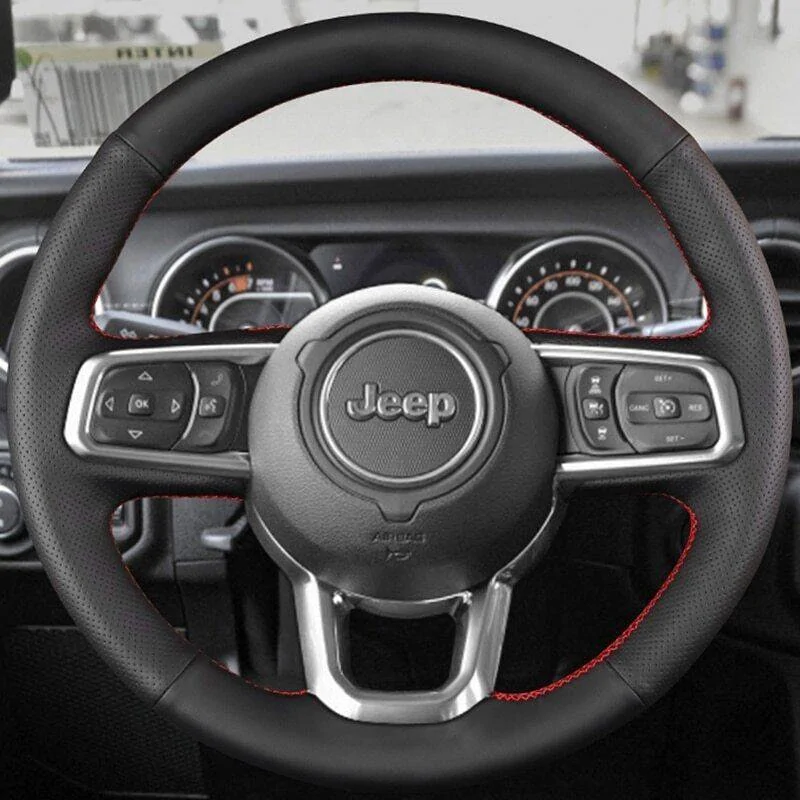
Anyone, please? This big circle thing?


jludave
Well-Known Member
- First Name
- Dave
- Joined
- Feb 13, 2020
- Threads
- 13
- Messages
- 4,158
- Reaction score
- 4,287
- Location
- The Isle of Long
- Vehicle(s)
- 2020 Wrangler Unlimited Sport Altitude
- Occupation
- IT Manager
- Vehicle Showcase
- 1
You do realize that not every model year came with a physical paper manual, right? Just because you may have received one with yours, doesn't mean the OP or someone else did also.RIF-Reading is Fundamental. If you want to learn there is a book called an Owners Manual that came with the Jeep. Open it and read it, you will learn a lot about your vehicle.
Rustynail11
Well-Known Member
- First Name
- Scott
- Joined
- Mar 7, 2022
- Threads
- 41
- Messages
- 844
- Reaction score
- 1,253
- Location
- Mansfield, TX
- Vehicle(s)
- 2022 Wrangler JLU Rubicon
well then there is a thing called the internet where you can download one. The OP knows how to get online so a simple google search would have led to an Owners Manual.. Pretty much common sense. My 15 JKU didn't come with one, I downloaded it for freeYou do realize that not every model year came with a physical paper manual, right? Just because you may have received one with yours, doesn't mean the OP or someone else did also.

Atomic-Mouse
Well-Known Member
Now your just being ridiculous, everyone knows that’s what you crank really fast to start the engine. Just be sure to turn it the right direction or the engine will run backwards. What some people find interesting is that in the old days the crank was on the front of the car but for modern comfort and convenience they moved it to the inside.Anyone, please? This big circle thing?
Sponsored

Flip
Well-Known Member
One of the benefits of a base model Sport was less buttons, this was beneficial for an old fart like me. 
Enjoy your jeep Linda.
Enjoy your jeep Linda.

Terrymo
Well-Known Member
In case you dont have a physical copy and are intetested
https://vehicleinfo.mopar.com/asset...=1*bvocxl*_gcl_au*NDE1OTE0NDUxLjE3MTg4OTAyMjQ.
https://vehicleinfo.mopar.com/asset...=1*bvocxl*_gcl_au*NDE1OTE0NDUxLjE3MTg4OTAyMjQ.

ArcadeTracks
Well-Known Member
- First Name
- PJ
- Joined
- Jan 30, 2023
- Threads
- 98
- Messages
- 1,249
- Reaction score
- 2,147
- Location
- Pittsburgh, PA, USA
- Vehicle(s)
- '23 Rubicon. 2dr Soft Top. 2.0L Turbo, Auto, Stock
TBF, if you have no idea what they are, it might be difficult to locate in the manual -- visors aren't even in the index
OP: I'm glad you got your answer, and I hope you found some of the other replies to be fun, too. Enjoy that Jeep!
OP: I'm glad you got your answer, and I hope you found some of the other replies to be fun, too. Enjoy that Jeep!
Last edited:
Linda z.
Well-Known Member
- Thread starter
- #29
I did not get one. I can't believe that a simple question begets so much sarcasm. I have learned tons from this forum but now I'm hesitant to ask a question due to ridicule. Thanks for your sane answer.You do realize that not every model year came with a physical paper manual, right? Just because you may have received one with yours, doesn't mean the OP or someone else did also.
Sponsored
Similar threads
- Replies
- 9
- Views
- 1,252


