
Sponsored
OP
OP
Roky
Well-Known Member
- Thread starter
- #1,007
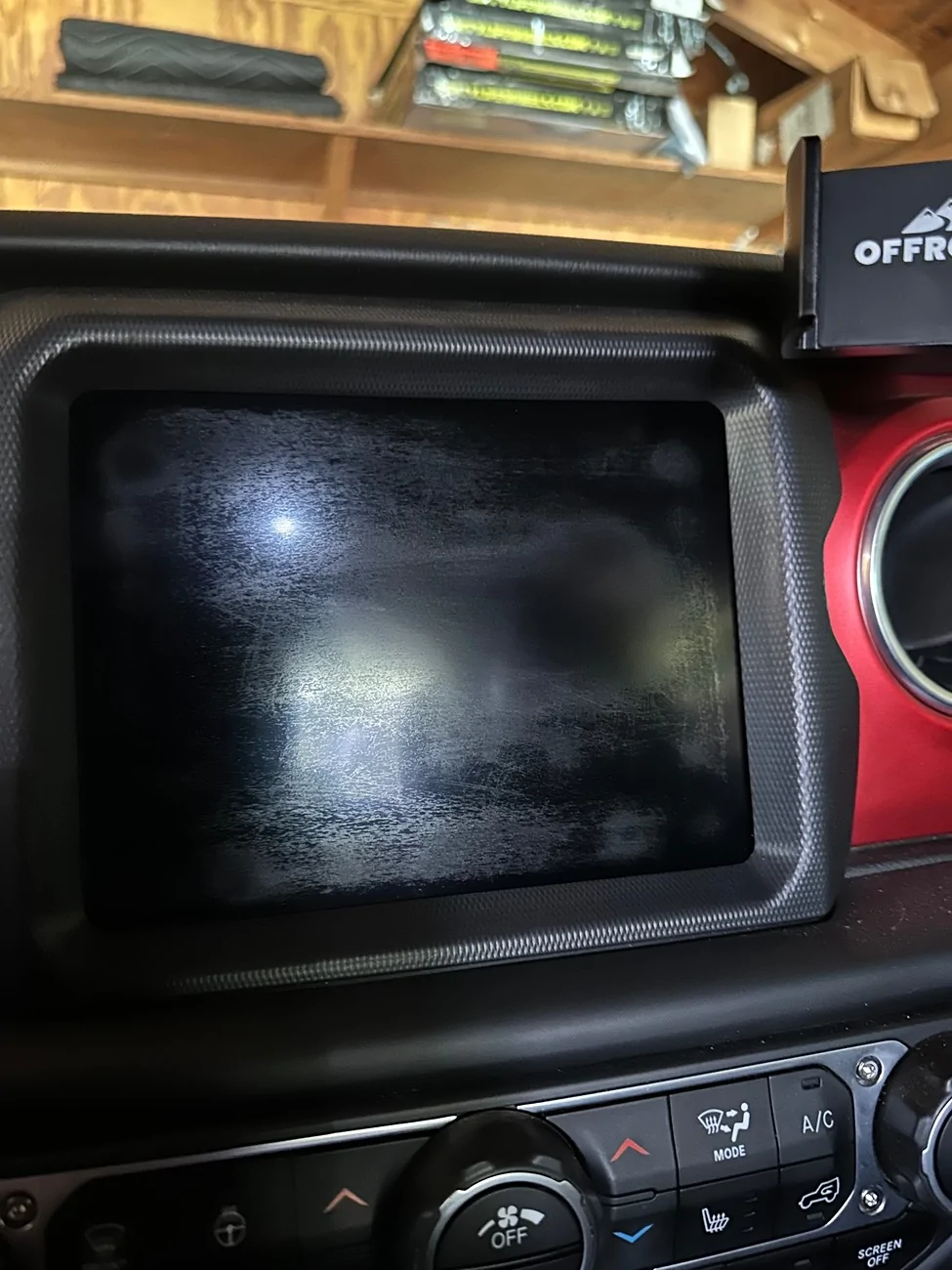
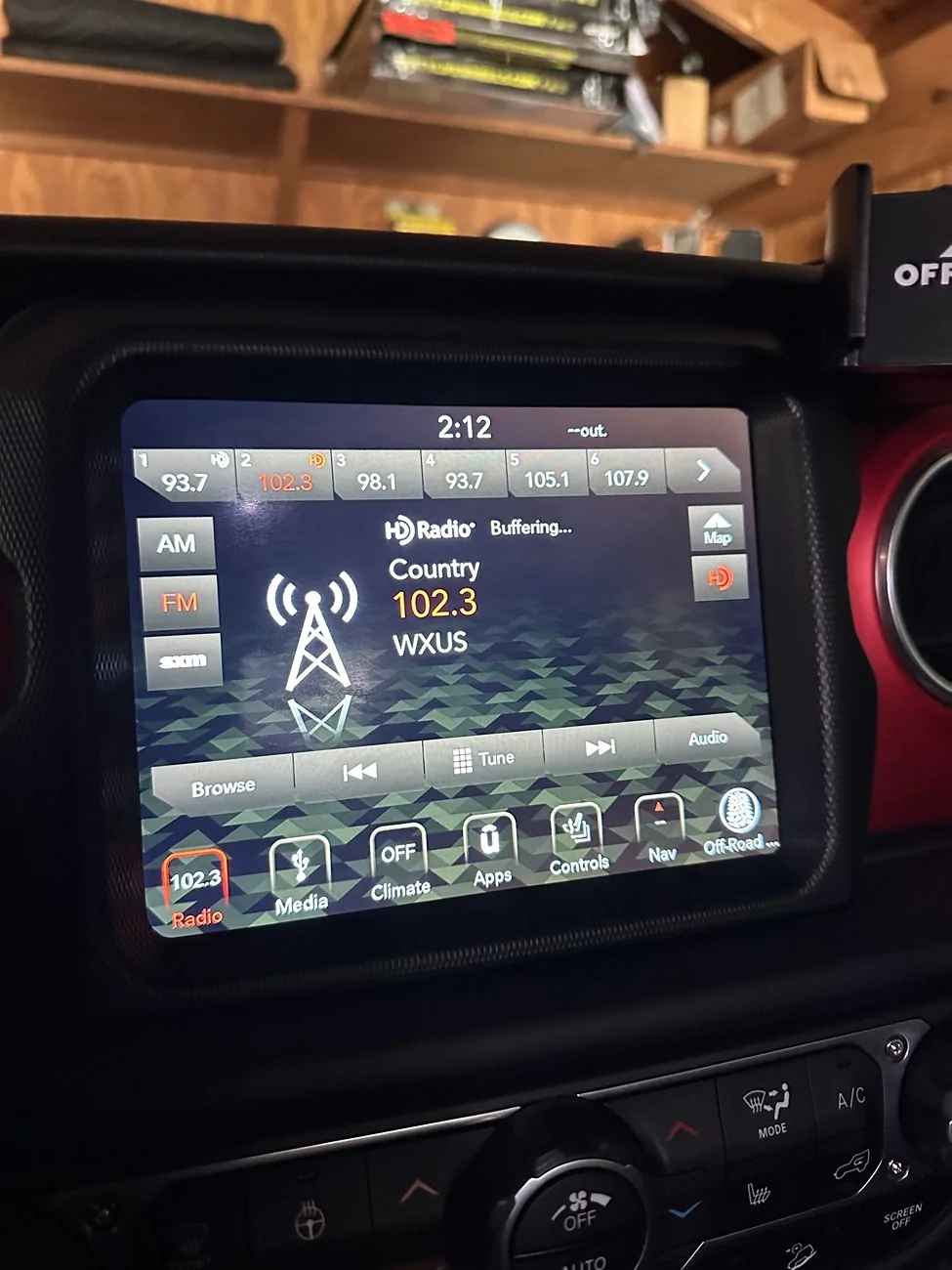
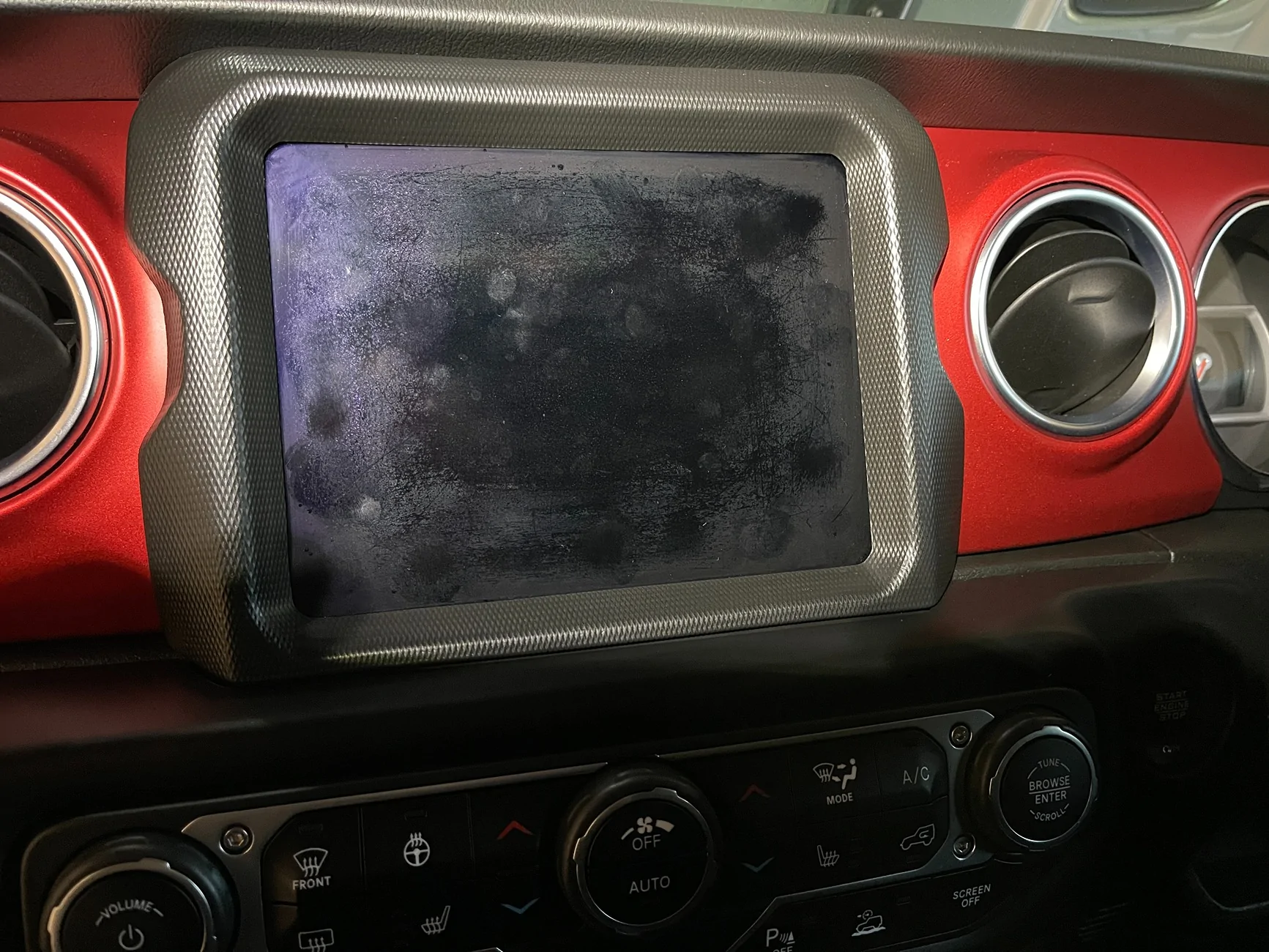
Be 8 years old in September…. My Uconnect screen is showing some wear… it doesn’t look to bad when it’s on, but a bit rough looking when off….. What are you guys doing for this? Other than replacing the screen, or the the whole thing, is there any backwoods, shade tree diy fixes ?

blnewt
Well-Known Member
- First Name
- Brad
- Joined
- Oct 8, 2018
- Threads
- 99
- Messages
- 9,956
- Reaction score
- 24,091
- Location
- New Mexico
- Vehicle(s)
- 2019 Jeep JL V6 SportS, (Retired 74 CJ-5, 80 CJ-7)
- Occupation
- Just ask @cosine he knows!
They make some plastic de-hazing solutions, I think I'd just google that, probably some household stuff you've got around.

MrSchwifty
New Member
Hey Roky,
Your build is one of my favourites, seriously awesome!
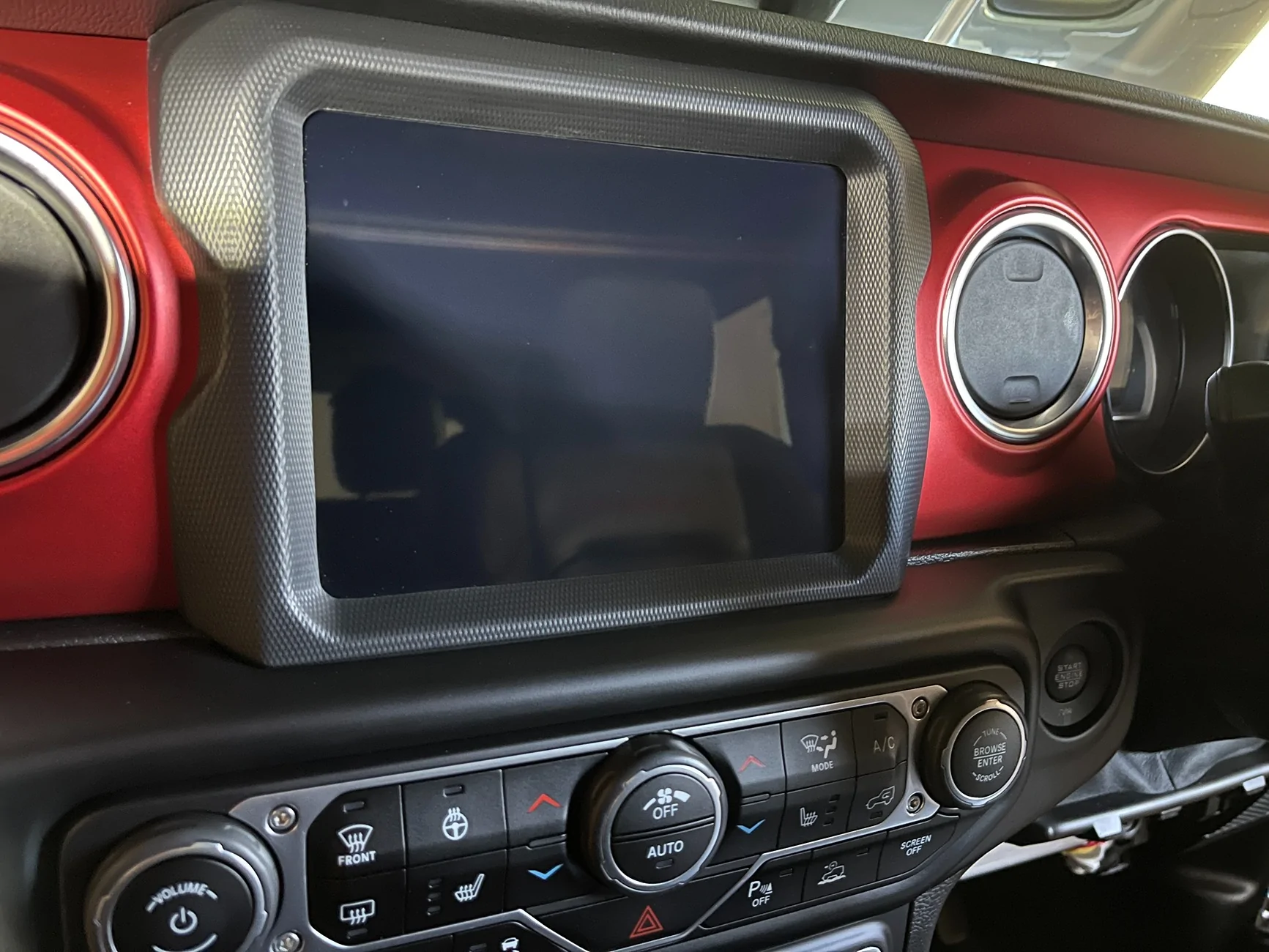
I tackled the same problem last weekend, this was the solution I came up with.
In my case (and it looks to be the same with your screen) it’s actually just the anti-glare coating that has failed.
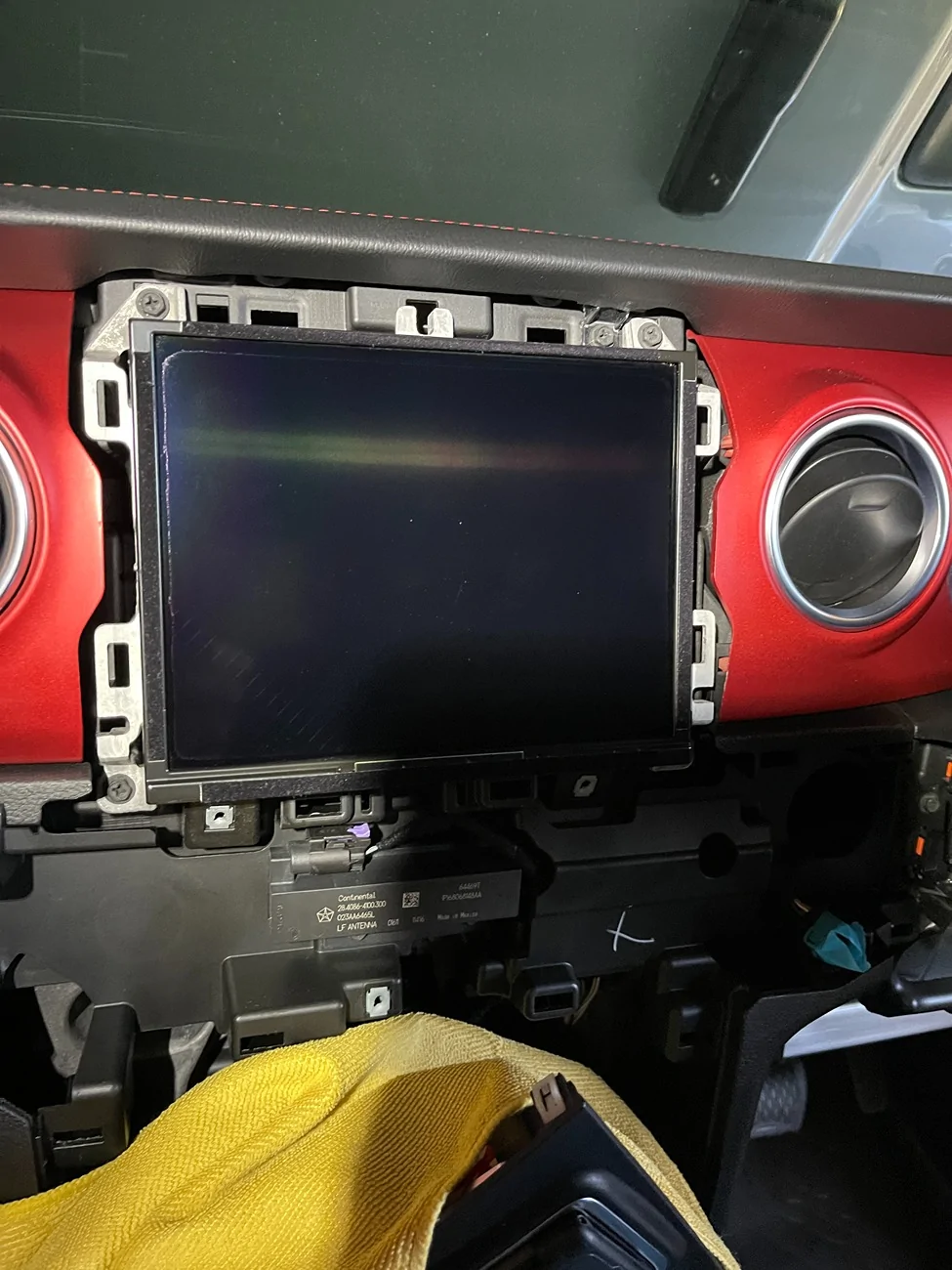
I removed the A/C controls and the bezel around the screen to get full access.
Using a microfibre towel and a detailing panel wipe (Gtechniq Panel wipe in my case) I was able to remove all the of the coating without damaging the screen. Using light pressure, it took about 10 minutes to completely remove the anti-glare coating. I think you can probably substitute the panel wipe for an isopropyl alcohol.
After removing the coating I installed a tempered glass screen protector before putting everything back together.
I recommend getting a custom size protector made to order, as most of the ones for the 8.4 screen leave a gap around the edge. With the bezel removed it’s possible to get full coverage of the screen and have it look completely factory.
With the bezel removed a 175mm x 135mm protector with zero corner radius will be a perfect fit.
This is the company I used, they do custom sizes in a variety of materials and ship internationally from Germany. https://www.protectionfilms24.com/custom-sizes.html

Your build is one of my favourites, seriously awesome!
I tackled the same problem last weekend, this was the solution I came up with.
In my case (and it looks to be the same with your screen) it’s actually just the anti-glare coating that has failed.
I removed the A/C controls and the bezel around the screen to get full access.
Using a microfibre towel and a detailing panel wipe (Gtechniq Panel wipe in my case) I was able to remove all the of the coating without damaging the screen. Using light pressure, it took about 10 minutes to completely remove the anti-glare coating. I think you can probably substitute the panel wipe for an isopropyl alcohol.
After removing the coating I installed a tempered glass screen protector before putting everything back together.
I recommend getting a custom size protector made to order, as most of the ones for the 8.4 screen leave a gap around the edge. With the bezel removed it’s possible to get full coverage of the screen and have it look completely factory.
With the bezel removed a 175mm x 135mm protector with zero corner radius will be a perfect fit.
This is the company I used, they do custom sizes in a variety of materials and ship internationally from Germany. https://www.protectionfilms24.com/custom-sizes.html
OP
OP
Roky
Well-Known Member
- Thread starter
- #1,010
Thanks brother, this is exactly what I was hoping to hear….. that looks awesome, much appreciated…….Hey Roky,
Your build is one of my favourites, seriously awesome!
I tackled the same problem last weekend, this was the solution I came up with.
In my case (and it looks to be the same with your screen) it’s actually just the anti-glare coating that has failed.
I removed the A/C controls and the bezel around the screen to get full access.
Using a microfibre towel and a detailing panel wipe (Gtechniq Panel wipe in my case) I was able to remove all the of the coating without damaging the screen. Using light pressure, it took about 10 minutes to completely remove the anti-glare coating. I think you can probably substitute the panel wipe for an isopropyl alcohol.
After removing the coating I installed a tempered glass screen protector before putting everything back together.
I recommend getting a custom size protector made to order, as most of the ones for the 8.4 screen leave a gap around the edge. With the bezel removed it’s possible to get full coverage of the screen and have it look completely factory.
With the bezel removed a 175mm x 135mm protector with zero corner radius will be a perfect fit.
This is the company I used, they do custom sizes in a variety of materials and ship internationally from Germany. https://www.protectionfilms24.com/custom-sizes.html

Sponsored
Jubi351
Well-Known Member
- First Name
- Jarrod
- Joined
- Apr 2, 2021
- Threads
- 2
- Messages
- 76
- Reaction score
- 97
- Location
- Lincolnton, NC
- Vehicle(s)
- 2019 JLUS
White vinegar will remove the anti glare coating. Did this in my Mazda.
Jubi351
Well-Known Member
- First Name
- Jarrod
- Joined
- Apr 2, 2021
- Threads
- 2
- Messages
- 76
- Reaction score
- 97
- Location
- Lincolnton, NC
- Vehicle(s)
- 2019 JLUS
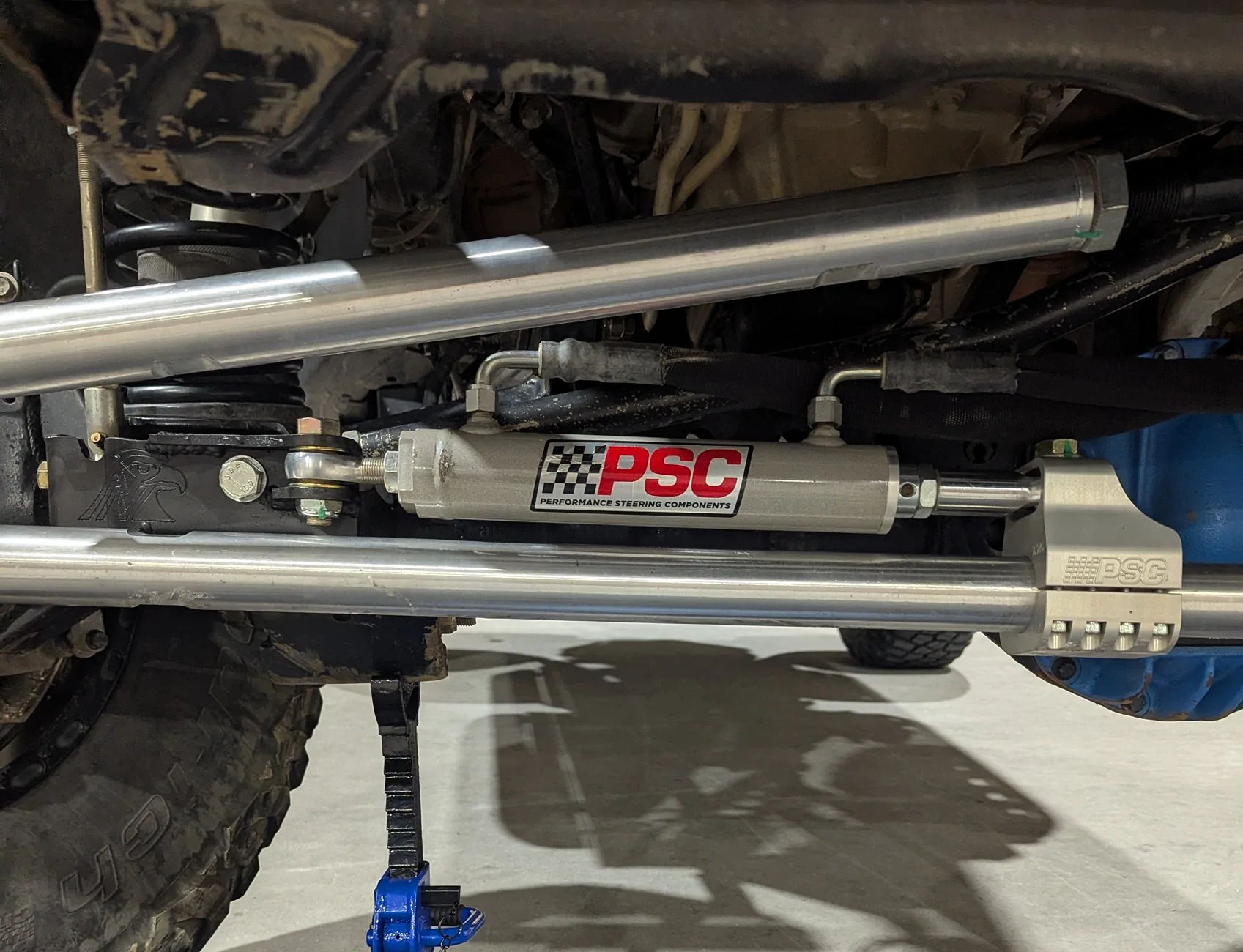
So far so good. Added hydro assist over the winter, momma very happy.

OP
OP
Roky
Well-Known Member
- Thread starter
- #1,015
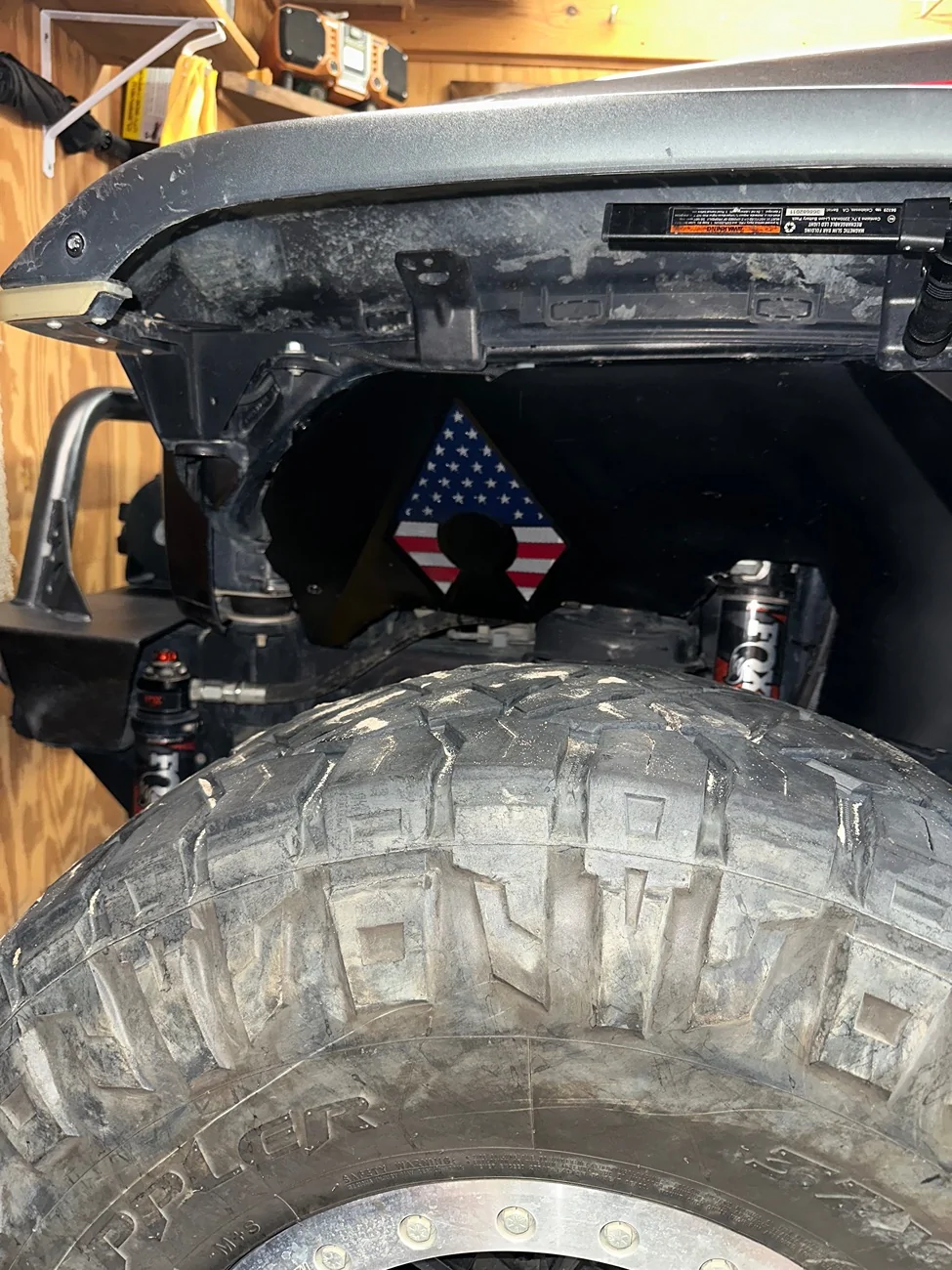
Freshened up my inners for a Starbucks meet up,  …..Decided to embrace the holiday weekend…… Thought I’d do it a little differently/ better than back in quarantine…….
a little to much “in your face” here…..
This time I wanted to show the Artec logo better…… I know this is gonna render the logophobics catatonic, sorry….
…..Decided to embrace the holiday weekend…… Thought I’d do it a little differently/ better than back in quarantine…….a little to much “in your face” here…..
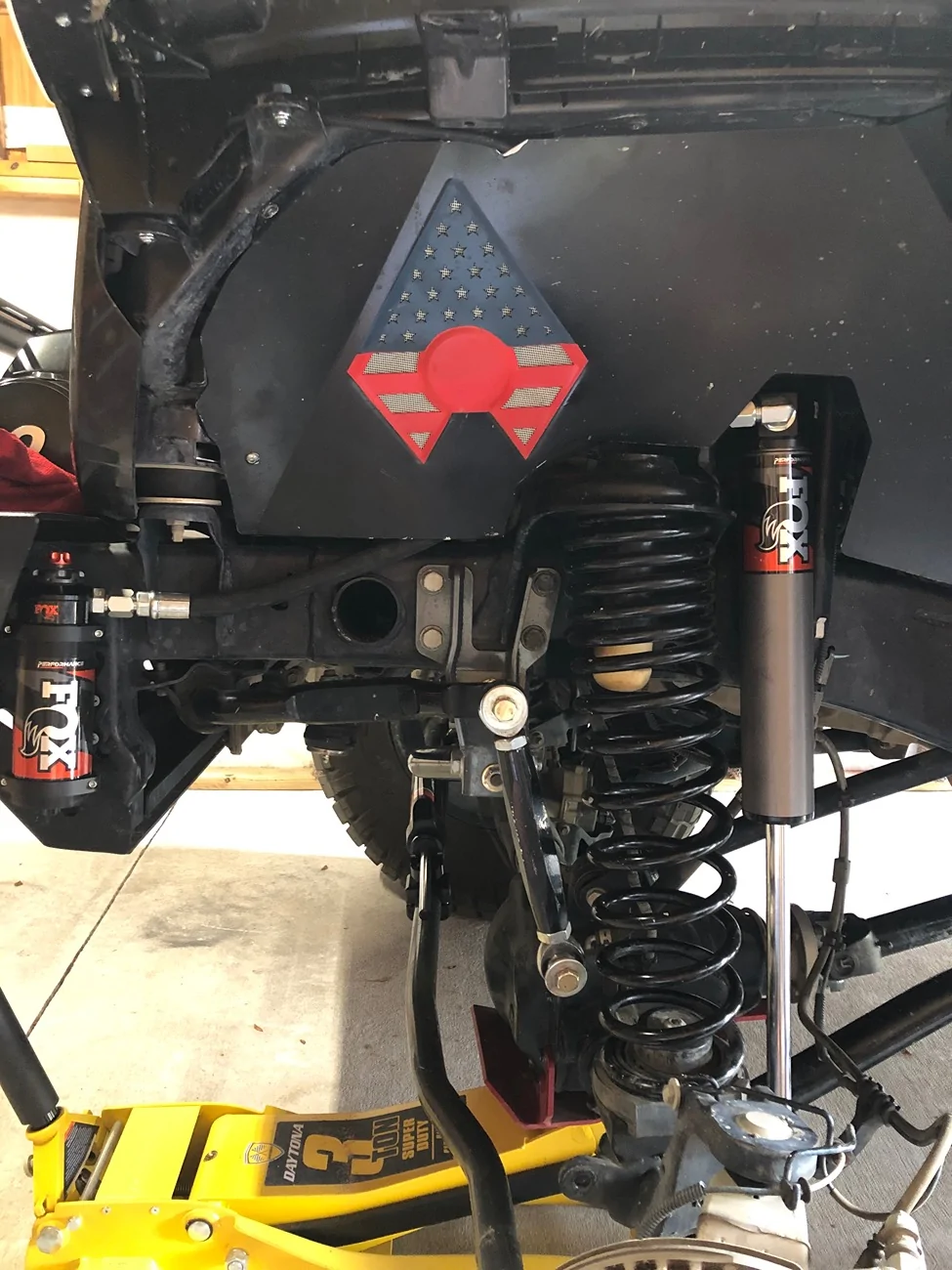
This time I wanted to show the Artec logo better…… I know this is gonna render the logophobics catatonic, sorry….
Sponsored
WontonJLUR
Well-Known Member
- First Name
- Matt
- Joined
- Dec 26, 2018
- Threads
- 20
- Messages
- 485
- Reaction score
- 793
- Location
- Suffolk, VA
- Vehicle(s)
- 2019 JLU Rubicon
- Build Thread
- Link
I’m glad you posted this! My screen looked exactly the same and I just accepted it. White vinegar and a screen protector later, we’re looking goodBe 8 years old in September…. My Uconnect screen is showing some wear… it doesn’t look to bad when it’s on, but a bit rough looking when off….. What are you guys doing for this? Other than replacing the screen, or the the whole thing, is there any backwoods, shade tree diy fixes ?
WontonJLUR
Well-Known Member
- First Name
- Matt
- Joined
- Dec 26, 2018
- Threads
- 20
- Messages
- 485
- Reaction score
- 793
- Location
- Suffolk, VA
- Vehicle(s)
- 2019 JLU Rubicon
- Build Thread
- Link
Straight out of the gallon jug. Seems to have done the job. Worst case, I wasted a 10 dollar Amazon screen protectorThanks for chiming in, did you use the white vinegar straight, or diluted ?
OP
OP
Roky
Well-Known Member
- Thread starter
- #1,019
Gathering supplies…… a few weeks ago I found a drop of oil on the passenger side inspection plug on bell housing…..It’s just a small drop, and nothing ever hits the floor yet…. I’ve ruled out oil cooler, valve covers, pcv, etc….. The only things left is rear main, upper oil pan or this…..brought to my attention by a bud of mine John ( @jellis4148 )…..

This is making the most sense to me because of the path of the drip…. It never even goes over to the other inspection plug, it’s always dry as a bone….. But if I’m gonna go into that far, I wanna have a full clip…….
It’ll probably be a minute before I get to it, wanna see if it gets worse, and how long it takes to get bad enough to actually drip on the floor……. I think that the drip is worse under load, and it gets blown back on the transmission, then when I stop there’s not enough pressure to make it leak as bad…..
I don’t know, this is all theory at this point….
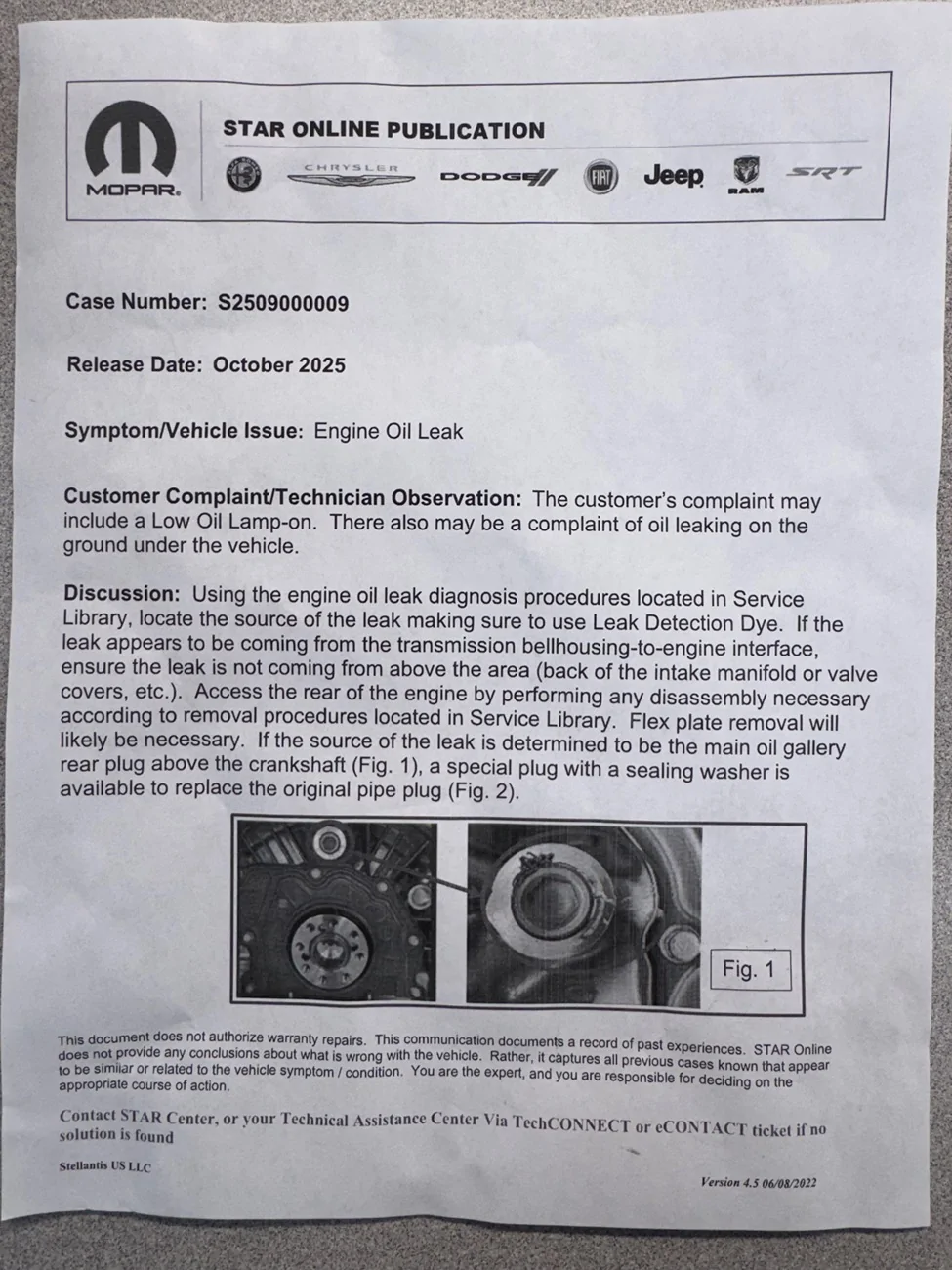
This is making the most sense to me because of the path of the drip…. It never even goes over to the other inspection plug, it’s always dry as a bone….. But if I’m gonna go into that far, I wanna have a full clip…….
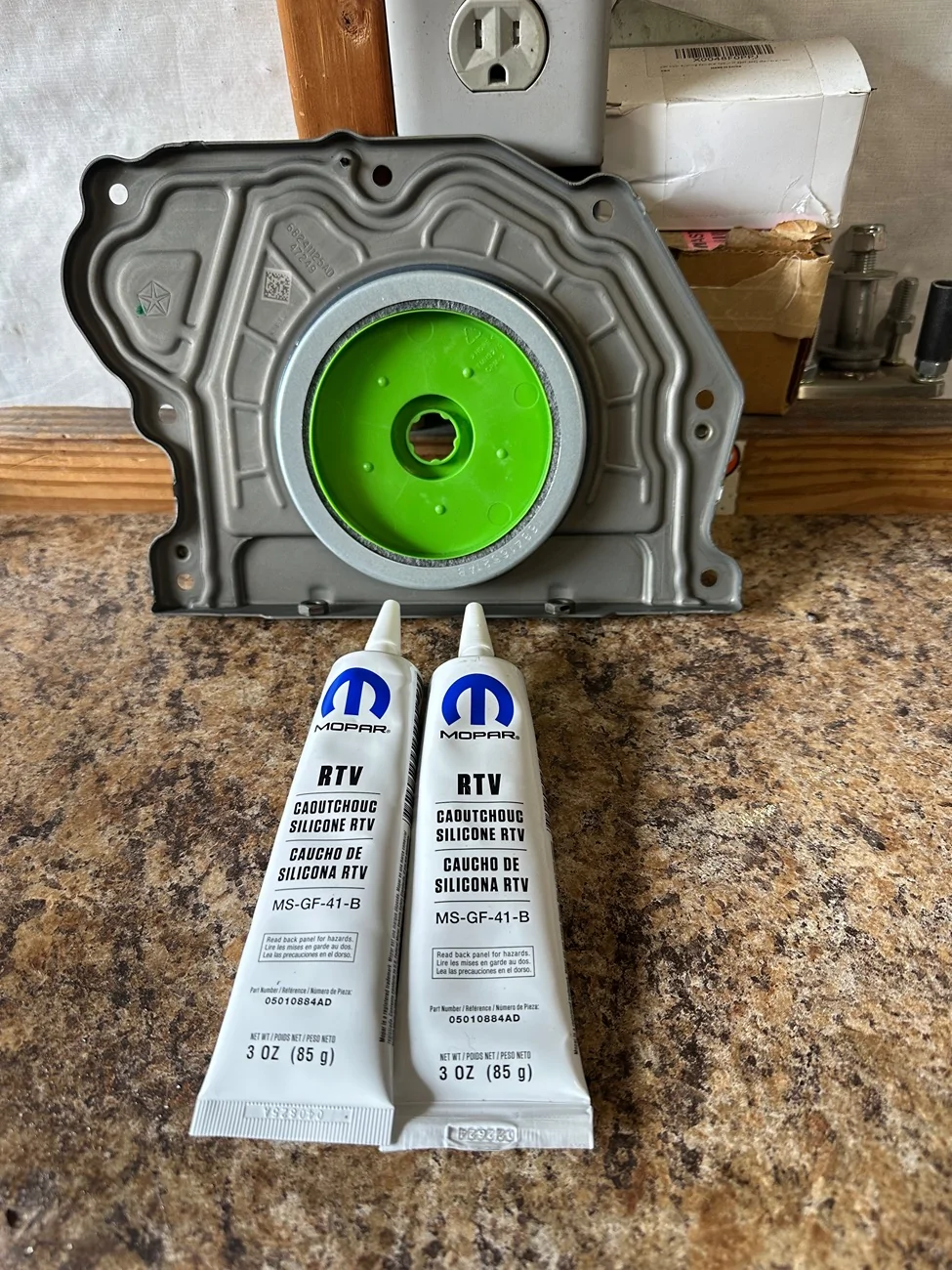
It’ll probably be a minute before I get to it, wanna see if it gets worse, and how long it takes to get bad enough to actually drip on the floor……. I think that the drip is worse under load, and it gets blown back on the transmission, then when I stop there’s not enough pressure to make it leak as bad…..
I don’t know, this is all theory at this point….

WillysMeow
Well-Known Member
- Joined
- Aug 4, 2025
- Threads
- 24
- Messages
- 822
- Reaction score
- 692
- Location
- Corruptifornia
- Vehicle(s)
- Bought my first new Jerp! :)
- Occupation
- Bit wrassler
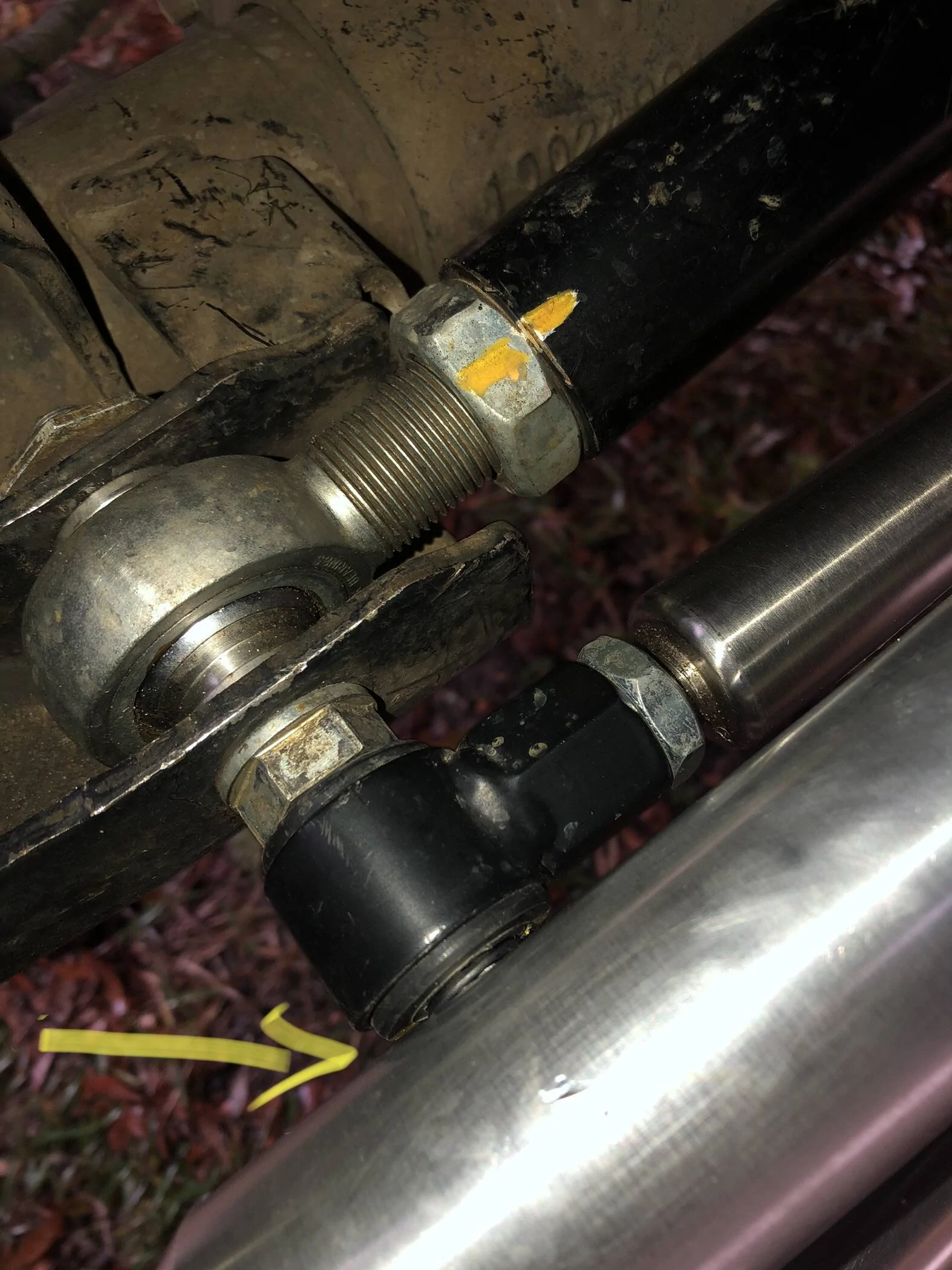
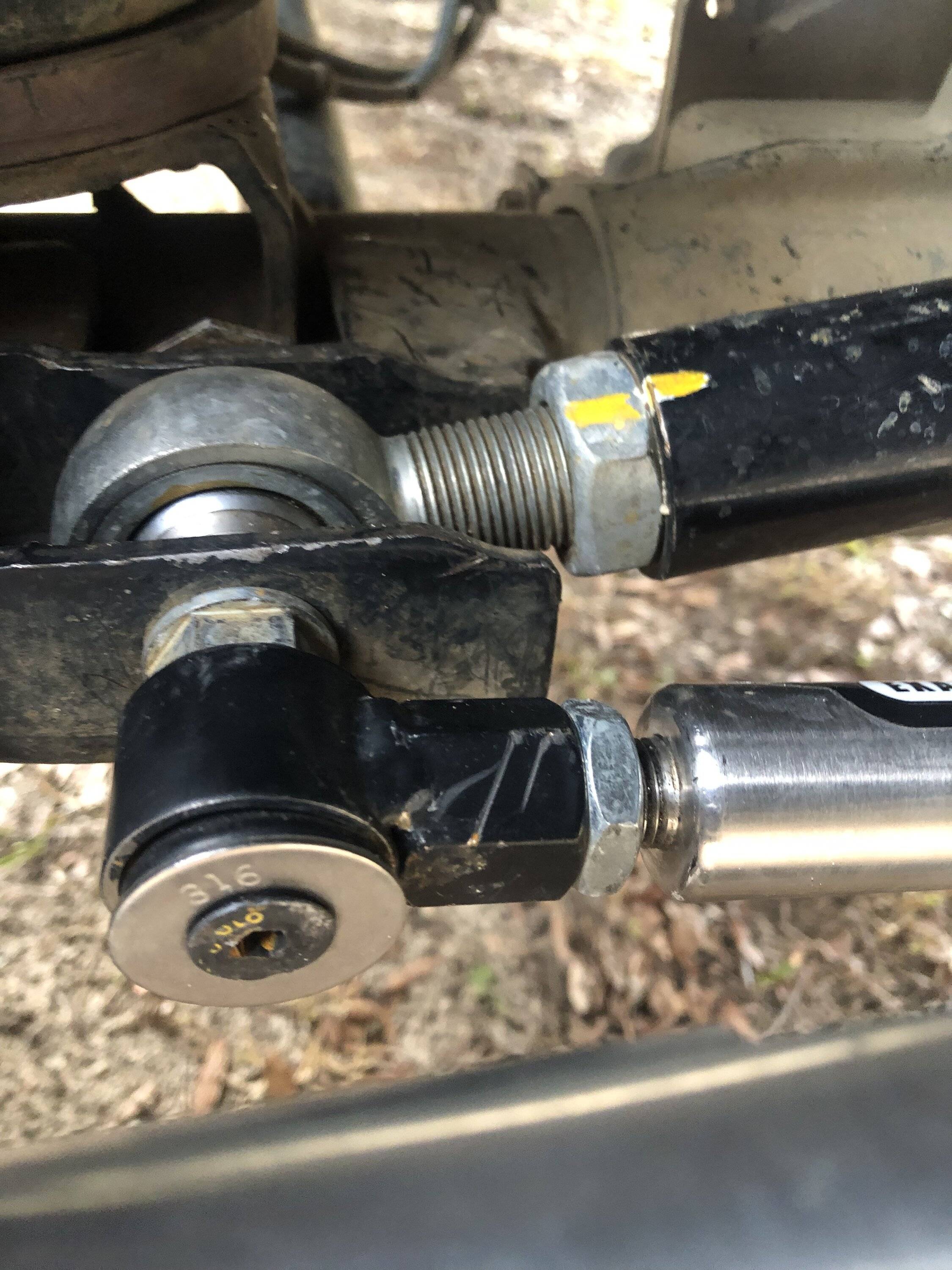
Colby is such a cute helper, Tinker and Jesse are the two in my avatar picture helping work on my Jeep.Trouble in paradise……..I checked clearance on the new steering linkage from every angle of articulation, since flexing is where I usually have clearance issues. It never entered my mind that I would have issues just turning to lock driver…..I thought that I was hitting the turn stop when in fact I was hitting the stabilizer with the drag link….


I’ve been discussing this with RK, but they’re telling me that the Pro X steering only works with the steering stabilizer in the factory location unless you flip the drag link.... well that would’ve been good to know before I got it, but it’s not in any of the instructions/ literature on their website. Don’t know why……that’s an ongoing discussion I’m still having……
I’ve modified my synergy track bar bolt, cut a 1/4” off of it. Replaced the bolt that holds the SS on with a flathead bolt. This got me closer to full turn driver but still will hit if I try to hit the turn stop….. RK is saying now, that they’ve got a bracket in the works and supposedly it comes out in late February…

I’ve tried a few different brackets, but they made it hit worse…. I’ve got a MC bracket coming, be here Tuesday. It raises the SS above the TB bolt, and might give me enough clearance. I’m also going to try the Clayton, it also raises it, but also shifts it towards driver side…… so we shall see…..
These linkages are pretty sweet otherwise and I really like the design of the ends, so I’m gonna try my best to make it work………??

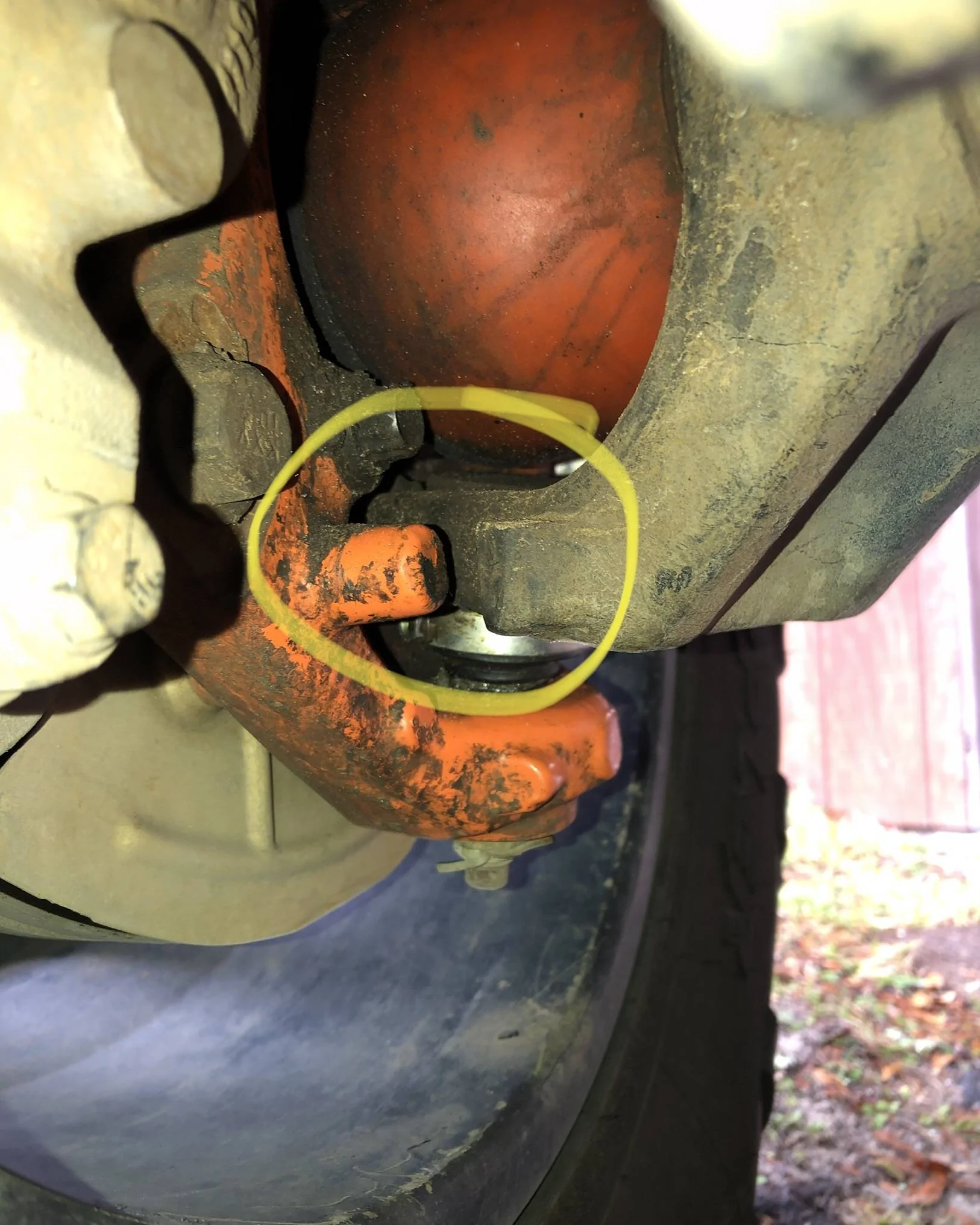
Yeah I had similar problems with Clayton Steering Stabilizer relocation bracket kit. They were the only ones who did not state there was any set amount of lift required or anything else for it to work. Got it all installed, went for test drive around the block and the end of the SS tie-rod mounting bracket bolt was smacking my front cross-member right next to the plastic radiator hose connector/bracket LOL. I tried rotating it around every which way and something interfered no matter what. Emailed/called and they said huh never had that problem, so now that part sits on my shelf in it's original box...reinstalled stock for now. This was using the stock stabilizer (which I'll replace when it wears out), do NOT want to limit up travel just to relocate SS up higher. I'm excited to continue reading about how you hopefully got this to work!
Sponsored


