Sponsored

OBD Jscan Settings

Renrens91

Active Member
First Name
Ren
Joined
Nov 30, 2023
Threads
4
Messages
25
Reaction score
5
Location
California, SoCal
Vehicle(s)
2018 4D Jeep Wrangler Rubicon JL
Hi People!

What other handy and useful adjustable settings on the OBD Jscan. So far I’ve calibrated my tire size and set my max load inflation pressure TPMS setting to 25. I was considering disabling my SDAR Travel Link so I no longer get the weather warning but I'm not sure if that will also disable travel related info such as closest or cheapest gas near me feature because I use it frequently when I'm on a road trip.

What did you guys change on your JL/U?

Cheers!
Sponsored

 

Rhinebeck01

Well-Known Member
Joined
May 9, 2018
Threads
169
Messages
12,679
Reaction score
19,168
Location
Ormond Beach, Florida
Vehicle(s)
'18 JL Rubi, '26 Cybertruck, '01 Harley FatBoy
Occupation
Retired at 55 ..
@Renrens91

Here is a JSCAN setting that will light up those dark dark back roads..

Fogs with High Beams:
ADAPTATION
---> Vehicle user settings --> Front Fog Lamp Dropout Enable On/Off --> Target Value = Deactivated

------

This is a cool one that will make your JL stand out from the others on the road..

Turn Signals for DRL's:
Maybe need: ADAPTATION ---> DRL--> Day time running lights Configuration- Canada DRL
ADAPTATION
---> DRL - Day time running lights - settings --> DRL Lamp Location --> Turn Signal DRL
 

Rhinebeck01

Well-Known Member
Joined
May 9, 2018
Threads
169
Messages
12,679
Reaction score
19,168
Location
Ormond Beach, Florida
Vehicle(s)
'18 JL Rubi, '26 Cybertruck, '01 Harley FatBoy
Occupation
Retired at 55 ..
@Renrens91 will not want this one based on his post.... but to me though, it was my absolute pleasure to get rid of the constant Weather Alerts.

I do lots of interstate road trips and use another, far far better alternatives to get " closest or cheapest gas near me"

For those that want to say goodbye to Weather Alerts:

Disable Weather Alerts:
ADAPTATION ---> Radio user settings --> SDAR Travel Link
Feature Present On/Off--> Target Value = Deactivated
 

TrentYoung

Well-Known Member
First Name
Trent
Joined
Nov 9, 2023
Threads
0
Messages
456
Reaction score
543
Location
Phoenix
Vehicle(s)
2024 Jeep Wrangler Rubicon X 4Xe
@Renrens91

Here is a JSCAN setting that will light up those dark dark back roads..

Fogs with High Beams:
ADAPTATION
---> Vehicle user settings --> Front Fog Lamp Dropout Enable On/Off --> Target Value = Deactivated

------

This is a cool one that will make your JL stand out from the others on the road..

Turn Signals for DRL's:
Maybe need: ADAPTATION ---> DRL--> Day time running lights Configuration- Canada DRL
ADAPTATION
---> DRL - Day time running lights - settings --> DRL Lamp Location --> Turn Signal DRL
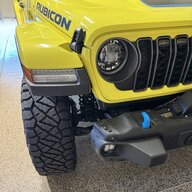
That.... is the exact and only reason I bought the JScan. To be able to run my high beams at the same time I run my fog lights / driving lights. I added on the Baja Designs "Squadron" in place of the MOPAR LED fog light which throw out a combined 7,000 lumens, then the headlight (high beams) which throw out about another 4,000 lumens.... all combined will light up the desert night sky.

Jeep Wrangler JL OBD Jscan Settings IMG_4807.JPG
 

Bryce

Well-Known Member
First Name
Bryce
Joined
Jun 2, 2019
Threads
13
Messages
1,301
Reaction score
2,793
Location
Acworth, GA
Vehicle(s)
2019 JLUR
Vehicle Showcase
1
I tried the Auto High Beam settings, but it doesn't work on my '19 with ACC. It shows up on the radio menu, but the setting gets checked and then immediately unchecks itself.

TPMS and fogs with high-beams are the 2 that I've actually used.
Sponsored


Top