Sponsored

"Looking for GPS Signal"

Ratbert

Well-Known Member
First Name
John
Joined
Jun 20, 2020
Threads
159
Messages
16,066
Reaction score
25,052
Location
PNW
Vehicle(s)
2022 AEV JL370 JLURD
Build Thread
Link
Occupation
Software Engineer
Clubs
 
I have the same Jeep and just upgraded to a 2020 8.4" radio and the GPS and XM Radio use the same antenna. Does the XM radio work? And I am going to wait for the 2024 map update to come out later in October before I think about paying for a map update.
Note that "new" map updates are usually a year+ old when they come out. Most people keep that $99 in their wallet and use something like Google Maps instead. Those maps get updated constantly.
Sponsored


sunset

Well-Known Member
First Name
Jay
Joined
Sep 4, 2023
Threads
17
Messages
539
Reaction score
594
Location
Seattle
Vehicle(s)
1984 Camaro Berlinetta V8, 2024 Wrangler Rubicon 392
Hello,

Vehicle concerns are the last thing we want for any of our customers. Our team is more than willing to assist in resolving this alongside your dealer if needed. Please individually send our team your VIN(s) for us to review via private message so we can determine the next steps of support. Thank you and we hope to connect with each of you soon!

Dakota
Jeep Cares
Hi JeepCares. Thank you for your offer of help. It made me want to first go back out to my Jeep and fiddle with my Uconnect5 before engaging further assistance.

Here's what I found:

With respect to the keyboard covering the Search list results, I found that touching a checkmark box on the keyboard makes it disappear to fully reveal the search results. So, okay, got that one figured out.

Next, I searched NAV for Dairy Queen Lynnwood to replicate my earlier steps and I got this list:

Dairy Queen
3000 184th St SW, Lynnwood, WA

Dairy Queen
3000 184th St SW, Lynnwood, WA

Dairy Queen
16722 Highway 99, Lynnwood, WA

Dairy Queen
3614 121st St SW, Lynnwood, WA


Yes, the first two entries were identical, and this duplicate presence pushed a fifth entry offscreen, had I only known to doubt those entries to then use the scrollbar to see that fifth entry, actually a third DQ entry at that same address:

DQ Grill & Chill Dairy Queen
3000 184th St SW, Lynnwood, WA - Temporarily Closed


So there was my notice if its closure.

Is this enough info to fix that kind of thing in a future update without my VIN?

Thank you.
 
  • Haha
Reactions: GtX

jludave

Well-Known Member
First Name
Dave
Joined
Feb 13, 2020
Threads
13
Messages
4,158
Reaction score
4,287
Location
The Isle of Long
Vehicle(s)
2020 Wrangler Unlimited Sport Altitude
Occupation
IT Manager
Vehicle Showcase
1
Clubs
 
Is this enough info to fix that kind of thing in a future update
I hope you realize that JeepCares has nothing to do with uConnect updates. It is also unlikely that your issue will be fixed in a uConnect update and that it will likely require a map update. Map updates are often a year behind when released. So in short, don’t count on anything being fixed soon. You are better off using CarPlay or Android Auto for current maps.
 
OP
OP
Crownline

Crownline

Well-Known Member
Joined
Oct 21, 2019
Threads
4
Messages
57
Reaction score
19
Location
STL
Vehicle(s)
Wrangler
I hope you realize that JeepCares has nothing to do with uConnect updates. It is also unlikely that your issue will be fixed in a uConnect update and that it will likely require a map update. Map updates are often a year behind when released. So in short, don’t count on anything being fixed soon. You are better off using CarPlay or Android Auto for current maps.
I agree. I never useD (can't use it now...ugh) my Jeep for this type of thing. Google is what you need to search. Jeep has no control over that info. Places move and change often anyway. 🤷‍♀️
 

GtX

Well-Known Member
First Name
David
Joined
Nov 9, 2019
Threads
8
Messages
2,080
Reaction score
3,310
Location
Illinois
Vehicle(s)
2020 JLUR 3.0D
Occupation
Working for the man.
Vehicle Showcase
1
Are you responding to me? It's not a maps issue...I have NO GPS at all!! No compass direction. When I plug in my phone, Uconnect doesn't show my apps so I can't even use that to show a map on the screen either. I have a "Device not Supported" screen that pops up occasionally even if nothing is connected (wired or wireless) to the Jeep.

It's certainly not a maps issues. Lol!
Just making small talk. Lol!
 

Sponsored

sunset

Well-Known Member
First Name
Jay
Joined
Sep 4, 2023
Threads
17
Messages
539
Reaction score
594
Location
Seattle
Vehicle(s)
1984 Camaro Berlinetta V8, 2024 Wrangler Rubicon 392
I hope you realize that JeepCares has nothing to do with uConnect updates. It is also unlikely that your issue will be fixed in a uConnect update and that it will likely require a map update. Map updates are often a year behind when released. So in short, don’t count on anything being fixed soon. You are better off using CarPlay or Android Auto for current maps.
All I know is that a username of JeepCares quoted my complaints thus far about NAV and Android Auto and posted an invitation to make contact about it for assistance. I would not think that they would do that if they could be of no assistance to me?
 
  • Haha
Reactions: GtX
OP
OP
Crownline

Crownline

Well-Known Member
Joined
Oct 21, 2019
Threads
4
Messages
57
Reaction score
19
Location
STL
Vehicle(s)
Wrangler
All I know is that a username of JeepCares quoted my complaints thus far about NAV and Android Auto and posted an invitation to make contact about it for assistance. I would not think that they would do that if they could be of no assistance to me?
Well, then message them and see what they say. Lol!
 

GtX

Well-Known Member
First Name
David
Joined
Nov 9, 2019
Threads
8
Messages
2,080
Reaction score
3,310
Location
Illinois
Vehicle(s)
2020 JLUR 3.0D
Occupation
Working for the man.
Vehicle Showcase
1
I would not think that they [JeepCares] would do that [quote my post] if they could be of no assistance to me?
You must be new here.

If they were truly helpful they would communicate in the open for all to see their value to customers.

And there would be glowing reviews of their service.
 

sunset

Well-Known Member
First Name
Jay
Joined
Sep 4, 2023
Threads
17
Messages
539
Reaction score
594
Location
Seattle
Vehicle(s)
1984 Camaro Berlinetta V8, 2024 Wrangler Rubicon 392
You must be new here.

If they were truly helpful they would communicate in the open for all to see their value to customers.

And there would be glowing reviews of their service.
Well, I think JeepCares was communicating in the open, here, with me. Right?

I have found that, when in a situation where other people disparage a person or group, if I avoid prejudging that person or group and fairly take them at what they say, what they say to me, what they say to me today, often I can get better results for having tried while everybody else is still living on the fumes of yesterday's disappointments.

To have this knowledge, one is not new to life.
 

Sponsored

jludave

Well-Known Member
First Name
Dave
Joined
Feb 13, 2020
Threads
13
Messages
4,158
Reaction score
4,287
Location
The Isle of Long
Vehicle(s)
2020 Wrangler Unlimited Sport Altitude
Occupation
IT Manager
Vehicle Showcase
1
Clubs
 
I would not think that they would do that if they could be of no assistance to me?
All they will do is act as a middle man between you and your dealer in trying to get your radio replaced. They have zero control over anything else, nor anything to do with uConnect.
 

sunset

Well-Known Member
First Name
Jay
Joined
Sep 4, 2023
Threads
17
Messages
539
Reaction score
594
Location
Seattle
Vehicle(s)
1984 Camaro Berlinetta V8, 2024 Wrangler Rubicon 392
All they will do is act as a middle man between you and your dealer in trying to get your radio replaced. They have zero control over anything else, nor anything to do with uConnect.
Your response is even-keeled. I get it now, thanks.
 

Spank

Well-Known Member
Joined
Mar 29, 2017
Threads
28
Messages
2,697
Reaction score
4,579
Location
Colorado
Vehicle(s)
2018 Jeep Wrangler Unlimited Rubicon, 2020 Dodge Challenger RT Scat Pack
Now occasionally I'm getting "Device not Supported" on the screen that pops up.

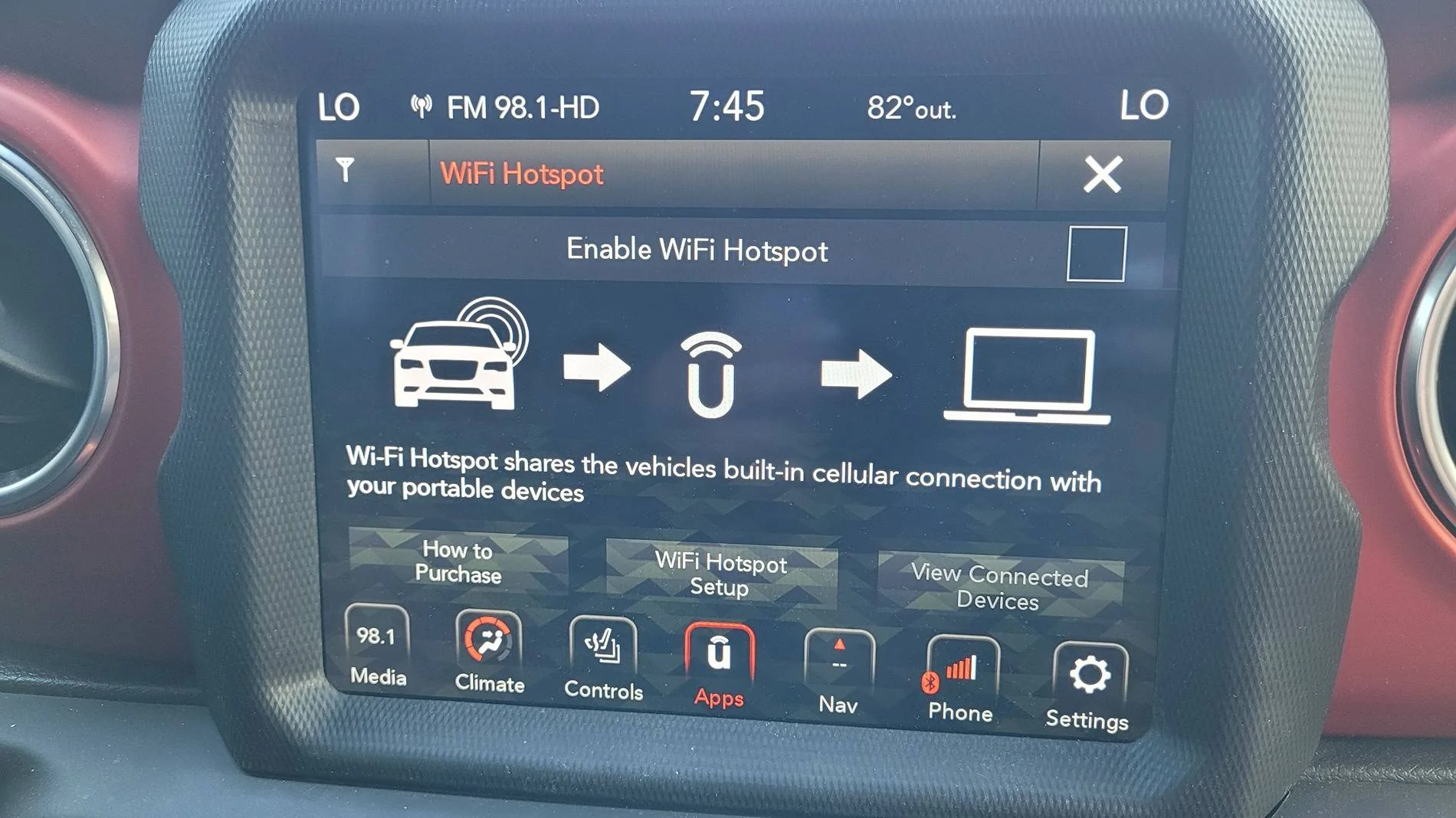
When I go to the wifi app, I don't see a place to see bars. This is what's on the wifi app screen.

20240710_194503.webp
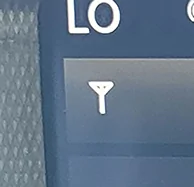
99% sure it's a dead aircard as indicated by this part of the screen alone. Your radio has no connection to cell towers and the card that handles said connection is a bridge for the GPS antenna to send coordinates to the radio. It's an utterly stupid design.

Jeep Wrangler JL "Looking for GPS Signal" uconnect


How comfortable are you with electronics? The aircard isn't a difficult replacement if you've built a computer or have tinkered with gadgets. The only uncertainly in the repair is that replacement aircards you can buy from eBay aren't new.

https://www.ebay.com/itm/184182258676

This is probably your best bet if you want to attempt it yourself. $50 plus the cost of some thermal paste is more palatable than the price of a replacement radio.
 
OP
OP
Crownline

Crownline

Well-Known Member
Joined
Oct 21, 2019
Threads
4
Messages
57
Reaction score
19
Location
STL
Vehicle(s)
Wrangler
99% sure it's a dead aircard as indicated by this part of the screen alone. Your radio has no connection to cell towers and the card that handles said connection is a bridge for the GPS antenna to send coordinates to the radio. It's an utterly stupid design.

uconnect.jpg


How comfortable are you with electronics? The aircard isn't a difficult replacement if you've built a computer or have tinkered with gadgets. The only uncertainly in the repair is that replacement aircards you can buy from eBay aren't new.

https://www.ebay.com/itm/184182258676

This is probably your best bet if you want to attempt it yourself. $50 plus the cost of some thermal paste is more palatable than the price of a replacement radio.
We're considering this. Do you think this is causing the "Device not Supported" screen we're getting periodically also? We have nothing plugged in a USB port. I even deleted our paired phones just to make sure, but nothing has changed. Just a result of the bad aircard, you think?
 

Spank

Well-Known Member
Joined
Mar 29, 2017
Threads
28
Messages
2,697
Reaction score
4,579
Location
Colorado
Vehicle(s)
2018 Jeep Wrangler Unlimited Rubicon, 2020 Dodge Challenger RT Scat Pack
We're considering this. Do you think this is causing the "Device not Supported" screen we're getting periodically also? We have nothing plugged in a USB port. I even deleted our paired phones just to make sure, but nothing has changed. Just a result of the bad aircard, you think?
I doubt they're connected, but I can't say for certain. When my aircard was toast, I was able to use my USB ports just fine so I could supplement my dead navigation with Android Auto.

I've had glitches with my USB ports in the past, though. Sometimes they wouldn't read a device or claim an unsupported device was plugged into a port that was empty. A reset using the fuse method or through button combinations always cleared them right up.

These radios have always been finicky with cables and flash drives. Maybe you get lucky and a reset resolves the cell connection, too.
Sponsored


Top