Sponsored

SOS Security Bypass Ports

OP
OP
Mr. Nimbus

Mr. Nimbus

Well-Known Member
Joined
Sep 4, 2025
Threads
7
Messages
89
Reaction score
229
Location
Florida
Vehicle(s)
Jeep Wrangler 2025 JL Willys, Toyota Tacoma 2012 TRD Off Road
30 of us want to know if you got them out. Don't leave us hanging ..
🙂
I‘m waiting on the cords…. Now it says delivery on Tuesday. I’ll post round 2 for sure, next week. I have amassed many tips.

Today I was able to get the Bolt Hood Lock, HotHeads Headliners, and Anvil Dash Bar installed. I’m now out of things to do, so I ordered some running boards tonight.
 
OP
OP
Mr. Nimbus

Mr. Nimbus

Well-Known Member
Joined
Sep 4, 2025
Threads
7
Messages
89
Reaction score
229
Location
Florida
Vehicle(s)
Jeep Wrangler 2025 JL Willys, Toyota Tacoma 2012 TRD Off Road
30 of us want to know if you got them out. Don't leave us hanging ..
🙂
I got rained out early in the week, but today was the day.

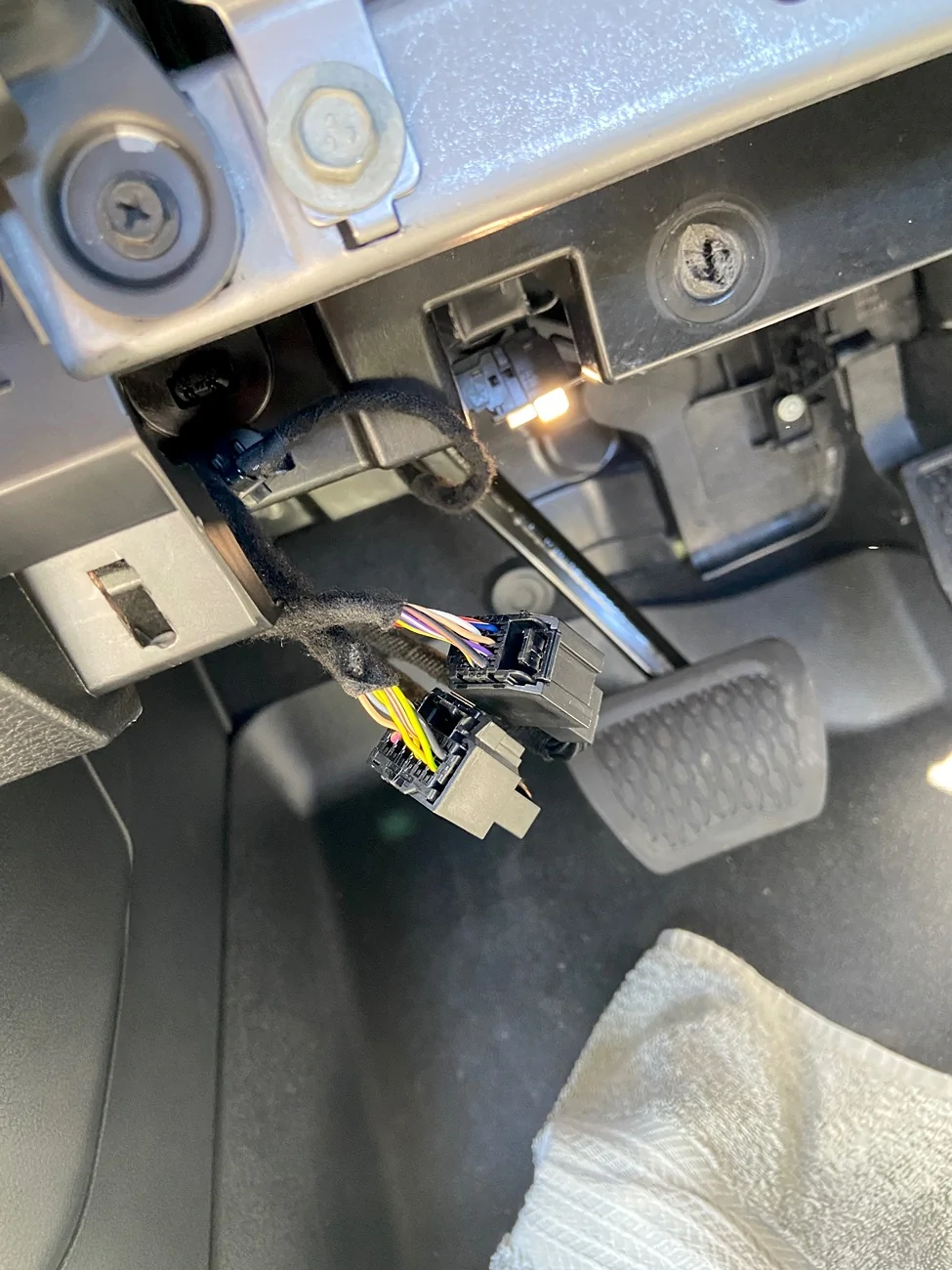
The extension cord arrived, and I practiced plugging and unplugging on the dongle cord a few times. It was hard, tight squeeze even then. I firgred out it’s all in the tiny rocking motion, more than the pulling. The plug moves 1mm at a time.

I got back up in there, and wiggled for like 15 minutes and they came out.

I plugged the extension cables in, then thought I put them in backwards, and wiggled them out in a few minutes, for a second round.

Then I figured out they were in right the first time, then put them back in, plugged in JScan, and switched all the back lights to LED.

Then when I re-connected to the extension, my infotainment screen wouldn’t come on. I thought I broke the Jeep! I went to hard restart the screen, and then realized that I had just shut the radio off when I first started. Everything was actually fine.

Great Success! Thanks everybody!

Jeep Wrangler JL SOS Security Bypass Ports IMG_0680


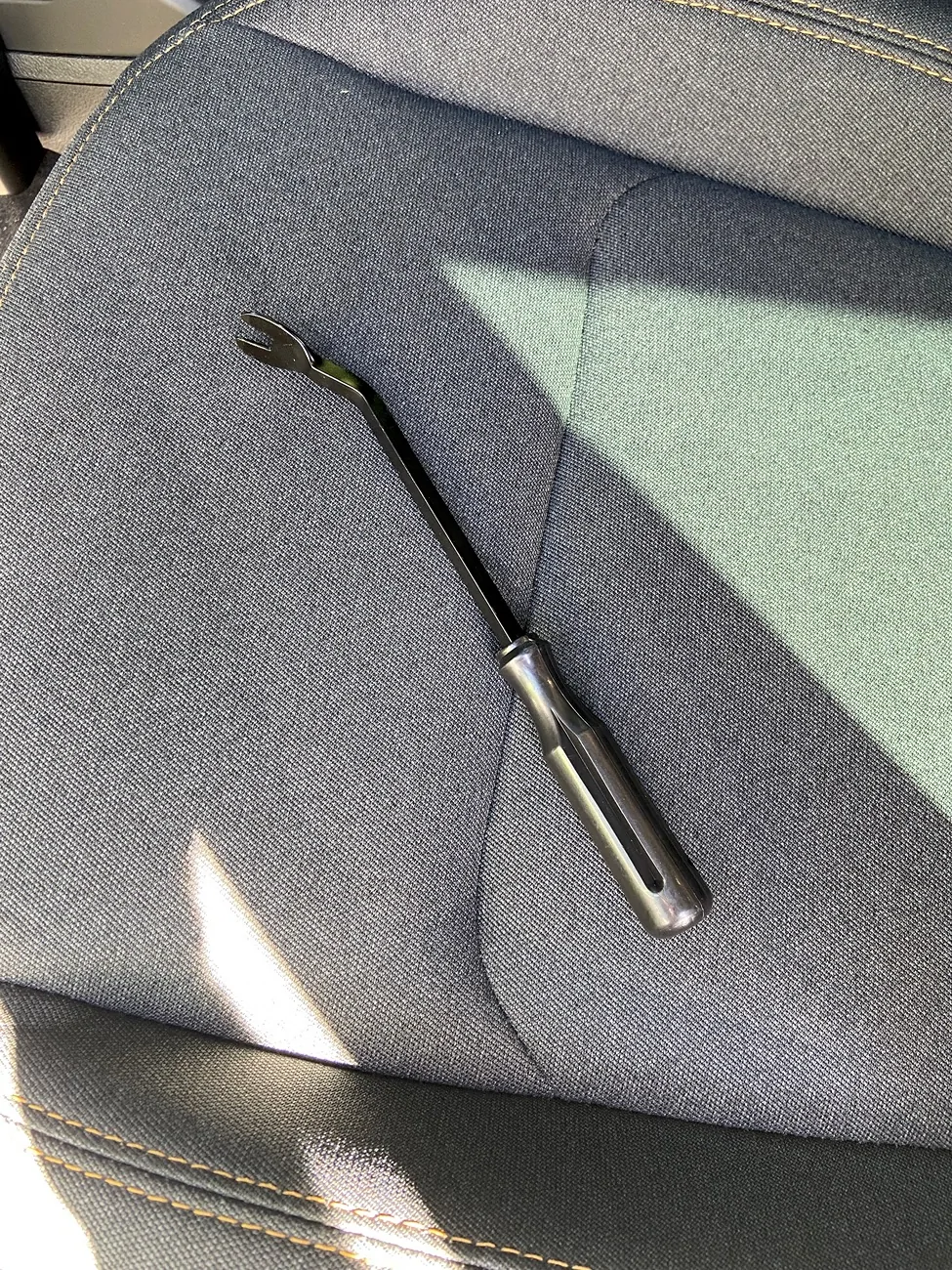
I did use this guy to catch the rim of the big plug on the first try. Helped budge it just a little when it was wedge angled a little.
Jeep Wrangler JL SOS Security Bypass Ports IMG_0681
 

Rhinebeck01

Well-Known Member
Joined
May 9, 2018
Threads
169
Messages
12,679
Reaction score
19,169
Location
Ormond Beach, Florida
Vehicle(s)
'18 JL Rubi, '26 Cybertruck, '01 Harley FatBoy
Occupation
Retired at 55 ..
@Mr. Nimbus

Not sure if you know this in regard to JSCAN that you used... but...

Anyone using JSCAN that has registered a Vin# with JSCAN, should...... Keep a record of the TOKEN for that vehicle in regard to JSCAN.

IF you were to lose your device, this will save you a lot of headaches... you won't have to reach out to JSCAN, in Poland.

DO:

Set up the JSCAN app on one device in regard to your vehicle's Vin#... so your Vin# is registered and JSCAN is all set-up for use with that vehicle....

After you have JSCAN set-up, open JSCAN, and go to Settings >Manage Licenses & Account > Status.. now, there, you will see the purchased and used licenses and also an Account Token that is 6 characters in length and surrounded by an yellow block/button of color .. IMPORTANT: You want to note this token.. write it down.... Why .... because this is your only identifier.

To repeat...... It's important ...for anyone using JSCAN that has registered a Vin# with JSCAN, should... Keep a record of the TOKEN for that vehicle in regard to JSCAN.
IF you were to lose your device, this will save you a lot of headaches... you won't have to reach out to JSCAN, in Poland.


Using this Token, you can type this token into any device that has the JSCAN app loaded.
(You can have JSCAN on two (or more) different devices simultaneously ....You can use on multiple devices ... with the single Vin# )

Setting up a new device or additional device with JSCAN using the "token":
On your new device, go to the Settings >Manage Licenses & Account > Status and tap the yellow block/Token button (when tapped it should say “Add”)... now type the Token in. Now, tap the refresh icon and/or restart the JSCAN app.. You should now be all set to use JSCAN on that device on your vehicle.

You can use it on both Android and iOS. If the you have any issues with this process, contact JSCAN via chat, who will help you retrieve the mentioned Token.

Trivia.... JSCAN switched to this token / identifier approach in 2020.
 

58Willys

Well-Known Member
First Name
Geoff
Joined
Jan 2, 2022
Threads
6
Messages
1,162
Reaction score
1,450
Location
Western Washington
Vehicle(s)
2018 JL Sport
@Mr. Nimbus

Not sure if you know this in regard to JSCAN that you used... but...

Anyone using JSCAN that has registered a Vin# with JSCAN, should...... Keep a record of the TOKEN for that vehicle in regard to JSCAN.

IF you were to lose your device, this will save you a lot of headaches... you won't have to reach out to JSCAN, in Poland.

DO:

Set up the JSCAN app on one device in regard to your vehicle's Vin#... so your Vin# is registered and JSCAN is all set-up for use with that vehicle....

After you have JSCAN set-up, open JSCAN, and go to Settings >Manage Licenses & Account > Status.. now, there, you will see the purchased and used licenses and also an Account Token that is 6 characters in length and surrounded by an yellow block/button of color .. IMPORTANT: You want to note this token.. write it down.... Why .... because this is your only identifier.

To repeat...... It's important ...for anyone using JSCAN that has registered a Vin# with JSCAN, should... Keep a record of the TOKEN for that vehicle in regard to JSCAN.
IF you were to lose your device, this will save you a lot of headaches... you won't have to reach out to JSCAN, in Poland.


Using this Token, you can type this token into any device that has the JSCAN app loaded.
(You can have JSCAN on two (or more) different devices simultaneously ....You can use on multiple devices ... with the single Vin# )

Setting up a new device or additional device with JSCAN using the "token":
On your new device, go to the Settings >Manage Licenses & Account > Status and tap the yellow block/Token button (when tapped it should say “Add”)... now type the Token in. Now, tap the refresh icon and/or restart the JSCAN app.. You should now be all set to use JSCAN on that device on your vehicle.

You can use it on both Android and iOS. If the you have any issues with this process, contact JSCAN via chat, who will help you retrieve the mentioned Token.

Trivia.... JSCAN switched to this token / identifier approach in 2020.
Excellent advise, thanks you. Didn't know any of this.
 

Sponsored

nkyjeep

Well-Known Member
First Name
mark
Joined
May 11, 2021
Threads
12
Messages
111
Reaction score
163
Location
nky
Vehicle(s)
2024 Rubicon 4 dr (Earl)
Occupation
retired- Beer / Wines sales

BXFXJeep

Well-Known Member
Joined
Jun 13, 2019
Threads
20
Messages
3,702
Reaction score
4,636
Location
Toronto, ON
Vehicle(s)
2021 4xe Sahara
When I needed to get them out, I was searching for the pick tool online, it was $20 in Canada, luckily my wife was on the sofa next to me clipping the kids nails, and I spied a picker without the bend in the nail kit thingy, so after she was done, and packed away the claw tools, I took it, and fixed it with the pliers, and it worked like a charm, a few weeks later I heard her talking on the phone, and said she thinks I bent the "cuticle pusher" cleaning my toes or something.

Jeep Wrangler JL SOS Security Bypass Ports 1000027426
Sponsored


Top