Yawnie'sPapa
Well-Known Member
- First Name
- Bill
- Joined
- Feb 5, 2023
- Threads
- 12
- Messages
- 779
- Reaction score
- 1,136
- Location
- Central Iowa
- Vehicle(s)
- '22 JTO, '23 JLUR, '82 SX4, '73 P. Cardin Javelin
- Thread starter
- #1
2023 JLU Rubicon 4xe, fairly loaded but no ACC, FCW and so on.
Park sense warnings in cluster, dash button flashes then indicates PS disabled.
But only sometimes, and only since a tire cover..........
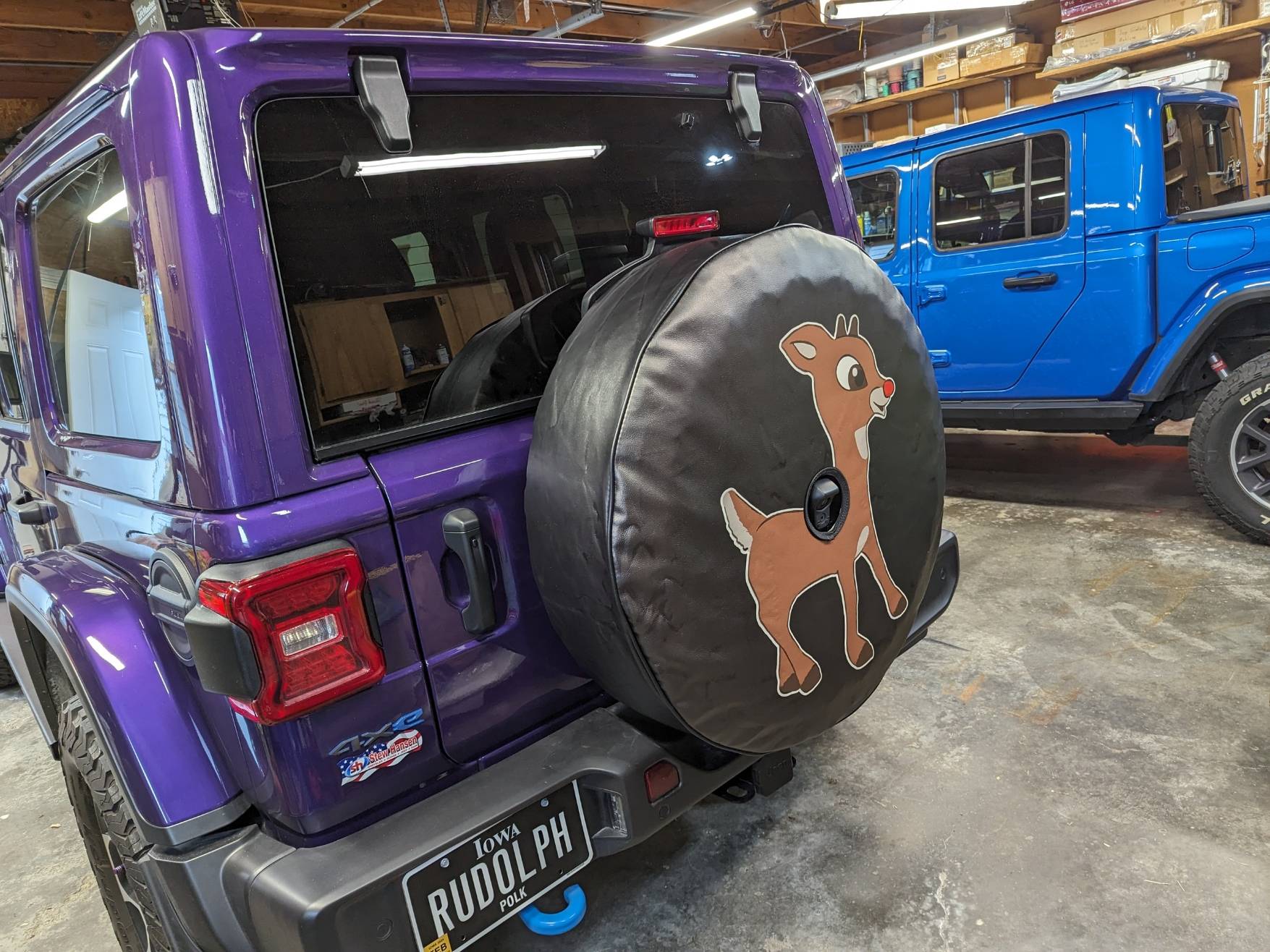
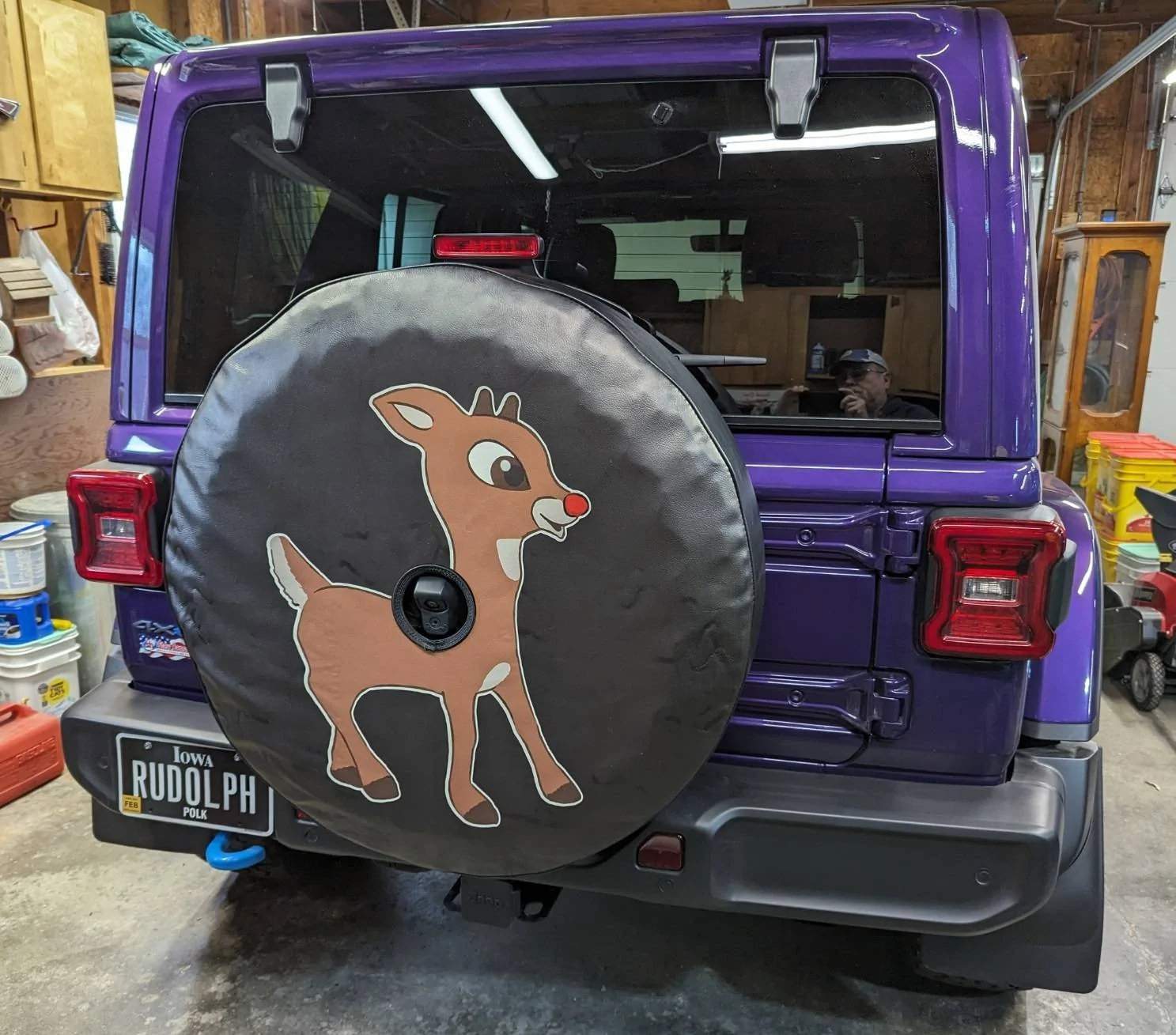
Got my wife her Rudolph tire cover - installed it and that went fine, just like any other, centered it, perfect fit, not loose, not tight and the big hole in the middle lines up fine with reverse camera.
I wish the camera hole was a tad different because you can just see the lower part of the cover's hole in the backup cam view but it doesn't really obstruct anything at all.
The first trip out with it since the tire cover went on, the park sense button started flashing and she got a message park sense disabled, clean sensors.
They are clean - the thing was washed not long ago and hasn't really seen dirt to speak off, rear bumper is very clean. There's nothing on the bumper or the bumper sensors.
After the first stop, when we started out again, park sense worked perfectly, exactly like normal.
Then another stop for a few minutes, took off again - button flashed, error message on cluster park sense disabled etc etc.
Checked again - the bumper is totally clear.
My question - is the JLU park sense sensor array ONLY in the bumper? Is it only sensors there and no place else?
If that is the case, then it's a park sense sensor issue.
Does that backup camera have anything at all to do with park sense? (can't really see how - it doesn't matter on the JT with park sense)
Has anyone else seen this after installing a silly tire cover?
Total coincidence??
I had thought about cutting a piece of plastic to slip behind the camera bit to hold the cover back (or forward) from the camera view as an experiment but I can't see how the camera matters.
Admission - full disclosure - I've never even had the spare tire off her Jeep - never had that camera bit, never even unlocked that lock thing below the camera lens so I'm at 0 (zero) knowledge on the Wrangler backup cam. I've normally dealt with the JT or the WK2 and so on.
Park sense warnings in cluster, dash button flashes then indicates PS disabled.
But only sometimes, and only since a tire cover..........
Got my wife her Rudolph tire cover - installed it and that went fine, just like any other, centered it, perfect fit, not loose, not tight and the big hole in the middle lines up fine with reverse camera.
I wish the camera hole was a tad different because you can just see the lower part of the cover's hole in the backup cam view but it doesn't really obstruct anything at all.
The first trip out with it since the tire cover went on, the park sense button started flashing and she got a message park sense disabled, clean sensors.
They are clean - the thing was washed not long ago and hasn't really seen dirt to speak off, rear bumper is very clean. There's nothing on the bumper or the bumper sensors.
After the first stop, when we started out again, park sense worked perfectly, exactly like normal.
Then another stop for a few minutes, took off again - button flashed, error message on cluster park sense disabled etc etc.
Checked again - the bumper is totally clear.
My question - is the JLU park sense sensor array ONLY in the bumper? Is it only sensors there and no place else?
If that is the case, then it's a park sense sensor issue.
Does that backup camera have anything at all to do with park sense? (can't really see how - it doesn't matter on the JT with park sense)
Has anyone else seen this after installing a silly tire cover?
Total coincidence??
I had thought about cutting a piece of plastic to slip behind the camera bit to hold the cover back (or forward) from the camera view as an experiment but I can't see how the camera matters.
Admission - full disclosure - I've never even had the spare tire off her Jeep - never had that camera bit, never even unlocked that lock thing below the camera lens so I'm at 0 (zero) knowledge on the Wrangler backup cam. I've normally dealt with the JT or the WK2 and so on.
Sponsored