Jeep4life603
New Member
Sponsored

 Pretty stoked, downloaded some apps but loving the info on this thread for different ideas.
Phone works just fine, I find it nice though to see a bigger view. Easier for me to see.Just curious, if you phone has GPS built in, why not use that instead? Is it for the bigger screen?
Makes sense and figured. Just wanted to make sure. I agree, using an iPad would be easier to view.Phone works just fine, I find it nice though to see a bigger view. Easier for me to see.

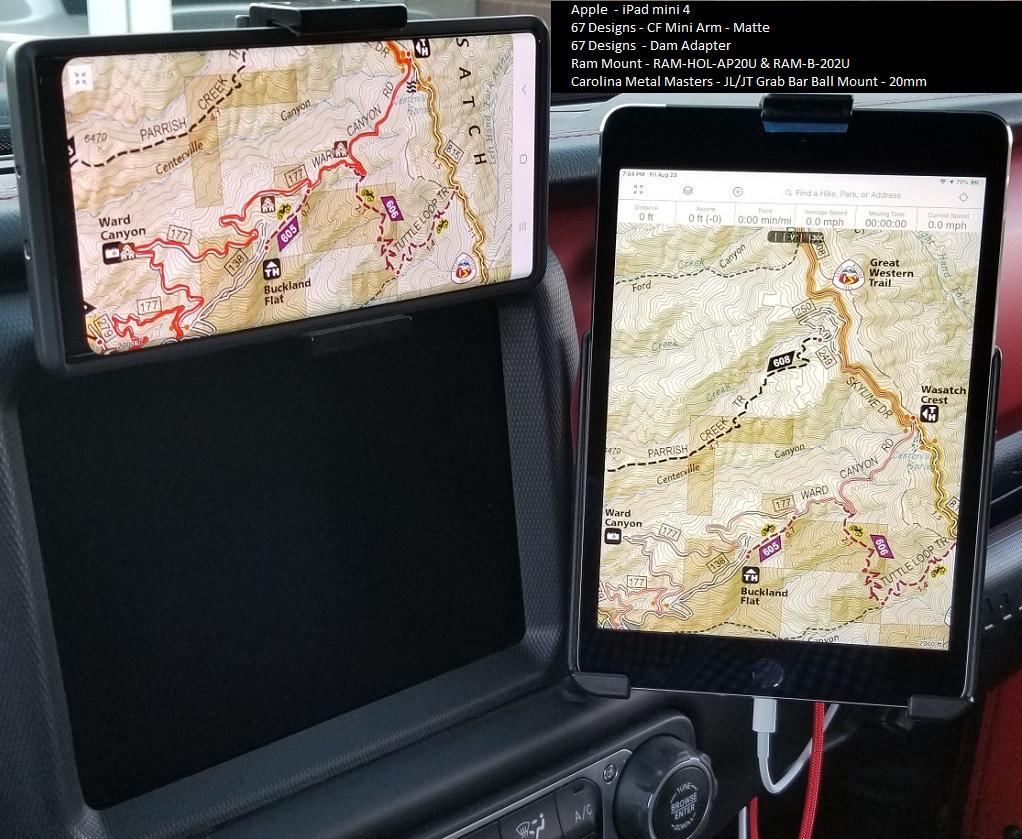
Here are a couple pictures of how my ipad mini 4 is setup. For an ipad you will want to buy the model that includes the cellular option. You will not need to have it added to a plan but that is the model that includes GPS. If you go with a model that doesn't have it, you will need to add an external GPS that the ipad can connect to via bluetooth. Most Android tablets have GPS built in but check specs.I've ben thinking about using an iPad w/ cellular for GPS. I have 2 questions:
- Can someone confirm that the IPad with cellular has GPS even without cellular reception?
- Which app/software is the best?
Thank you so much for your help,
Todd

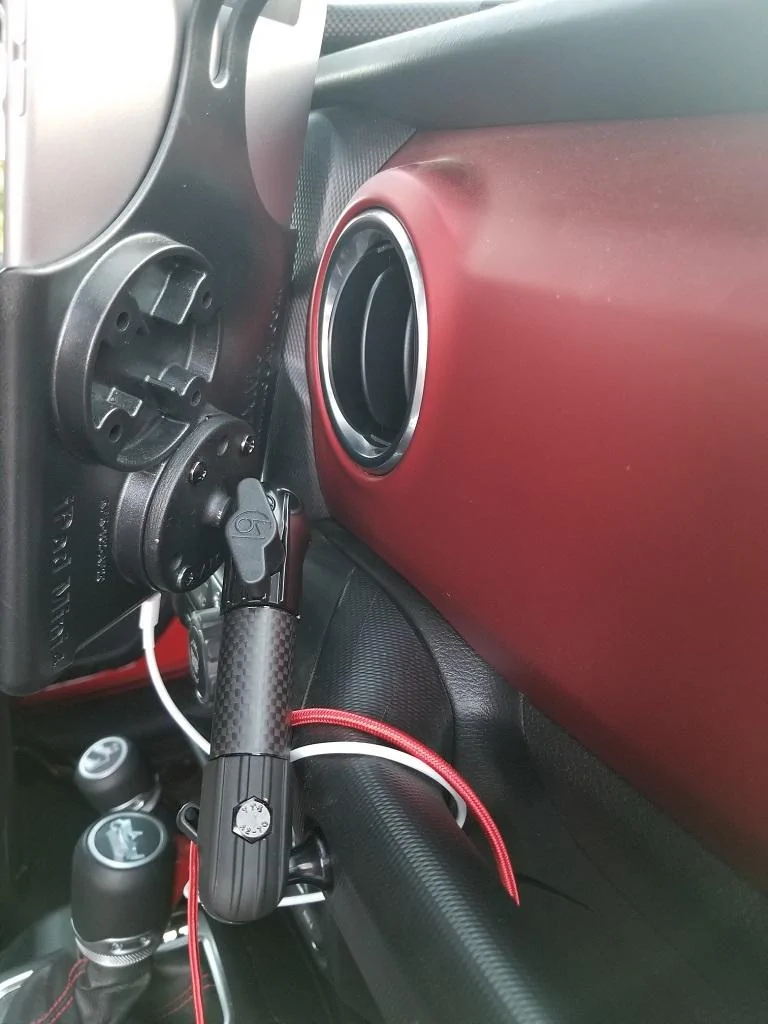

You could save some money over the Pro by getting the Garmin Overlander. 700$, I know my girlfriend spent like 1000-1100 on her pro. It’s android based but I’ve heard good things.I would recommend an iPad Pro for navigation. The GPS antennae is much better than the regular “amateur” iPad.
And as someone already mentioned, download the maps before you leave.

You could definitely do that if you wanted to run their program. I use GIS/GPS in my job so I'm running a souped up ESRI program that let's me create data, edit and upload to the cloud on the fly. I would definitely consider a cheap tablet as well if i was going to dedicate it to nav.You could save some money over the Pro by getting the Garmin Overlander. 700$, I know my girlfriend spent like 1000-1100 on her pro. It’s android based but I’ve heard good things.

On my desktop I use ArcGis Pro, which is cloud based. On my pad I use ESRI Collector or Navigator. This way I can set it up at home, or McDonald’s or wherever and it automatically shows up on my pad. Seamless. If I think I’ll be getting into a poor coverage area I download the base maps. (Ortho, usgs, National Geographic, streets and roads, etc).@Stormin’ Moorman what program are you using. I am a geologist and use gps a lot. Gaiaisok but lacks the ability to add significant detail. Best resolution. Is 1:4800 half as much of a usgs 7.5 minute And you limited to a 100,000 tile down load. Not very good at all.

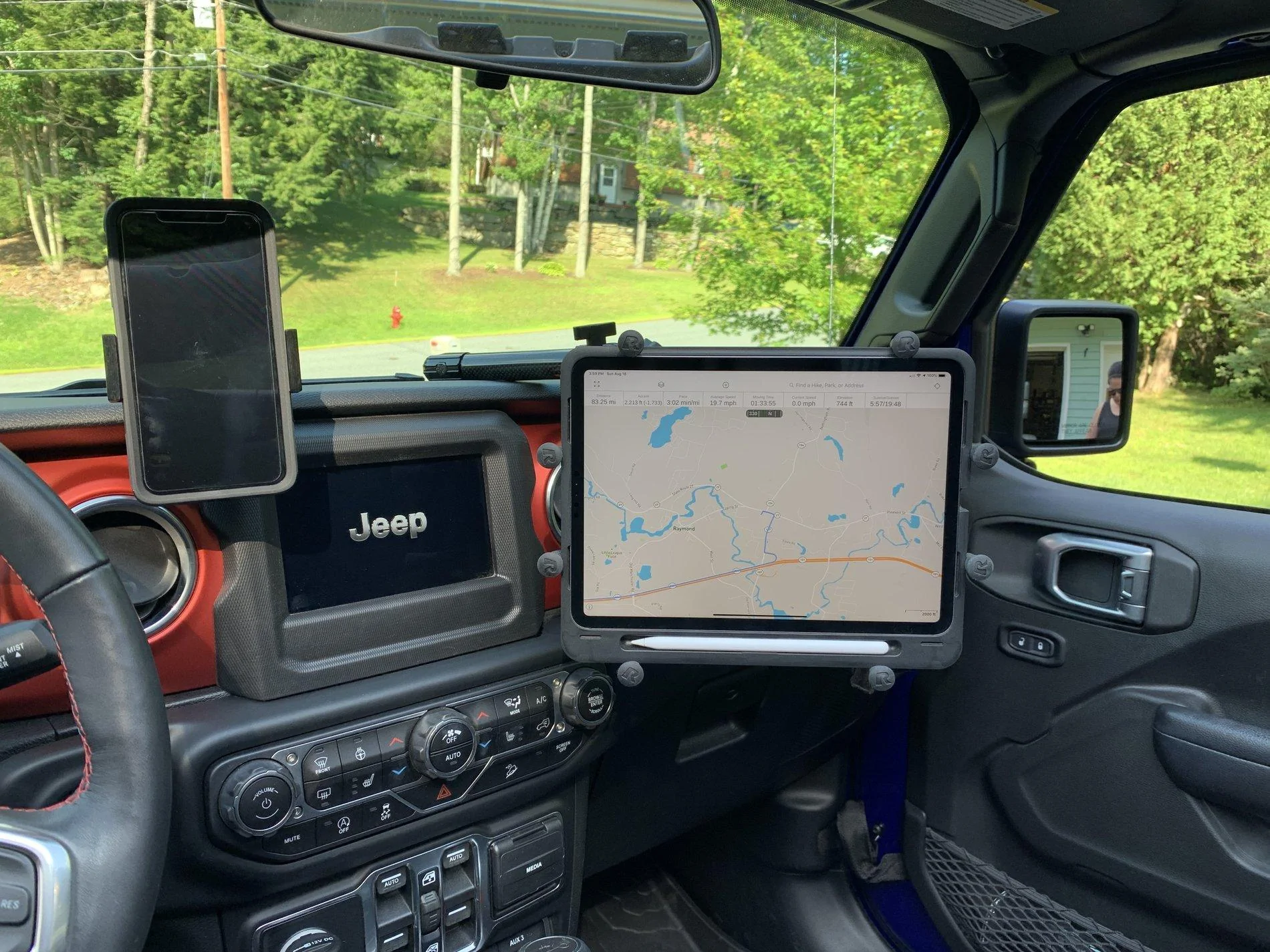
I know this is an old post - but very helpful. I was out this past weekend and had to leave my iPad Pro sitting on the passenger seat with Gaia while trying to navigate, and so I've ordered all the RAM parts I'll need to make this happen.This is my setup using an iPad Pro. Works great with Gaia.