Sponsored

Uconnect CarPlay wrong location

BobP

New Member
First Name
Bob
Joined
Nov 8, 2018
Threads
0
Messages
4
Reaction score
0
Location
LaGrange, IN
Vehicle(s)
2018 Jeep Wrangler Sahara
@JeepCares

I was able to get TSB 08-012-18 REV. D applied last week to my 7” uConnect. The good news is that, after a week, my navigation appears to be working perfectly. However, there are some other issues I wanted to bring to your attention in case there is another fix out there.

1. The left hand steering wheel rocker switch, which is used to advance or reverse music tracks on the Apple Music app, works intermittently. Most of the time the switch doesn’t work at all for advancing music tracks. The rocker switch works for all other functions.
2. Sometimes the music library doesn’t show up in the CarPlay music app. This is very intermittent.
3. Sometimes the phone doesn’t show up, at all, as a connected device. I have double checked to insure the lightening connector port is clean and I’ve tried several cables to the point that I’m sure these are not causing the issue.

I’m VERY happy that the nav issue appears to be resolved. I’m just hoping you have some advice on the other issues.
I just spent three hours at the dealership today while they attempted the above TSB. They were unable to get it to download.
Sponsored


JeepCares

Well-Known Member
Joined
Feb 1, 2018
Threads
16
Messages
5,423
Reaction score
2,800
Location
Auburn Hills, MI
Vehicle(s)
JL
@JeepCares

I was able to get TSB 08-012-18 REV. D applied last week to my 7” uConnect. The good news is that, after a week, my navigation appears to be working perfectly. However, there are some other issues I wanted to bring to your attention in case there is another fix out there.

1. The left hand steering wheel rocker switch, which is used to advance or reverse music tracks on the Apple Music app, works intermittently. Most of the time the switch doesn’t work at all for advancing music tracks. The rocker switch works for all other functions.
2. Sometimes the music library doesn’t show up in the CarPlay music app. This is very intermittent.
3. Sometimes the phone doesn’t show up, at all, as a connected device. I have double checked to insure the lightening connector port is clean and I’ve tried several cables to the point that I’m sure these are not causing the issue.

I’m VERY happy that the nav issue appears to be resolved. I’m just hoping you have some advice on the other issues.
Thank you for letting us know about this. If you're still experiencing these issues and have eliminated the cord as the cause of the concern, I would also recommend checking if your phone has any updates available. If you're up to date, we'd recommend visiting your dealership to have this looked into in person. If you need further assistance, please feel free to PM us.

Jennifer
Jeep Social Care Specialist
 

JeepCares

Well-Known Member
Joined
Feb 1, 2018
Threads
16
Messages
5,423
Reaction score
2,800
Location
Auburn Hills, MI
Vehicle(s)
JL
I just spent three hours at the dealership today while they attempted the above TSB. They were unable to get it to download.
Hi BobP,

Please know that dealer updates do rely on the dealer's internet connection, whether they are using a properly formatted USB drive, etc. I would recommend reaching out to the dealer again to see if they have been able to get their updates to download, and if you need further assistance, please send us a PM.

Jennifer
Jeep Social Care Specialist
 

ThirtyOne

Well-Known Member
Joined
Apr 18, 2017
Threads
52
Messages
5,346
Reaction score
7,989
Location
Chapel Hill, NC
Website
www.jeepdoodles.com
Vehicle(s)
2021 JLU Rubicon, 2017 Chevy Tahoe
Build Thread
Link
A little tip if you going to he dealer for the TSB update. Ask the dealer if they will download the patch ahead of time.

Downloading took over 2 hours. Installing took like 30 minutes.
 

Joiky

Active Member
First Name
Dave
Joined
Mar 11, 2018
Threads
5
Messages
28
Reaction score
15
Location
Phoenix
Vehicle(s)
2018 JLU Rubicon
I had the dealer install the update today and it appears to have fixed the location issue.
 

Sponsored

Jeeper123

Member
Joined
Nov 19, 2018
Threads
0
Messages
18
Reaction score
3
Location
Los Angeles
Vehicle(s)
2018 Wrangler Unlimited Sport JL turbo
I'm having a very similar problem, the compass is always showing the exact opposite direction, and when ever my wife or I plug in our Samsung phones, the Android Auto thinks we are in Toledo, Ohio (we are in LA). Also, when we tell the clock to set automatically it jumps to east coast time (the time zone of Toledo, Ohio).

It will also override our phone's maps too. For example, after unplugging the phone from the car the maps on the phone say we are in Toledo for about 20 seconds until it re-acquires its own signal and correctly updates the location.

We have tried driving in tight circles but it doesn't seem to help.

I was hoping by coming here that there was some sort of way we could re-calibrate the gps on our own so I don't need to make a service appointment.
 

Jeeper123

Member
Joined
Nov 19, 2018
Threads
0
Messages
18
Reaction score
3
Location
Los Angeles
Vehicle(s)
2018 Wrangler Unlimited Sport JL turbo

I was having the same issue with the compass, clock and navigation on our 2.0T JLU Sport. Compass was off, clock kept reverting to East Coast time (I’m in L.A.) and sometimes the navigation showed me being back east (again, I’m in L.A.).

At 1,200 miles I took it into the dealership where we acquired it, but they couldn’t figure it out, other than replacing a module. They ordered a new module, I went back for the install of the new module, when the service adviser stated that they were not replacing the module, but rather just doing a software update on existing module. That seemed to work out fine. Compass now indicates correctly, time is displaying correct time and navigation appears to recognize my current location to give correct info.

Now..... the new issue with all of this, is that the tech that worked on our NEW ride, did a crappy job, the front passenger air bag dash panel was left popped out and evidence of tools being used to pry areas of the dash are apparent. I brought it to the service managers attention and they ordered a new dash cover part. (FYI- apparently the module that was malfunctioning is hidden somewhere in the front dash area between the glove compartment and stereo controls on the dash), so they had to take that apart to be able to get to it.

Today 12/19/18 I picked up our Jeep from the dash repair and Now— I have some other “clatter” type noises coming from the driver side dash between the steering wheel and front left speaker area. If I go over pot holes or road lane reflectors it rattles. Will be heading back to dealer tomorrow morning to deal with this new issue and our JLU only has 1,400 miles on it. I guess I should have just left it alone, but figured since I’m paying extra for all this awesome technology, it might as well be working correctly.

I hope this helps to you all to some degree with the technology issues you are experiencing.

Jake
 

Beepbeep

New Member
First Name
Toby
Joined
Nov 29, 2018
Threads
0
Messages
2
Reaction score
0
Location
Oregon
Vehicle(s)
Jeep Wrangler JLU Sport S
I tow my JLU with my motor home. Every time I tow it to a new location Apple CarPlay will show us located where I last used maps when I plug in my iPhone. The iPhone shows my actual location until I plug it in to the Jeep. Which is usually hundreds of miles away. I have finally figured out after hours of frustrating trial and error. Here is my “fix”:
On the iPhone go to Settings, tap General, scroll down to Reset, tap Reset, scroll down and tap “Reset Location & Privacy”
I then open either apple maps or google maps, pick a random destination nearby and nagivgate there. The iPhone is showing the correct location and the blue line to the destination. Now I plug the iPhone into the Jeep while the engine is running, give a few seconds to start up CarPlay and then press “go” on the UConnect screen.
 

porkchop

Well-Known Member
Joined
Jun 21, 2018
Threads
0
Messages
103
Reaction score
59
Location
SoCal
Vehicle(s)
2018 JLUR / Billet / Teraflex ST2 / Icon Shocks
Just had the TSB done and so far it’s working properly. Hopefully this resolves the issues.
 

TJ2018

Well-Known Member
First Name
Eric
Joined
Nov 2, 2018
Threads
10
Messages
2,094
Reaction score
10,069
Location
Orange County, CA
Vehicle(s)
2018 Punk'n JLUR; 2020 Silverado Trail Boss
Vehicle Showcase
1
Add my JLUR to the list of those afflicted with GPS troubles. Mine puts me up in Big Bear where we were 2 weeks ago... just this morning I was apparently driving on the Big Bear ski slopes (while the idea of driving the ski slopes is interesting... it's not where I was). North is east and south is west. But after leaving it plugged in for 5-15 minutes, it corrects itself and shows correct location and heading. Sometimes it keeps it correct, others it goes back to Big Bear. Not sure what's changed since it only started happening over the last 2 weeks. There are so many "fixes" even on this thread I'm not sure what the best course of action is. Probably the TSB through the dealer. Don't know if JeepCares could help get this done faster...
 

Sponsored

Varilux

Well-Known Member
First Name
Pete
Joined
Dec 29, 2018
Threads
16
Messages
320
Reaction score
689
Location
Hickory Creek, TX
Vehicle(s)
2018 Jeep Wrangler Rubicon
Vehicle Showcase
1
Good to know I'm not alone... When I use Android Auto, the map always seems to think I'm at home (even if I'm at work or somewhere else). After a few minutes, it usually pops over to display my actual location- really odd. Guess I'll ask the dealer about the TSB next time I'm there (I have the recall notice for welds, and the dealer said they'd need the Jeep for THREE DAYS just to check it... that seemed ridiculous, so I took a pass for now).
 

Lauriep23

New Member
First Name
Laurie
Joined
Jan 22, 2019
Threads
0
Messages
1
Reaction score
0
Location
Oakland
Vehicle(s)
Wrangler 2018
I also have the problem. When I plug in my phone the carplay nav (sometimes) then switches, thinking my location is in roseville Ca (when I am in Truckee or Oakland, hundreds of miles away). The issue correlates with when I turned on the iphone icloud feature "store my last location" in which the iphone stores your location before it powers down from low battery as part of the "find my iphone" feature. When I turned this feature on, and had my first battery go dead, I was in Roseville. My hunch is there is a bug with carplay where it gets confused by the stored icloud location. I just turned off the stored location feature and am crossing my fingers that this works. Can anyone else identify if the location their carplay defaults to is related to where they were when they activated "store my location" or had their batteries last go dead?
 

porkchop

Well-Known Member
Joined
Jun 21, 2018
Threads
0
Messages
103
Reaction score
59
Location
SoCal
Vehicle(s)
2018 JLUR / Billet / Teraflex ST2 / Icon Shocks
So far so good with the TSB patch. I’ve got 2200 mi since the update and it’s still working fine. You might have the dealer run the update. Hopefully that’s all it is.
 

aprez27

Well-Known Member
First Name
Andrew
Joined
Jan 22, 2019
Threads
5
Messages
251
Reaction score
242
Location
Long Island NY
Vehicle(s)
2018 JL Wrangler Rubicon
Vehicle Showcase
1
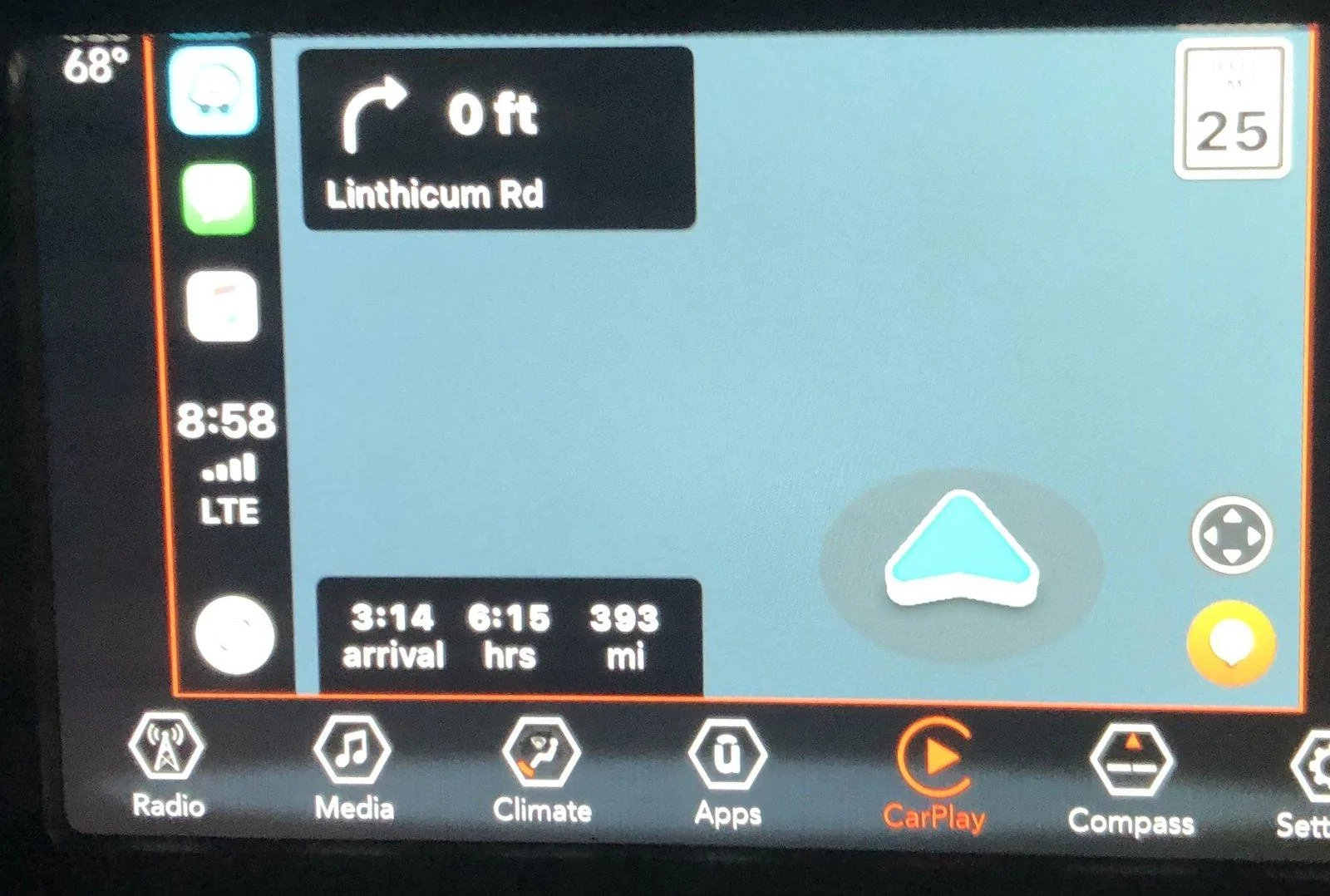
Is this able to be downloaded and installed yourself? I don't have 3 hours to sit in a dealership again, especially one that I just walked out of last week not buying the Jeep there.

Here I am driving around Massachusetts, via Chesapeake Bay. Actually I think I'm in the Atlantic Ocean.

Jeep Wrangler JL Uconnect CarPlay wrong location IMG_1477
 

porkchop

Well-Known Member
Joined
Jun 21, 2018
Threads
0
Messages
103
Reaction score
59
Location
SoCal
Vehicle(s)
2018 JLUR / Billet / Teraflex ST2 / Icon Shocks
It’s a dealer fix. They did the patch when I brought it in for oil change. It didn’t take long.
Sponsored


Top