Sponsored

redracer

Well-Known Member
First Name
Robert
Joined
Aug 22, 2017
Threads
20
Messages
576
Reaction score
650
Location
Manteca, CA
Vehicle(s)
2023 4xe Rubicon
I made another Amazon purchase. There are tons of these, but I liked this one because it included most of the cables I'd need, and it was an Lightning Deal for $99.99 plus a $10 off coupon: https://www.amazon.com/dp/B0BC7JC89L/

1678980971096.png


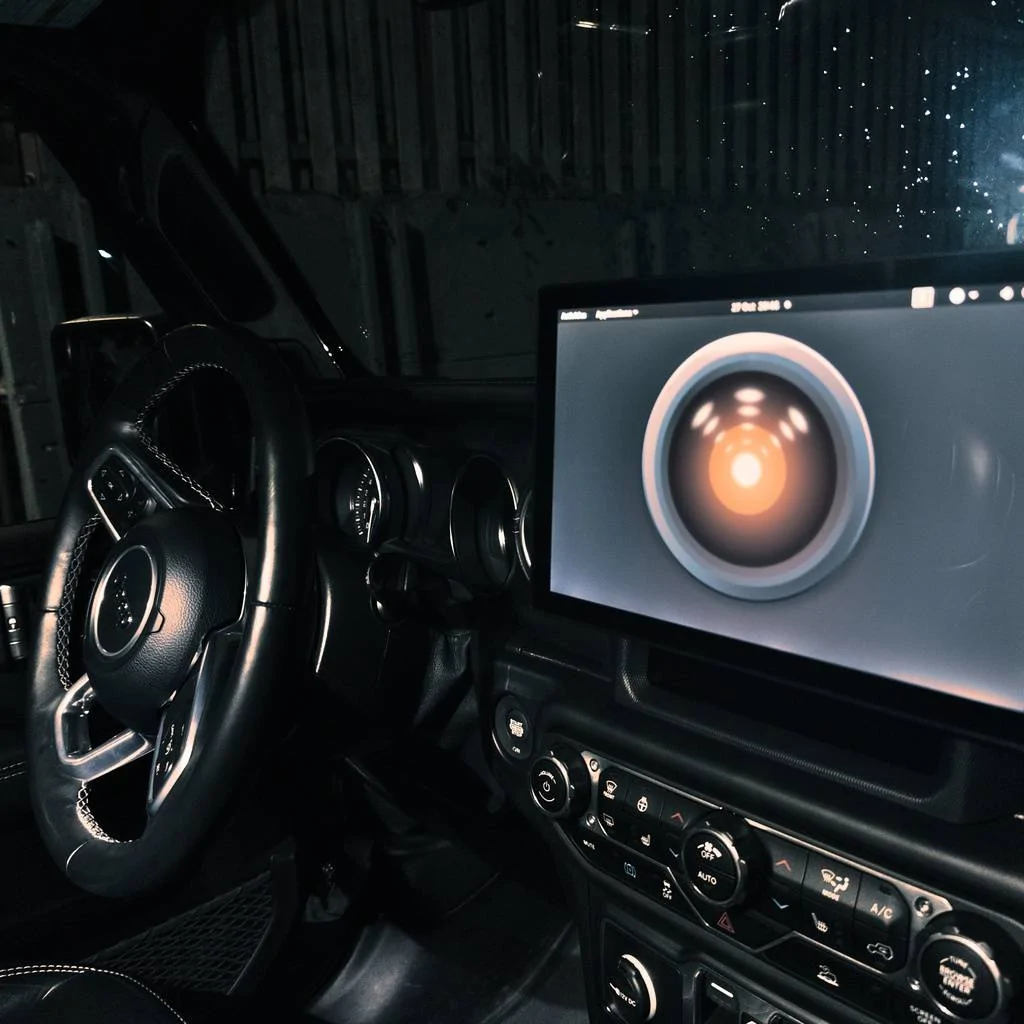
Why this item? I don't know about the rest of you, but when I've had a problem with my Raspberry Pi, or when I was trying to figure out something that required me to use the vehicle AND the Raspbery Pi at the same time, I've had to lug a full-sized computer monitor into the vehicle and plug it into the outlets in the back. It's been a real pain.

Hopefully this $100 quality-of-life purchase will make things easier to work with going forward. Actually, now that I think about it, this may be a little bit too big, but if I can find a good place to mount this, I could use this as a permanently attached HDMI output to my Raspberry Pi, couldn't I?

Probably not a great choice though... a touchscreen would be better. Wait a second. @redracer, didn't you end up doing something like this, but actually mounted as in-vehicle display?

Yes. I modeled and 3d printed a mount for the raspberry pi 7" touchscreen.
https://www.thingiverse.com/thing:5207841
Sponsored

 
OP
OP
jmccorm

jmccorm

Well-Known Member
First Name
Josh
Joined
Sep 15, 2021
Threads
55
Messages
1,170
Reaction score
1,322
Location
Tulsa, OK
Vehicle(s)
2021 JLUR
Build Thread
Link
Occupation
Systems Engineering
Read by Identifier Script in Python

This script allows you to extract the data from any specified identifier of any module you select. This is the same as the bash shell version of the rid script, but a whole lot more goodies have been added! Some testing and feedback is appreciated..

HELP PAGE:

usage: rid [-h] [-a] [-t TIMEOUT] [-m] [module] [identifier]​
positional arguments:​
module module name, or actual location as txid:rxid:bus​
identifier identifier in hexadecimal (e.g., 0xf190)​
optional arguments:​
-h, --help show this help message and exit​
-a, --ascii prints the payload as an ASCII string​
-d, --decimal prints the payload as decimal numbers​
-t TIMEOUT, --timeout TIMEOUT
response timeout in seconds (default: 8)​
-m, --modules list available modules and exit​


SAMPLE COMMAND LINE ARGUMENTS:

rid --modules​
rid bcm f190​
rid -d bcm 0xA03B​
rid bcm 0xf190 -a -t 5​
rid 620:504:can1 f190 -a​

SOURCE CODE:

Python:
#!/usr/bin/python3

# READ DATA BY IDENTIFIER SCRIPT

# WRITTEN BY JOSH MCCORMICK FOR THE JEEP
# WRANGLER JL AND GLADIATOR JT COMMUNITY
# DESIGNED FOR RASPBERRY PI WITH SOCKETCAN.

# Credits to a semi-hallucinating ChatGPT version 4.0
# and thanks to Pier-Yves Lessard for his assistance.

import can
import isotp
import time
import argparse

def send_request_data_by_identifier(can_channel, rxid, txid, identifier,timeout):
    # Set up the ISOTP connection with padding configuration
    can_filters = [{"can_id": rxid, "can_mask": 0x7FF}]
    bus = can.interface.Bus(can_channel, bustype='socketcan', can_filters=can_filters)
    address = isotp.Address(isotp.AddressingMode.Normal_11bits, txid=txid, rxid=rxid)

    # Set up the ISOTP connection parameters
    params = {'tx_data_min_length': 8, 'tx_padding': 0x00}
    stack = isotp.CanStack(bus=bus, address=address, params=params)

    # Send the UDS Request Data by Identifier message with padding
    uds_request = bytearray([0x22, (identifier >> 8) & 0xFF, identifier & 0xFF])
    stack.send(uds_request)

    # Wait for a response
    start_time = time.time()
    response = None
    while time.time() - start_time < timeout:
        stack.process()  # Process any received messages
        response = stack.recv()
        if response is not None:
            break
    bus.shutdown()
    return response

MODULE_INFO = {
    "bcm": ("620", "504", "can1"),   # BODY CONTROL MODULE
    "rf": ("740", "4C0", "can1"),    # RF HUB (UNCONFIRMED)
    "ipcm": ("742", "4C2", "can1"),  # INSTRUMENT PANEL CLUSTER MODULE
    "evic": ("742", "4C2", "can1"),  # EVIC is an alias for IPCM
    "airbag": ("744", "4C4", "can1"),   # OCCUPANT RESTRAINT / AIRBAG MODULE
    "shift": ("749", "4C9", "can1"), # ELECTRONIC SHIFTER MODULE
    "tcm": ("74B", "4CB", "can1"), # TRANSFER CASE MODULE
    "pcm": ("75A", "4DA", "can1"), # POWERTRAIN CONTROL MODULE
    "scm": ("763", "4E3", "can1"),  # STEERING COLUMN MODULE
    "hvac": ("783", "503", "can0"),  # HEATING/VENT/AIR-CONDITIONING MODULE
    # "unknown2": ("792", "512", "can1"),  # UNKNOWN
    "cscm": ("7BC", "53C", "can0"),  # INTEGRATED CENTERE STACK CONTROL  MODULE
    # "unknown3": ("7BE", "53E", "can1"),  # UNKNOWN
    "radio": ("7BF", "53F", "can0"), # UCONNECT RADIO MODULE
    "unknown2": ("7e0", "7e8", "can1"),   # UNKNOWN MODULE
    "tcm": ("7e1", "7e9", "can1"),   # TRANSMISSION CONTROL MODULE
}

def parse_identifier(identifier):
    if identifier.startswith("0x") or identifier.startswith("0X"):
        base = 16
    elif identifier.startswith("0o") or identifier.startswith("0O"):
        base = 8
    elif identifier.startswith("0b") or identifier.startswith("0B"):
        base = 2
    else:
        base = 16
    try:
        return int(identifier, base)
    except ValueError:
        raise argparse.ArgumentTypeError(f"Invalid identifier value: {identifier}")

def main():
    parser = argparse.ArgumentParser()
    parser.add_argument("module", type=str, help="module name, or actual location as txid:rxid:bus", nargs='?')
    parser.add_argument("identifier", type=parse_identifier, help="identifier in hexadecimal (e.g., 0xf190)", nargs='?')
    parser.add_argument("-a", "--ascii", action="store_true", help="prints the payload as an ASCII string")
    parser.add_argument("-d", "--decimal", action="store_true", help="prints the payload as decimal numbers")
    parser.add_argument("-t", "--timeout", type=float, default=8, help="response timeout in seconds (default: 8)")
    parser.add_argument("-m", "--modules", action="store_true", help="list available modules and exit")
    args = parser.parse_args()

    if args.modules:
        print("Pre-defined modules:", " ".join(MODULE_INFO.keys()))
        exit(0)

    if not args.module or not args.identifier:
        parser.print_help()
        exit(10)

    module = args.module.lower()
    identifier = args.identifier

    if module in {k.lower(): v for k, v in MODULE_INFO.items()}:
        txid, rxid, can_channel = MODULE_INFO[module]
        txid = int(txid, 16)
        rxid = int(rxid, 16)
    elif ':' in module:
      parts = module.split(':')
      if len(parts) == 3:
          try:
              txid = int(parts[0], 16)
              rxid = int(parts[1], 16)
              can_channel = parts[2]
          except ValueError:
              print("Invalid module format. Please provide a valid module name or format like '0x620:0x504:can1' or '620:504:can1'.")
              print("Pre-defined modules:", " ".join(MODULE_INFO.keys()))
              exit(11)
      else:
          print("Invalid module format. Please provide a valid module name or format like '0x620:0x504:can1' or '620:504:can1'.")
          print("Pre-defined modules:", " ".join(MODULE_INFO.keys()))
          exit(11)
    else:
      print("No such module found. Please provide a valid module name or format like '0x620:0x504:can1' or '620:504:can1'.")
      print("Pre-defined modules:", " ".join(MODULE_INFO.keys()))
      exit(11)

    response = send_request_data_by_identifier(can_channel, rxid, txid, identifier,args.timeout)

    if response is not None:
        reply = response[0:3]
        status = reply[0:1]
        id = reply[1:3]

        # DEBUG LINES TO PRINT THE UDS RESPONSE CODE AND ASSOCIATED DATA ID
        # print("Status: ", ' '.join(f'{byte:02X}' for byte in status))
        # print("DataID: ", ' '.join(f'{byte:02X}' for byte in id))

        # NEGATIVE RESPONSE - REQUESTED DATAID DOES NOT EXIT
        if status == bytearray([0x7F]):
            print("NEGATIVE RESPONSE")
            exit(1)

        # ANY OTHER RESPONSE IS UNKNOWN OR UNEXPECTED, SO WE PRINT IT
        if status != bytearray([0x62]):
            print('UNKNOWN RESPONSE CODE:', ' '.join(f'{byte:02X}' for byte in status))
            exit(2)

        # Check if id matches the supplied identifier
        if (identifier >> 8) == id[0] and (identifier & 0xFF) == id[1]:
            payload = response[3:]

            if args.ascii:
                print(payload.decode('ascii', errors='replace'))
            elif args.decimal:
                print(' '.join(str(byte) for byte in payload))
            else:
                print(' '.join(f'{byte:02X}' for byte in payload))
        else:
            print("ERROR: A different Data ID was received.")
            exit(3)

    else:
        print("No response received within",args.timeout,"seconds.")
        exit(9)

if __name__ == "__main__":
    main()
SAMPLE SESSION:

# readid bcm 4190
NEGATIVE RESPONSE
# readid bcm f190
31 43 34 48 4A 58 46 4E 36 4D 57 37 35 36 35 33 30
# readid -a bcm f190
1C4HJXFN6MW756530
# readid 620:504:can1 f190
31 43 34 48 4A 58 46 4E 36 4D 57 37 35 36 35 33 30
# readid cssm f190
No such module found. Please provide a valid module name or format like '0x620:0x504:can1' or '620:504:can1'.
Pre-defined modules: bcm rf ipcm evic airbag shift tcm pcm scm hvac cscm radio unknown2
# readid sccm f190
31 43 34 48 4A 58 46 4E 36 4D 57 37 35 36 35 33 30

...and yes, almost every bit of this was written by ChatGPT. (With me looking over it's shoulder and telling it what to do.) Amazing stuff!


UPDATE:
I modified the script to add a "-d" option for decimal output instead of hexadecimal or ASCII.
 
Last edited:

MissAnnThorpe

Well-Known Member
First Name
Ann
Joined
Dec 10, 2021
Threads
1
Messages
48
Reaction score
38
Location
Seattle
Vehicle(s)
21 JLU Sahara 4xE
What I did was get this screen+case combo, a 67 designs ball mount, a 20mm ball mount to vesa adaptor, some arms, and it mounts nicely like this vertically or horizontally. Pi and hat fit within the case with some spacers (standard, motherboard spacers will work). Likely some hats might not need spacers.

Only advice I'd have is when you're drilling down, make sure to dismantle the dash and remove the Uconnect unit, since it'd be easy to damage otherwise. Also lowering the windshield makes it easier. From there it's easy to reach the glove box CAN connectors:
Jeep Wrangler JL JEEP HACKING CAN-C / CAN-IHS / UDS ! (Reverse Engineering) jeep_pi

I ended up writing something that displays a flashing eye when the doors are opened, but I'm still trying to figure out how to reliably detect when the vehicle is unplugged. Once I have that, I'll publish it. Silent alarm is also implemented, but only for door events.

I've looked through the traffic for the IHS network and haven't been able to spot the battery/charge state. I might ask Bing or ChatGPT for help since they can be really good at spotting patterns. Of course, the battery and unplug events could be on Can C and I'm looking in the wrong place.
 
OP
OP
jmccorm

jmccorm

Well-Known Member
First Name
Josh
Joined
Sep 15, 2021
Threads
55
Messages
1,170
Reaction score
1,322
Location
Tulsa, OK
Vehicle(s)
2021 JLUR
Build Thread
Link
Occupation
Systems Engineering
Read Steering Wheel Temperature
BCM, Read Data by Identifier $A03B, the first byte in the output
Divide the number by 2, subtract 40, and you have the steering wheel temperature in Celsius.


I hope this isn't a repeat! (If it is, please let me know.)

An anonymous stranger shared with me a parameter that you can use to read the temperature of the steering wheel. (I don't know if it requires you to have heated steering wheel or not, but I'm assuming it does.) This makes for a really good creature comfort feature for automation.

Yes, the vehicle has it's own temperature that it automatically turns on the heated seats and heated steering wheel. With this, you can customize your own auto-on temperature. But even better... you can also customize the temperature at which the heated steering wheel turns OFF! Because the steering wheel just gets too hot if the heater is left on for too long, you know?

Here is some quick and dirty BASH shell code which calls the newest RID script (rid.py) to grab the number, perform the calculation in Fahrenheit, and display the output:

Bash:
#!/bin/bash
rid.py bcm A03B -d > /tmp/aa
if [ $? -ne 0 ]
then
echo FATAL ERROR
exit 1
fi
WHEEL=$(cat /tmp/aa | cut -d" " -f1)
FAHRENHEIT=$(echo "scale=2; ($WHEEL/2-40)*1.8+32" | bc)
echo "The steering wheel temperature in Fahrenheit is: $FAHRENHEIT"
 

Sponsored

OP
OP
jmccorm

jmccorm

Well-Known Member
First Name
Josh
Joined
Sep 15, 2021
Threads
55
Messages
1,170
Reaction score
1,322
Location
Tulsa, OK
Vehicle(s)
2021 JLUR
Build Thread
Link
Occupation
Systems Engineering
Now that the 2024 Jeep Wrangler order banks have been opened, I wanted to say that you should be aware, the CAN bus with that model (and going forward) should be radically different than what we're working with now.

Your expectation should be that everything is incompatible. The CAN messaging format is going to be radically different. The messages are going to be different. The Data by Identifiers and I/O by Identifiers are going to be radically different.

In other terms, you should expect 0% compatibility with the Wrangler JL to date when it comes to working with it's computers on the CAN bus. Now, this isn't necessarily a bad thing. If you're looking to explore something new and relatively unexplored, this is going to be a great opportunity for you. But if you're looking to build on what everyone else has been working on, you're going to be in a small boat all by yourself in a very big pond.

Truth be told, I would actually be tempted to get a 2024 Wrangler 4xe and start exploring (and hoping they've made allowances for even more hackable parameters). The only thing holding me back would be the trade-in value of my 2021 JLUR.
 

Kindapointless

Well-Known Member
Joined
Aug 23, 2022
Threads
15
Messages
101
Reaction score
137
Location
Florida
Vehicle(s)
2022 rubicon 2dr
Occupation
Parts guy for mini/bmw
Well thats depressing I was looking at all that tech and was just drooling to retrofit it. I just want auto dimming mirrors and screen for gauges
 
OP
OP
jmccorm

jmccorm

Well-Known Member
First Name
Josh
Joined
Sep 15, 2021
Threads
55
Messages
1,170
Reaction score
1,322
Location
Tulsa, OK
Vehicle(s)
2021 JLUR
Build Thread
Link
Occupation
Systems Engineering
Well thats depressing I was looking at all that tech and was just drooling to retrofit it. I just want auto dimming mirrors and screen for gauges
If Jeep is willing to give me some of their secret sauce documents which specify how the BCM and a few other modules work (I don't need the PCM), I think I'd be willing to bite the bullet and get a 2024 Wrangler and restart the process of documenting all the cool things you can do with the vehicle's CAN bus.

But then, I've got nobody to make that request from. I guess I'm kind of waiting for some magic hand to reach down and say, "Hi! We've seen what you've done, and we're willing to help you do the same on our 2024 model."

I'd buy a 2024 Wrangler in a heartbeat if Jeep reached out to me!

?
 
OP
OP
jmccorm

jmccorm

Well-Known Member
First Name
Josh
Joined
Sep 15, 2021
Threads
55
Messages
1,170
Reaction score
1,322
Location
Tulsa, OK
Vehicle(s)
2021 JLUR
Build Thread
Link
Occupation
Systems Engineering
I figured out a neat trick!

If you query (most) modules for their data at location $F132, and select ascii output, you're going to get a part number. A Jeep part number!

So I ran this through our list of modules and I got their Jeep part numbers. I used this to make a few corrections to the list of what modules are at what addresses. [I updated the post with the Python RID script with the new information.]

Here's what I did...

for i in bcm rf ipcm evic airbag shift tcm pcm scm hvac cscm radio unknown2
do
echo $i =======================================
rid.py $i f132 -a
done

And here's the output of module names and, in my vehicle, their part numbers:

bcm =======================================
68496167AE
rf =======================================
56029924AA
ipcm =======================================
68492429AE
evic =======================================
68492429AE
airbag =======================================
NEGATIVE RESPONSE
shift =======================================
04670713AC
tcm =======================================
68501412AC
pcm =======================================
68529416AA
scm =======================================
68526258AA
hvac =======================================
68493382AC
cscm =====================================
7BU54DX9AA
radio =======================================
68472587AI
unknown2 =======================================
NEGATIVE RESPONSE

Where you see "NEGATIVE RESPONSE", that means that an ECU was at the specified location, and it responded. But it's response was that it does not offer up any information when you Read Data at Identifier $F132.

But if someone happens to stumble across a module that hasn't already been identified, and is trying to figure out what it is, this method (Read Data by Identifier $F132) is more likely than not to yield an actual Jeep part number to identify it with!

You can also use this to get the exact hardware REV of what different ECUs you have, too.

Enjoy.
 

Ratbert

Well-Known Member
First Name
John
Joined
Jun 20, 2020
Threads
159
Messages
16,096
Reaction score
25,099
Location
PNW
Vehicle(s)
2022 AEV JL370 JLURD
Build Thread
Link
Occupation
Software Engineer
Clubs
 
Now that the 2024 Jeep Wrangler order banks have been opened, I wanted to say that you should be aware, the CAN bus with that model (and going forward) should be radically different than what we're working with now.

Your expectation should be that everything is incompatible. The CAN messaging format is going to be radically different. The messages are going to be different. The Data by Identifiers and I/O by Identifiers are going to be radically different.

In other terms, you should expect 0% compatibility with the Wrangler JL to date when it comes to working with it's computers on the CAN bus. Now, this isn't necessarily a bad thing. If you're looking to explore something new and relatively unexplored, this is going to be a great opportunity for you. But if you're looking to build on what everyone else has been working on, you're going to be in a small boat all by yourself in a very big pond.

Truth be told, I would actually be tempted to get a 2024 Wrangler 4xe and start exploring (and hoping they've made allowances for even more hackable parameters). The only thing holding me back would be the trade-in value of my 2021 JLUR.
What makes you think that it'll be radically different? So far the changes don't seem to be that significant.
 

Sponsored

OP
OP
jmccorm

jmccorm

Well-Known Member
First Name
Josh
Joined
Sep 15, 2021
Threads
55
Messages
1,170
Reaction score
1,322
Location
Tulsa, OK
Vehicle(s)
2021 JLUR
Build Thread
Link
Occupation
Systems Engineering
What makes you think that it'll be radically different? So far the changes don't seem to be that significant.
I think we talked about this some pages back in this discussion. But Jeep was switching over to a new CAN bus format for it's ECUs, and uConnect 5 (which acts as it's own ECU) was part of that switchover.

The related prediction is that there will be no (reasonable) way to retrofit the new uConnect 5 radio back to existing Wrangler JL vehicles. Same thing with the new digital dash on the 2024 Wrangler. Technically possible, but requires a great deal of information and then a microprocessor that'd do the translation(s).

After that, I also had an anonymous little bird whistle on my shoulder that the CAN bus format is changing.
 
OP
OP
jmccorm

jmccorm

Well-Known Member
First Name
Josh
Joined
Sep 15, 2021
Threads
55
Messages
1,170
Reaction score
1,322
Location
Tulsa, OK
Vehicle(s)
2021 JLUR
Build Thread
Link
Occupation
Systems Engineering
I/O Control by Identifier
Allows you to turn things off and on with your Wrangler or Gladiator.

What kind of things? Your door locks, your lights, your windshield wiper... so far, those kinds of things. Although someone who understands the Wrangler far better than I could probably use it to do a whole lot more.

usage: ioid [-h] [-e] module_name identifier data​
positional arguments:​
module_name Module name​
identifier Identifier (hexadecimal)​
data Data (hexadecimal)​
optional arguments:​
-h, --help show this help message and exit​
-e, --extended Request extended diagnostic session​

DESCRIPTION
You may have seen the shell script which honks the horn without you doing anything. That's what uses this function. In most cases, you will need to enter into an Extended Diagnostic Session before you can take I/O control of anything on the vehicle. This script has you covered with the -e argument.

PUTTING IT TO WORK:
Let's honk the horn. Everyone's favorite! One thing you need to keep in mind, though, is that we're dealing with a computer. So unless you want to be blaring on the horn all day long, you'll need to honk the horn, and then you'll need to unhonk the horn. (That means you stop holding down the horn.)

The horn (and everything else we know so far) is controlled by the BCM. Much earlier in this thread, we learned that the IO Identifier for the horn was 0xDOAD. An I/O by Identifier request for 0xD0AD with data of 0x0301 tells the vehicle to honk the horn. Data of 0x0300 tells it to stop. So putting this all together, and using this new "ioid" command...

# ioid -e bcm D0AD 0301 # Blares the horn
# ioid -e bcm D0AD 0300 # Stops the horn

That's all it takes. If you are performing I/O by Identifier commands in rapid succession, it may not be required to use "-e" every time, but it's probably a good practice.

NOTES:
This is version 1.0 of the script (created, tested that it works, that's about it). All I know that we can control is on the BCM, but I went ahead and left in the module information for the radio and the HVAC system, just in case someone wants to make some discoveries.

PYTHON SOURCE CODE:
Python:
#!/usr/bin/python3

# Written by Josh McCormick for
# the Jeep community, both
# Wrangler JL and Gladiator JT.

import can
import isotp
import time
import sys
import argparse

def parse_hexadecimal(hexadecimal):
    if hexadecimal.startswith("0x") or hexadecimal.startswith("0X"):
        hexadecimal = hexadecimal[2:]
    try:
        return int(hexadecimal, 16)
    except ValueError:
        print(f"Invalid hexadecimal value: {hexadecimal}")
        sys.exit(1)

parser = argparse.ArgumentParser()
parser.add_argument("module_name", help="Module name")
parser.add_argument("identifier", help="Identifier (hexadecimal)")
parser.add_argument("data", help="Data (hexadecimal)")
parser.add_argument("-e", "--extended", action="store_true", help="Request extended diagnostic session")
args = parser.parse_args()

module = args.module_name.lower()
identifier = parse_hexadecimal(args.identifier)
data = parse_hexadecimal(args.data)

if len(hex(identifier)[2:]) > 4 or len(hex(data)[2:]) > 4:
    print("Identifier and data should both be two-byte hexadecimal numbers.")
    sys.exit(1)

def send_extended_diagnostic_session(can_channel, rxid, txid):
    can_filters = [{"can_id": rxid, "can_mask": 0x7FF}]
    bus = can.interface.Bus(can_channel, bustype='socketcan', can_filters=can_filters)
    address = isotp.Address(isotp.AddressingMode.Normal_11bits, txid=txid, rxid=rxid)
    params = {'tx_data_min_length': 8, 'tx_padding': 0x00}
    stack = isotp.CanStack(bus=bus, address=address, params=params)

    stack.send(bytearray([0x10, 0x03]))
    start_time = time.time()
    response = None
    while time.time() - start_time < 0.5:
        stack.process()
        response = stack.recv()
        if response is not None:
            break
    bus.shutdown()
    return response

def send_io_control_by_identifier(can_channel, rxid, txid, identifier, data):
    can_filters = [{"can_id": rxid, "can_mask": 0x7FF}]
    bus = can.interface.Bus(can_channel, bustype='socketcan', can_filters=can_filters)
    address = isotp.Address(isotp.AddressingMode.Normal_11bits, txid=txid, rxid=rxid)

    params = {'tx_data_min_length': 8, 'tx_padding': 0x00}
    stack = isotp.CanStack(bus=bus, address=address, params=params)
    # Send the UDS Input Output Control by Identifier message with padding
    uds_request = bytearray([0x2F, (identifier >> 8) & 0xFF, identifier & 0xFF, (data >> 8) & 0xFF, data & 0xFF])
    stack.send(uds_request)

    # Wait for a response
    start_time = time.time()
    response = None
    while time.time() - start_time < 0.5:
        stack.process()  # Process any received messages
        response = stack.recv()
        if response is not None:
            break
    bus.shutdown()
    return response

MODULE_INFO = {
    "bcm": ("620", "504", "can1"),  # BODY
    "hvac": ("783", "503", "can0"),  # HVAC
    "radio": ("7BF", "53F", "can0"), # RADIO
}

if module in {k.lower(): v for k, v in MODULE_INFO.items()}:
    txid, rxid, can_channel = MODULE_INFO[module]
    txid = int(txid, 16)
    rxid = int(rxid, 16)
else:
    print("No such module found. Please provide a valid module name.")
    print("Pre-defined modules:", " ".join(MODULE_INFO.keys()))
    sys.exit(1)

if args.extended:
    response = send_extended_diagnostic_session(MODULE_INFO[module][2], int(MODULE_INFO[module][1], 16), int(MODULE_INFO[module][0], 16))

    if response is None or response[0] != 0x50:
        print("Failed to enter extended diagnostic session.")
        sys.exit(1)
response = send_io_control_by_identifier(MODULE_INFO[module][2], int(MODULE_INFO[module][1], 16), int(MODULE_INFO[module][0], 16), identifier, data)

if response is not None:
    if response[0] == 0x7F:
        print("NO SUCH IDENTIFIER")
        sys.exit(6)
    if response[0] == 0x6F and response[1] == ((identifier >> 8) & 0xFF) and response[2] == (identifier & 0xFF):
        print("SUCCESS")
        sys.exit(0)
    else:
        print("Response received:")
else:
    print("No response received within 0.5 seconds.")
    exit(5)

for byte in response:
    print(f"{byte:02X}", end=" ")
sys.exit(7)
WHAT FUNCTIONS ARE WHERE:

A little birdy with a Gladiator provided this to me. I haven't verified the list myself, so use at your own risk. But what things I did know checked out, and they haven't had any reason to steer me wrong.

Find a component you'd like to play with from the list below:
BCM $D014 Front Left Turn Lamp​
BCM $D015 Front Right Turn Lamp​
BCM $D0A0 Front Left Fog Lamps​
BCM $D0A1 Front Right Fog Lamps​
BCM $D0A2 Back Left Turn Signal​
BCM $D0A3 Back Right Turn Signal​
BCM $D0A4 Left Marker Lights​
BCM $D0A5 Right Marker Lights​
BCM $D0A8 Left Low-beam​
BCM $D0A9 Right Low-beam​
BCM $D0AA Left High-beam​
BCM $D0AB Right High-beam​
BCM $D0AC Rear Wiper​
BCM $D0AD Horn (Don't forget to honk AND unhonk)​
BCM $D0AE Back Left Turn Lamp​
BCM $D0AF Back Rear Turn Lamp​
BCM $D0C0 Washer Sprayer​
BCM $D0CE All Door Locks​
BCM $D1A4 Front Left Park Lamp​
BCM $D1A5 Front Right Park Lamp​
BCM $D1A6 Back Parking Lamp​
BCM $D1A7 Back Parking Lamp​
BCM $D1A8 Left Reverse Lamp​
BCM $D1A9 Right Reverse Lamp​
BCM $D1AA Front Wiper (speed)​
BCM $D1AB Front Wiper (on/off)​
BCM $D1B2 License Plate Lamp​
BCM $D1B3 CHMSL Lamp​
BCM $D1B8 Left Daylight Lamp​
BCM $D1B9 Right Daylight Lamp​
BCM $D1BC Unlock driver door​
BCM $D1BD Unlock driver and passenger doors​
BCM $D1BE Courtesy Lamp​
BCM $D1BF Reading Lamp​
BCM $D1C1 Foot Well​
BCM $D200 Front Off Road Camera Washer​
BCM $F1A3 Left Signature Lamp​
BCM $F1A4 Right Signature Lamp​
BCM $F1A5 Swing Gate Lock​
BCM $F1A6 Gladiator Bed Lamp​
ACKNOWLEDGEMENTS:
Thanks to the whole team here for their continued support. (I expect you guys to try some of these functions out and give us your feedback!) Thanks to Pier-Yves Lessard, author of the python-isotp module. Also a thanks to the ChatGPT 4.0 team, without which, there would have been no way I could have coded this. I just described what I wanted in words and it generated 95%+ of the code. Amazing!

ALMOST FORGOT:
On the "0300" and "0301", the "03" is something that tells it to hold that setting? It was described to me that using "0000" and "0001" would return control back to the ECU in some way, but I didn't understand or have time to investigate that further. I thought I'd pass that along in case it ends up being meaningful to someone.
 
OP
OP
jmccorm

jmccorm

Well-Known Member
First Name
Josh
Joined
Sep 15, 2021
Threads
55
Messages
1,170
Reaction score
1,322
Location
Tulsa, OK
Vehicle(s)
2021 JLUR
Build Thread
Link
Occupation
Systems Engineering
I wanted to add...

The causal reader who sees that this service can turn things off and on and goes through the list of things that it can control might jump to the conclusion that this is the kind of thing that the Tazer does when it does it's Light Show.

I wanted to confirm that this, in fact, is exactly what the Tazer is doing. It uses the I/O Control by Identifier service to turn off and on these very things as part of it's Light Show. It's sending out I/O Control by Identifier commands to the vehicle's BCM.

If someone wanted a light show that was in some way more intricate or complex (or responds to particular events, such as a door opening, or someone sitting down in the front passenger seat), such a thing should be more than possible to accomplish.

I/O Control by Identifier
Allows you to turn things off and on with your Wrangler or Gladiator.

BCM $D014 Front Left Turn Lamp​
BCM $D015 Front Right Turn Lamp​
BCM $D0A0 Front Left Fog Lamps​
BCM $D0A1 Front Right Fog Lamps​
BCM $D0A2 Back Left Turn Signal​
BCM $D0A3 Back Right Turn Signal​
BCM $D0A4 Left Marker Lights​
BCM $D0A5 Right Marker Lights​
BCM $D0A8 Left Low-beam​
BCM $D0A9 Right Low-beam​
BCM $D0AA Left High-beam​
BCM $D0AB Right High-beam​
BCM $D0AE Back Left Turn Lamp​
BCM $D0AF Back Rear Turn Lamp​
BCM $D1A4 Front Left Park Lamp​
BCM $D1A5 Front Right Park Lamp​
BCM $D1A6 Back Parking Lamp​
BCM $D1A7 Back Parking Lamp​
BCM $D1A8 Left Reverse Lamp​
BCM $D1A9 Right Reverse Lamp​
BCM $D1B2 License Plate Lamp​
BCM $D1B8 Left Daylight Lamp​
BCM $D1B9 Right Daylight Lamp​
 
OP
OP
jmccorm

jmccorm

Well-Known Member
First Name
Josh
Joined
Sep 15, 2021
Threads
55
Messages
1,170
Reaction score
1,322
Location
Tulsa, OK
Vehicle(s)
2021 JLUR
Build Thread
Link
Occupation
Systems Engineering
Additional note on the RID and IOID scripts:

I've yet to hear any feedback from someone else who's tried these. But I wanted to make note that if you're missing the iso-tp package (or you're getting Python errors about isotp), you may need to install the package directly from the source.

If so, here are the steps for that:
cd python-can-isotp​
sudo pip3 install .

Hope you all have a chance this weekend to try these out.
Let me know!
 
OP
OP
jmccorm

jmccorm

Well-Known Member
First Name
Josh
Joined
Sep 15, 2021
Threads
55
Messages
1,170
Reaction score
1,322
Location
Tulsa, OK
Vehicle(s)
2021 JLUR
Build Thread
Link
Occupation
Systems Engineering
Getting Close to Write Data by Identifier (WID)

I'm pretty sure we've discussed this before, but I was giving myself a refresher before finally trying to implement it this weekend.

Just now, when updating a Data Identifier on the BCM with JSCAN, I saw the following:

can1 620 [8] [SF] ln: 2 data: 3E 00 00 00 00 00 00 - [SRQ] TesterPresent
can1 504 [8] [SF] ln: 2 data: 7E 00 AD 03 00 C8 30 - [PSR] TesterPresent
can1 620 [8] [SF] ln: 2 data: 10 03 00 00 00 00 00 - [SRQ] DiagSessionControl
can1 504 [8] [SF] ln: 6 data: 50 03 00 14 00 C8 30 - [PSR] DiagSessionControl
can1 620 [8] [SF] ln: 3 data: 22 01 22 00 00 00 00 - [SRQ] ReadDataByIdentifier
can1 504 [8] [FF] ln: 11 data: 62 01 22 54 31 A2 - [PSR] ReadDataByIdentifier
can1 620 [8] [FC] FC: 0 = CTS # BS: 0 = off # STmin: 0x00 = 0 ms
can1 504 [8] [CF] sn: 1 data: 5B 4C 0E 51 B8 31 A2
can1 620 [8] [SF] ln: 3 data: 22 01 22 00 00 00 00 - [SRQ] ReadDataByIdentifier
can1 504 [8] [FF] ln: 11 data: 62 01 22 54 31 A2 - [PSR] ReadDataByIdentifier
can1 620 [8] [FC] FC: 0 = CTS # BS: 0 = off # STmin: 0x00 = 0 ms
can1 504 [8] [CF] sn: 1 data: 5B 4C 0E 51 B8 31 A2
can1 620 [8] [SF] ln: 2 data: 10 03 00 00 00 00 00 - [SRQ] DiagSessionControl
can1 504 [8] [SF] ln: 6 data: 50 03 00 14 00 C8 A2 - [PSR] DiagcSessionControl
can1 620 [8] [FF] ln: 11 data: 2E 01 22 54 31 A2 - [SRQ] WriteDataByIdentifier
can1 504 [8] [FC] FC: 0 = CTS # BS: 8 # STmin: 0x14 = 20 ms
can1 620 [8] [CF] sn: 1 data: 5B B4 0E 51 B8 00 00


The sequence of events started with a check:
  1. The tool sends a "Tester Present" code
  2. The tool enters a diagnostic session
  3. The tool reads the data
Then when it came to update the data:
  1. The tool reads the data
  2. The tool enters a diagnostic session
  3. The tool writes the data
Based on everything I'm seeing, I don't think "Tester Present" is actually required for the update. I also think that the new "ioid" (I/O by Identifier) tool could quickly and easily be repurposed to do a quick-and-dirty Update Data by Identifier.

Here's a similar session were we use our new "ioid" tool to honk the horn:

can1 620 [8] [SF] ln: 2 data: 10 03 00 00 00 00 00 - [SRQ] DiagcSessionControl
can1 504 [8] [SF] ln: 6 data: 50 03 00 14 00 C8 30 - [PSR] DiagSessionControl
can1 620 [8] [SF] ln: 5 data: 2F D0 AD 03 01 00 00 - [SRQ] IOControlByIdentifier
can1 504 [8] [SF] ln: 4 data: 6F D0 AD 03 00 C8 30 - [PSR] IOControlByIdentifier
can1 620 [8] [SF] ln: 5 data: 2F D0 AD 03 00 00 00 - [SRQ] IOControlByIdentifier
can1 504 [8] [SF] ln: 4 data: 6F D0 AD 03 00 C8 30 - [PSR] IOControlByIdentifier


I'm shooting for a working example this weekend. After that, we might want to figure out the best way we want to do these (like to read the data and store it somewhere before updating it) so that we can (usually) revert things back in case things goes wrong.

I think we're inches away from that big milestone we've been shooting for, for some time. Here's hoping we've laid enough groundwork to make this as easy as it looks like it's going to be!

PS: Yes, I'll use my own vehicle as the guinea pig here. If I blow it, likely worst case should be that I'll need a new BCM installed. ?
Sponsored


Top