
Sponsored

GPS time not correct when clock is synced to GPS

slimfl08

Well-Known Member
First Name
Victor
Joined
Mar 18, 2019
Threads
8
Messages
209
Reaction score
516
Location
NWFL 🌴
Vehicle(s)
2025 JLUR (JOOSE)
Vehicle Showcase
1
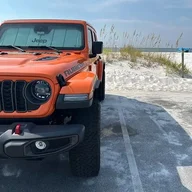
I picked up a ‘25 JLUR this past week and I have the TomTom nav. Everytime the time is selected to sync with the GPS its an hour off. This throws destination timing off by an hr as well. Even if I set the clock manually the GPS time is incorrect. I have OTA (over the air) setup for wifi and no options to update the SW (software) yet. Has anyone else had this problem? If so, any fixes?
Sponsored


DavidES1

Well-Known Member
First Name
David
Joined
Jun 21, 2024
Threads
1
Messages
87
Reaction score
60
Location
Tucson
Vehicle(s)
2023 Jeep wrangler rubicon
I think sometimes the setting for daylight savings has to be toggled. I had same issue with my Garmin and finally just set it manually and forgot about sync. I don't know why
 
OP
OP
slimfl08

slimfl08

Well-Known Member
First Name
Victor
Joined
Mar 18, 2019
Threads
8
Messages
209
Reaction score
516
Location
NWFL 🌴
Vehicle(s)
2025 JLUR (JOOSE)
Vehicle Showcase
1
Do you know where that would be? I have searched all the menus and have not seen it. Maybe I am missing it? Haha
 

DavidES1

Well-Known Member
First Name
David
Joined
Jun 21, 2024
Threads
1
Messages
87
Reaction score
60
Location
Tucson
Vehicle(s)
2023 Jeep wrangler rubicon
It will be in settings if it exists
 
OP
OP
slimfl08

slimfl08

Well-Known Member
First Name
Victor
Joined
Mar 18, 2019
Threads
8
Messages
209
Reaction score
516
Location
NWFL 🌴
Vehicle(s)
2025 JLUR (JOOSE)
Vehicle Showcase
1
It will be in settings if it exists
Yea, no luck we have went through every menu setting with the sync button enabled and disabled thinking maybe one would trigger the other. I have setup wifi downloads so waiting to see if I get a software update sometime soon. Thanks!
Sponsored


Top