Sponsored

Android Auto - Smartphone App Update Related

OP
OP
Rhinebeck01

Rhinebeck01

Well-Known Member
Joined
May 9, 2018
Threads
169
Messages
12,679
Reaction score
19,169
Location
Ormond Beach, Florida
Vehicle(s)
'18 JL Rubi, '26 Cybertruck, '01 Harley FatBoy
Occupation
Retired at 55 ..
After a test run yesterday, AA and my mapping apps worked "better"...not perfect but at least they did not totally flop and give me errors. Time will tell. Gaia is the one that is really being a problem, I'm thinking it probably on their end and they need to work it out. Onx works pretty good but has it's own limitations...

The latest .APK you turned me on to was an improvement...THANKS!

I am still running with a cable but I'm really interested in AA wireless. What brand are you running? If you've had success with it, I'd like to try it.

I ran the MA1 dongle for about 6 months and then moved to an AAWireless dongle.. I have had the AAWireless dongle for a few months and have used it for thousands of miles.. Works great!

For use with the JL/JT the AAWireless is the pick of the litter.

AAWireless has a companion app which is a terrfic plus..

Read here: https://www.jlwranglerforums.com/forum/threads/??-motorola-ma1-aawireless-wireless-android-auto-adapter-talk-?.86856/
Sponsored
 

AnebuR

Well-Known Member
Joined
Jul 18, 2018
Threads
10
Messages
475
Reaction score
340
Location
CT
Vehicle(s)
2018 JL Rubicon + 2014 JK Sport S
One of the cooler things you can do with the AAWireless app is change the DPI, so that you can fit more stuff on the screen by zooming out or make it easier to read street names by zooming in.
 
OP
OP
Rhinebeck01

Rhinebeck01

Well-Known Member
Joined
May 9, 2018
Threads
169
Messages
12,679
Reaction score
19,169
Location
Ormond Beach, Florida
Vehicle(s)
'18 JL Rubi, '26 Cybertruck, '01 Harley FatBoy
Occupation
Retired at 55 ..
One of the cooler things you can do with the AAWireless app is change the DPI, so that you can fit more stuff on the screen by zooming out or make it easier to read street names by zooming in.
@AnebuR

Yes, I fooled with dpi settings a while back. Have you changed dpi settings recently... Any particular dpi setting that you found to be a real winner?
 

AnebuR

Well-Known Member
Joined
Jul 18, 2018
Threads
10
Messages
475
Reaction score
340
Location
CT
Vehicle(s)
2018 JL Rubicon + 2014 JK Sport S
I have it at 150. Since the default font on Waze is bigger than on Google Maps, I found the street names too small on Google Maps if I zoomed out any more than that. If you primarily use Waze, or have eyesight like an eagle, a different DPI might work for you.
 
OP
OP
Rhinebeck01

Rhinebeck01

Well-Known Member
Joined
May 9, 2018
Threads
169
Messages
12,679
Reaction score
19,169
Location
Ormond Beach, Florida
Vehicle(s)
'18 JL Rubi, '26 Cybertruck, '01 Harley FatBoy
Occupation
Retired at 55 ..
I have it at 150. Since the default font on Waze is bigger than on Google Maps, I found the street names too small on Google Maps if I zoomed out any more than that. If you primarily use Waze, or have eyesight like an eagle, a different DPI might work for you.
I just checked my DPI setting. It's been a few weeks since I set DPI so I did not remember what DPI, I set to..

Anyway, I have mine set at 175 DPI.

I had changed the DPI for the reason you mentioned and also because the DPI at 150 or 175 places the taskbar widgets on the far left side of the screen versus underneath.

YES ... indeed the companion app is real nice to have. App Version is 3.21.0 is what I am running.
 

Sponsored

OP
OP
Rhinebeck01

Rhinebeck01

Well-Known Member
Joined
May 9, 2018
Threads
169
Messages
12,679
Reaction score
19,169
Location
Ormond Beach, Florida
Vehicle(s)
'18 JL Rubi, '26 Cybertruck, '01 Harley FatBoy
Occupation
Retired at 55 ..
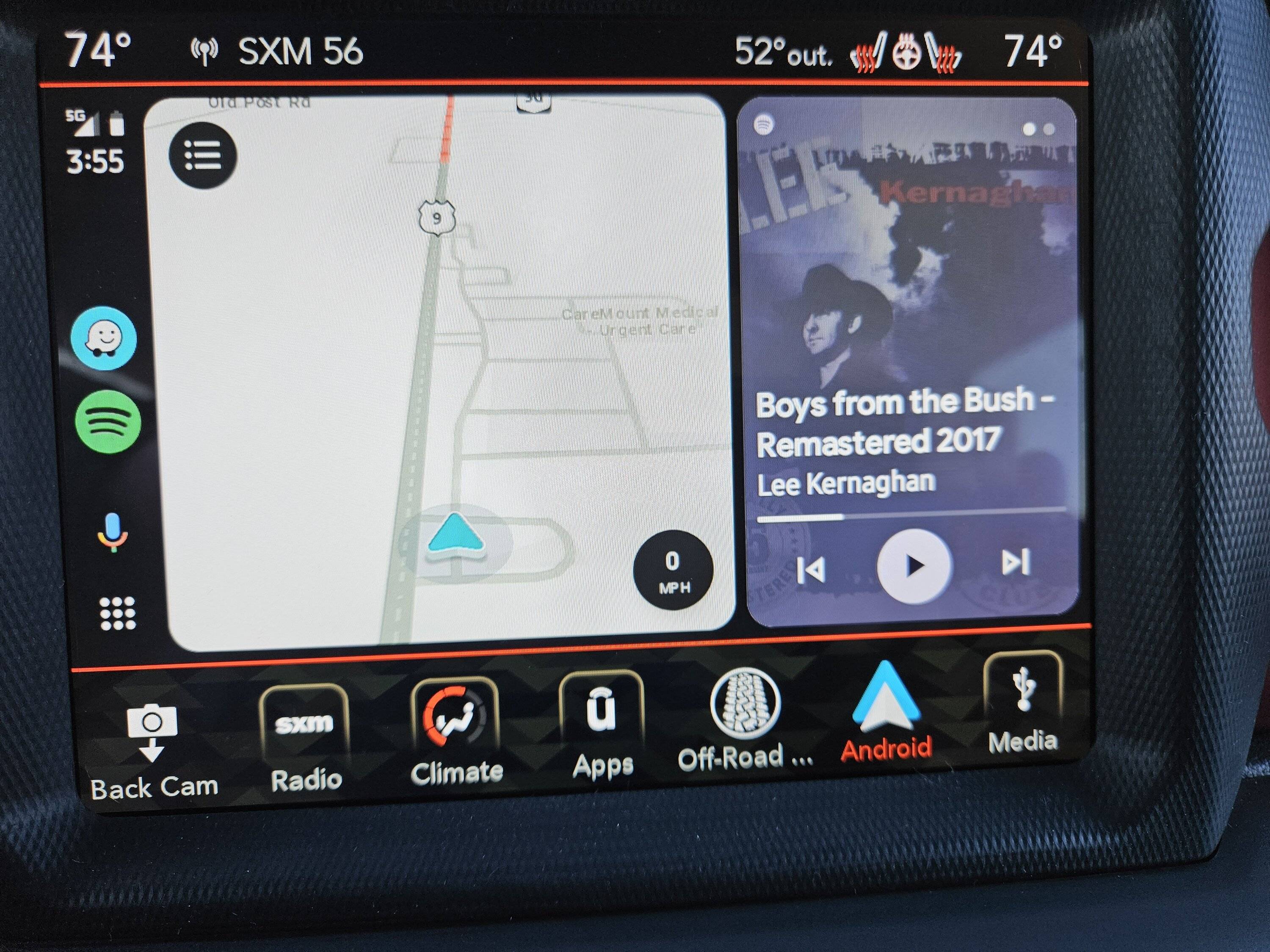
Well, FINALLY...... finally today, after I loaded Waze beta ver: 4.93.5.5 , I now have CoolWalk with Waze.

On edit: Hmmm, even newer beta was released today after the one I mentioned above also released today ... Anyway, I just loaded this newer version Waze Navigation & Live Traffic 4.93.5.6 beta and still have CoolWalk with Waze.

So, CoolWalk with both Google Maps and Waze. :clap:

Waze
Jeep Wrangler JL Android Auto - Smartphone App Update Related 20230320_155508


Maps
Jeep Wrangler JL Android Auto - Smartphone App Update Related 20230320_155407
 
Last edited:

Bryce

Well-Known Member
First Name
Bryce
Joined
Jun 2, 2019
Threads
13
Messages
1,302
Reaction score
2,804
Location
Acworth, GA
Vehicle(s)
2019 JLUR
Vehicle Showcase
1
Well, FINALLY...... finally today, after I loaded Waze beta ver: 4.93.5.5 , I now have CoolWalk with Waze.

On edit: Hmmm, even newer beta was released today after the one I mentioned above also released today ... Anyway, I just loaded this newer version Waze Navigation & Live Traffic 4.93.5.6 beta and still have CoolWalk with Waze.

So, CoolWalk with both Google Maps and Waze. :clap:

Waze
20230320_155508.jpg


Maps
20230320_155407.jpg
yep.. me too this morning.
 

Yzfguy

Well-Known Member
First Name
Brent
Joined
Feb 21, 2021
Threads
28
Messages
417
Reaction score
905
Location
NJ
Vehicle(s)
Grand cherokee , wrangler JLU Willys
I still can't figure out how to get it so I can see Waze and my radio station at the same time. I don't have the split screen effect like in those pictures above, just the tiny little play and pause button with the logo on the bottom for Spotify
 

Sponsored

Ratbert

Well-Known Member
First Name
John
Joined
Jun 20, 2020
Threads
159
Messages
16,064
Reaction score
25,047
Location
PNW
Vehicle(s)
2022 AEV JL370 JLURD
Build Thread
Link
Occupation
Software Engineer
Clubs
 
I still can't figure out how to get it so I can see Waze and my radio station at the same time. I don't have the split screen effect like in those pictures above, just the tiny little play and pause button with the logo on the bottom for Spotify
The radio isn't part of Android Auto, so it won't show up on the Android Auto screen.
 

Yzfguy

Well-Known Member
First Name
Brent
Joined
Feb 21, 2021
Threads
28
Messages
417
Reaction score
905
Location
NJ
Vehicle(s)
Grand cherokee , wrangler JLU Willys
Sorry, I mis spoke... I meant Spotify channel. My old brain still thinks I listen to the radio!
 
OP
OP
Rhinebeck01

Rhinebeck01

Well-Known Member
Joined
May 9, 2018
Threads
169
Messages
12,679
Reaction score
19,169
Location
Ormond Beach, Florida
Vehicle(s)
'18 JL Rubi, '26 Cybertruck, '01 Harley FatBoy
Occupation
Retired at 55 ..
For those with an AAWireless dongle that when driving have a particular location(s) where your AAWireless drops out try the following as a remedy...

With the AAWireless companion app, change/set WiFi to channel 165.

Channel 165 is a narrow/slow channel and would rarely be used by an airport, business, etc.. as again, it is a narrow/slow channel. So, that is a plus for you with AAWireless as that narrow/slow means nada to your AAWireless dongle. You run with 165 and you will have fewer interference episodes.

Of course, you can also change to 2.4 but the above approach will undoubtedly get-er done for you and you get to keep your 5.
Sponsored


Top