WILDHOBO
Active Member
- Thread starter
- #1
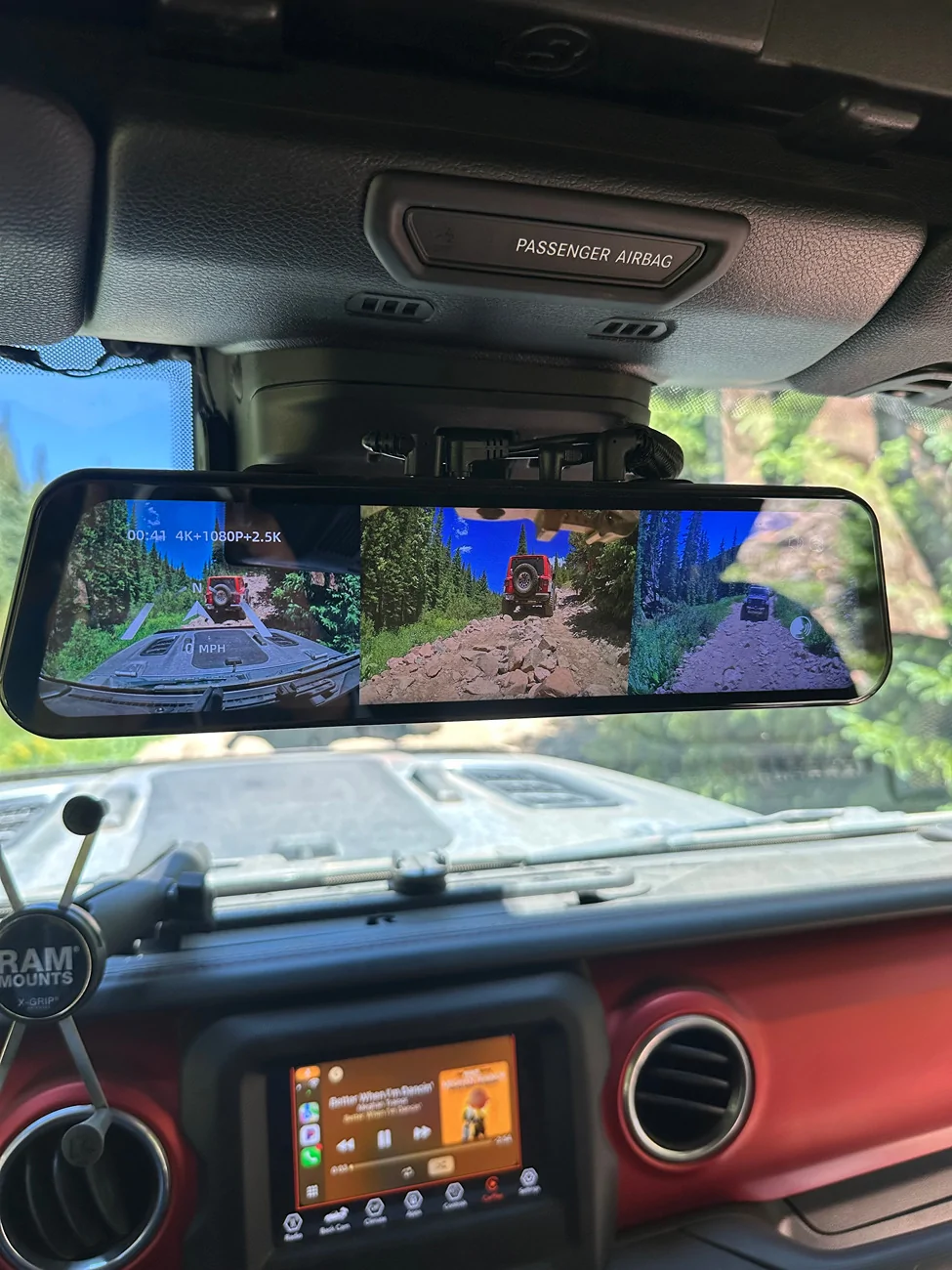
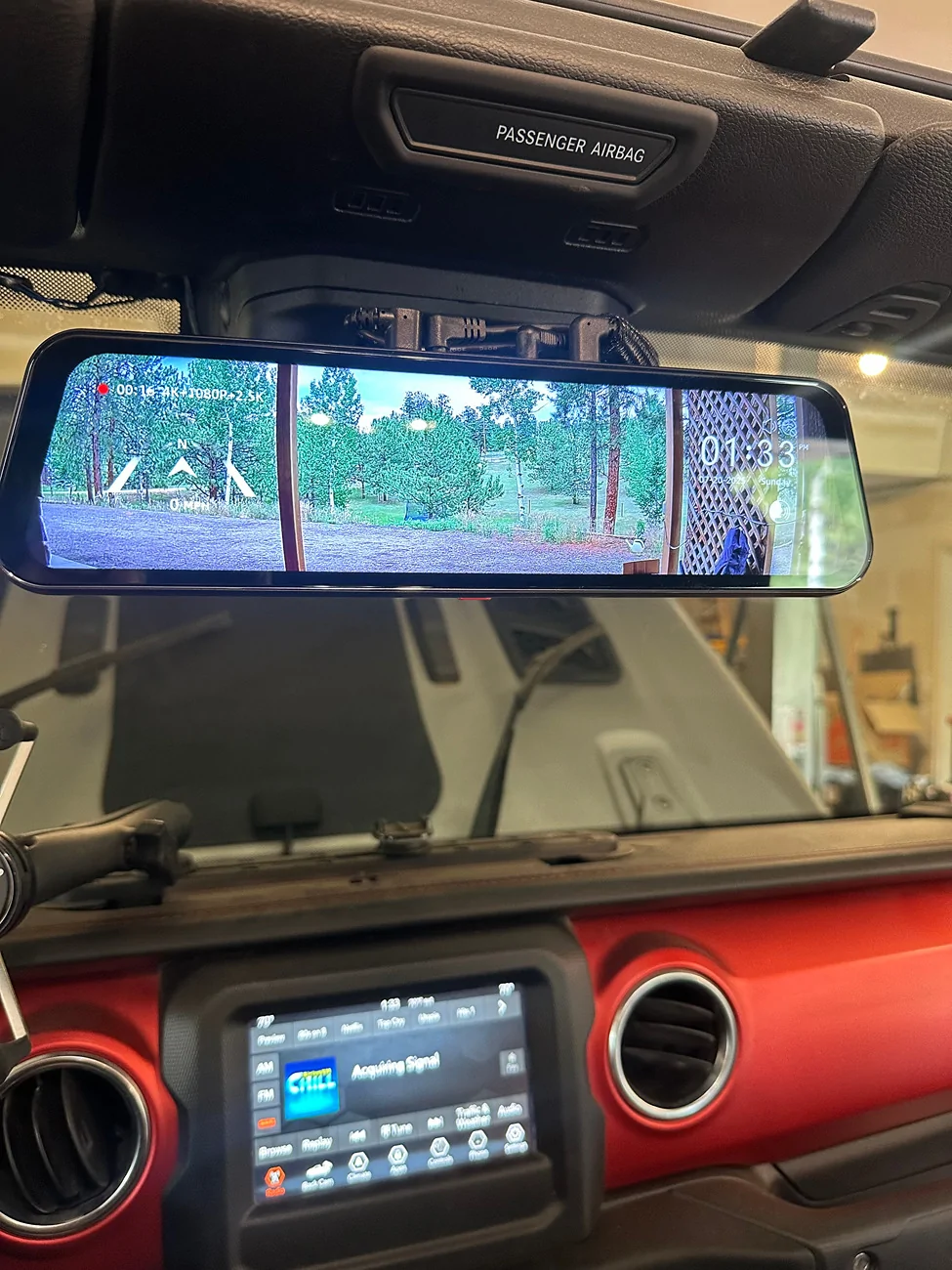
I Installed the @WOLFBOX TriPro 900 in the end of July. My gladiator, as many of you know was also undergoing lots of major maintenance, so I'm pretty delayed in doing this review. I also wanted it to include legitimate off-road footage from all three cameras, so that required a bit of Moab action! This trip was filled with relatively extreme obstacles, but the one I chose to share was just an unbelievable testament to this camera system. Others have reviewed the product installation, so I won't bore you with repetition. But the basics for those of you that don't know is a rear-view mirror-based system with a front camera on the back of the mirror, a rear camera with your choice of mounting locations, and a legitimate trail camera!!!
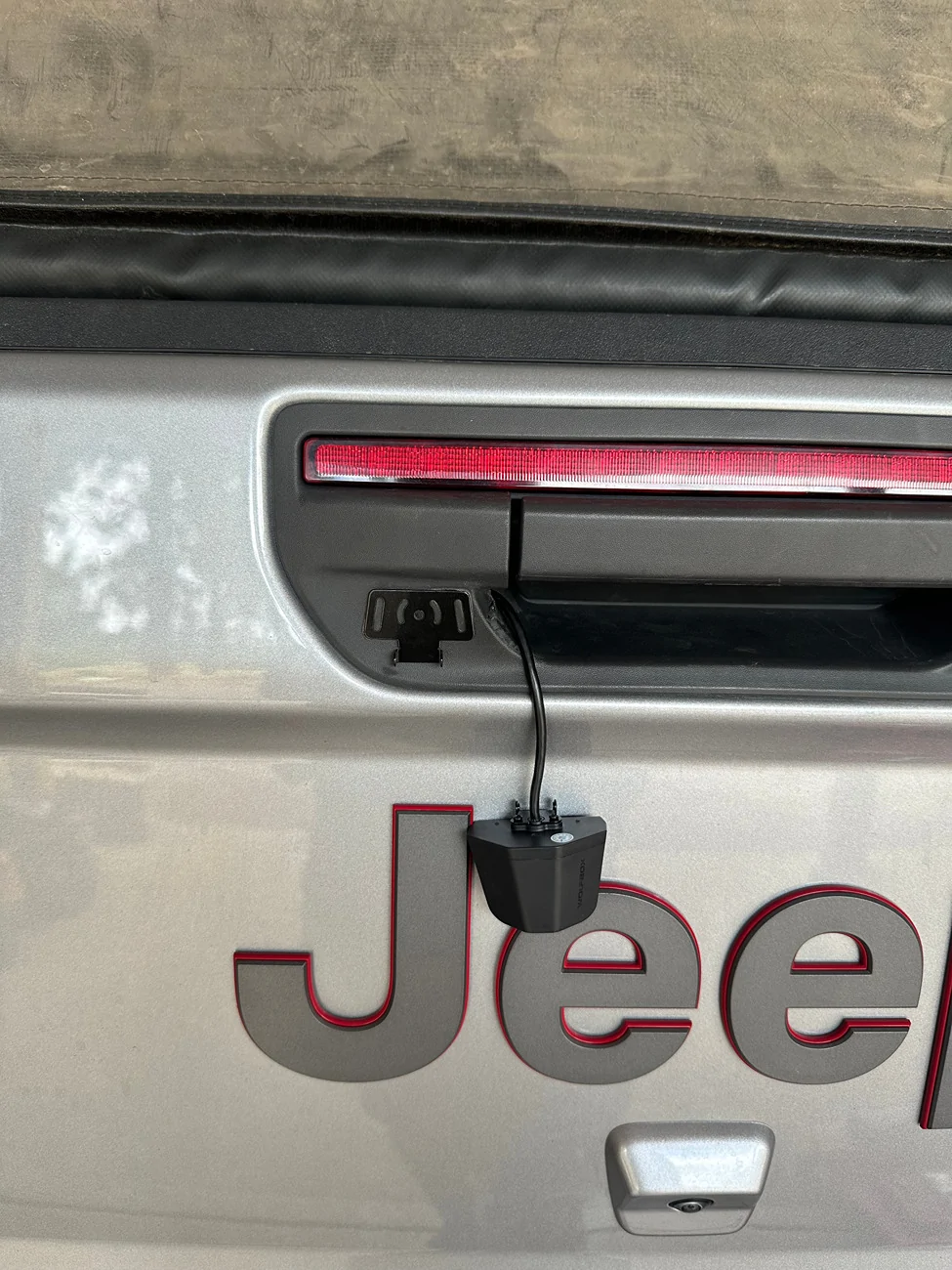
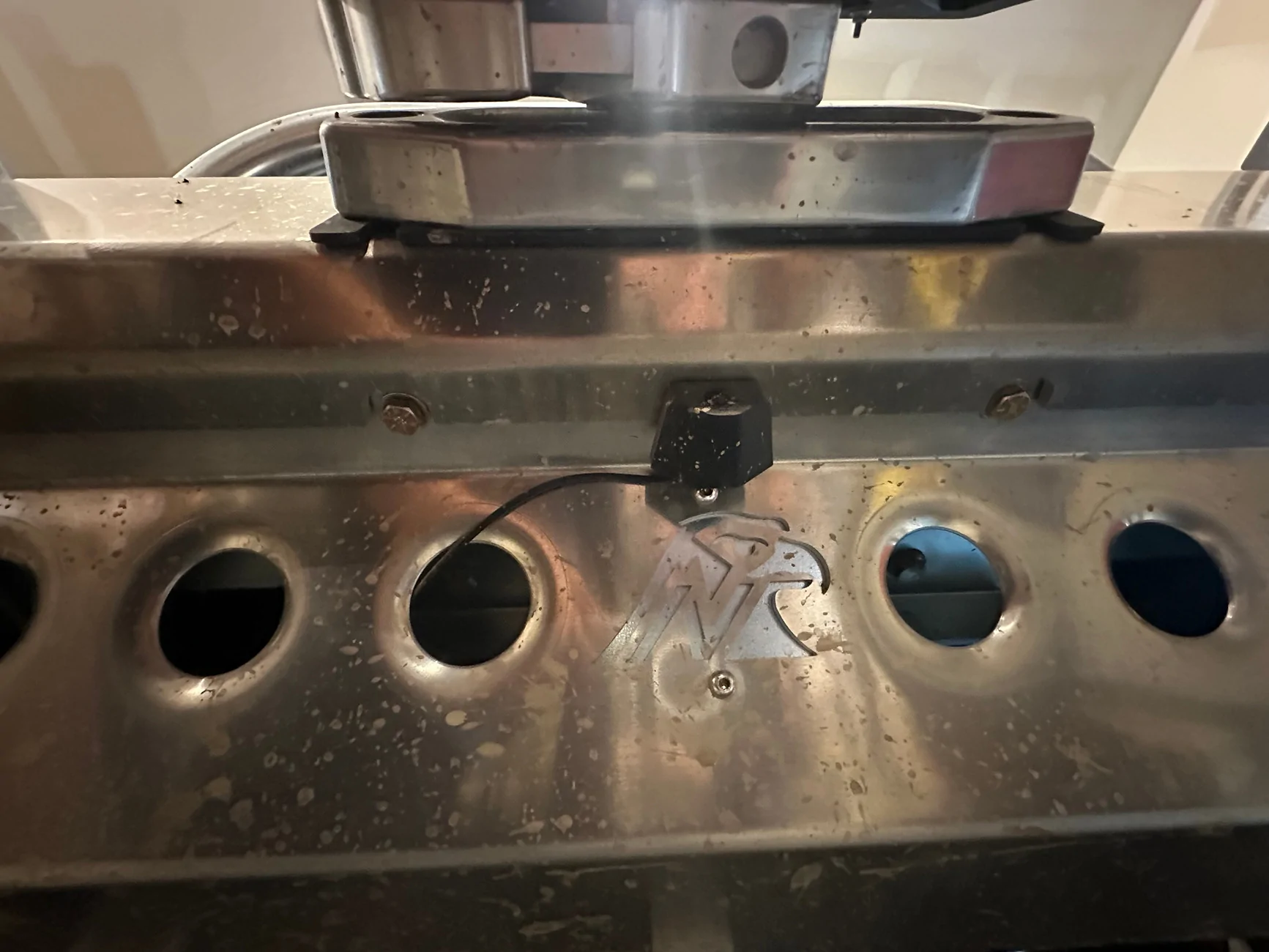
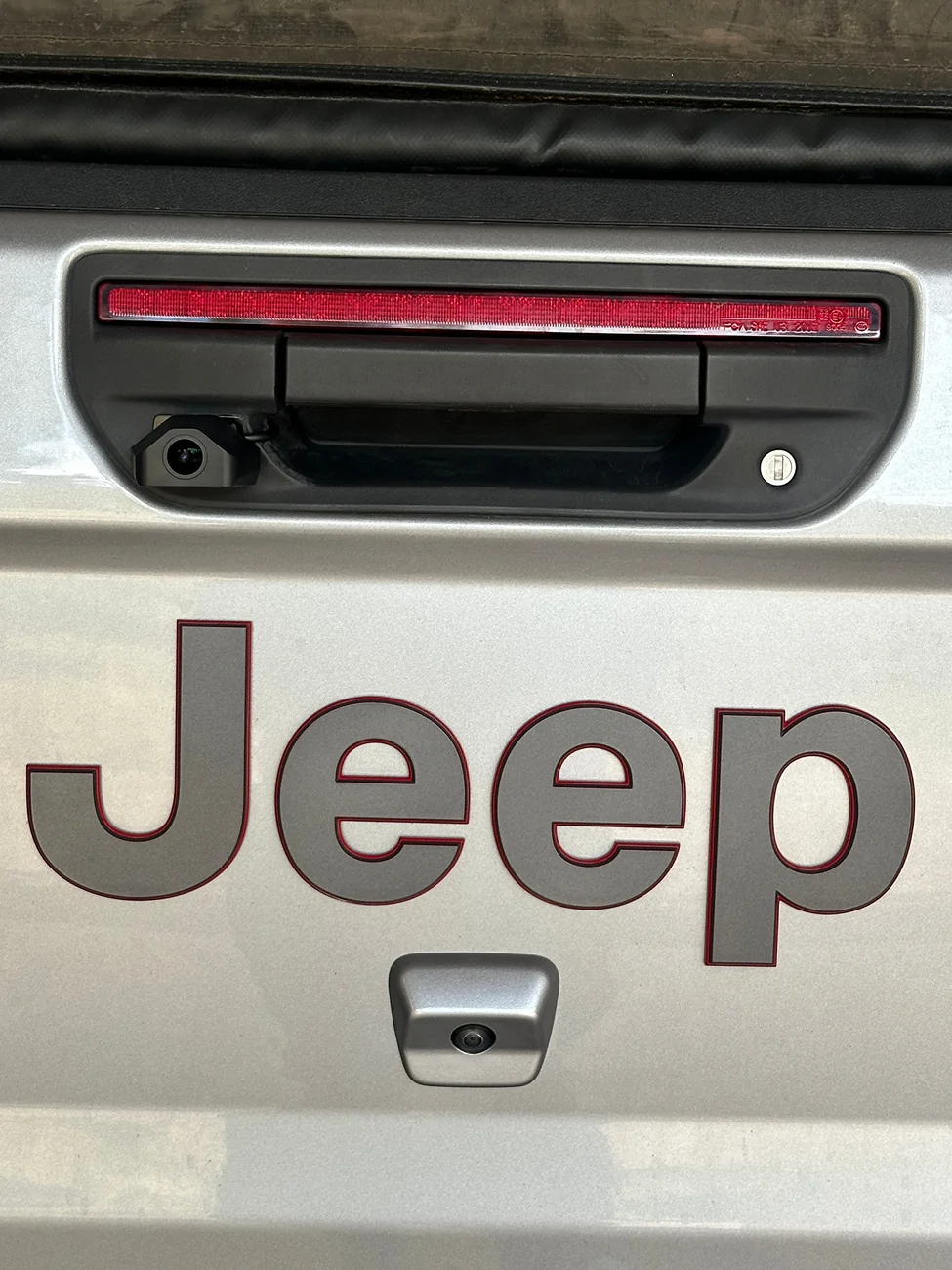
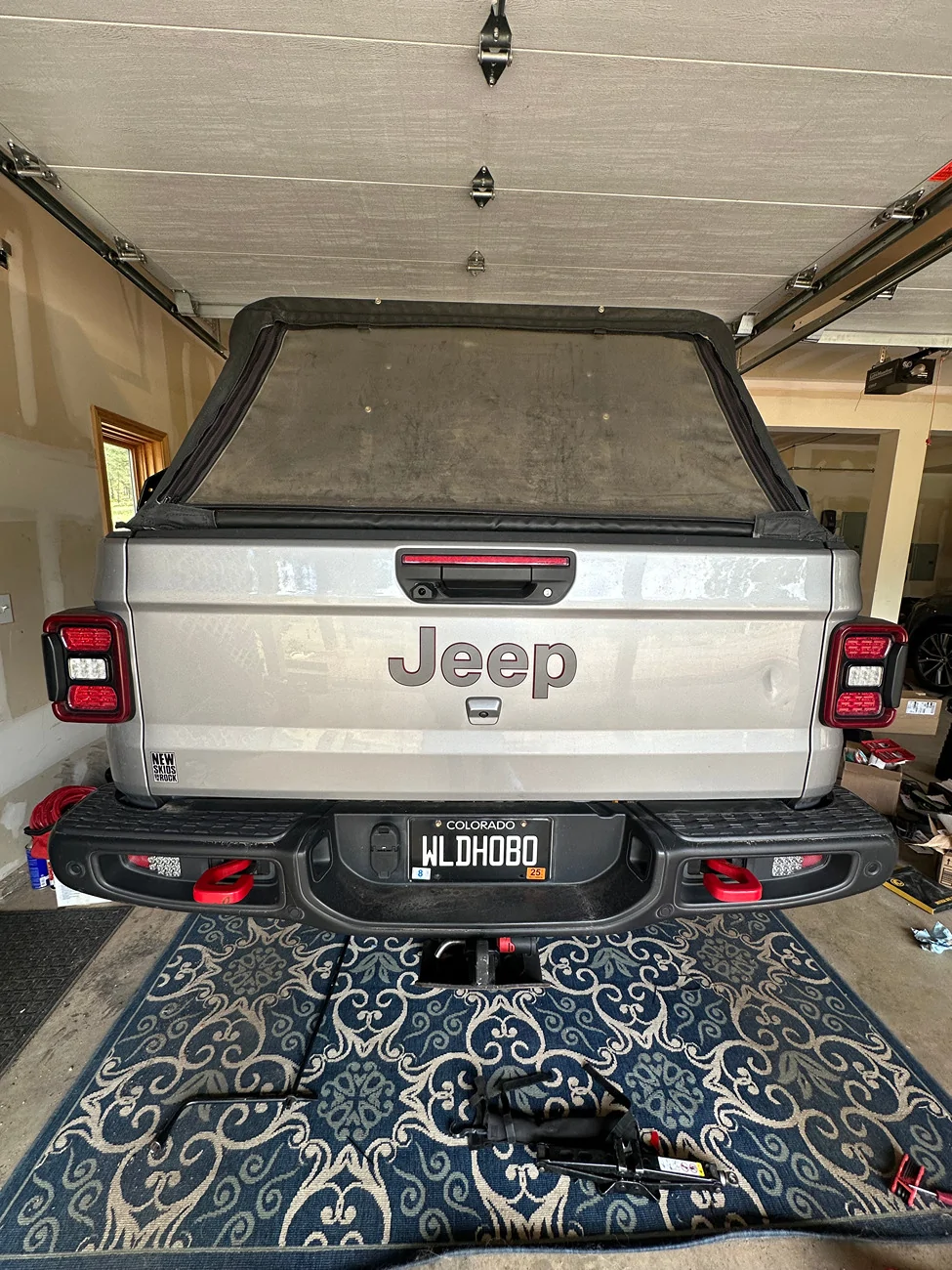
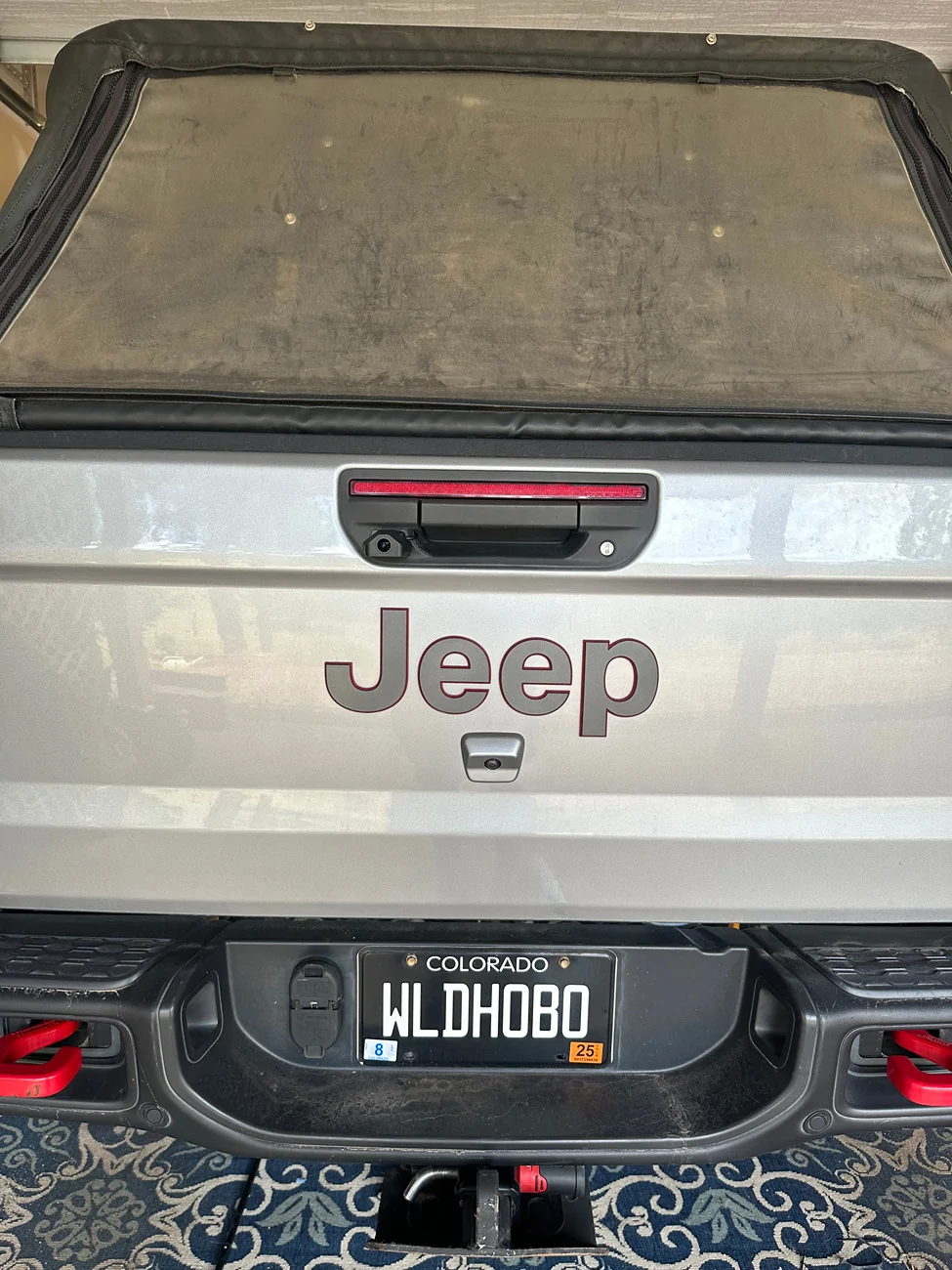
I mounted the rear camera adjacent the tailgate handle to give it a great rear view mirror perspective. It allows you to configure it for mirror mode, so it looks exactly like your brain expects from a real mirror. That's my preference as well, but it can be reversed. For install flexibility, the image can be vertically flipped to match how you choose to install it. The trail camera was something I was quite excited to test out. I mounted it below the from bumper, at the transition to the skid plate, centered below the winch fairlead. I hoped to be able to see obstacles I could not ordinarily see, without the help of a spotter. It's not uncommon for me to do trails alone, within reason. This camera did not disappoint.
The real inspiration came from an obstacle that wasn't what I would call dangerous, but tire placement was extremely critical. Many of you are I'm sure familiar with Hamburger Hill on the Kane Creek Canyon trail in Moab. I had never done this trail before, and was doing it solo. Until I reached the hamburger hill obstacle, I was the only Jeep in sight. So no spotters. Hamburger Hill is an ascent with ledges and large boulders and slabs. Even with a large lift, MANY of them were plenty large enough to take out driveshafts, hang up differentials, shock mounts, etc. With this camera system, and I did not know the lines, I was able to just drive it. The well-built JLUs in front of me on the obstacle reported that they had been there for well over an hour, and I watched both of them winch twice before I started the hill. I had no spotter. All I had was the cameras. I was able to maneuver the hill in 11 minutes, barely even stopping. I got out one time to confirm an angle, but other than that, I watched the trail cam to make sure I didn't hit something wrong, and the rear camera to verify that I'd cleared everything. Since the system has a three-way split screen, I was able to do this simultaneously without taking my hands off the wheel.
This system was game changing. I've done tough obstacles without spotters before, but it's not easy. It involves lots of stopping and getting out to look, and still often results in at least a couple imperfect lines. Sometimes those lines have consequences. I once killed a driveshaft on a similar rock garden in CO on Holy Cross, just because I didn't know it was even there. In this case, I was able to use the cameras as tools to navigate the obstacle. Some might call this cheating. I disagree. I say use the tools at your disposal, to get off the trail unbroken. This new tool is amazing for obstacles like this.
My only feature requests are pretty simple, and I'm guessing could be done with a future firmware update. First, I'd love to see a split screen option that only shows the trail cam and rear camera, or the front and rear, etc. The triple split screen is helpful for some situations, but I can look out the windshield myself, more easily than looking at the screen. The second request would be to add tire lines to the trail camera, ideally adjustable lines so in a setup mode, the owner could match the lines to the track width of their specific vehicle. I was clearly able to navigate without them, but it took some getting used to.
I've provided links for the Hamburger Hill Obstacle, from the perspective of all three cameras, throughout the entire hill. The front camera is obviously a great representation of what I can see with my eyes. That view is not enough to drive terrain like this without getting out several times to figure out the lines, or to have a spotter constantly directing. As a PSA, I'm in no way recommending that people wheel on trails like this alone. I'm also not saying cameras are better than spotters. Wheeling with others makes it safer, and spotters are a great thing. But there is no reason to not have more information. I personally knew what I was getting into on a trail like this, and I do my research. I also have the tools to get myself out of a jam, even without people around. Please don't blast me for wheeling alone. I know my limits, and am not afraid to turn around if something is unsafe. I've done it before on several occasions. I did then go back with more people in the future.
So, this isn't the typical review, and I went on some tangents, but I hope it's helpful. I would recommend this product to absolutely anyone. I did have a similar, only two camera system installed prior to this, from a competitor. This one is far and beyond better, proving at least to me, that not all mirror dash cams are created equal.
Front Camera:
Trail Camera:
Rear Camera:
I mounted the rear camera adjacent the tailgate handle to give it a great rear view mirror perspective. It allows you to configure it for mirror mode, so it looks exactly like your brain expects from a real mirror. That's my preference as well, but it can be reversed. For install flexibility, the image can be vertically flipped to match how you choose to install it. The trail camera was something I was quite excited to test out. I mounted it below the from bumper, at the transition to the skid plate, centered below the winch fairlead. I hoped to be able to see obstacles I could not ordinarily see, without the help of a spotter. It's not uncommon for me to do trails alone, within reason. This camera did not disappoint.
The real inspiration came from an obstacle that wasn't what I would call dangerous, but tire placement was extremely critical. Many of you are I'm sure familiar with Hamburger Hill on the Kane Creek Canyon trail in Moab. I had never done this trail before, and was doing it solo. Until I reached the hamburger hill obstacle, I was the only Jeep in sight. So no spotters. Hamburger Hill is an ascent with ledges and large boulders and slabs. Even with a large lift, MANY of them were plenty large enough to take out driveshafts, hang up differentials, shock mounts, etc. With this camera system, and I did not know the lines, I was able to just drive it. The well-built JLUs in front of me on the obstacle reported that they had been there for well over an hour, and I watched both of them winch twice before I started the hill. I had no spotter. All I had was the cameras. I was able to maneuver the hill in 11 minutes, barely even stopping. I got out one time to confirm an angle, but other than that, I watched the trail cam to make sure I didn't hit something wrong, and the rear camera to verify that I'd cleared everything. Since the system has a three-way split screen, I was able to do this simultaneously without taking my hands off the wheel.
This system was game changing. I've done tough obstacles without spotters before, but it's not easy. It involves lots of stopping and getting out to look, and still often results in at least a couple imperfect lines. Sometimes those lines have consequences. I once killed a driveshaft on a similar rock garden in CO on Holy Cross, just because I didn't know it was even there. In this case, I was able to use the cameras as tools to navigate the obstacle. Some might call this cheating. I disagree. I say use the tools at your disposal, to get off the trail unbroken. This new tool is amazing for obstacles like this.
My only feature requests are pretty simple, and I'm guessing could be done with a future firmware update. First, I'd love to see a split screen option that only shows the trail cam and rear camera, or the front and rear, etc. The triple split screen is helpful for some situations, but I can look out the windshield myself, more easily than looking at the screen. The second request would be to add tire lines to the trail camera, ideally adjustable lines so in a setup mode, the owner could match the lines to the track width of their specific vehicle. I was clearly able to navigate without them, but it took some getting used to.
I've provided links for the Hamburger Hill Obstacle, from the perspective of all three cameras, throughout the entire hill. The front camera is obviously a great representation of what I can see with my eyes. That view is not enough to drive terrain like this without getting out several times to figure out the lines, or to have a spotter constantly directing. As a PSA, I'm in no way recommending that people wheel on trails like this alone. I'm also not saying cameras are better than spotters. Wheeling with others makes it safer, and spotters are a great thing. But there is no reason to not have more information. I personally knew what I was getting into on a trail like this, and I do my research. I also have the tools to get myself out of a jam, even without people around. Please don't blast me for wheeling alone. I know my limits, and am not afraid to turn around if something is unsafe. I've done it before on several occasions. I did then go back with more people in the future.
So, this isn't the typical review, and I went on some tangents, but I hope it's helpful. I would recommend this product to absolutely anyone. I did have a similar, only two camera system installed prior to this, from a competitor. This one is far and beyond better, proving at least to me, that not all mirror dash cams are created equal.
Front Camera:
Trail Camera:
Rear Camera:
Sponsored