Wendi20
Active Member
- Thread starter
- #1
I have a 2019 Jeep Wrangler Sahara, and did the Firmware Update 11.4.6, and ended up with the following error codes: B1296-14, B1298-14, B1297-14, B1195-14, U0168, U1514-87, DASM=ModuleNoRespns, U1818, U0100, U1514-87, U0168-30! I followed all of the instructions, including Reboot and 2 Sleep Cycles. I contacted Z Automotive and a Tech worked with me over 2 days to try and resolve the issue...NOTHING WORKED! I even did the following (as instructed to do by Tech): 1. Unmarry 2. Full Reboot. 3. Pull the negative terminal on battery for a minute 4. Two Sleep Cycles 5. Removed the Tazer and plugged the Security Gateway(SGW) back in. That didn't fix anything, but then my Battery started to drain while driving (while doing to 20 min drive to give sensors time to calibrate).
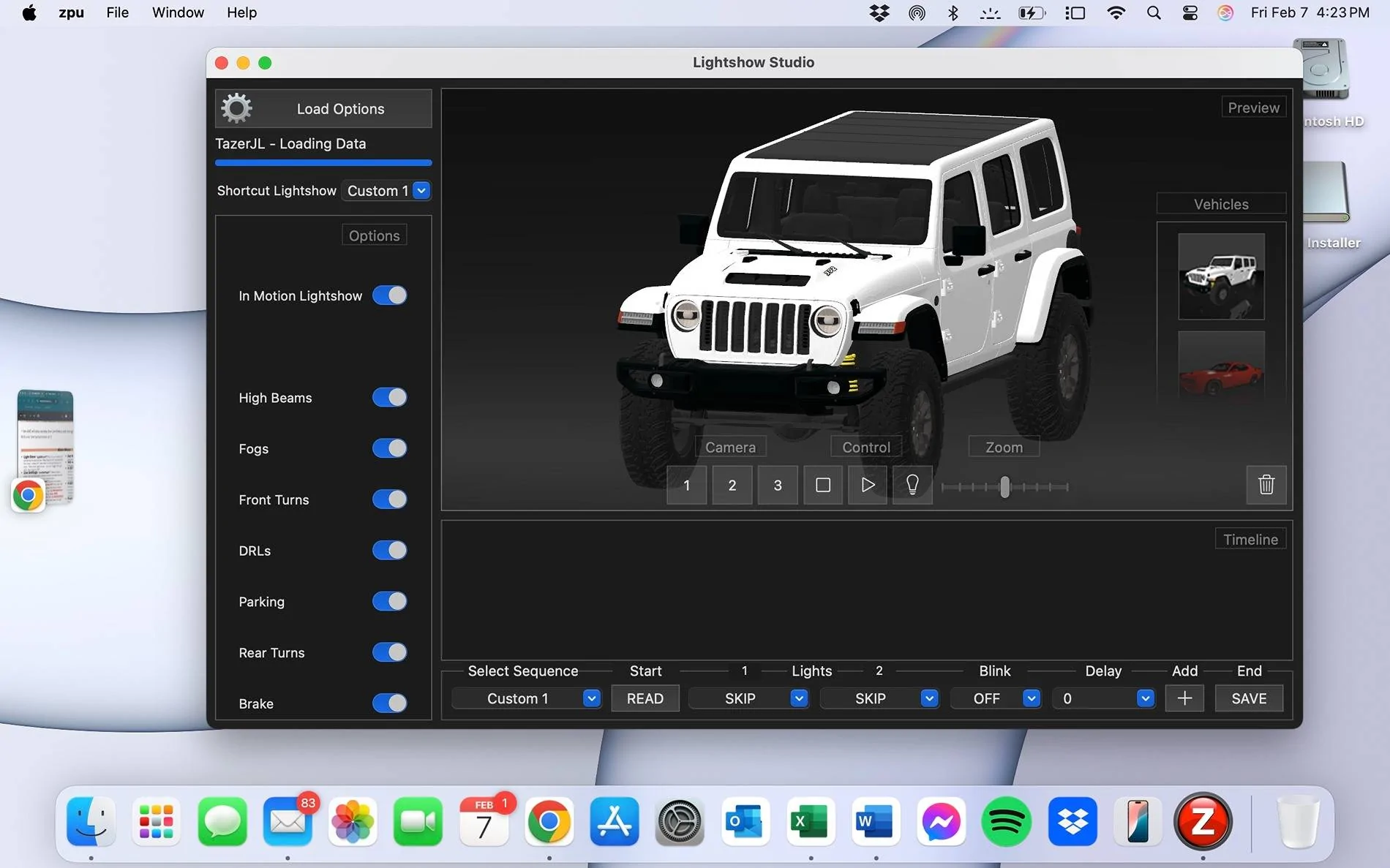
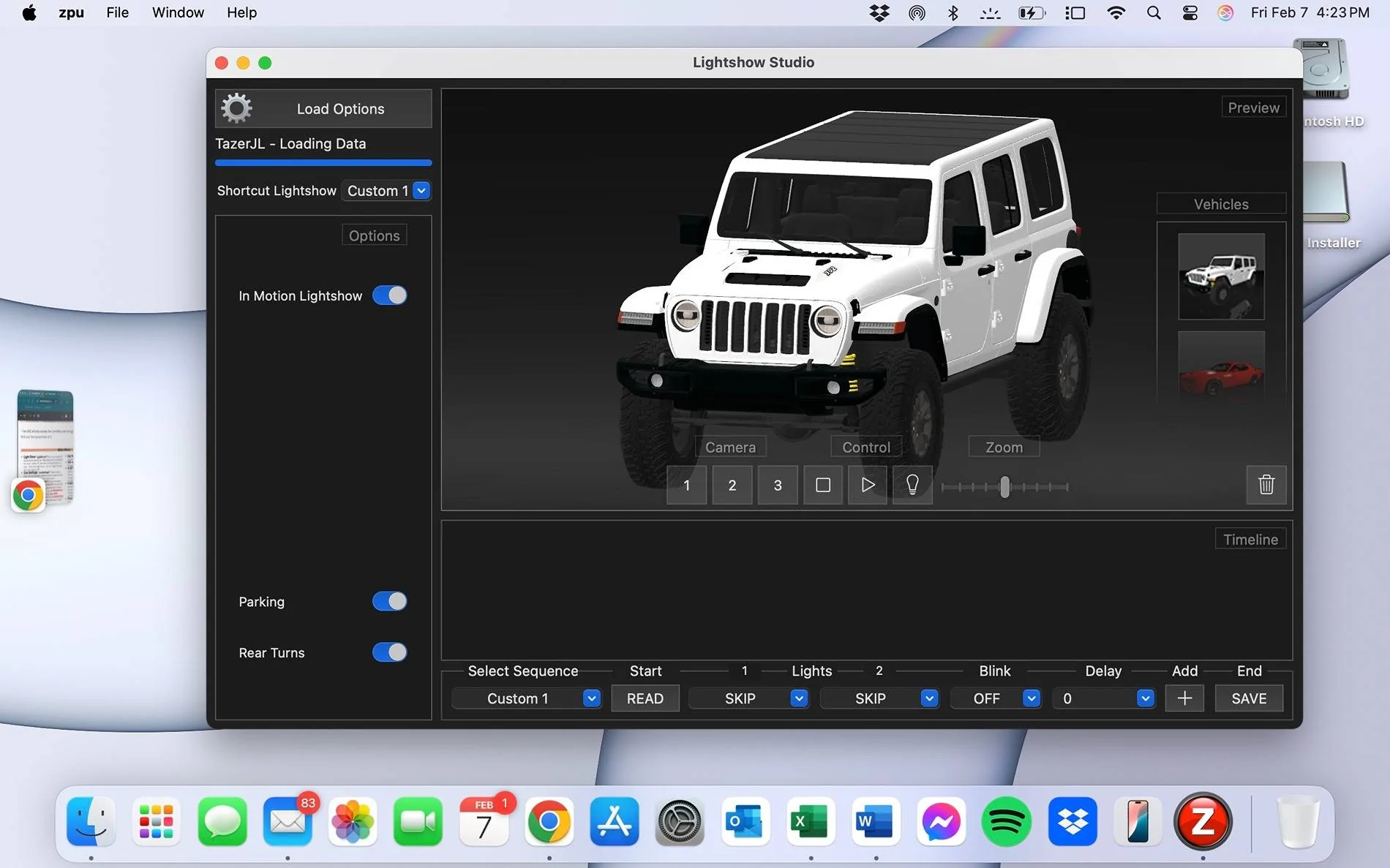
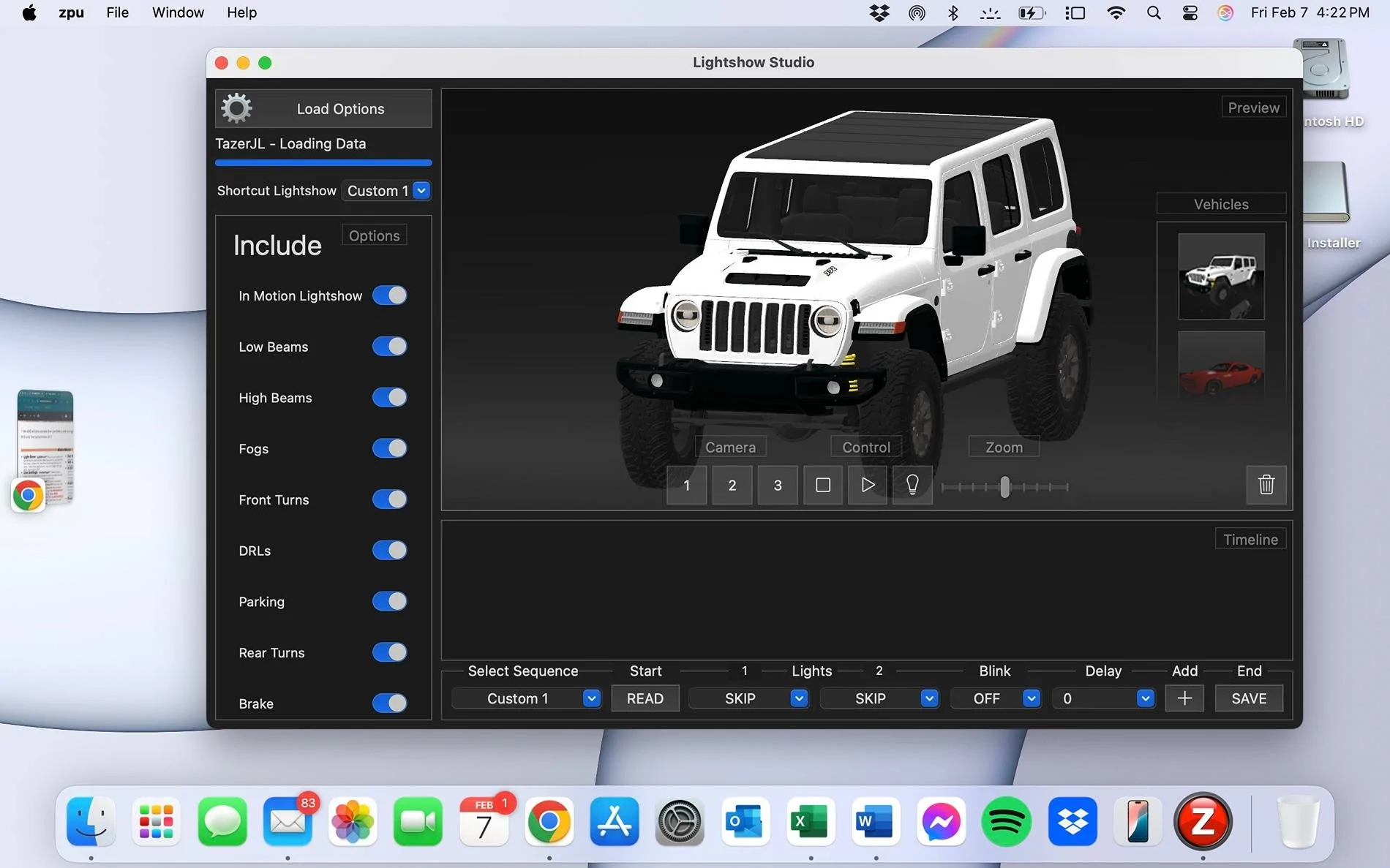
I am using Z Automotive's MacOS ZPU Software. I didn't have any issues actually Downloading the Firmware from my Mac, BUT when trying to configure a Custom Light Show: All "Options" were listed when I initially opened it, but as I began to scroll thru the options some began to disappear. Scrolling up randomly made some options disappear and reappear.
Then Bill, who came to my rescue on my original thread post, suggested that I install the previous Firmware Version. I did, and it fixed EVERYTHING in My Jeep!!! The "Light Show" Configuration was still randomly displaying the options.
IF YOU HAVE THE SAME ISSUE (after downloading the 11.4.6 Firmware), I recommend doing the following:
1. Unmarry 2. Full Reboot. 3. Pull the negative terminal on battery for a minute 4. Two Sleep Cycles 5. Removed the Tazer and plugged the Security Gateway(SGW) back in. Then DOWNLOAD the 11.4.5 Firmware.
There obviously appears to be a "Bug" with the 11.4.6 Firmware. I hope this helps if you have the same issue. Attached are pics of the Light Show Options and how they changed while scrolling.

I am using Z Automotive's MacOS ZPU Software. I didn't have any issues actually Downloading the Firmware from my Mac, BUT when trying to configure a Custom Light Show: All "Options" were listed when I initially opened it, but as I began to scroll thru the options some began to disappear. Scrolling up randomly made some options disappear and reappear.
Then Bill, who came to my rescue on my original thread post, suggested that I install the previous Firmware Version. I did, and it fixed EVERYTHING in My Jeep!!! The "Light Show" Configuration was still randomly displaying the options.
IF YOU HAVE THE SAME ISSUE (after downloading the 11.4.6 Firmware), I recommend doing the following:
1. Unmarry 2. Full Reboot. 3. Pull the negative terminal on battery for a minute 4. Two Sleep Cycles 5. Removed the Tazer and plugged the Security Gateway(SGW) back in. Then DOWNLOAD the 11.4.5 Firmware.
There obviously appears to be a "Bug" with the 11.4.6 Firmware. I hope this helps if you have the same issue. Attached are pics of the Light Show Options and how they changed while scrolling.
Sponsored