ghorsepower
Well-Known Member
- Thread starter
- #16
The actual compass is in the Uconnect head unit. So when you remove it, you physically have no compass anymore.yes, I did lose that on engine cluster.
Sponsored
The actual compass is in the Uconnect head unit. So when you remove it, you physically have no compass anymore.yes, I did lose that on engine cluster.
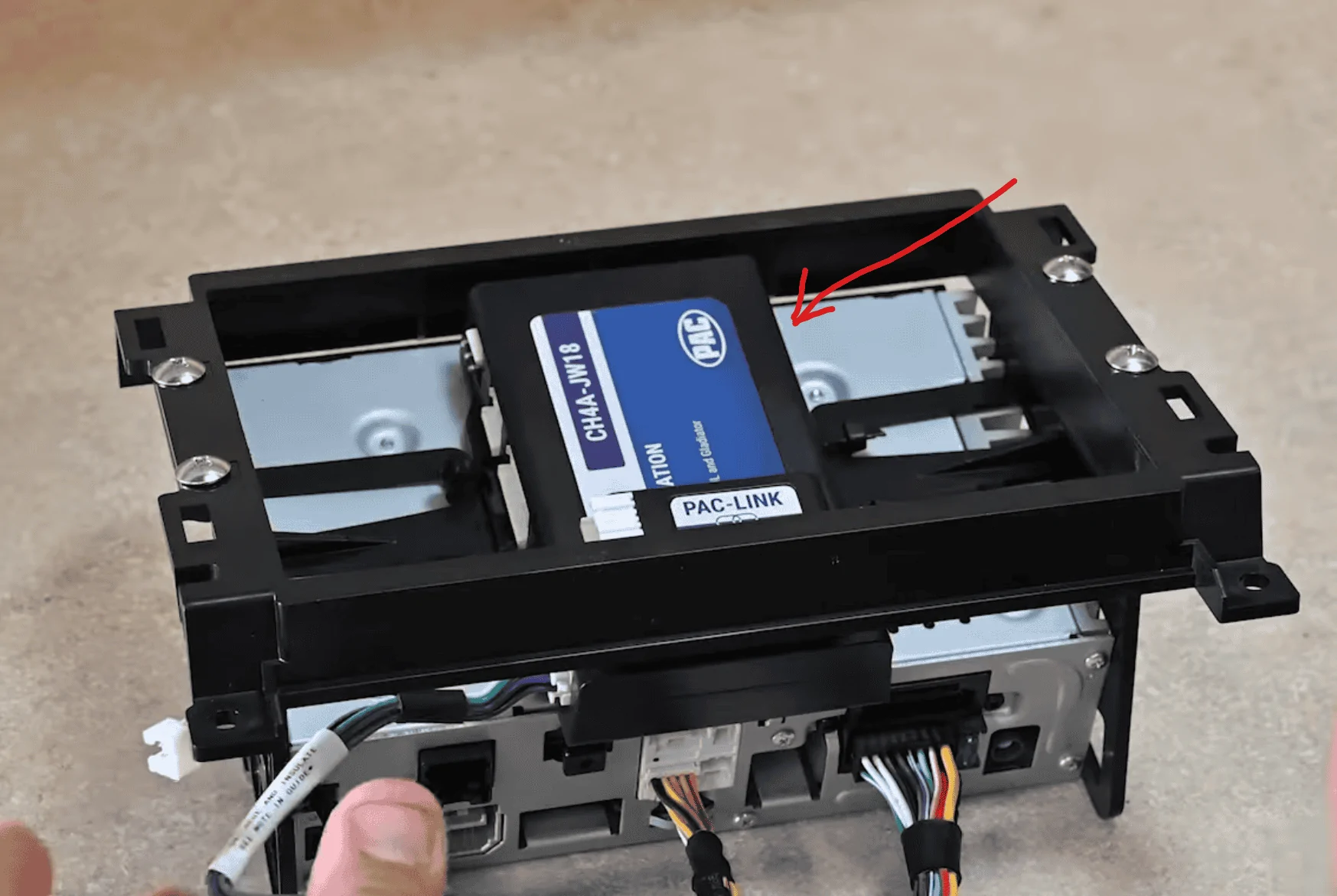
which box is the Pac Box? Is it the blax box where the sd card for navigation pligs in? I have to update this. First i have to get a PC to use.OMG this works. So when I called Stinger, which was in Feb I am pretty sure, they said they were waiting on a radio firmware and to check that link above. On stingers page, well they never updated the radio firmware since Jan. The firmware you said to check, which was the upper link at PAC, updates the PAC box and sure enough after updating it and a couple reboots, it works now!
Crap does anybody wanna buy a manual control head that is still shipping from ebay now?![]()
No thats your main head unit. The pac box is mostly blue. Should be ziptied right in between your head unit and screen. And the mini pac should be 2 sided taped to your main pac unit. I installed mine my self and followed some you tube videos. Let me go see if i can find one highlighting the PAC unit.which box is the Pac Box? Is it the blax box where the sd card for navigation pligs in? I have to update this. First i have to get a PC to use.
I've tried multiple times with 2 different cables and can not get it to say "connected" so it won't let me chose the file or update. At first I did it with no internet connection and I thought maybe it needs a connection, so did that, and it updated the Software on the computer end, and tried again with both cables and still will not say it is connected and will not let me get passed that screen....I'm wondering maybe my cables are not data cables?Yes you have to pull the display off. Plug in a mini usb cable from your computer with the pac updater software into the big Pac module not the mini one. Power on the jeep. The software should go from not connected to connected. I think at this point there was a click sound and the display turned off. Flash the new firmware file by opening it in the pac updater. It takes a little bit so be patient until it says complete. Power off the jeep, unplug the usb cable. Open and close the door and wait for a minute or so to get the radio to completely turn off. Hop back in and power it on and should boot up. I think I had to reboot it one more time before the climate icon showed on the main screen? Then put it all back together. It takes like 10 mins and works.
I'm not sure that is correct as i have a 2020 sport that had the 5" Stock and despite not being able to get the compass to work on the Stinger i've got it working just fine in my instrument cluster.The actual compass is in the Uconnect head unit. So when you remove it, you physically have no compass anymore.