Sponsored

Wireless CarPlay adapters

Eddiechi

Well-Known Member
First Name
Ed
Joined
Dec 2, 2019
Threads
5
Messages
186
Reaction score
218
Location
Chicago
Vehicle(s)
2020 2DR Rubicon -- 2023 2DR Rubi ordered Sep 29

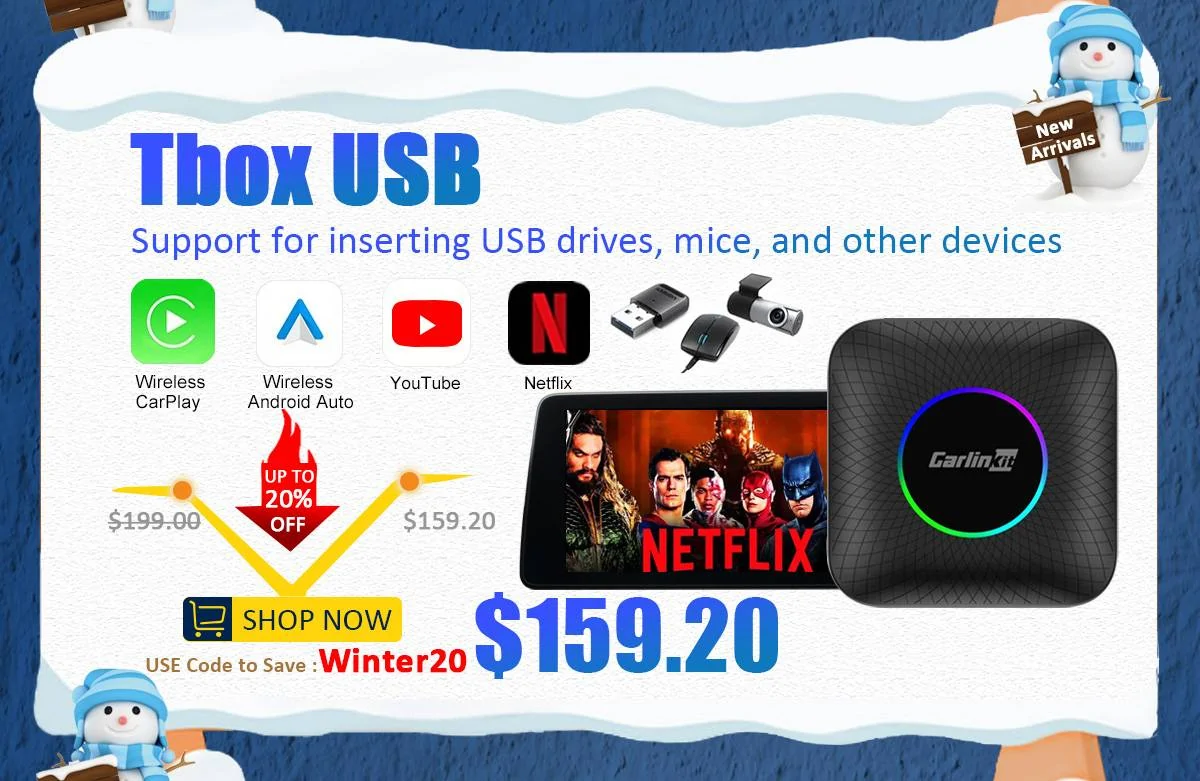
That seems to be the best price I have seen of the multimedia versions (w/ netflix and youtube capabilities at the 8gb -128gb variant) Most of them came down to around $169 on black friday when I bought mine. You can get the 4gb - 64gb variant for a little less with android 12 instead of latest android 13,

I replaced my AAAwireless in the center dash with the carlink multimedia and it played youtube, rumble etc flawlessly as well as google maps, waze etc ran perfect. Only issue is the occasional message "device cant connect" after a cold start
Sponsored
 

Gunfighter

Well-Known Member
First Name
P.J.
Joined
Oct 7, 2020
Threads
16
Messages
580
Reaction score
949
Location
West Michigan
Vehicle(s)
2021 Jeep Wrangler High Altitude
Occupation
Trying not to get warning points
Vehicle Showcase
1

rickinAZ

Well-Known Member
First Name
Rick
Joined
Jan 2, 2020
Threads
304
Messages
4,116
Reaction score
6,083
Location
Phoenix
Vehicle(s)
2026 MOAB 392
Occupation
Retired CFO. Mayo Clinic volunteer.
Been using this one for a while. Half the cost and works great. Connects up fast, no glitches. Every once in a while if I’m running errands and get in/out often I’ll have to click the Bluetooth to connect but that’s rare.

https://www.bestbuy.com/site/sku/6551454.p?skuId=6551454
This is a fair assessment of the wireless adaptors. Not flawless, but functions fine the vast majority of the time.
 

2mnycars

Well-Known Member
First Name
Dave
Joined
Sep 15, 2019
Threads
13
Messages
632
Reaction score
369
Location
Canada
Vehicle(s)
JLUR
I tried the Carlinkit 4.0 and returned it. Later bought the Carlinkit 5.0 and it's worked pretty well.
 

Sponsored

Chupacabra

Well-Known Member
First Name
John
Joined
Oct 13, 2020
Threads
18
Messages
1,119
Reaction score
1,373
Location
Greenville, SC
Vehicle(s)
2021 JLU
I just started using Auerds Wireless Carplay Adapter for Phone Bluetooth Car Adapter and so far it's amazing. Connects before I enter car if I use remote start. Plugged into center console USB, not dash USB. Gamechanger.

https://www.amazon.com/dp/B0CJ4XST4T?ref=ppx_yo2ov_dt_b_product_details&th=1
My CarLinkit 3 has been getting really flaky so I bought this. Updated the firmware, only used it twice but seems to work.

Question for @richardya if you know: If you have multiple drivers, does this one prompt you to pick which phone to pair with if you're both in the car at the same time? The Carlinkit 3 did, although it was flaky and took multiple presses to get it to "take" the correct phone. I haven't paired the wife's phone yet to see if this Auerds one prompts you, or if it's just going to glom on to the first phone that answers?
 

richardya

Well-Known Member
Joined
Jan 10, 2020
Threads
21
Messages
327
Reaction score
254
Location
New York
Vehicle(s)
Ford Edge 2011
Vehicle Showcase
1
My CarLinkit 3 has been getting really flaky so I bought this. Updated the firmware, only used it twice but seems to work.

Question for @richardya if you know: If you have multiple drivers, does this one prompt you to pick which phone to pair with if you're both in the car at the same time? The Carlinkit 3 did, although it was flaky and took multiple presses to get it to "take" the correct phone. I haven't paired the wife's phone yet to see if this Auerds one prompts you, or if it's just going to glom on to the first phone that answers?
Dont know, I would assume if the new person enters first it would pair with that phone. But I am guessing, I am the only driver in my Jeep.


This is all the instructions said.

"Can the adapter be paired with multiple iphones:
The adapter can be paired with Maximum five iphones, but only one device can be connected at a time. If you want to pair it with a new iPhone, please cancel the current connection first. Please note that by default, the adapter’s system will only automatically connect back to the last used iphone"
 

Chupacabra

Well-Known Member
First Name
John
Joined
Oct 13, 2020
Threads
18
Messages
1,119
Reaction score
1,373
Location
Greenville, SC
Vehicle(s)
2021 JLU
Dont know, I would assume if the new person enters first it would pair with that phone. But I am guessing, I am the only driver in my Jeep.


This is all the instructions said.

"Can the adapter be paired with multiple iphones:
The adapter can be paired with Maximum five iphones, but only one device can be connected at a time. If you want to pair it with a new iPhone, please cancel the current connection first. Please note that by default, the adapter’s system will only automatically connect back to the last used iphone"
OK thanks! Once the wife gets back I'll see exactly how that works :)
 

Chupacabra

Well-Known Member
First Name
John
Joined
Oct 13, 2020
Threads
18
Messages
1,119
Reaction score
1,373
Location
Greenville, SC
Vehicle(s)
2021 JLU
I just started using Auerds Wireless Carplay Adapter for Phone Bluetooth Car Adapter and so far it's amazing. Connects before I enter car if I use remote start. Plugged into center console USB, not dash USB. Gamechanger.

https://www.amazon.com/dp/B0CJ4XST4T?ref=ppx_yo2ov_dt_b_product_details&th=1
Been using this for a few days and having issues where the CarPlay screen shows on the head unit, but no audio. Like I answered a call, it showed the caller and the phone buttons on the screen, but no audio. Had to put phone into speakerphone mode to take the call.

Then on another drive I asked Siri for direction, no voice prompt, and no audio read back of possible destinations. Once I picked the destination the navigation audio worked OK.

So far I am not impressed with the one I have. Unless vendor comes back with a specific solution to this (and I am on latest firmware) it'll go back and I'll try one of the others.

Have you had any audio glitches like this with yours, or am I just the unlucky one? :)
 

richardya

Well-Known Member
Joined
Jan 10, 2020
Threads
21
Messages
327
Reaction score
254
Location
New York
Vehicle(s)
Ford Edge 2011
Vehicle Showcase
1
Been using this for a few days and having issues where the CarPlay screen shows on the head unit, but no audio. Like I answered a call, it showed the caller and the phone buttons on the screen, but no audio. Had to put phone into speakerphone mode to take the call.

Then on another drive I asked Siri for direction, no voice prompt, and no audio read back of possible destinations. Once I picked the destination the navigation audio worked OK.

So far I am not impressed with the one I have. Unless vendor comes back with a specific solution to this (and I am on latest firmware) it'll go back and I'll try one of the others.

Have you had any audio glitches like this with yours, or am I just the unlucky one? :)
Before using the dongle, when you look at the media screen on the regular Uconnect menu, make sure your phone is added as a source via bluetooth.
You only have to do this once. (You can probably do this after using the dongle too) It sounds like U Connect is not sure which audio takes precedence.

I had a situation where the Carplay would be running a podcast but I would hear the radio. You need the source to be your phone. But the problem never returned since. I can switch between radio and carplay perfectly smooth now.

I think if you get it working you can leave it plugged in and forget about it. So mess around a little. It sounds like you got the main part (Carplay) working.
 

Sponsored

Chupacabra

Well-Known Member
First Name
John
Joined
Oct 13, 2020
Threads
18
Messages
1,119
Reaction score
1,373
Location
Greenville, SC
Vehicle(s)
2021 JLU
Before using the dongle, when you look at the media screen on the regular Uconnect menu, make sure your phone is added as a source via bluetooth.
You only have to do this once. (You can probably do this after using the dongle too)

I had a situation where the Carplay would be running a podcast but I would hear the radio. You need the source to be your phone. But the problem never returned since. I can switch between radio and carplay perfectly smooth now.

I think if you get it working you can leave it plugged in and forget about it. So mess around a little. It sounds like you got the main part (Carplay) working.
Thanks, I'll try that. This seems more complicated than the CarLinkIt. I just connected to it once, and it worked fine. Other than the fact the CL seems to be dying on me now it's been OK. I never had to pair the Bluetooth to the Uconnect independently like this.
 

richardya

Well-Known Member
Joined
Jan 10, 2020
Threads
21
Messages
327
Reaction score
254
Location
New York
Vehicle(s)
Ford Edge 2011
Vehicle Showcase
1
I never have any issues. No delays, no lag, nothing. I am immediately connected. The issue I mentioned above was when I pulled the device out of the USB port when I left the Jeep at a mechanic. After plugging it back in, it didn't connect right so I was messing around with the bluetooth and wifi and disconnecting etc. That's when I had my issue. But once I got set up again, it's been 100% flawless.

I do leave it plugged in 24/7 in the center console where I don't see the wires. If you're pulling it out and plugging it back in, or moving between vehicles, that may be an issue.
 

Chupacabra

Well-Known Member
First Name
John
Joined
Oct 13, 2020
Threads
18
Messages
1,119
Reaction score
1,373
Location
Greenville, SC
Vehicle(s)
2021 JLU
I never have any issues. No delays, no lag, nothing. I am immediately connected. The issue I mentioned above was when I pulled the device out of the USB port when I left the Jeep at a mechanic. After plugging it back in, it didn't connect right so I was messing around with the bluetooth and wifi and disconnecting etc. That's when I had my issue. But once I got set up again, it's been 100% flawless.

I do leave it plugged in 24/7 in the center console where I don't see the wires. If you're pulling it out and plugging it back in, or moving between vehicles, that may be an issue.
It does seem to connect faster than the CarLinkIt, I'll give it that. The odd thing is that sometimes a phone call will work fine as expected, other times it does not. That's why I'm wondering about the BT connection to the head unit. I would think it would either work 100% of the time, or fail 100% of the time if that was a requirement.

Same with the navigation, or playing music from CarPlay. Sometimes I get audio, sometimes I do not. It's random crap like this that drives me nuts and makes it hard to determine where the problem lies.

I do know with the Carlinkit, when it is connected it always worked 100% of the time. Just recently it's started dropping the connection and it won't ever come back until I unplug it and reboot it. Previously, if it randomly rebooted it would always come back on its own, although this was was very rare like maybe once every few weeks.

Also looking at the Ottocast U2 Air Pro since it has a button on it to disconnect the current phone - could be handy for times when the wrong person's phone connects but it has mixed reviews too.
 

Tom Barry

Active Member
First Name
Tom
Joined
Dec 27, 2021
Threads
0
Messages
27
Reaction score
7
Location
United State
Vehicle(s)
Jeep Wrangle 2018
Carlinkit Tbox UHD supports connecting to another screen on the back seat to display video, making it ideal for cars with a second screen. Unfortunately, I don't have one.


jingle

Member
First Name
James
Joined
May 15, 2019
Threads
1
Messages
19
Reaction score
9
Location
USA
Vehicle(s)
'23 392 20A, '20 LE JT, '19 JLU x2
After reading this thread and a couple of others - which wireless adapters work best for Apple CarPlay? Is there an adapter that works with Apple that shuts off before the USB 1hr timeout?

Sounds like AAWireless works great but maybe better for Android with the app?

CarLinkit 5.0 also sounds good but it seems like it’s on till the USB power shuts off.
Sponsored


Top