

Sponsored
OP
OP
jmccorm

jmccorm

Well-Known Member
First Name
Josh
Joined
Sep 15, 2021
Threads
55
Messages
1,170
Reaction score
1,322
Location
Tulsa, OK
Vehicle(s)
2021 JLUR
Build Thread
Link
Occupation
Systems Engineering
I just wanted to say keep up the good work.
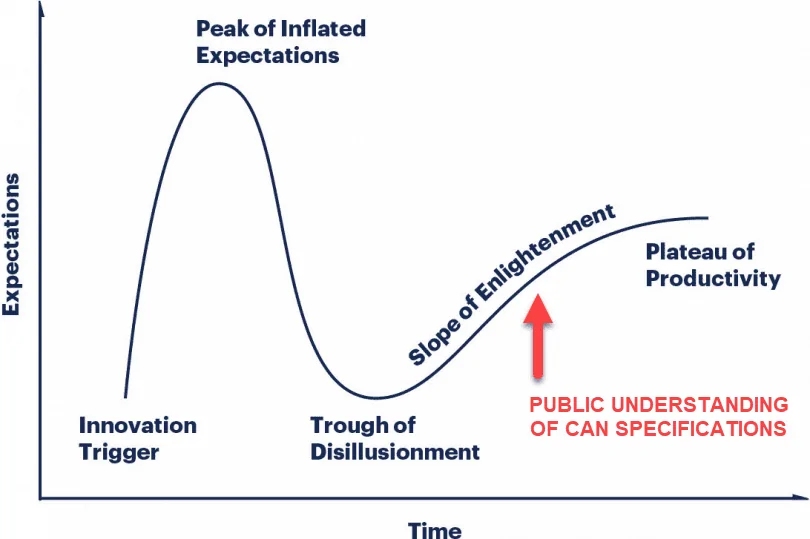
Hey, thanks! I've been trying to make progress in the face of some headwinds in my personal life, so that's really good to hear right now. As far as progress goes, if we've been moving down the Gartner Hype Cycle, it'd say that things are right around here...

Jeep Wrangler JL JEEP HACKING CAN-C / CAN-IHS / UDS ! (Reverse Engineering) 1649721734213


The good news is that we're on the Slope of Enlightenment. We've already made the occasion jump to the Plateau of Productivity, but today we know exactly what it'll take to reach that target on a full-time basis.

The first milestone is to regularly and safely perform "Write to Identifier" commands (that's the function we use to update vehicle parameters). Right now, I'm working on a general purpose "Read by Identifier" command. We'll be there soon enough.

The second is to know which vehicle parameters are stored where and how they're encoded. And we've actually reversed engineered quite a number of values purely from observing the vehicle itself. You'll see those on the first tab of our Google Docs spreadsheet. (Downloadable from here.) But we've decoded others (the UDS functions on the fourth tab) thanks to third party tools (JScan in particular). Unfortunately, we've only scratched the surface in what turns out to be a very labor intensive effort.

Really, you either need direct access to the manufacturer's specifications, or you'd need to dump and reverse engineer a device that was built from those same specifications. And you need to pull all that information into a usable form, en-masse. I am NOT confident about hitting that second milestone. And without it, we're blind to all the read and write operations that are out there. We're flying blind.

I assume Jscan, Tazer, AlphaOBD, and ECRI all went through what you are doing so somebody logging this will just help expand the options available or help further development.
YES. But I think it's a spectrum?

Some have clear markings of a reverse engineered approach. Some appear to have been built directly from manufacturer specifications (or dumped and reversed engineered the specifications from another tool that officially was). Both paths have their trade-offs. All have my respect. I'm not judging... I'm jealous! ?

Either way, you're right about the approach we're taking here in this thread. We're publicly documenting what we learn as we go along. If a commercial users take advantage of what we share and don't contribute anything back, the worst case is that Wrangler owners find themselves with better choices than they would have had before. ?

EDIT: Typo, grammar.
Sponsored

 
Last edited:

OP
OP
jmccorm

jmccorm

Well-Known Member
First Name
Josh
Joined
Sep 15, 2021
Threads
55
Messages
1,170
Reaction score
1,322
Location
Tulsa, OK
Vehicle(s)
2021 JLUR
Build Thread
Link
Occupation
Systems Engineering
Again, limited to how much I can push forward here due to some personal challenges, but a few things.

Here's a read against all responsive identifiers on the HVAC module. (Vehicle insisted on running during this time to keep the HVAC module active.) You'll most certainly find hexadecimal strings in here, probably more things of interest with some decoding work.

Code:
0100: 00 00 FF FF
0103: 05 FF
0107: 01
0200: 70 00 00 14 50 0D 04 02 00 1A 03
0201: 00 00 00 00 00 00 01 00 7F 00 00
0202: 05 01 03 B6 00 00 02 19 FF
0205: 00 00 00 00 00 00 00 00 00 00 00 00 00
0207: 00 00 00 00 00 00 00 00 00 00 00 00 00 00 00 00 00
028E: 00 00
0296: 00
0297: 00
0298: 0F
56A2: 00
D005: 05 02
D007: FF F2 CB 00 00 28 D3 00 00
D008: 6A 70
D01A: 91 00 76 E4 00 00 EE EE 00 00 00 00
D01B: 00
D01C: 00
D01E: FF 89 7A D0 00 00
D020: 8C 8C
D023: FF F2 CA 00 00 28 D3 00 00
D024: 47 47 4F 00 00 14 EA 00 00
D025: FF F2 B4 00 00 47 BA 00 00
D02F: 00 00 80 F4 70 94 64 4C 0C 10 20 07 64 4C 00 22 62 40 04 03
D030: 00 00 80 F4 70 94 64 4C 0C 10 20 07 64 4C 00 22 62 40 04 03
D040: 00 0F 00 00 00 00 00 00 00 00 00 00 00
D041: 00 00 00 00 00 00 00 00 00 00 00 00
D042: 03 20
D043: 03 66
D044: 03 16
D045: 03 2A
F100: 00 44 20 01
F10A: 09
F10B: 02 03 00
F10D: 08 67 B9
F112: 30 30 36 38 32 34 39 38 31 34
F122: 30 30 31 39 34 34 30 31 41 43
F132: 36 38 34 39 33 33 38 32 41 43
F150: 13 20 00
F151: 14 0A 01
F153: 10 18 00
F154: 00 8D
F155: 00 8D
F158: 15 00 49 00 05 00 02
F15B: FF FF FF FF FF FF FF FF FF FF
F160: 01 8D 01 00 30 18 35 01 02 35 00 03 64 17 00 00 00 00 00 00
F170: 01 01 02 00 78 00 00 00 3A 1F 40 02 01 00 00 06 00 00 00 00
F18C: 54 43 43 32 39 31 32 38 31 44 30 32 31 39
F190: 31 43 34 48 4A 58 46 4E 36 4D 57 37 35 36 35 33 30
F1A0: 31 43 34 48 4A 58 46 4E 36 4D 57 37 35 36 35 33 30
F1F2: 00 05 00 00 00 00 00 57 00 C8 00 CA 01 C2 01 C3 03 E8 03 B1 08 34 0F
FD01: 43 35 30 31 46 30 31 30 20 20 20 20
Same with the Radio Module with two important points to note out. First is that I'd get an unknown response when trying to read from F1F0 (apparently a FIFO). Other was that I once saw but have since been unable to replicate the temporary availability of data from either FECE or F3C3. Presumably a place where fault information is put when something craps out.

Code:
0103: FF 01
0107: 01
1002: 00 00
1004: 00
1008: 2E 66 8C 2A
1009: 01 5B
102A: FF FF FF FF FF FF FF FF FF
1801: 00
1806: 00 00 00 00 00 00 00 00 00 30 30 30
1808: 00
180B: 33 31 30 31 37 30 38 36 31 31 30 34 35 39 35
180C: 00 0C 0C 0A 0A 0B
1820: 00 00
1821: 00 00
1822: 04 00
1823: 57
18A5: 00 00 0C 0A 0A 0B 38 36 31 31
18A7: 00 00
18A8: 00 00 0C
2001: 02 19 FF
2008: 2E 66 8B D3
2009: 00 00
200A: 00 00
200B: 2E 66 76 EA
200C: 00 0C
200F: 20
2013: 02
2024: FF FF FF FF FF FF FF FF FF FF FF FF FF FF FF FF FF FF FF FF FF FF FF FF FF FF FF FF FF FF FF FF FF FF FF FF FF FF FF FF FF FF FF FF FF FF FF FF FF FF FF FF FF FF FF FF FF FF FF FF FF FF FF FF FF FF FF FF FF FF FF FF FF FF FF FF FF FF FF FF FF FF FF FF FF FF FF FF FF FF FF FF FF FF FF FF FF FF FF FF FF FF FF FF FF FF FF FF FF FF FF FF FF FF FF FF FF FF FF FF FF FF FF FF FF FF FF FF FF FF FF FF FF FF FF FF FF FF FF FF FF FF FF FF FF FF FF FF FF FF FF FF FF FF FF FF FF FF FF FF FF FF FF FF FF FF FF FF FF FF FF FF FF FF FF FF FF FF FF FF FF FF FF FF FF FF FF FF FF FF FF FF FF FF FF FF FF FF FF FF FF FF FF FF FF FF FF FF FF FF FF FF FF FF FF FF FF FF FF FF FF FF FF FF FF FF FF FF FF FF FF FF FF FF FF FF FF FF FF FF FF FF FF FF FF FF FF FF FF FF FF FF FF FF FF
2100: FF FF
2318: 30 31 35 35 39 33 30 30 37 35 33 33 37 38 36
2319: 38 39 30 31 31 37 30 32 32 37 38 36 31 31 30 34 35 39 35 30
231A: 31 35 32 31 36 37 35 35 35 36 35 00 00 00 00
2805: 03 04
280B: 41 41 55 41 51 00 00
280C: 30 B6 00
280D: 02
280E: 03
2811: 05 00 00 00 00 00 00 00 00 00 00 00 00 00 00 00 00 00 00 00 00 00 00 00 00 00 01 00
2812: 07 E6 04 10 14 23 07 08 3F FF FF 3B 7F FF FC 4A 02 00 00 D9 C0 0F E2 00 00 7B
2835: 00 00 00 00 00 00 00 00 00 00 00 00 00 00 00 00
2842: 00 00 00 00 00 00 00 00 00 00 00 00 00 00 00 00 00 00 00 00 00 00 00 00 00
2843: 03 00 00 01 00 00 0B 2E 01 04 01 00 13 4B 00 05 22 00 01 01 00 00 00 00 00
284F: 00 00 00 00 00 00
2850: FF 00 00
2852: 00
285A: 54 60
2862: 00 00 00 57 00 00 57 00 00 00
2871: 1E
2900: 00 10 00 C3 00 00 02 07
2901: 00 D0 00 00 03 5B 00 00
2902: FF D0 00 00 03 5B
2903: 00 01 01 01
2921: 45 4E 55 43 46 52 43 41 53 50 45 41 00 00 00 00 00 00 00 00 00 00 00 00 00 00 00 00 00 00 00 00 00 00 00 00 00 00 00 00 00 00 00 00 00 00 00 00 00 00 00 00 00 00 00 00 00 00 00 00 00 00 00 00 00 00 00 00 00 00 00 00 00 00 00 00 00 00 00 00
292E: 00
2951: FF FF FF FF FF FF FF FF FF FF FF FF FF FF FF FF FF FF FF FF FF FF FF FF FF FF FF FF FF FF FF FF FF FF FF FF FF FF FF FF FF FF FF FF FF FF FF FF FF FF FF FF FF FF FF FF FF FF FF FF FF FF FF FF FF FF FF FF FF FF FF FF FF FF FF FF FF FF FF FF FF FF FF FF FF FF FF FF FF FF FF FF FF FF FF FF FF FF FF FF
2952: 01 01 00 00
3000: 01
5000: 00
5001: 04
5008: 00
5009: 00
500A: 07
500B: 01
500C: 00 74
F100: 00 82 05 01 AA AA AA
F10B: 77 2E
F10D: 0C 6E BD
F112: 43 4E 53 43 38 41 4E 30 47 58
F122: 36 38 34 37 32 35 38 37 41 49
F132: 36 38 34 37 32 35 38 37 41 49
F150: 15 0E 14
F151: 15 0E 14
F154: 00 38
F155: 00 38
F158: 15 31 05 02
F180: 01 01 15 0E 14 20 20 20 20 20 20 20 00 38
F181: 01 01 15 0E 14 20 20 20 20 20 20 20 00 38
F182: 01 01 00 00 00 00 00 00 00 00 00 00 00 38
F183: 01 20 20 20 20 20 20 20 20 20 21 04 05
F184: 01 20 20 20 20 20 20 20 20 20 21 04 05
F185: 01 20 20 20 20 20 20 20 20 20 21 04 05
F186: 01
F187: 20 20 20 20 20 20 20 20 20 20 20
F188: 36 38 34 37 32 35 38 37 41 49 20
F18C: 54 20 20 4D 39 31 35 33 31 30 33 38 38 37 20
F190: 31 43 34 48 4A 58 46 4E 36 4D 57 37 35 36 35 33 30
F191: 20 20 20 20 20 20 20 20 20 20 20
F192: 43 4E 53 43 38 41 4E 30 47 58 20
F193: 14
F194: 36 38 34 37 32 35 38 37 41 49 20
F195: 15 0E
F196: 20 20 20 20 20 20
F1A0: 20 20 20 20 20 20 20 20 20 20 20 31 43 34 48 4A 58 46 4E 36 4D 57 37 35 36 35 33 30 43 4E 53 43 38 41 4E 30 47 58 20 14 36 38 34 37 32 35 38 37 41 49 20 15 0E 20 20 20 20 20 20 FF FF FF FF FF
F1A1: 00 00 00 00 00 00 00 00 00 00 00
F1A4: 20 20 20 20 20 20
F1A5: FF FF FF FF FF
F1B0: 31 43 34 48 4A 58 46 4E 36 4D 57 37 35 36 35 33 30
F1F1: 00
F1F2: 00
FC0F: 00
FEFF: FF 00 00 00
These have both been a real pain to work with since I've had to keep my engine running to test and extract values from all 65536 possible locations.
 
OP
OP
jmccorm

jmccorm

Well-Known Member
First Name
Josh
Joined
Sep 15, 2021
Threads
55
Messages
1,170
Reaction score
1,322
Location
Tulsa, OK
Vehicle(s)
2021 JLUR
Build Thread
Link
Occupation
Systems Engineering
Here's the latest rid script (read identifier). Lots of bad coding practices. Right now I'm hunting down a couple of things, so my objective less about the code and more about the data. Still, I'm going to go ahead and share the tool as it stands now.

Example use: rid radio f100

RID SCRIPT (READ IDENTIFIER FROM A MODULE):

Bash:
#!/bin/bash

error() {
  echo "N/A"
  # Exit with a failure result code
  exit 1
}

initialize () {
  # Issue a "Get Data By Identifier" command to the specified module
  # and wait (with timeout) for a response.

  ( sleep 0.04 ; \
    echo "22 $ID" | /usr/bin/isotpsend -s $SOURCE -d $DEST -p 00:00 -P l $BUS ) &

  # Collect the response. If no response in 8 seconds, abort.
  # NOTE: Most of the time, 8 seconds is excessive. But some Identifiers
  #       will actually take this much time, if not more.

  COMMAND="timeout -s 1 8 /usr/bin/isotprecv -s $SOURCE -d $DEST -p 00:00 -P l $BUS"

  RESPONSE="$( $COMMAND )"

# Get rid of the last character (trailing space)
  RESPONSE=${RESPONSE}

  # We could get rid of ALL SPACING between hexadecimal numbers,
  # but let's not do that. Code left here in case it is useful elsewhere.
  # DATA=$( echo ${RESPONSE:9} | tr -d "[:blank:]" )

  # POPULATE A FEW VARIABLES WE'LL USE BELOW

  DATA=$( echo ${RESPONSE:9} )
  RID="${RESPONSE:0:2}"
  SID="22"
  SUCCESS="$( printf "%X" $(( 0x$SID + 0x40 )) )"
  OK=99

  if [ "$RID" == "$SUCCESS" ] ; then
    OK=0
    echo "SUCCESS"
    echo "${RESPONSE:9}"

    # We need a better solution, but for now, we're storing data as
    # FILENAMES under the /home/pi/modules/ directory. This works
    # up until the point we have a lot of data to store, then the
    # filename becomes too big. In that case, instead of storing the
    # data as a filename, it creates a file called FILE and stores
    # the data in there. Yuck, yuck, yuck!

    if [ ! -d /home/pi/modules/$MODULE/$OPERATION/${ID:0:2}${ID:3:2} ] ; then
      mkdir -p /home/pi/modules/$MODULE/$OPERATION/${ID:0:2}${ID:3:2}
    fi
    touch /home/pi/modules/$MODULE/$OPERATION/${ID:0:2}${ID:3:2}/"${DATA}"
    if [ $? -ne 0 ] ; then
        echo $DATA | cat > /home/pi/modules/$MODULE/$OPERATION/${ID:0:2}${ID:3:2}/FILE
    fi
  fi

  if [ "$RID" == "7F" ] ; then
    OK=1
    echo "NEGATIVE RESPONSE"
    echo "$RESPONSE"
  fi

  if [ "$OK" == "99" ]
    then
      echo "UNKNOWN RESPONSE"
      echo ${RESPONSE}
    fi

exit $OK

}

# MAIN CODE BEGINS HERE

MODULE=$( echo $1 | tr '[:upper:]' '[:lower:]' )
OPERATION=rid
OK=0

# In this section, we translate module names into the concrete variables
# we need to use. We're doing these as if...then statements when we should
# probably be working with arrays. But this is a product of figuring things
# out when you go along and quickly putting a solution in place because you
# need something here and now. This needs to be revisited.

if [ "$MODULE" == "bcm" ] ; then
    OK=1
    SOURCE=620
    DEST=504
    BUS=can1 # CAN-C
fi

if [ "$MODULE" == "sccm" ] ; then
    OK=1
    # INVALID INFORMATION - NEEDS CORRECTED
    SOURCE=763
    DEST=4E3
    BUS=can1 # CAN-C
fi

if [ "$MODULE" == "radio" ] ; then
    OK=1
    SOURCE=7BF
    DEST=53F
    BUS=can0 # CAN-IHS
fi

   [ "$MODULE" == "ipc" ] && MODULE="ipcm"
if [ "$MODULE" == "ipcm" -o "$MODULE" == "evic" ] ; then
    OK=1
    MODULE="ipcm" # Standardizing on Instrument Panel Cluster Module
    SOURCE=742
    DEST=4C2
    BUS=can1 # CAN-C
fi

if [ "$MODULE" == "sccm" ] ; then
    OK=1
    SOURCE=123
    DEST=321
    BUS=can0 # CAN-IHS
fi

if [ "$MODULE" == "hvac" ] ; then
    OK=1
    SOURCE=783
    DEST=503
    BUS=can0 # CAN-IHS
fi

# echo "MODULE: $MODULE  BUS: $BUS  SOURCE: $SOURCE  DEST: $DEST"

if [ $OK -ne 1 ] ; then
    echo "INVALID MODULE SPECIFIED: $MODULE"
    exit 99
fi

shift 1

INPUT=$( printf "%04X" 0x$@ 2>/dev/null )
if [ $? -ne 0 ]
  then
     echo "INVALID IDENTIFIER SPECIFIED: $@"
     exit 1
  fi

ID="${INPUT:0:2} ${INPUT:2:2}"
# echo "INPUT: $INPUT   ID: $ID"

# Send our UDS request and store the response.
initialize
To scan an entire module, I use a quick shell script called 'ridscan' where I give it the module name (as it exists in the rid script, and a starting and ending hexadecimal location). It will then start populating the ~pi/bin/module/[modulename]/rid/" directory tree with any successes it finds. Make sure no other activity is being performed against that same module during this time, or you'll cross the streams.

Example use: ridscan radio 0000 FFFF

RIDSCAN SCRIPT (READ AND SCAN FROM A RANGE OF POSSIBLE IDENTIFIERS ):

Bash:
#!/bin/bash
module=$1
shift 1
a=$(printf "%d" 0x$1)
if [ $? -ne 0 ] ; then a=0 ; fi
if [ "$a" == "" ] ; then a=0 ; fi
b=$(printf "%d" 0x$2)
if [ $? -ne 0 ] ; then b=65535 ; fi
if [ "$b" == "" ] ; then b=65535; fi

echo START: $a END: $b

for i in `seq $a $b`; do printf "%4x ------" $i ; rid $module $( printf %4x $i )
  while [ $? == 99 ] ; do
    echo "REDO:" ; rid $module $( printf %4x $i )
  done
done
 
OP
OP
jmccorm

jmccorm

Well-Known Member
First Name
Josh
Joined
Sep 15, 2021
Threads
55
Messages
1,170
Reaction score
1,322
Location
Tulsa, OK
Vehicle(s)
2021 JLUR
Build Thread
Link
Occupation
Systems Engineering
Are you able to pickup driver or passenger door open? Also wondering if there is a cancelation if the doors are off (wiring unplugged).

I ask because I just bought some used rockslide engineering steps with a bad circuit board. A nicer setup IMO would be interfacing with the canbus to know the door status instead of wires running to every door with a sensor and magnet to detect open/close status.
The vehicle provides a CAN-IHS message with an ID of 0x2FA which provides the status when there is any change of the vehicle's doors, locks, and lights. When there are no changes, it simply sends a refresh of it's existing values at one second intervals.

Here's what Robert and I managed to decipher of the 0x2FA messsage so far:

ID INFOCAN-IHS ID (use as can0)CAN-C ID (use as can1)PURPOSE
2FALIGHTS / LOCKS / DOORS

$xx?????????????? -- door opened
value & 0x00=none opened
value & 0x01=driver
value & 0x02=passenger
value & 0x04=rear driver
value & 0x08=rear passenger
value & 0x20=swing gate
value & 0x2F=all five open
value & 0x40=(secured?)

$???x???????????? -- parking lights
$1=off $0=on

$????xx?????????? -- interior dimmer
$22=dim $C8=bright

$??????xx???????? -- door lock button
00=all doors locked 18=all doors unlocked

There may be additional functions and values not yet documented.

The first byte of a $2FA message gives a representation of the open/close status for all four doors plus the swing gate. With that alone, you can tell the status of any of those doors at any time.

Yes. This could be used to monitor what door is open and to extend or contract the appropriate steps.

You also wondered about a 'cancellation' if the doors are off or replaced with tube doors. The vehicle itself knows when the doors are disconnected and enters into an alternate state of behaviors (which I won't get into unless you're really interested in that topic). I believe we have yet to identify the message which says, 'doors are missing', but that is one of the tasks on my to-do list for a related issue with Remote Start not working when using tube doors. I'm still waiting for Mopar to manufacturer a wiring harness so I can continue exploring down that path.

But I'm extremely confident that everything you're looking for should be possible with a tiny microcontroller that is capable monitoring the vehicle's own CAN traffic. But like anything else, it's a trade-off. There may be advantages to their current approach that I certainly wouldn't be aware of.

EDIT: If anyone wants to explore a potential project that takes advantage of the vehicle's CAN-C or CAN-IHS bus traffic, please, do feel free to use this thread and do ask any of those questions that are going to be specific to your project. Not only do we not mind, we encourage it!
 
Last edited:
OP
OP
jmccorm

jmccorm

Well-Known Member
First Name
Josh
Joined
Sep 15, 2021
Threads
55
Messages
1,170
Reaction score
1,322
Location
Tulsa, OK
Vehicle(s)
2021 JLUR
Build Thread
Link
Occupation
Systems Engineering
FYI for you, @redracer ... I hope to have an interesting new capability here shortly!
* [I wanted to make sure that redracer was aware of my new toy, but cool ideas from others are always welcome!]

I've pulled the trigger on Threedom's 392 Paddle Shifter Retrofit Kit which allows you to use the 392's steering wheel and it's paddle shifters on your Wrangler JL. My famously skilled local Jeep dealer's Off Road Shop was intrigued and agreed to handle the installation for me. So everything is set.

I went ahead and upgraded my Tazer JL to the latest firmware, and I've activated it's new paddle shifter feature set in advance of it's actual installation. The option in question is located under the OTHER menu. (Of course, JScan has had it for a while, too.)

The reason why I make mention of any of this is that it can open the door to a number of different things.
(Some obvious, some not-so-obvious.)

1. I believe we have yet to capture and document the CAN bus operation of the 392 paddle shift buttons? If so, this should give us an opportunity to get it done. I mean, I'll be plowing through those gears,just like the big boys. It's just I'll be doing it with all the gusto of my anemic 2.0T powerplant. The kind of suffering I go through to collect data, right? ?

2. Assuming the that paddle buttons are updating their status over the CAN bus, once we've enabled paddle shifting with a tool like Tazer or JScan, we might have the opportunity to write our own programs that automatically upshift or downshift (or simulate shift points) based on whatever parameters we want (such as accelerator pedal status, engine RPM, and some recent vehicle state information).

If things work as planned, then any code we write which automatically shifts gears may not require the physical buttons to be present (since we'd be pressing them virtually). Just for the feature bits to be enabled on the vehicle like Tazer/JScan does for us.

3. And here is what may be the most interesting option *for us*. Assuming one DOES NOT do anything to configure the BCM to allow the paddle shifters to operate like a 392, then that offers us the use of two completely unused general-purpose input buttons to do with as we please! Worst case seems like a way to navigate and select items from our own custom menus.

Like anything else, I guess we'll see where this all goes! ?
 

Sponsored

OP
OP
jmccorm

jmccorm

Well-Known Member
First Name
Josh
Joined
Sep 15, 2021
Threads
55
Messages
1,170
Reaction score
1,322
Location
Tulsa, OK
Vehicle(s)
2021 JLUR
Build Thread
Link
Occupation
Systems Engineering
My update for this weekend...

NEW PROJECT: Adding the Remote Start HVAC Activation feature to another vehicle

It looks like I may be installing my hardware with the HVAC activation software on someone else'e vehicle (a Jeep Gladiator) for the first time. When the vehicle is remotely started, the software automatically enables the HVAC system and reads the vehicle's (temperature) sensors to determine and enable the optimum HVAC settings.

NEW CODE: Time limits for how long AUX3 and AUX4 continue running after engine shutdown
(It works! I wish Jeep would make this kind of thing possible for everyone!)


I think there's a lot of opportunity for Jeep to improve the way that the AUX switches work. I think the reason they activate should be independent of the reason why they shut down. And we should have more choices in what actually shuts them down. Waiting for the battery to be depleted isn't my first choice.

For example, I'd like AUX3 and AUX4 to always enable with the vehicle's ignition, but when turning off the vehicle, I'd like the circuits to remain enabled for as long as 60 minutes unless manually disabled.

Along those lines, I made some changes to our autocollect script. This isn't a complete solution, and the logic has a few holes, but it does something similar. If AUX3 or AUX4 continue to run after the vehicle has been shutdown, every 15 minutes, it'll tap out a few honks to draw attention to itself. After 75 minutes, it automatically powers down AUX4. After 90 minutes, it automatically powers down AUX3.

Again, this particular implementation has a number of small side-effects, so it is very much a "v.01" implementation. But it solves the problem of the AUX3 or AUX4 circuits running through the night or until it depletes enough of the battery.

Here's the code change for our existing autocollect script...
Bash:
engineshutdown () {
  echo "$(date) AUTOCOLLECT: Engine shutdown items go here."

  # Flush any cached or pending I/O activity out to their devices (SD card).
  sync ; sync ; sleep 5 ; sync ; sync
  count=0
  while [ 1 ]
    do
      sleep 900
      # After engine shutdown, every 15 minutes we will...
      echo "$(date) AUTOCOLLECT: Engine off but AUX4 running."
      count=$(( $count + 1 ))
      # Quickly burst the horn after 15, 30, 45, and 60 minutes elapsed.
      # After that, no more audible warnings that this is kept running.
      [ $count -lt 5 ] && myhonk
      # At the 75 minute mark, let's try to shut off the AUX4 circuit.
      if [ $count -eq 5 ] ; then
        echo "$(date) AUTOCOLLECT: shutting down AUX4."
        sleep 1
        sync ; sync ; sleep 5 ; sync ; sync
        sleep 10
        # Convert AUX4 from battery power to ignition, and turn it off
        cansend can0 314#5a.03.04 ; sleep 0.05
        cansend can0 314#00.00.00 ; sleep 0.05
        cansend can0 314#00.00.00 ; sleep 0.05
        cansend can0 314#5a.03.02 ; sleep 0.05
        cansend can0 314#00.00.00 ; sleep 0.05
        cansend can0 314#00.00.00 ; sleep 0.05
      fi
      # At the 90 minute mark, let's try to shut off the AUX3 circuit.
      if [ $count -eq 6 ] ; then
        echo "$(date) AUTOCOLLECT: shutting down AUX3."
        sleep 1
        sync ; sync ; sleep 5 ; sync ; sync
        sleep 10
        # Convert AUX3 from battery power to ignition, and turn it off
        cansend can0 314#59.03.04 ; sleep 0.05
        cansend can0 314#00.00.00 ; sleep 0.05
        cansend can0 314#00.00.00 ; sleep 0.05
        cansend can0 314#59.03.02 ; sleep 0.05
        cansend can0 314#00.00.00 ; sleep 0.05
        cansend can0 314#00.00.00 ; sleep 0.05
      fi
    done
}
As mentioned, this is v0.1 code that still needs a lot of bug fixes and optimizations. But in it's existing form, it manages to put a limit on how long those circuits can drain the battery after the engine has been shutdown.

UPDATE:

And here's an addition to our existing monitor script that changes the current state of AUX3 and AUX4 that, despite how it was configured, makes sure they'll be running on battery power when the vehicle's ignition is turned off. (It tests out ok!)

Bash:
    # STARTING THE BLACK BOX RECORDER, STORING INTO: /home/pi/log

    echo $(date) MONITOR: Starting Black Box Recorder.
    nohup /home/pi/bin/dump any > /dev/null &
    dumpid="$!"
    sleep 2
    dumpid=$( pgrep -P $dumpid )
    [ $DEBUG == "true" ] && echo "DUMP STARTED, PID: $dumpid"

    # RECONFIGURE AUX3 AND AUX4 FOR BATTERY POWER
    cansend can0 314#59.03.03 ; sleep 0.05
    cansend can0 314#00.00.00 ; sleep 0.05
    cansend can0 314#00.00.00 ; sleep 0.05
    cansend can0 314#59.03.04 ; sleep 0.05
    cansend can0 314#00.00.00 ; sleep 0.05
    cansend can0 314#00.00.00 ; sleep 0.05

    cansend can0 314#5a.03.03 ; sleep 0.05
    cansend can0 314#00.00.00 ; sleep 0.05
    cansend can0 314#00.00.00 ; sleep 0.05
    cansend can0 314#5a.03.04 ; sleep 0.05
    cansend can0 314#00.00.00 ; sleep 0.05
    cansend can0 314#00.00.00 ; sleep 0.05

    # A SHORT DELAY BEFORE STARTING THE NEXT SECTION
    sleep 5
Changes to both script will be formalized at a later time and will likely involve the rid script and an upcoming wid script in order to directly read and write the AUX switch configuration into the BCM (Body Control Module) itself rather than using these limited CAN-based configuration commands.
 
Last edited:

Drdyer9051

Active Member
First Name
Bradley
Joined
Feb 1, 2022
Threads
0
Messages
33
Reaction score
24
Location
East Tennessee
Vehicle(s)
4BT-Tj,Tj,4B-Comanche,2021JLUR,diesel 22JTR
Bash:
engineshutdown () {
  echo "$(date) AUTOCOLLECT: Engine shutdown items go here."

  # Flush any cached or pending I/O activity out to their devices (SD card).
  sync ; sync ; sleep 5 ; sync ; sync
  count=0
  while [ 1 ]
    do
      sleep 900
      # After engine shutdown, every 15 minutes we will...
      echo "$(date) AUTOCOLLECT: Engine off but AUX4 running."
      count=$(( $count + 1 ))
      # Quickly burst the horn after 15, 30, 45, and 60 minutes elapsed.
      # After that, no more audible warnings that this is kept running.
      [ $count -lt 5 ] && myhonk
      # At the 75 minute mark, let's try to shut off the AUX4 circuit.
      if [ $count -eq 5 ] ; then
        echo "$(date) AUTOCOLLECT: shutting down AUX4."
        sleep 1
        sync ; sync ; sleep 5 ; sync ; sync
        sleep 10
        # Convert AUX4 from battery power to ignition, and turn it off
        cansend can0 314#5a.03.04 ; sleep 0.05
        cansend can0 314#00.00.00 ; sleep 0.05
        cansend can0 314#00.00.00 ; sleep 0.05
        cansend can0 314#5a.03.02 ; sleep 0.05
        cansend can0 314#00.00.00 ; sleep 0.05
        cansend can0 314#00.00.00 ; sleep 0.05
      fi
      # At the 90 minute mark, let's try to shut off the AUX3 circuit.
      if [ $count -eq 6 ] ; then
        echo "$(date) AUTOCOLLECT: shutting down AUX3."
        sleep 1
        sync ; sync ; sleep 5 ; sync ; sync
        sleep 10
        # Convert AUX3 from battery power to ignition, and turn it off
        cansend can0 314#59.03.04 ; sleep 0.05
        cansend can0 314#00.00.00 ; sleep 0.05
        cansend can0 314#00.00.00 ; sleep 0.05
        cansend can0 314#59.03.02 ; sleep 0.05
        cansend can0 314#00.00.00 ; sleep 0.05
        cansend can0 314#00.00.00 ; sleep 0.05
      fi
    done
}
just a quick Python program without the flushing of SD card
also do not have any error checks in it for the bus
VERIFIED VIRTUAL ONLY.


Code:
# need to add error checks........change can0 and can1 to vcan0 and vcan1 on simulated device
# help from jmccorm, redracer....jlwranglerforums
import can, os, time

def my_honk():
    # honks horn
    # In case the CAN bus is asleep, we need to wake it up with a message.
    # We're telling it that no button was pressed, which does the job nicely.
    os.system('cansend can0 2D3#0700000000000000')
    time.sleep(0.1)

    # Change to an extended diagnostic session.
    # We need this in order to access and change the horn.
    os.system('cansend can1 620#02.10.03.00.00.00.00.00')
    time.sleep(0.1)

    # Honk 0.05 seconds, rest 0.05 seconds
    os.system('cansend can1 620#05.2f.d0.ad.03.01.00.00')
    time.sleep(0.05)
    os.system('cansend can1 620#05.2f.d0.ad.03.00.00.00')
    time.sleep(0.05)

# main body of program
os.system('clear')
print("Auto-shutdown of Aux4 and Aux3 has started")
time.sleep(900) # 15 miniute delay
print("it has been 15 minutes")
my_honk()
time.sleep(900) #  15 miniute delay
print("it has been 30 minutes")
my_honk()
time.sleep(900) #  15 miniute delay
print("it has been 45 minutes")
my_honk()
time.sleep(900) # 15 miniute delay
print("it has been 60 minutes")
my_honk()
time.sleep(900) # 15 miniute delay
print("it has been 75 minutes")

print("Shutting down Aux4")
# wake message
os.system('cansend can0 2D3#0700000000000000')
time.sleep(1)
# shutdown Aux4
os.system('cansend can0 314#5a.03.04')
time.sleep(0.05)
os.system('cansend can0 314#00.00.00')
time.sleep(0.05)
os.system('cansend can0 314#00.00.00')
time.sleep(0.05)
os.system('cansend can0 314#5a.03.02')
time.sleep(0.05)
os.system('cansend can0 314#00.00.00')
time.sleep(0.05)
os.system('cansend can0 314#00.00.00')
time.sleep(0.05)
# wait another 15 min
time.sleep(900)
print("it has been 90 minutes")
print("Shutting down Aux3")
# wake message
os.system('cansend can0 2D3#0700000000000000')
time.sleep(1)
os.system('cansend can0 314#59.03.04')
time.sleep(0.05)
os.system('cansend can0 314#00.00.00')
time.sleep(0.05)
os.system('cansend can0 314#00.00.00')
time.sleep(0.05)
os.system('cansend can0 314#59.03.02')
time.sleep(0.05)
os.system('cansend can0 314#00.00.00')
time.sleep(0.05)
os.system('cansend can0 314#00.00.00')
time.sleep(0.05)
 
Last edited:

redracer

Well-Known Member
First Name
Robert
Joined
Aug 22, 2017
Threads
20
Messages
576
Reaction score
650
Location
Manteca, CA
Vehicle(s)
2023 4xe Rubicon
Gladiator 1: $4130461E5A3C710

Rubicon Diesel every option except adaptive cruise control package and no smoker package.
Welcome to the group. ?
 

Drdyer9051

Active Member
First Name
Bradley
Joined
Feb 1, 2022
Threads
0
Messages
33
Reaction score
24
Location
East Tennessee
Vehicle(s)
4BT-Tj,Tj,4B-Comanche,2021JLUR,diesel 22JTR
And I just figured out the command to reboot the radio.

Bash:
cansend can0 7BF#0211010000000000
I cannot get the radio to reboot.
is engine running ?
aux?
run?


22 Gladiator Rubicon.. screen locked up today on way to school lost all controls
including heat and air..
got out pulled fuse 97 reset fuse checked radio ... it works now.
this is a known issue for Jeep. everyone wants to blame jeep... but its the
blank....blank....Uconnect radio that sucks....

rant over.

pi3B Pican2
 

Sponsored

redracer

Well-Known Member
First Name
Robert
Joined
Aug 22, 2017
Threads
20
Messages
576
Reaction score
650
Location
Manteca, CA
Vehicle(s)
2023 4xe Rubicon
I cannot get the radio to reboot.
is engine running ?
aux?
run?
Hmm... I was able to use this in all scenarios, even in motion. I'm making it a button on my menu system.

What screen do you have? We have been finding more evidence lately that the 8 vs the 7 do behave a little differently.

For example, I have been able to query and decode GPS coordinates out of my 7", but the 8" reports partially different data and formatting from the same command.
 

Drdyer9051

Active Member
First Name
Bradley
Joined
Feb 1, 2022
Threads
0
Messages
33
Reaction score
24
Location
East Tennessee
Vehicle(s)
4BT-Tj,Tj,4B-Comanche,2021JLUR,diesel 22JTR
Hmm... I was able to use this in all scenarios, even in motion. I'm making it a button on my menu system.

What screen do you have? We have been finding more evidence lately that the 8 vs the 7 do behave a little differently.

For example, I have been able to query and decode GPS coordinates out of my 7", but the 8" reports partially different data and formatting from the same command.

8 radio
 

Drdyer9051

Active Member
First Name
Bradley
Joined
Feb 1, 2022
Threads
0
Messages
33
Reaction score
24
Location
East Tennessee
Vehicle(s)
4BT-Tj,Tj,4B-Comanche,2021JLUR,diesel 22JTR
think of switching back to flip phone and doing away with apple phones.
apple car play is the culprit I believe. don't think android people are having issues with Uconnect
everyone wants to blame Jeep, but its on Apple and Uconnect.
month old Jeep and the Heat and Air are non responsive. until I reset fuse 97. then everything is normal. so It is radio not the jeep.

had simular problem with wifes 21 JL Rubicon Unlimited.
this is a known problem for years. yet they continue act like there is nothing wrong...
 

redracer

Well-Known Member
First Name
Robert
Joined
Aug 22, 2017
Threads
20
Messages
576
Reaction score
650
Location
Manteca, CA
Vehicle(s)
2023 4xe Rubicon
think of switching back to flip phone and doing away with apple phones.
apple car play is the culprit I believe. don't think android people are having issues with Uconnect
everyone wants to blame Jeep, but its on Apple and Uconnect.
month old Jeep and the Heat and Air are non responsive. until I reset fuse 97. then everything is normal. so It is radio not the jeep.

had simular problem with wifes 21 JL Rubicon Unlimited.
this is a known problem for years. yet they continue act like there is nothing wrong...
I'm not sure if an apple phone is to blame or not. I have had similar issues with my android phones. Usually for me it comes down to the cable that I'm using, as finding the right cable can be frustrating. Oh and more commonly the lint that has packed into the USB-C port on my various phones causes weirdness as it prevents the cables from seating all the way. I have noticed the same issues with my wife's iphones as well.

But, as for the no responsive heat and air... I do occasionally have this issue or at least one like it. I find that the center console that contains the radio and hvac buttons does not always start up immediately when starting the jeep, and I've had it not start at all on a few occasions. I keep thinking that this is an initialization timing issue for this module, as it just does not catch the wakeup command on the canbus. I have found that doing a full system reboot from the tazer module or jscan app will resolve this issue for a while. And, yes, it could also be a problem with the radio as well, as any canbus module misbehaving could affect other devices on the bus, especially as the bus uses coordinated timing for most of the messages being sent.
 

redracer

Well-Known Member
First Name
Robert
Joined
Aug 22, 2017
Threads
20
Messages
576
Reaction score
650
Location
Manteca, CA
Vehicle(s)
2023 4xe Rubicon
As for working with the 8" radio, have a look at our spreadsheet , on the UDS Modules page. There are some hints here that @jmccorm has found about his 8" screen by scanning through the UDS commands.... that is before he accidentally convinced his jeep that he was in a wreck. lol.

Perhaps for the 8", we need to start a diagnostics session first, which would simply be sending that command immediately before the reset command.

Services supported by Radio Module (7BF/53F) on can0:
Supported service 0x10: DIAGNOSTIC_SESSION_CONTROL
Supported service 0x11: ECU_RESET
Sponsored


Top