Sponsored

GPS coordinates on Navigation System

Namib

Well-Known Member
Joined
Feb 14, 2018
Threads
6
Messages
621
Reaction score
1,928
Location
Arizona
Vehicle(s)
2018 JLUR
Vehicle Showcase
1
I was looking for any easy/free way to get trail coordinates on the infotainment system. With Google Maps now available on CarPlay with the iOS12 update, it is reasonably straight forward. There is probably a better way, but here's what I've done:
1. Go to Trailsoffroad.com and select your favorite trail
2. On a PC, click GPX download and save the file to your hard drive
3. Create a Google account if you do not already have one
4. In Google Maps on a PC go to the Menu -> Your places
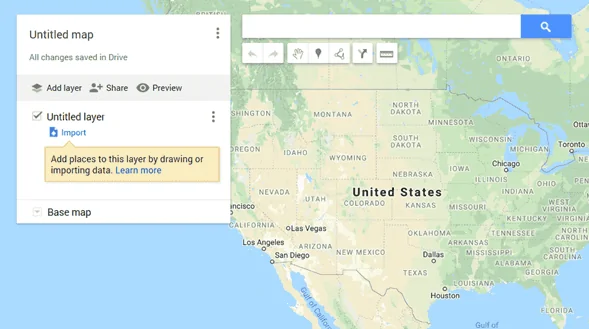
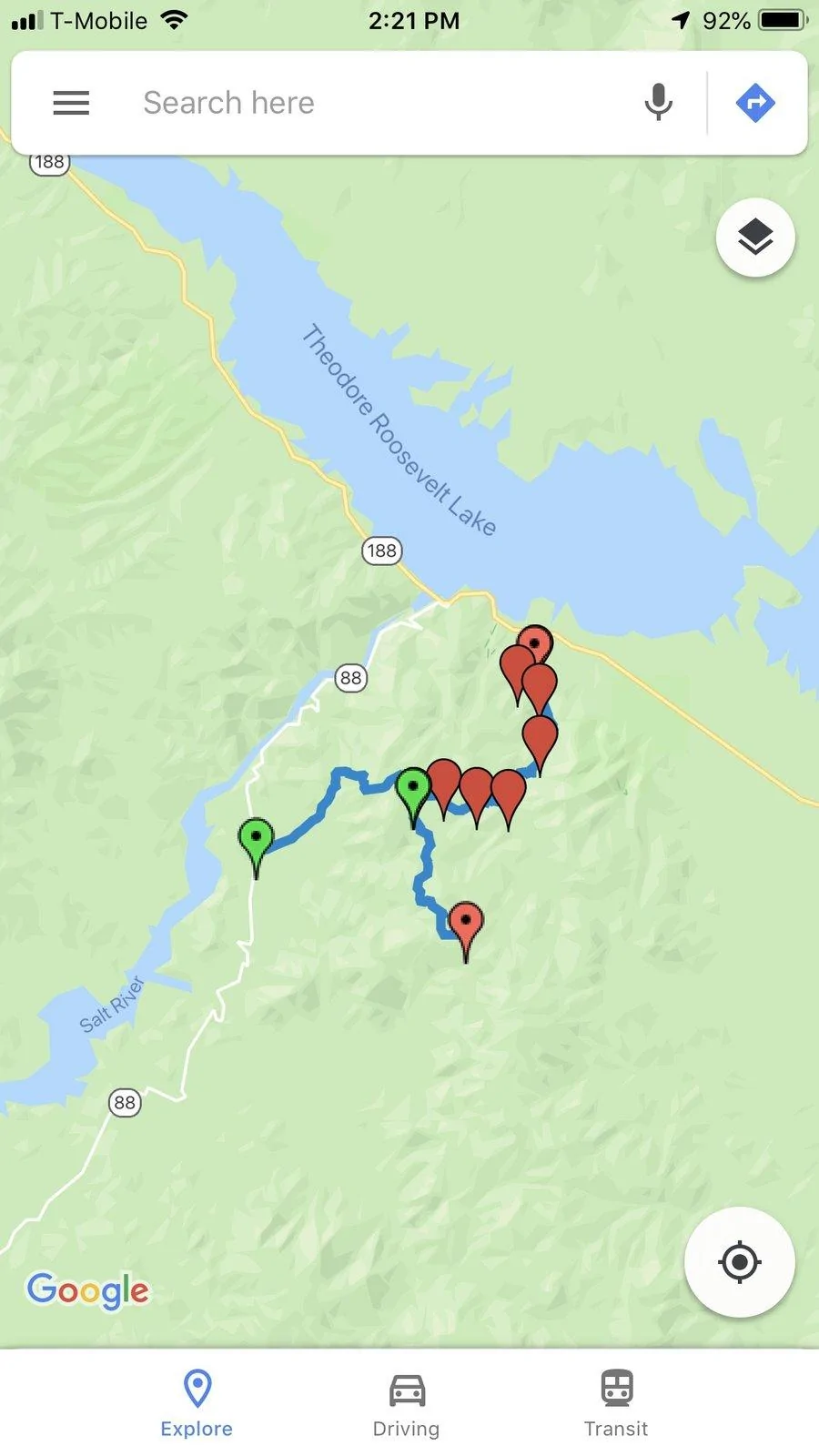
5. Click on Maps and Create a new Map. It should look like this. (I renamed mine to Offroad trails)
Jeep Wrangler JL GPS coordinates on Navigation System upload_2018-9-24_12-39-37


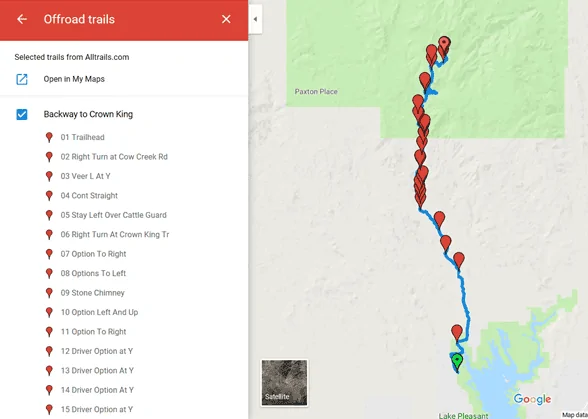
6. Click on Import and select the GFX file you saved from Trailsoffroad.com. You’ll get to something like this:
Jeep Wrangler JL GPS coordinates on Navigation System upload_2018-9-24_12-40-58


7. Plug into Jeep and go to CarPlay -> Google Maps.
8. On your phone or on the infotainment, open Google Maps -> Menu -> Your Places -> Maps
9. Open your Offroad map and select trail.

I have not tried while actually doing the trail, but I could get the trail showing up and use Google maps to navigrate to the trail start.
Sponsored

 
Last edited:
47Jeepster

Well-Known Member
First Name
Tom
Joined
Jul 7, 2018
Threads
23
Messages
621
Reaction score
686
Location
Queen Creek, Arizona
Vehicle(s)
2025 JLUR X ... 2023 JLUR Diesel ... 2018 GC Summit
Occupation
Retired
Thanks for the write-up. I've been playing around with LocusMaps on an old cell phone. It works quite well, but you have to have the cell phone mounted in your line of sight ... and it's not at it's best while routing over the highway. Was disappointed when LocusMaps wouldn't hook up with CarPlay. Didn't think about Google Maps ... have a mental image of it being an on-road app I guess.

Is there any way to download the trails to the info storage? Would be great to have a simple thumb drive that masqueraded as a cell phone.
 

camprats

Active Member
First Name
Steve
Joined
Aug 14, 2018
Threads
6
Messages
44
Reaction score
47
Location
Arizona
Vehicle(s)
2018 4-door Rubicon
I used a similar technique for GPX tracks with Google Maps and was very excited at first. Then I discovered that Google Maps cannot refresh to zoom in or out without cell service. A lot of Jeep trails are beyond cell service and the background map becomes useless.

You can test this at home by shutting off ALL data service to your phone or tablet then trying to zoom in.

Locus is a great app. You might buy a suction cup phone mount with an arm you can adjust to put the cell phone by the roll bar between the windshield and the driver window. Does not block your vision.

GPX tracks can also be downloaded from JeepTheUSA.com.
 

Rhinebeck01

Well-Known Member
Joined
May 9, 2018
Threads
169
Messages
12,679
Reaction score
19,158
Location
Ormond Beach, Florida
Vehicle(s)
'18 JL Rubi, '26 Cybertruck, '01 Harley FatBoy
Occupation
Retired at 55 ..
@camprats

Curious, have you downloaded the maps for the area you will be in. Google lets you do this now, so it is not necessary to have cell service.

So, with the maps downloaded ahead of time, you are still seeing you "cannot refresh to zoom in or out" as you say?

I'm just interested in your first hand experience. I appreciate any light you can shed on this..
 

camprats

Active Member
First Name
Steve
Joined
Aug 14, 2018
Threads
6
Messages
44
Reaction score
47
Location
Arizona
Vehicle(s)
2018 4-door Rubicon
I think I tried that, but you have me doubting myself. I will have to try agin.
 

Sponsored

camprats

Active Member
First Name
Steve
Joined
Aug 14, 2018
Threads
6
Messages
44
Reaction score
47
Location
Arizona
Vehicle(s)
2018 4-door Rubicon
I tried again and believe it worked! Will fiddle with it to check more thouroughly.
 

47Jeepster

Well-Known Member
First Name
Tom
Joined
Jul 7, 2018
Threads
23
Messages
621
Reaction score
686
Location
Queen Creek, Arizona
Vehicle(s)
2025 JLUR X ... 2023 JLUR Diesel ... 2018 GC Summit
Occupation
Retired
@camprats ... I have used Google maps offline on my phone before ... not through CarPlay though. The trade off for Google maps is you can't download the entire state of Arizona like you can with LocusMaps. Plus, you have to remember to periodically renew the download. But, it might be a good trade off.

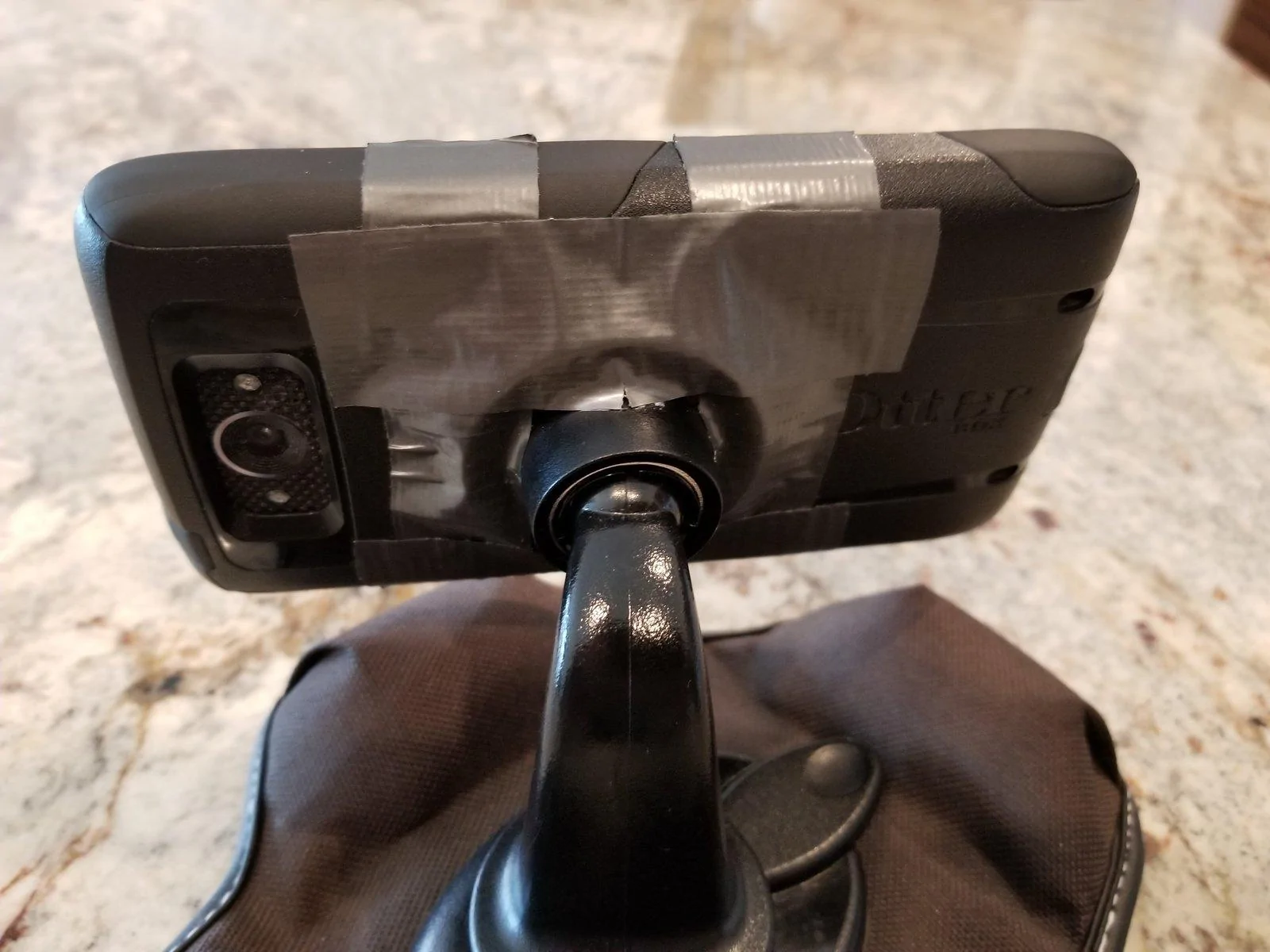
I worded "line of sight" a little poorly. What I meant is that the screen is small enough that it needs to be close to see the detail. While experimenting with it, this is the "patent pending" mounting system I'm using ... my Nuvi mount and duct tape ... it works:

Jeep Wrangler JL GPS coordinates on Navigation System 20180925_112337
 

47Jeepster

Well-Known Member
First Name
Tom
Joined
Jul 7, 2018
Threads
23
Messages
621
Reaction score
686
Location
Queen Creek, Arizona
Vehicle(s)
2025 JLUR X ... 2023 JLUR Diesel ... 2018 GC Summit
Occupation
Retired
@Namib ...

Either operator error or a shortcoming for using this process ... help me understand which it is:

1) I couldn't get more than one imported map to show on the screen at one time. Would like not only the main trail, but a secondary trail also.

2) Could not get the imported maps to show up in the Google Maps -> Menu -> Your Places -> Maps unless the phone was connected to 4G/wifi. That precludes switching trails if out of 4G coverage. Could bring up the trail when in 4G coverage and then move out of coverage all right, but the phone simply ground away trying to find the maps when out of coverage. That would suggest that the maps are stored in my Google account and not on the phone itself ... yes?

@Rhinebeck01

To answer your question; yes, the offline/saved maps can be enlarged when out of 4G/wifi range.
 
OP
OP
Namib

Namib

Well-Known Member
Joined
Feb 14, 2018
Threads
6
Messages
621
Reaction score
1,928
Location
Arizona
Vehicle(s)
2018 JLUR
Vehicle Showcase
1
@Namib ...
1) I couldn't get more than one imported map to show on the screen at one time. Would like not only the main trail, but a secondary trail also.
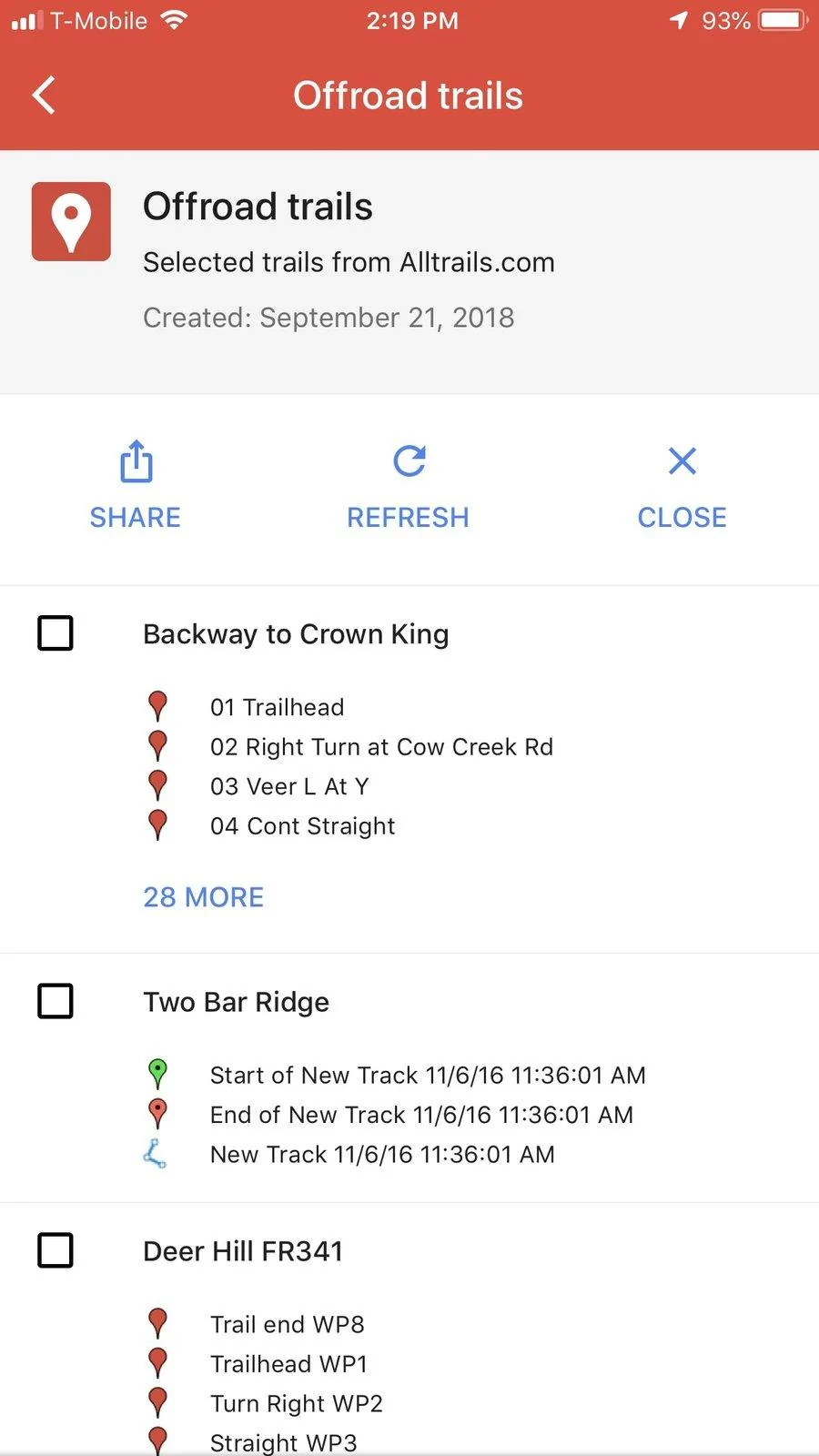
If I imported multiple files and I go to Menu -> Your places -> Maps -> My Selected Map, I get the screen below - I could then select multiple trails. 2nd image below show Two Bar Ridge and Deer Hill on the same map.


Jeep Wrangler JL GPS coordinates on Navigation System Image-1


Jeep Wrangler JL GPS coordinates on Navigation System Image-2

2) Could not get the imported maps to show up in the Google Maps -> Menu -> Your Places -> Maps unless the phone was connected to 4G/wifi. That precludes switching trails if out of 4G coverage. Could bring up the trail when in 4G coverage and then move out of coverage all right, but the phone simply ground away trying to find the maps when out of coverage. That would suggest that the maps are stored in my Google account and not on the phone itself ... yes?

@Rhinebeck01

To answer your question; yes, the offline/saved maps can be enlarged when out of 4G/wifi range.
Same here - Offline Maps work fine when not connected to the network, but I could not get the trail coordinates to show, which is clearly a problem.
 

Rhinebeck01

Well-Known Member
Joined
May 9, 2018
Threads
169
Messages
12,679
Reaction score
19,158
Location
Ormond Beach, Florida
Vehicle(s)
'18 JL Rubi, '26 Cybertruck, '01 Harley FatBoy
Occupation
Retired at 55 ..
snip:
@Rhinebeck01

To answer your question; yes, the offline/saved maps can be enlarged when out of 4G/wifi range.
@47Jeepster

Ok, that's good news.. Thanks!

Oh, as for Google Maps on your smart phone and Offline maps... If you go to the "Offline maps settings" on your phone you can toggle there for saved Offline Maps to be automatically updated. If you you toggle to on, your recently used offline maps will be updated automatically.
 

47Jeepster

Well-Known Member
First Name
Tom
Joined
Jul 7, 2018
Threads
23
Messages
621
Reaction score
686
Location
Queen Creek, Arizona
Vehicle(s)
2025 JLUR X ... 2023 JLUR Diesel ... 2018 GC Summit
Occupation
Retired
I can get several individual trails to load up on my computer. They can be selected either individually or in any combination ... much like you show in the screen shots. To do that, I imported the first trail like you show in the above pic between point 5 and point 6. Renamed the top "Untitled Map" as "Offroad Trails" and the "Untitled layer" as "Trail 1"... then imported a second trail as a layer ... then renamed it. Again, on the computer it shows up as two different trails that can be activated or deactivated.

Unfortunately, my older Android (Droid Turbo) combines the two trails into one!
Sponsored


Top