Sponsored

Do Not Disturb Message

DanFelix

Well-Known Member
Joined
Dec 22, 2018
Threads
30
Messages
327
Reaction score
152
Location
Riverside, CA
Vehicle(s)
2018 Wrangler JL Sport S, 3.6l
I am trying to find/create the text message that is sent if I toggle the phone screen (UC4) to Do Not Disturb. The manual states on page 559 that the feature exists. It might only exist for UC4C and UC4C Nav. Any help help would be appreciated. Thanks.
Sponsored

 

Fastmover

Well-Known Member
First Name
Bob
Joined
Jan 30, 2018
Threads
4
Messages
263
Reaction score
411
Location
Ottawa
Vehicle(s)
2019 2.0L Billet JLR: Ordered 1/9. Delivered 2/13. Picked up 3/5.
Occupation
Retired
Vehicle Showcase
1
I am trying to find/create the text message that is sent if I toggle the phone screen (UC4) to Do Not Disturb. The manual states on page 559 that the feature exists. It might only exist for UC4C and UC4C Nav. Any help help would be appreciated. Thanks.
I'm not in my Wrangler now so I can't tell you where it is. But I can tell you that there is a canned message in there which you can choose to be sent on incoming texts and/or calls. You can even create your own custom message. Found this out while poking around the menus the other day.
 
OP
OP
DanFelix

DanFelix

Well-Known Member
Joined
Dec 22, 2018
Threads
30
Messages
327
Reaction score
152
Location
Riverside, CA
Vehicle(s)
2018 Wrangler JL Sport S, 3.6l
Thanks for the reply. I can see where I may select the use of a canned message but I cannot find what that message is or where I can craft a custom one. I'll keep looking.
 

Fastmover

Well-Known Member
First Name
Bob
Joined
Jan 30, 2018
Threads
4
Messages
263
Reaction score
411
Location
Ottawa
Vehicle(s)
2019 2.0L Billet JLR: Ordered 1/9. Delivered 2/13. Picked up 3/5.
Occupation
Retired
Vehicle Showcase
1
Let me look tomorrow and I'll post up what I find.
 

Fastmover

Well-Known Member
First Name
Bob
Joined
Jan 30, 2018
Threads
4
Messages
263
Reaction score
411
Location
Ottawa
Vehicle(s)
2019 2.0L Billet JLR: Ordered 1/9. Delivered 2/13. Picked up 3/5.
Occupation
Retired
Vehicle Showcase
1
This is on my 8.4.
Press the Phone app.
Jeep Wrangler JL Do Not Disturb Message 20190316_113343


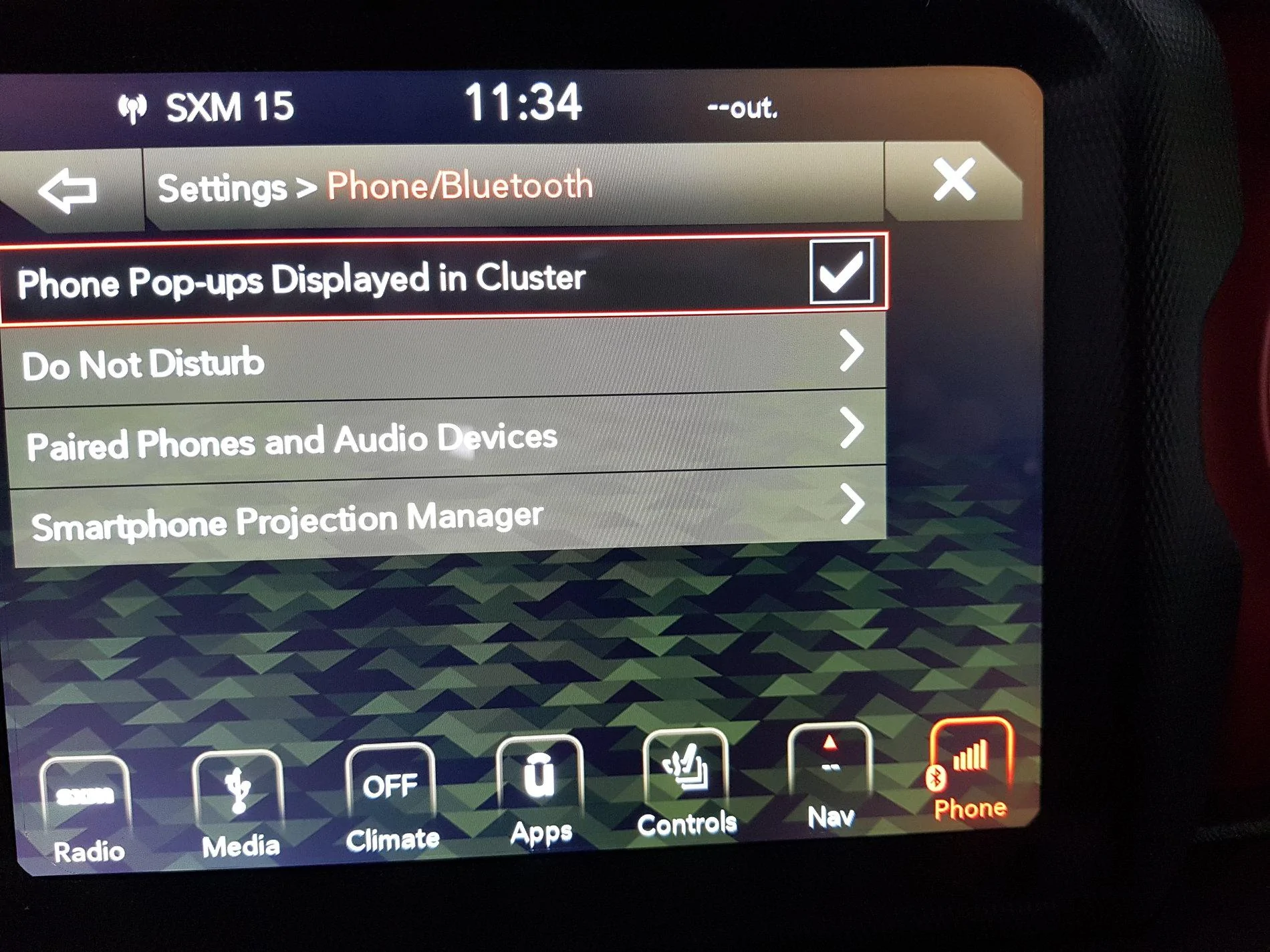
Press pairing (bottom right) and get this.
Jeep Wrangler JL Do Not Disturb Message 20190316_113401


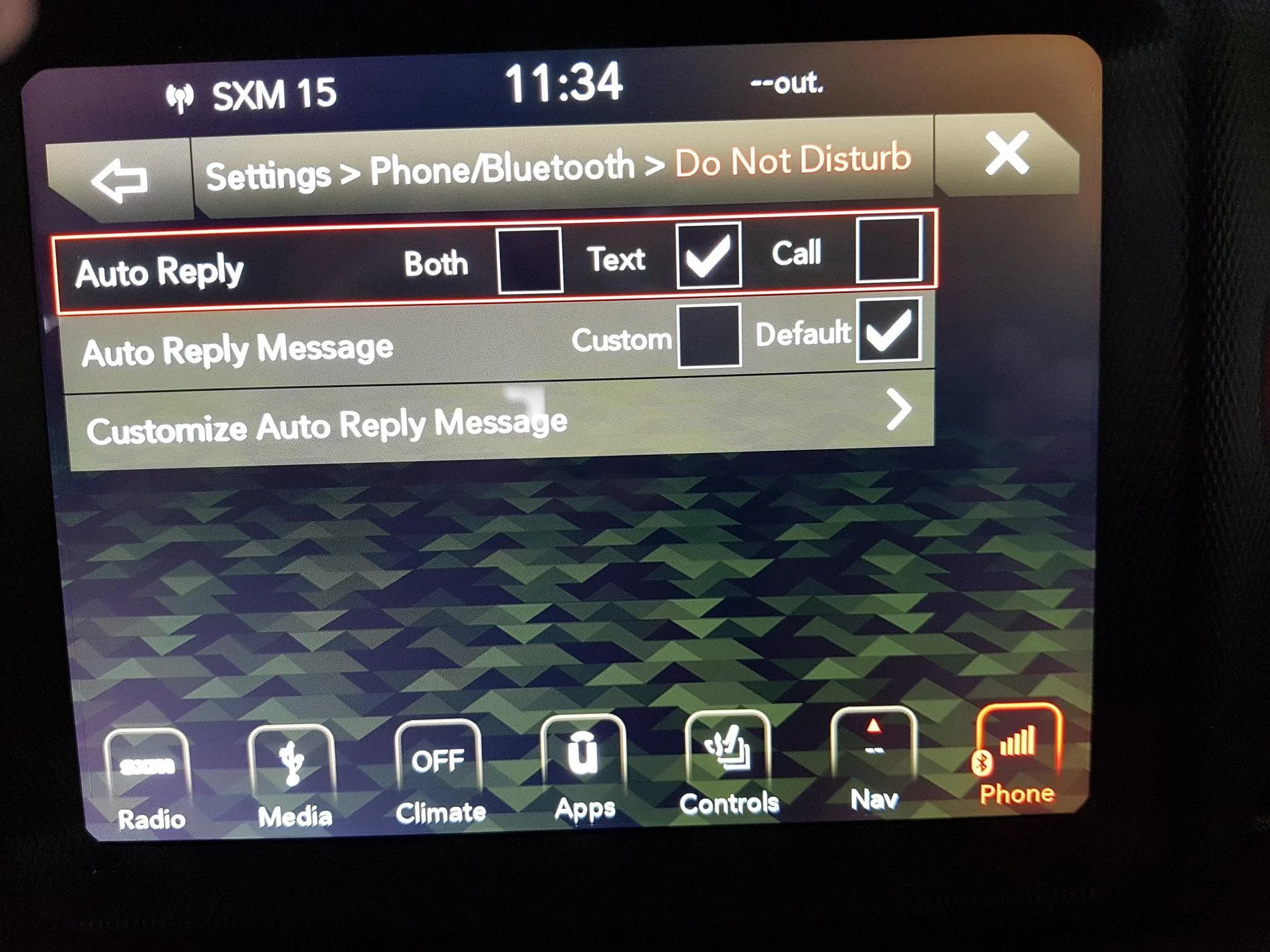
Press "Do Not Disturb" and see this.
Jeep Wrangler JL Do Not Disturb Message 20190316_113415


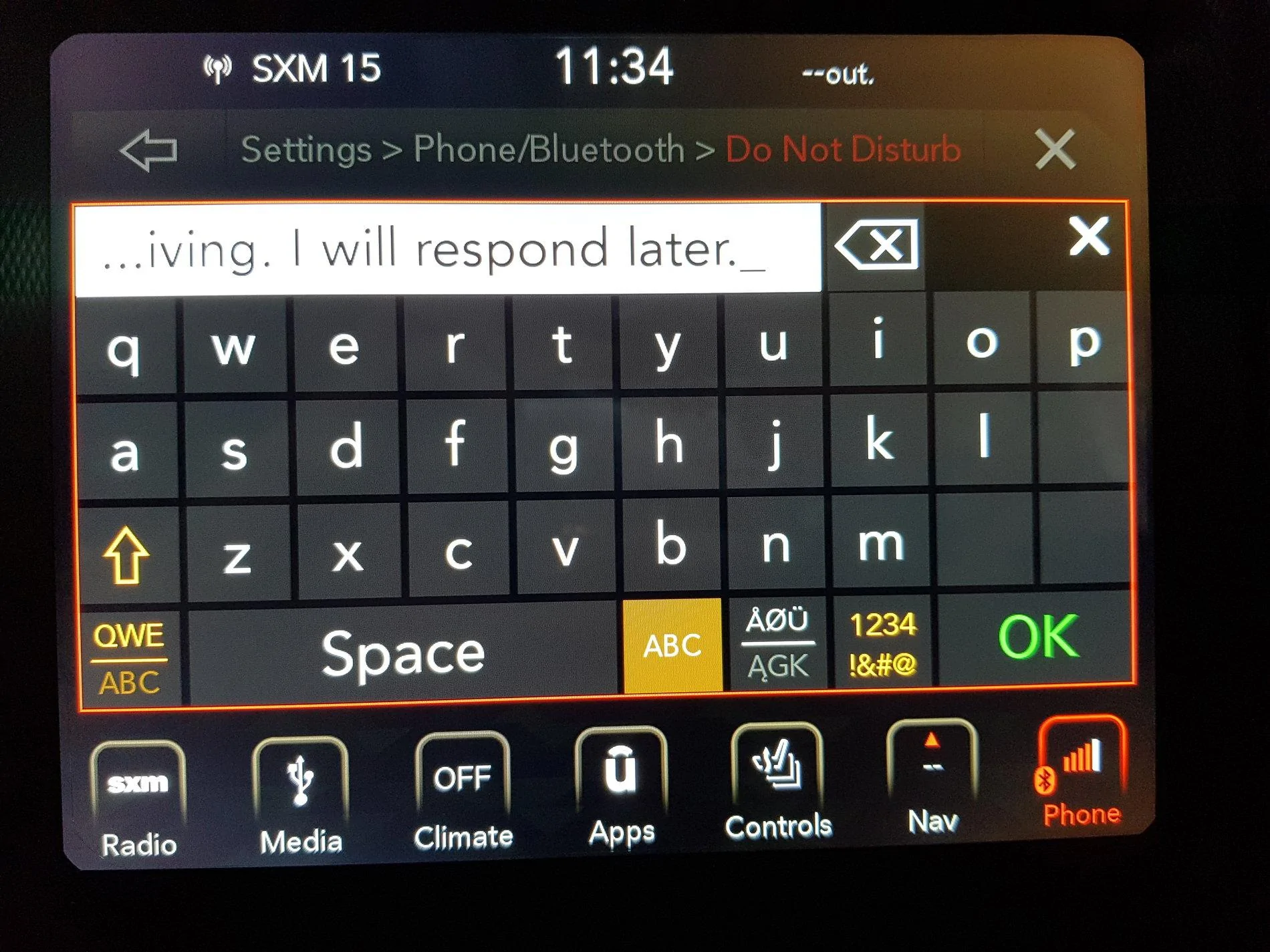
Select your reply preference. Here's the "Customize" screen.
Jeep Wrangler JL Do Not Disturb Message 20190316_113438
 
Last edited:

Sponsored

Fastmover

Well-Known Member
First Name
Bob
Joined
Jan 30, 2018
Threads
4
Messages
263
Reaction score
411
Location
Ottawa
Vehicle(s)
2019 2.0L Billet JLR: Ordered 1/9. Delivered 2/13. Picked up 3/5.
Occupation
Retired
Vehicle Showcase
1
Just discovered you can also get here by choosing Settings, then scroll down to Phone/Bluetooth.


Top