Sponsored

CarPlay switching back to list screen

edreher

New Member
First Name
Eric
Joined
Aug 16, 2018
Threads
1
Messages
3
Reaction score
6
Location
Austin, TX
Vehicle(s)
2018 JL Sahara
CarPlay begins with a grid of compatible apps. After selecting one you get that application's interface and a list of three (recent) apps on the upper left corner of the screen. I cannot figure out how to get back to the grid/list screen aside from picking up the iPhone and returning to the home screen. Is there a way to do it with the car? I feel it defeats the purpose of not messing with the phone if I must mess with the phone. Otherwords if I'm in maps, how do I exit maps or switch to Audible if Audible isn't in the short (left) list.

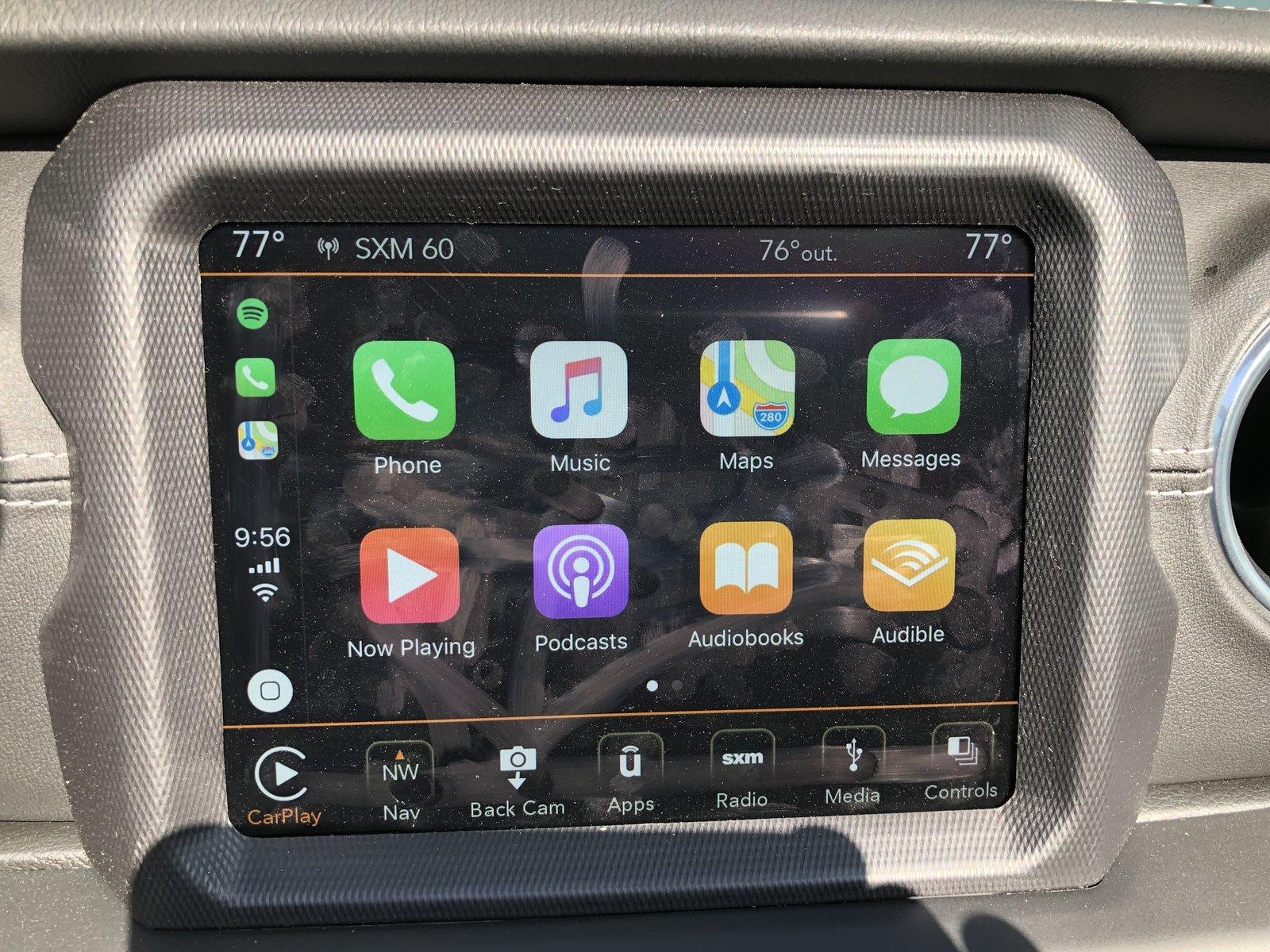
Jeep Wrangler JL CarPlay switching back to list screen IMG_2121.JPG


Jeep Wrangler JL CarPlay switching back to list screen IMG_2122.JPG
Sponsored


Sean L

Well-Known Member
First Name
Sean
Joined
Mar 9, 2018
Threads
23
Messages
59,316
Reaction score
342,659
Location
North Carolina
Vehicle(s)
2018 JLU, 2017 Honda Accord, 2014 Yamaha XVS 1300
Occupation
Retired Marine, Construction Estimator
Vehicle Showcase
2
CarPlay begins with a grid of compatible apps. After selecting one you get that application's interface and a list of three (recent) apps on the upper left corner of the screen. I cannot figure out how to get back to the grid/list screen aside from picking up the iPhone and returning to the home screen. Is there a way to do it with the car? I feel it defeats the purpose of not messing with the phone if I must mess with the phone. Otherwords if I'm in maps, how do I exit maps or switch to Audible if Audible isn't in the short (left) list.

IMG_2121.JPG


IMG_2122.JPG
Press the "Home button" on the bottom left that looks like the home button on your IPhone.

Jeep Wrangler JL CarPlay switching back to list screen 2g226k
 
OP
OP

edreher

New Member
First Name
Eric
Joined
Aug 16, 2018
Threads
1
Messages
3
Reaction score
6
Location
Austin, TX
Vehicle(s)
2018 JL Sahara
I feel stupid now. I tried that and only got Siri. Now that I've tested again, Siri only holding it longer. A quick tap does as you say. Maybe in my defense, the iPhone X doesn't have that home "button" Thanks!

Eric
 

Sean L

Well-Known Member
First Name
Sean
Joined
Mar 9, 2018
Threads
23
Messages
59,316
Reaction score
342,659
Location
North Carolina
Vehicle(s)
2018 JLU, 2017 Honda Accord, 2014 Yamaha XVS 1300
Occupation
Retired Marine, Construction Estimator
Vehicle Showcase
2
I feel stupid now. I tried that and only got Siri. Now that I've tested again, Siri only holding it longer. A quick tap does as you say. Maybe in my defense, the iPhone X doesn't have that home "button" Thanks!

Eric
Ah, I'm still on the IPhone 6.
Sponsored


Top