
Sponsored
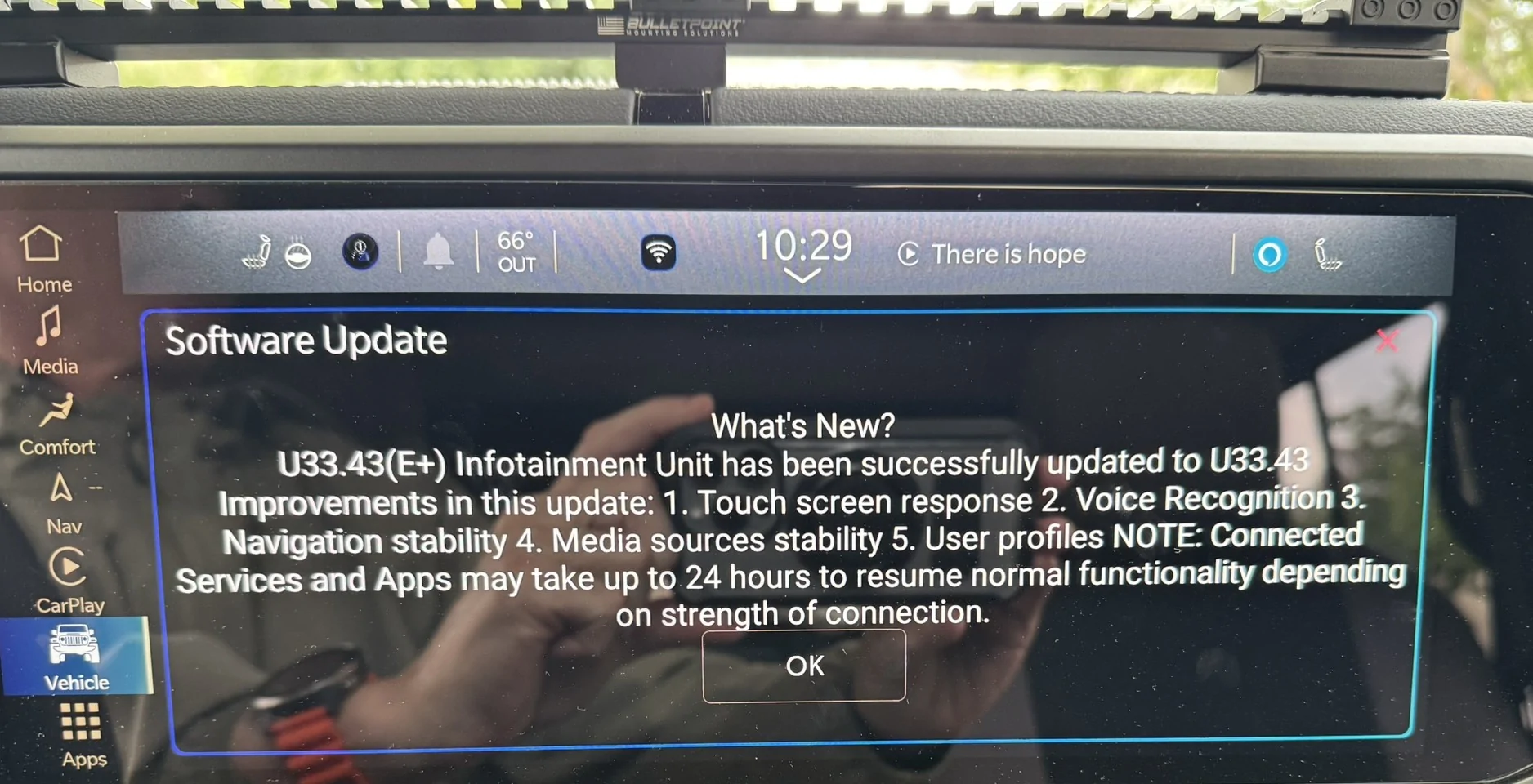
Uconnect 5 12.3in display software update list on 8/26/25

Heimkehr
Well-Known Member
- First Name
- James
- Joined
- Sep 3, 2020
- Threads
- 48
- Messages
- 11,080
- Reaction score
- 22,449
- Location
- Pennsylvania
- Vehicle(s)
- 2021 JLU 2.0T
Is the functionality on the new 12" dashboard tablet trim-dependent, as it was across the preceding 5", 7" and 8.4" Uconnect head units?
It'd be good to know if owners can avoid, or at least minimize, having to deal with recurrent OTA updates, now that a single head unit is standard.
It'd be good to know if owners can avoid, or at least minimize, having to deal with recurrent OTA updates, now that a single head unit is standard.

RatZero
Well-Known Member
It’s supposed to start with the units with built in Navigation (NAV) and then Rubicon/Xtreme and then everyone else. The unit could get the update if it goes in to a dealership and the Tech decides or is asked to do a full update, if it gets a good data signal in your driveway/garage or your units build # is on a list.Is the functionality on the new 12" dashboard tablet trim-dependent, as it was across the preceding 5", 7" and 8.4" Uconnect head units?
It'd be good to know if owners can avoid, or at least minimize, having to deal with recurrent OTA updates, now that a single head unit is standard.
If you don’t add your home network info to the unit, any OTA updates will be less likely to show up but otherwise theres not much else to avoid it. It’s supposed to download the update while the vehicle is running in increments (packages) until it has it all and then update the unit.
Heimkehr
Well-Known Member
- First Name
- James
- Joined
- Sep 3, 2020
- Threads
- 48
- Messages
- 11,080
- Reaction score
- 22,449
- Location
- Pennsylvania
- Vehicle(s)
- 2021 JLU 2.0T
Thanks, RZ. As I read your post, every 12" head unit in every Wrangler is at least capable of receiving OTA updates.
NeilP
Well-Known Member
- First Name
- Neil
- Joined
- Jan 10, 2023
- Threads
- 36
- Messages
- 655
- Reaction score
- 835
- Location
- South Dakota
- Vehicle(s)
- 2024 Jeep Wrangler Sahara Unlimited
- Occupation
- RETIRED!
Do I need to leave the vehicle running outside with it connected to the home wifi for this to download? I do have it connected to the home wifi, and the Jeep sits about 20 ft. away from the room that has the modem/router for several days. I have been out driving the past few days, probably for an hour at a time. Still no updates. I do have the built in NAV.If you don’t add your home network info to the unit, any OTA updates will be less likely to show up but otherwise theres not much else to avoid it. It’s supposed to download the update while the vehicle is running in increments (packages) until it has it all and then update the unit.
Sponsored
RatZero
Well-Known Member
It doesn’t have to be running but the only real difference between it using WiFi and its own data channel is that it will download packages quicker. There’s at least 100+ packages (137 in the vehicles I build) to transfer, each has to be verified before the next begins and there’s a hardcoded limit to how much it will download per day.Do I need to leave the vehicle running outside with it connected to the home wifi for this to download? I do have it connected to the home wifi, and the Jeep sits about 20 ft. away from the room that has the modem/router for several days. I have been out driving the past few days, probably for an hour at a time. Still no updates. I do have the built in NAV.
It’s honestly not a certainty even with the situations I mentioned as the update system in my experience is really weird programming wise. I have my 24 connected to the actual network that runs the system most times at work as well as have my phone’s data tethered to the unit when driving and I don’t have the update yet. When we force an update from the previous version, it takes 3-5 hours to fully download and nearly another hour to install.
jadmt
Well-Known Member
I recently got this update (aug 10th) I never had any issues prior to getting the update and while I don't have navigation I can't see anything different than my prior version...It’s supposed to start with the units with built in Navigation (NAV) and then Rubicon/Xtreme and then everyone else. The unit could get the update if it goes in to a dealership and the Tech decides or is asked to do a full update, if it gets a good data signal in your driveway/garage or your units build # is on a list.
If you don’t add your home network info to the unit, any OTA updates will be less likely to show up but otherwise theres not much else to avoid it. It’s supposed to download the update while the vehicle is running in increments (packages) until it has it all and then update the unit.
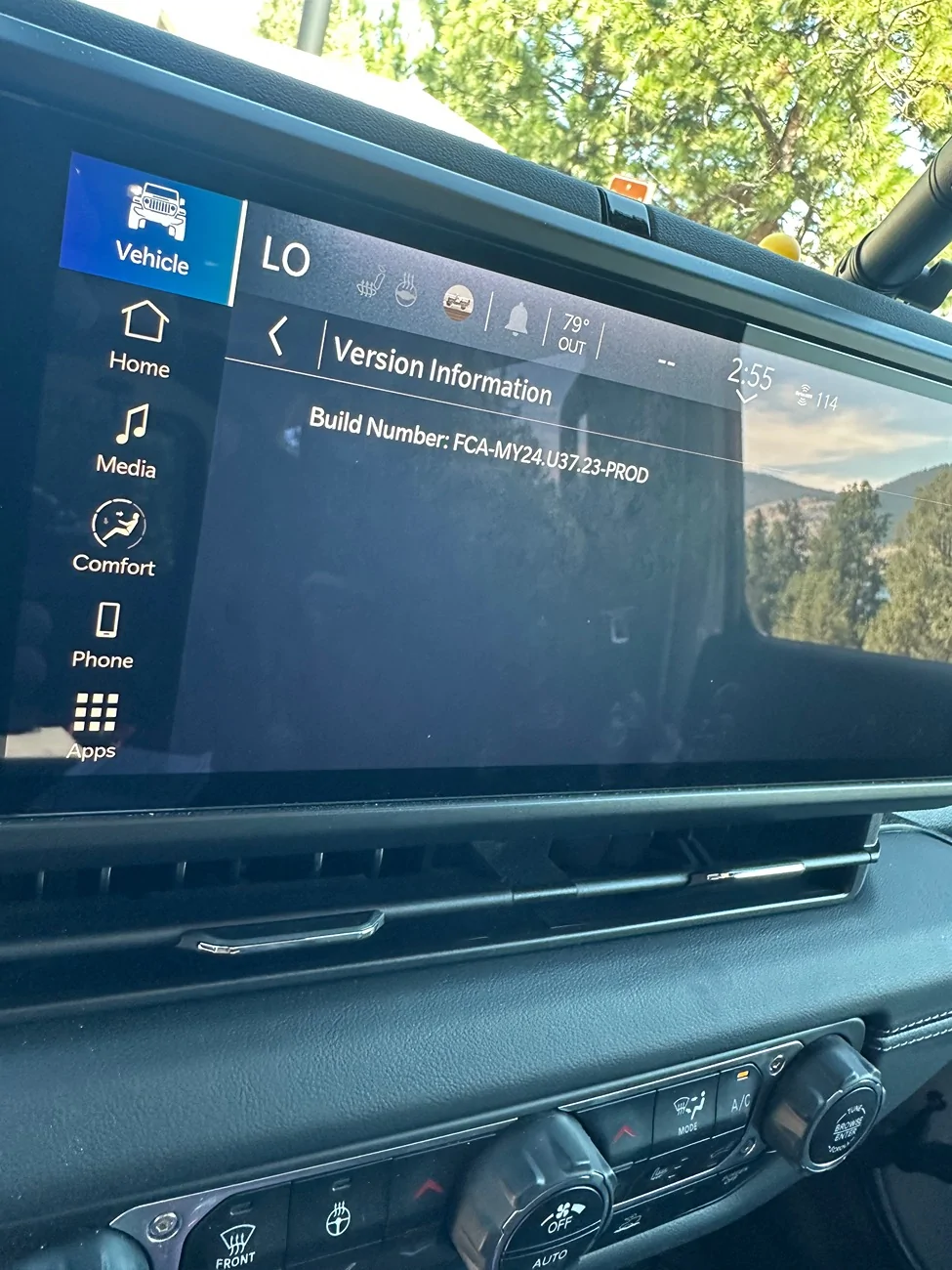
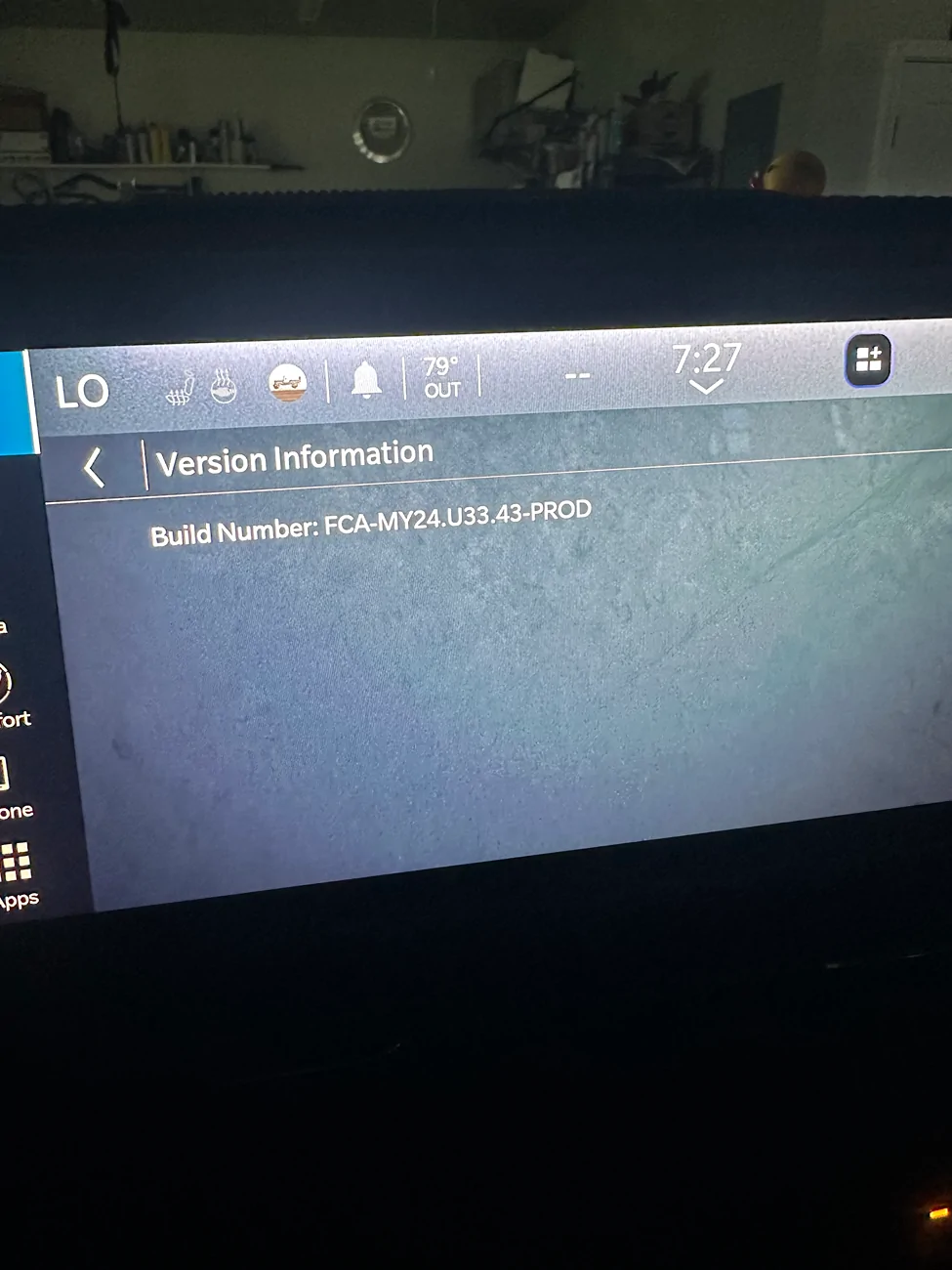
Sand Flea
Well-Known Member
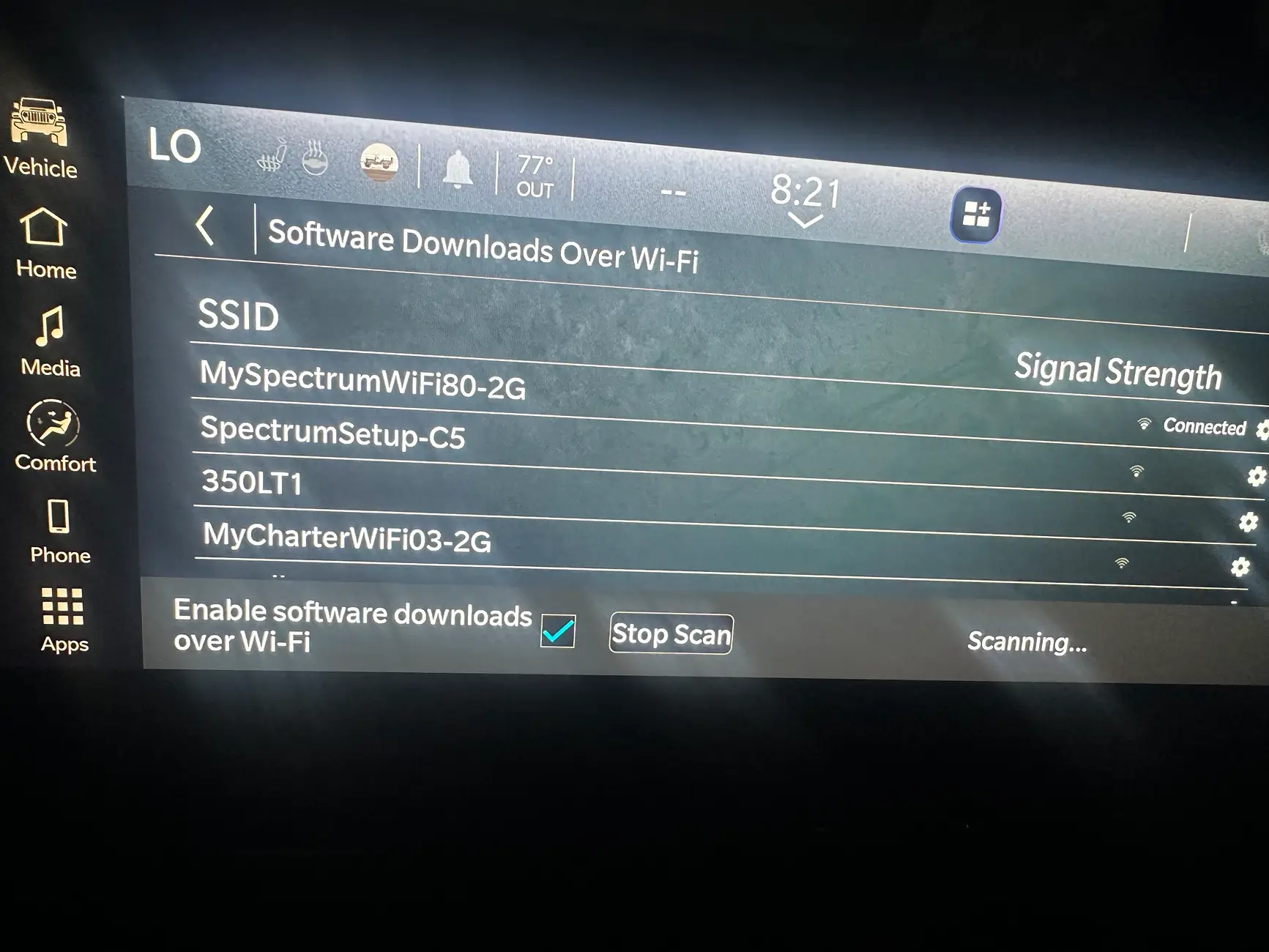
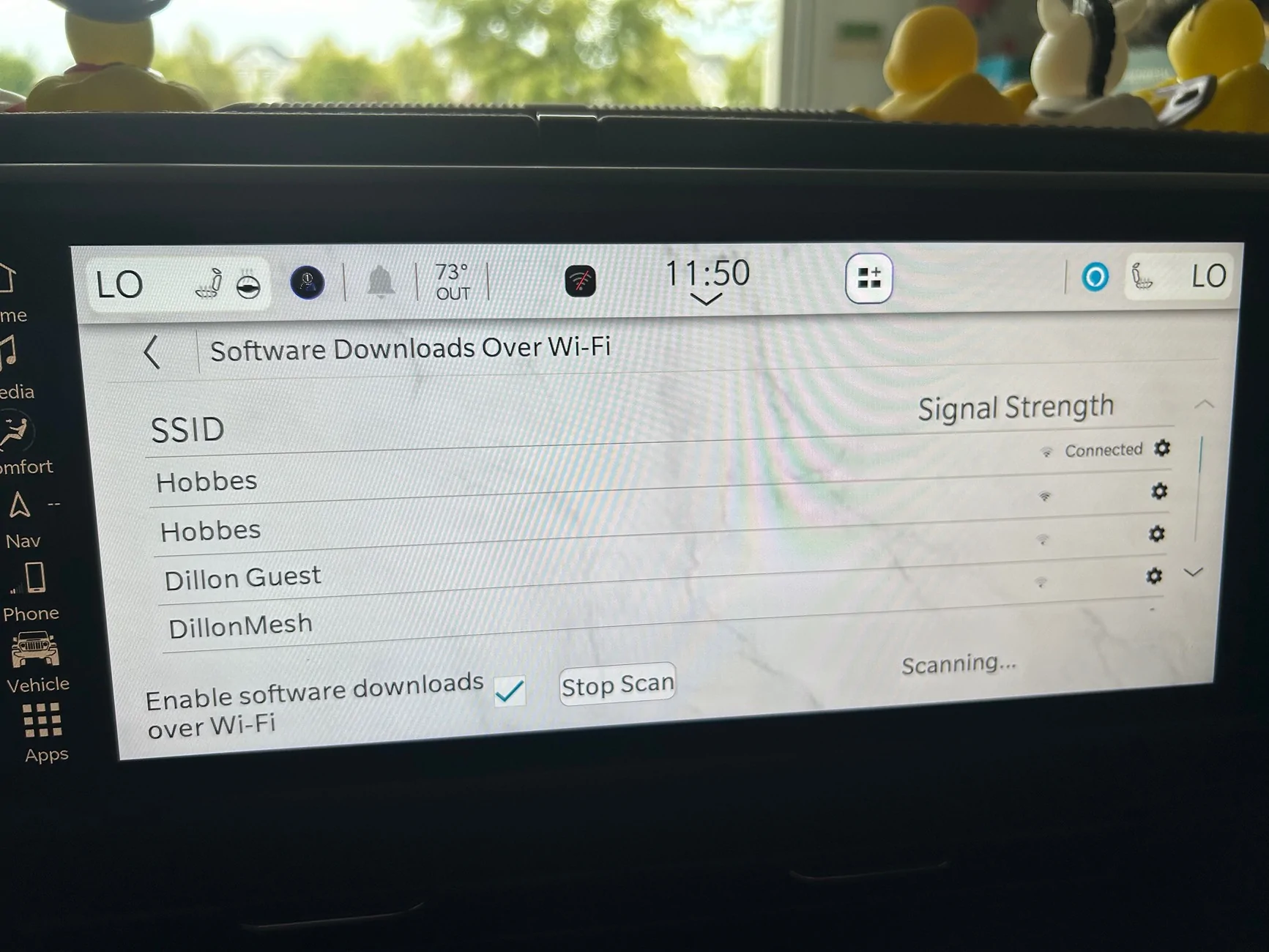
Where do I enter my home WiFi information?
I've been thru all the screens and have never seen that come up.
I've been thru all the screens and have never seen that come up.
jadmt
Well-Known Member
vehicle settings....Where do I enter my home WiFi information?
I've been thru all the screens and have never seen that come up.
Sponsored
Sand Flea
Well-Known Member
btm8
Well-Known Member
I got a message there was an update a few days ago but didn't start it. I didn't have time when it popped up and was thinking I could just run it on the next start. Wrong...It doesn’t have to be running but the only real difference between it using WiFi and its own data channel is that it will download packages quicker. There’s at least 100+ packages (137 in the vehicles I build) to transfer, each has to be verified before the next begins and there’s a hardcoded limit to how much it will download per day.
It’s honestly not a certainty even with the situations I mentioned as the update system in my experience is really weird programming wise. I have my 24 connected to the actual network that runs the system most times at work as well as have my phone’s data tethered to the unit when driving and I don’t have the update yet. When we force an update from the previous version, it takes 3-5 hours to fully download and nearly another hour to install.
 .
.Anyway, will it eventually make it back to mine? The dealer told me to just give it time but I'm not so sure. They said all they would do is use a laptop's wifi and do it OTA if I brought it in which is no different than what I'm already doing. I have mine set to my phone's hotspot but haven't seen an update again. I've been trying for a few days now.
jadmt
Well-Known Member
are you sure it did not do the update? have you checked your version...mine has just did it without me doing anything.I got a message there was an update a few days ago but didn't start it. I didn't have time when it popped up and was thinking I could just run it on the next start. Wrong...
Anyway, will it eventually make it back to mine? The dealer told me to just give it time but I'm not so sure. They said all they would do is use a laptop's wifi and do it OTA if I brought it in which is no different than what I'm already doing. I have mine set to my phone's hotspot but haven't seen an update again. I've been trying for a few days now.
btm8
Well-Known Member
Yes, it did not update and has not reappeared to start the process. It was there and ready to start the process but next time I started up, it was gone. It did not run on it's own or anything like that. My unit still shows version FCA-MY24.U33.43-PROD.are you sure it did not do the update? have you checked your version...mine has just did it without me doing anything.
Sponsored


