Sponsored

Next Project -Dash Cam

rk911

Well-Known Member
First Name
Rich
Joined
Jun 23, 2023
Threads
16
Messages
747
Reaction score
1,219
Location
DuPage County IL
Vehicle(s)
'23 Wrangler Sport 2D, '10 Liberty, '46 Willys
Occupation
Retired and loving it!
My next project will be to add a dash cam to my '23 auto 3.6 E-Torque JL. Although not final I've zeroed in on the Garmin Mini 2. I like the size and the features but I want to power it directly from the 12v automotive battery. In every vehicle I've owned I've installed ham radio equipment and like one of my teachers once told me, neatness counts so I want as little wiring visible as possible.

Garmin states the Mini 2 can be powered directly from the automotive 12v battery using Garmin's Parking Mode Cable. The picture of the cable looks pretty straightforward...fused + lead and a - lead and an accessory lead, what appears to be a power transformer changing 12v to 5v and a 4-meter lead to the cam itself. Garmin "strongly recommends" having this cable "professionally installed".

"...Garmin Dash Cam devices have a Parking Mode Cable accessory which hardwires the dash cam to a power source. Garmin strongly recommends having the Parking Mode cable professionally installed.."

https://support.garmin.com/en-US/?f...731428&tab=topics&topicTag=region_mountwiring

I'd like to hear from anyone who has installed the Mini2 using the parking mode cable or any of the other Garmin cams that are compatible with the parking mode cable. The + and - leads are obvious. To where did you connect fhe blue Accessory Wire? Any 'gotcha' issues crop up during install? Any advice?

Thanks.
Sponsored

 

AndySpill

Well-Known Member
First Name
Andy
Joined
Oct 24, 2023
Threads
71
Messages
1,654
Reaction score
1,270
Location
Pittsburgh
Vehicle(s)
2018 JL Sahara
I'd like to hear from anyone who has installed the Mini2 using the parking mode cable or any of the other Garmin cams that are compatible with the parking mode cable. The + and - leads are obvious. To where did you connect fhe blue Accessory Wire? Any 'gotcha' issues crop up during install? Any advice?
I have not Rich. But I can't help but think that the questions you raise about 3 wires are universal enough, my having them as well on my BlackVue brand camera, that I can comment helpfully.

The parking cable normally gets connected to a power source that is always energized, irrespective of whether the vehicle is "powered on." I'm using this "powered on" terminology rather than "the engine cranked" so my words apply to not just ICE (internal combustion engine) JLs but the 4xe.

Such a power source includes, at least within the vehicle cab, by default, the accessory power port, if equipped, in the cargo area, as well as pin 16 of 16 on the ODB port.

https://www.flexihub.com/oobd2-pinout/

That power port in the cargo area can be switched to only be energized when the vehicle is on by swapping a fuse in the PDC (power distribution center).

Power sources that are always energized, as long as your battery/ies have power, regardless of whether the vehicle is on, I will refer to as "battery" power sources. On the other hand, power sources that are only energized when the vehicle is on, like the 12V power port in the dash, I will refer to as accessory ports.

The accessory wire from your dash camera, as the name implies, normally gets connected to a power source that's only energized when the vehicle is on. When both it and the battery cable are energized the camera assumes you not to be in parking mode. When only the parking or battery cable is energized the camera normally switches to parking mode, which often not only switches the camera to energy saving features, but has the ability for the user to configure, based on camera model, the battery voltage when the camera shuts off so as to preserve battery power for things like cranking an ICE engine.

One place people have used for accessory power is the wires in sun visor that power the vanity mirror (my choice). Another place, if equipped, is the power rear view mirror.


If you wish your wires to be connected to power sources under the hood, provided you have an automatic transmission, you will find a plastic grommet under the driver's seat that you can drill through to get wires to the engine bay. Alternatively, or for manual transmission owners, the grommet in the passenger's side, harder to get thru, can be used.

Here is a video queued where this grommet is accessed for purposes of passing a tow hitch cable thru it.


I hope some of this info helps.
 
Last edited:
OP
OP
rk911

rk911

Well-Known Member
First Name
Rich
Joined
Jun 23, 2023
Threads
16
Messages
747
Reaction score
1,219
Location
DuPage County IL
Vehicle(s)
'23 Wrangler Sport 2D, '10 Liberty, '46 Willys
Occupation
Retired and loving it!
Thanks, Andy. Very thorough. My desire is NOT to connect to a power source anywhere in the cabin but to the automotive battery under the hood. I initially thought about the. rear view mirror but my fingers are not that nimble at my age. I'm used to running wires thru the firewall for my ham gear so that is the path I 'll use.

I should've also mentioned that I'm not planning to use the 'Parking Mode' of the cam. I just want it on when the engine is running so the acc wire needs to connect somewhere under the hood but your statement...

"When only the parking or battery cable is energized the camera normally switches to parking mode, which often not only switches the camera to energy saving features, but has the ability for the user to configure, based on camera model, the battery voltage when the camera shuts off so as to preserve battery power for things like cranking an ICE engine."

...suggests that the Mini2 can be configured to power itself down until the engine cranks thus boosting voltage and, presumably, wakimg the camera. Do you or any other forum user know if the Mini2 can be configured that way? Garmin is closed until Monday at which time I will call them. In the meantime any suggestions for the accessory blue wire under the hood?
 

Take57

Well-Known Member
Joined
Jul 14, 2022
Threads
6
Messages
168
Reaction score
263
Location
TUS/PDX
Vehicle(s)
2024 Sport S
I have not Rich. But I can't help but think that the questions you raise about 3 wires are universal enough, my having them as well on my BlackVue brand camera, that I can comment helpfully.

The parking cable normally gets connected to a power source that is always energized, irrespective of whether the vehicle is "powered on." I'm using this "powered on" terminology rather than "the engine cranked" so my words apply to not just ICE (internal combustion engine) JLs but the 4xe.

Such a power source includes, at least within the vehicle cab, by default, the accessory power port, if equipped, in the cargo area, as well as pin 16 of 16 on the ODB port.

https://www.flexihub.com/oobd2-pinout/

That power port in the cargo area can be switched to only be energized when the vehicle is on by swapping a fuse in the PDC (power distribution center).

Power sources that are always energized, as long as your battery/ies have power, regardless of whether the vehicle is on, I will refer to as "battery" power sources. On the other hand, power sources that are only energized when the vehicle is on, like the 12V power port in the dash, I will refer to as accessory ports.

The accessory wire from your dash camera, as the name implies, normally gets connected to a power source that's only energized when the vehicle is on. When both it and the battery cable are energized the camera assumes you not to be in parking mode. When only the parking or battery cable is energized the camera normally switches to parking mode, which often not only switches the camera to energy saving features, but has the ability for the user to configure, based on camera model, the battery voltage when the camera shuts off so as to preserve battery power for things like cranking an ICE engine.

One place people have used for accessory power is the wires in sun visor that power the vanity mirror (my choice). Another place, if equipped, is the power rear view mirror.


If you wish your wires to be connected to power sources under the hood, provided you have an automatic transmission, you will find a plastic grommet under the driver's seat that you can drill through to get wires to the engine bay. Alternatively, or for manual transmission owners, the grommet in the passenger's side, harder to get thru, can be used.

Here is a video queued where this grommet is accessed for purposes of passing a tow hitch cable thru it.


I hope some of this info helps.
Only problem with some of those tap spots you mentioned is you're pulling 12v and most dashcams are expecting 5v from a USB. On my Jeep I bought a small harness that taps the 12v power outlet on the dash (aka cigarette lighter), fed that to a buck converter that knocks that down to 5V and gave me 2 UBS's with everything tucked behind the dash controls. In my case I'm using one of the USB's for powering a MagSafe phone charger, the other powers the dashcam.

BTW, I have a Garmin Mini in my wife's car. Works great but she has a lot more real estate on her windshield. I borrowed the Mini for a space check on the Wrangler and for me it seemed to hang lower in my field of vision than I preferred. Ended up buying a super cheap cam that mounts in the horizontal. It mounts just below the radio antenna buried in the glass (2024 model) so it's very high on the glass.
 

DonH63

Well-Known Member
First Name
Don
Joined
Jun 22, 2023
Threads
2
Messages
10,725
Reaction score
61,069
Location
Monument, CO
Vehicle(s)
21 GC Trailhawk, 23 JLU 392 XR
Occupation
Retired EE; musician (trumpet)
The Parking Mode Cable has a big box inline that undoubtedly includes a 12 V to 5 V converter, probably a small switch-mode power supply (SMPS) though could be a linear regulator or resistor/clamp thingie (technical term), and the blue wire to either the enable input of the SMPS or a small switch (probably s single transistor package). That provides power to the USB connector. As @AndySpill said, the blue accessory wire just needs to go to some switched source like one of the AUX switches if you have them, otherwise any switched source is likely fine (I would expect it draws very little power). You could add your own switch someplace if you wished.
 

Sponsored

OP
OP
rk911

rk911

Well-Known Member
First Name
Rich
Joined
Jun 23, 2023
Threads
16
Messages
747
Reaction score
1,219
Location
DuPage County IL
Vehicle(s)
'23 Wrangler Sport 2D, '10 Liberty, '46 Willys
Occupation
Retired and loving it!
The Parking Mode Cable has a big box inline that undoubtedly includes a 12 V to 5 V converter, probably a small switch-mode power supply (SMPS) though could be a linear regulator or resistor/clamp thingie (technical term), and the blue wire to either the enable input of the SMPS or a small switch (probably s single transistor package). That provides power to the USB connector. As @AndySpill said, the blue accessory wire just needs to go to some switched source like one of the AUX switches if you have them, otherwise any switched source is likely fine (I would expect it draws very little power). You could add your own switch someplace if you wished.
No aux switches. And, yes, the Garmin cable I referenced undoubtedly changes 12vdc to 5vdc. Looking for suggestions for the acc wire connection under the hood. Maybe the far side of solonoid switch?
 

DonH63

Well-Known Member
First Name
Don
Joined
Jun 22, 2023
Threads
2
Messages
10,725
Reaction score
61,069
Location
Monument, CO
Vehicle(s)
21 GC Trailhawk, 23 JLU 392 XR
Occupation
Retired EE; musician (trumpet)
No aux switches. And, yes, the Garmin cable I referenced undoubtedly changes 12vdc to 5vdc. Looking for suggestions for the acc wire connection under the hood. Maybe the far side of solonoid switch?
Sorry, I don't have any good advice, aside from finding a wiring diagram. One thing you could consider is looking at the fuse list (on the box, in the manual, online, etc.) and finding a switched one to tap. Visor light, radio, etc. fuses. In my manual, F45 is listed for the switched (IGN) cargo power, for example.
 
OP
OP
rk911

rk911

Well-Known Member
First Name
Rich
Joined
Jun 23, 2023
Threads
16
Messages
747
Reaction score
1,219
Location
DuPage County IL
Vehicle(s)
'23 Wrangler Sport 2D, '10 Liberty, '46 Willys
Occupation
Retired and loving it!
Sorry, I don't have any good advice, aside from finding a wiring diagram. One thing you could consider is looking at the fuse list (on the box, in the manual, online, etc.) and finding a switched one to tap. Visor light, radio, etc. fuses. In my manual, F45 is listed for the switched (IGN) cargo power, for example.
Tnks
 

Kashmir8

Member
First Name
Brian
Joined
Mar 12, 2022
Threads
0
Messages
15
Reaction score
26
Location
USA
Vehicle(s)
2022 JLURE Granite, 2023 Volvo S60 Recharge
I had that cam and parking cable kit installed, but I also have the AUX cabling in the passenger footwell which made it easier to wire. It's not a bad cam but the mount doesn't support a vertical windshield like in our JL, so the suction cup is visible at all times in the recordings. Perhaps you have an alternative mounting solution, but sharing info in case it matters. I've since replaced it with a Viofo for that reason. I know that doesn't answer your wiring question.
 
OP
OP
rk911

rk911

Well-Known Member
First Name
Rich
Joined
Jun 23, 2023
Threads
16
Messages
747
Reaction score
1,219
Location
DuPage County IL
Vehicle(s)
'23 Wrangler Sport 2D, '10 Liberty, '46 Willys
Occupation
Retired and loving it!
I had that cam and parking cable kit installed, but I also have the AUX cabling in the passenger footwell which made it easier to wire. It's not a bad cam but the mount doesn't support a vertical windshield like in our JL, so the suction cup is visible at all times in the recordings. Perhaps you have an alternative mounting solution, but sharing info in case it matters. I've since replaced it with a Viofo for that reason. I know that doesn't answer your wiring question.
No, it doesn't but your experience with the Mini2 is most appreciated. Do you recall if the suction cup is removable which would allow:me to replace it with a plastic fastener? In the meantime taking a look at the Viofo cams. Thanks. Do you have a recommemdation for a specific Viofo cam?
 

Sponsored

Kashmir8

Member
First Name
Brian
Joined
Mar 12, 2022
Threads
0
Messages
15
Reaction score
26
Location
USA
Vehicle(s)
2022 JLURE Granite, 2023 Volvo S60 Recharge
Do you recall if the suction cup is removable which would allow:me to replace it with a plastic fastener? In the meantime taking a look at the Viofo cams. Thanks. Do you have a recommemdation for a specific Viofo cam?
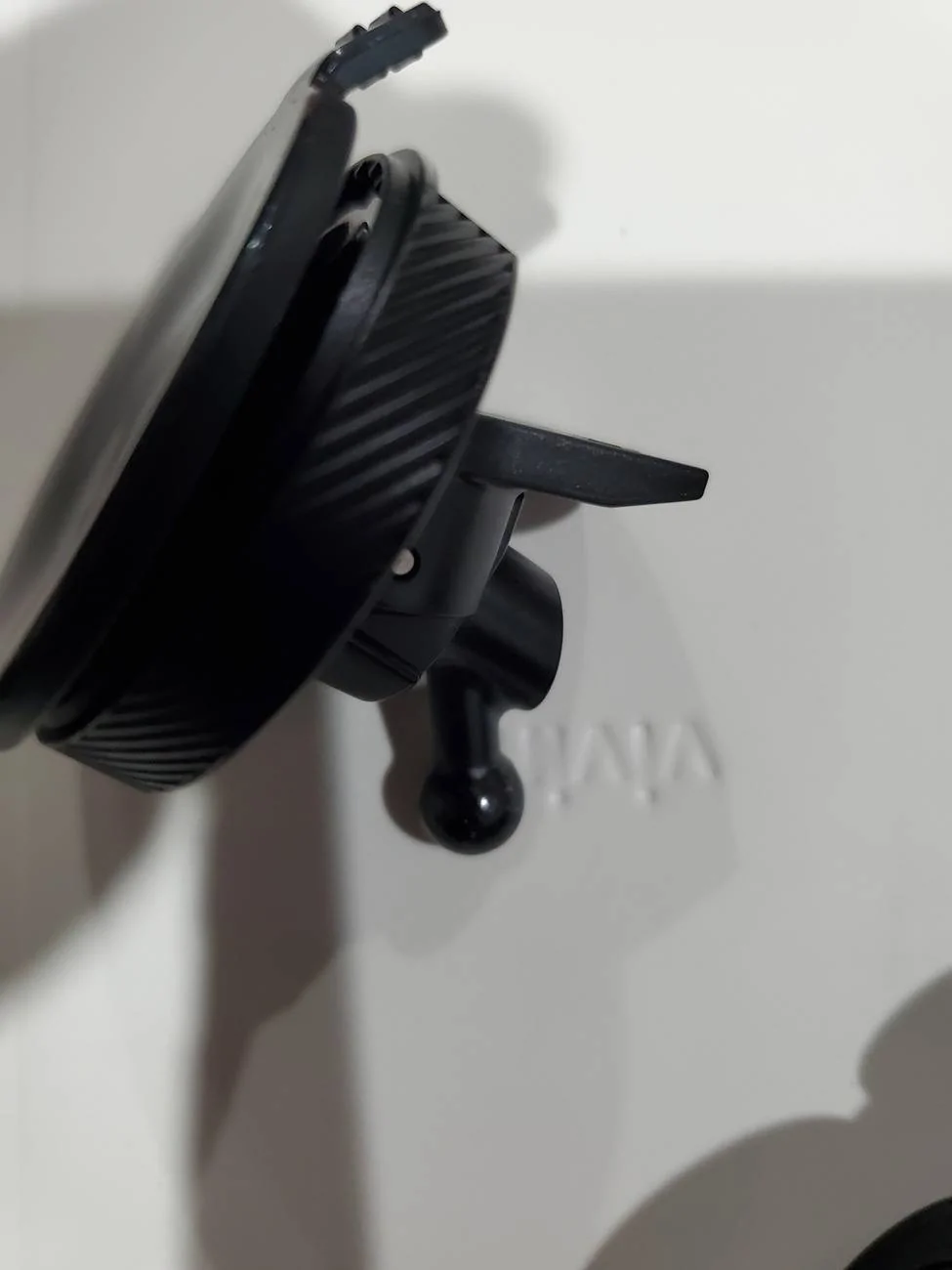
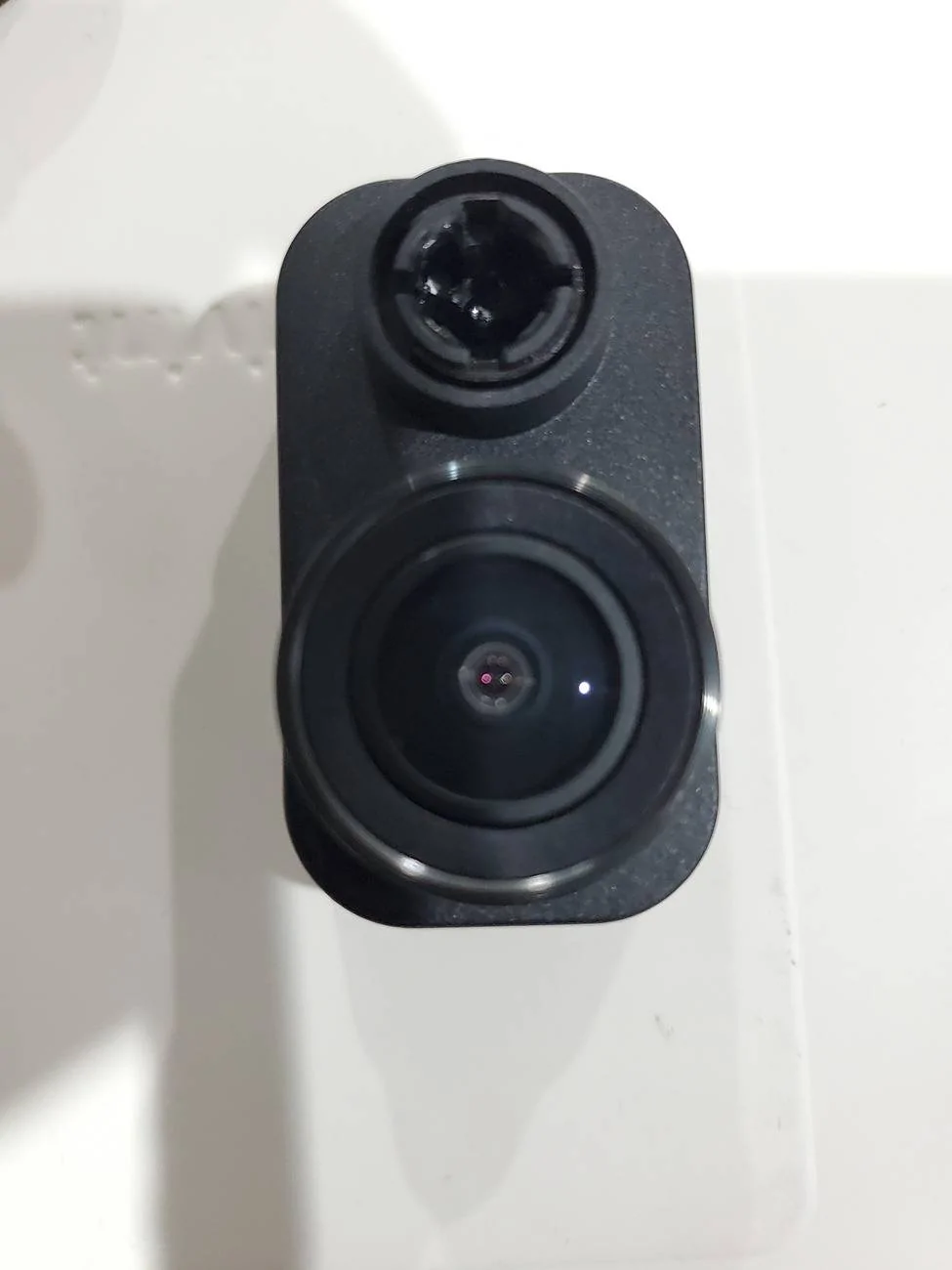
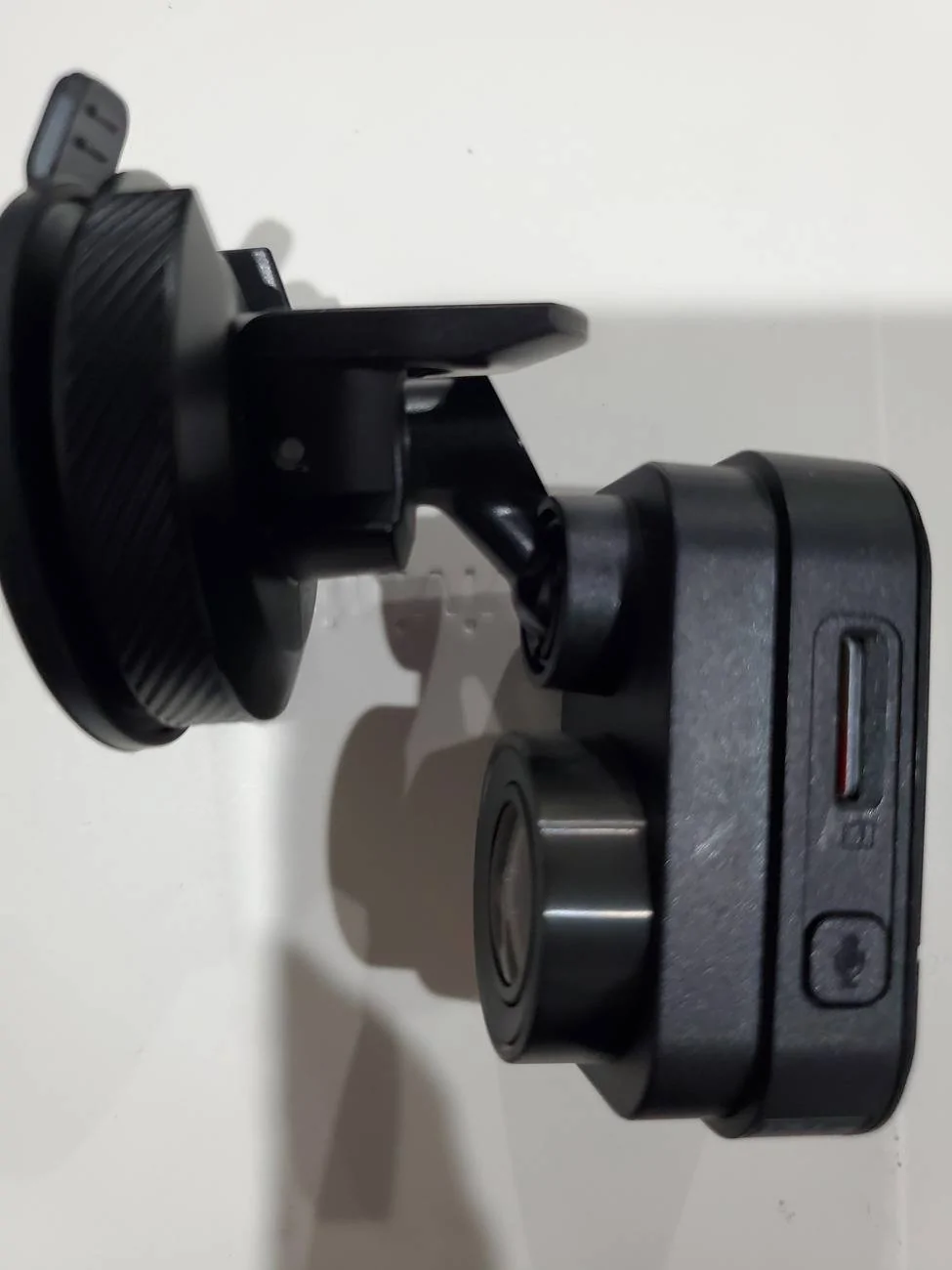
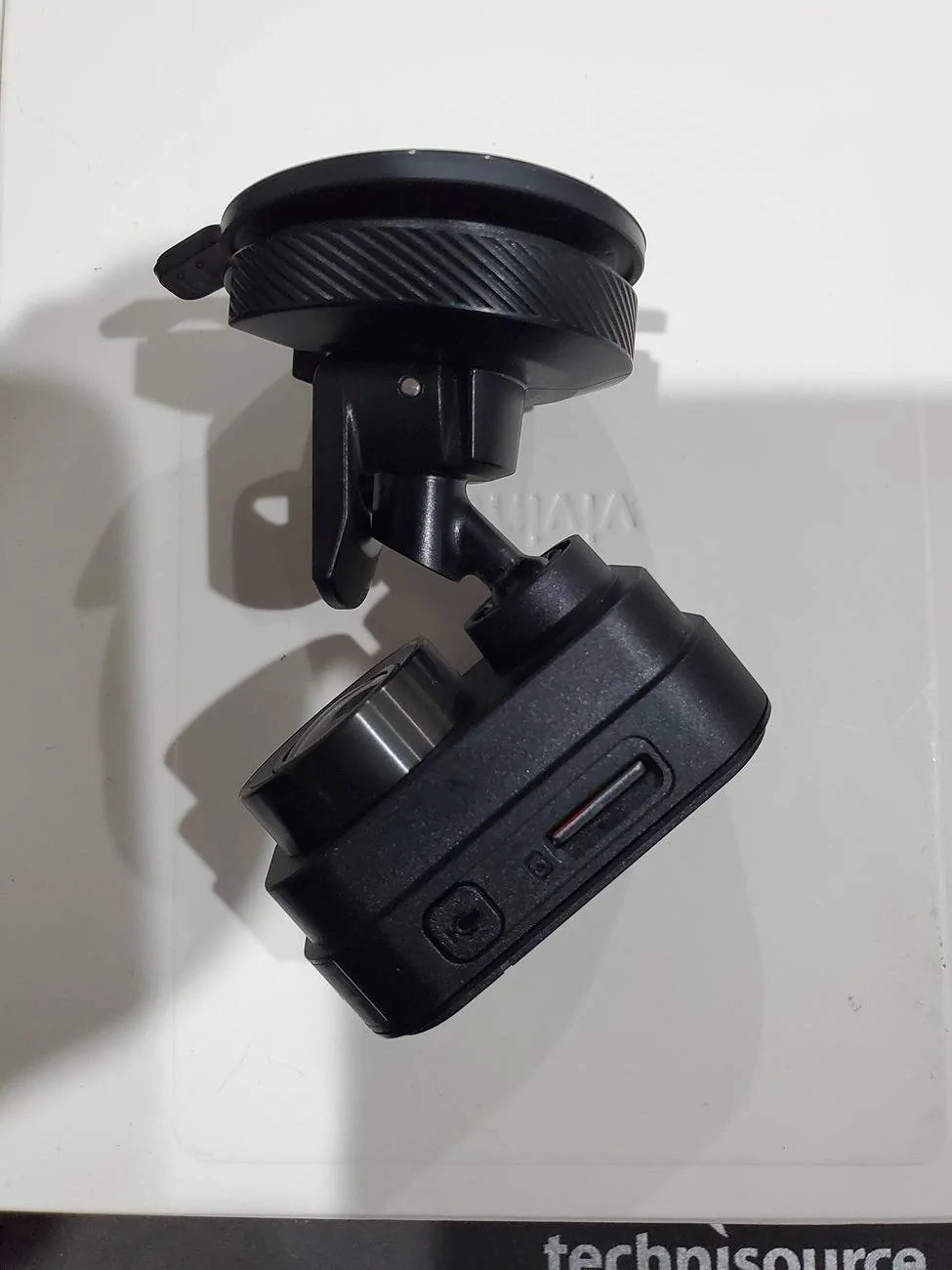
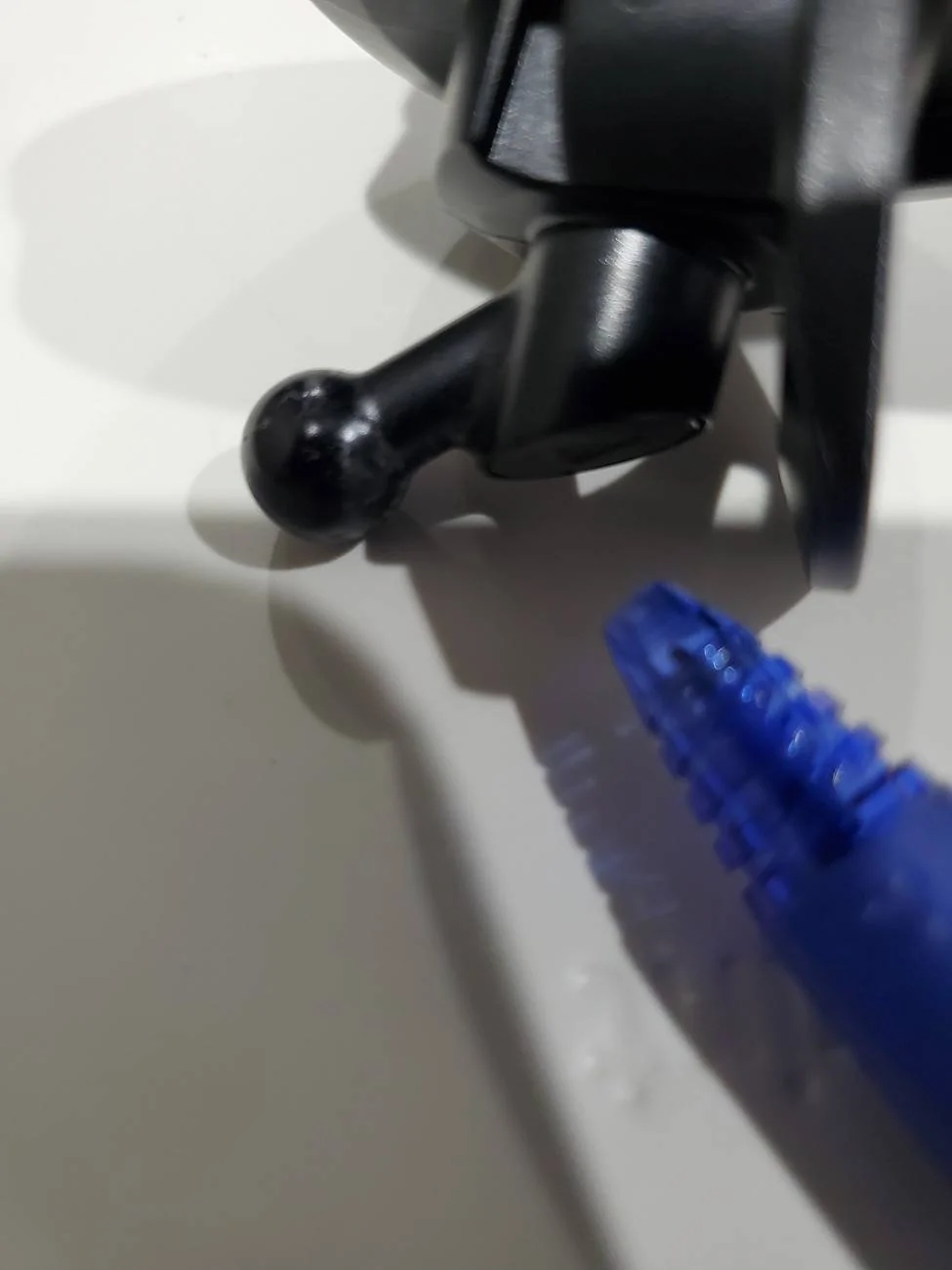
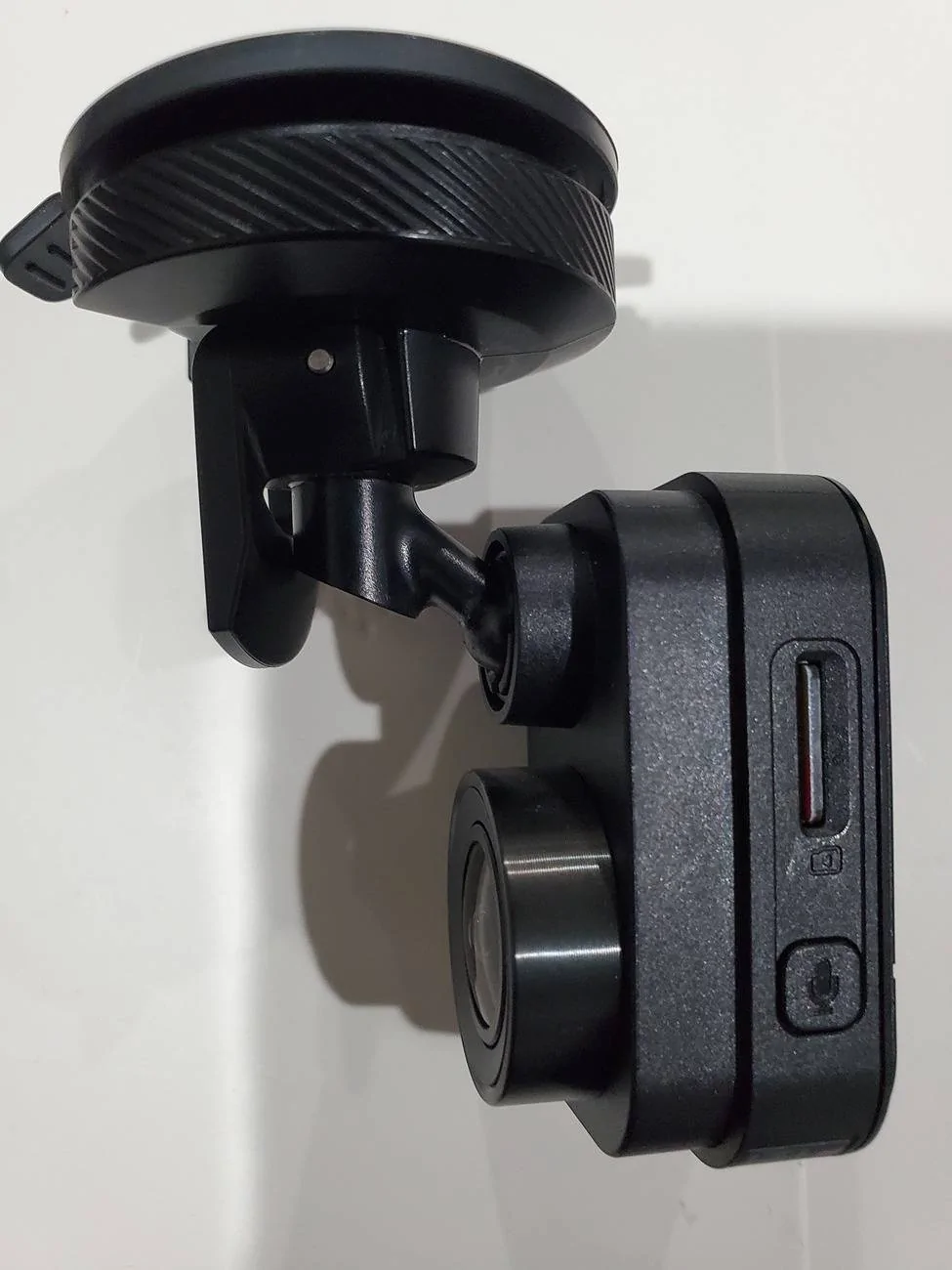
The mount is removable from the camera yes. I can't tell if the suction cup itself is removable from the mount. See pics of mount attached to camera and detached. The one pic has a pen pointed at the prblem, the angle of that piece of plastic. It results in limited movement preventing a good view with our vertical windshield.

Jeep Wrangler JL Next Project -Dash Cam 20240810_054623
Jeep Wrangler JL Next Project -Dash Cam 20240810_054634
Jeep Wrangler JL Next Project -Dash Cam 20240810_054852
Jeep Wrangler JL Next Project -Dash Cam 20240810_054549
Jeep Wrangler JL Next Project -Dash Cam 20240810_054701
Jeep Wrangler JL Next Project -Dash Cam 20240810_054833
went with the Viofo A229 Pro 2 Channel. I didn't need the 3rd channel (interior cam) but did want the rear cam. The Pro is true 4k on the front cam, the Plus is 2k on the front cam, which is why I went Pro vs Plus.
 
OP
OP
rk911

rk911

Well-Known Member
First Name
Rich
Joined
Jun 23, 2023
Threads
16
Messages
747
Reaction score
1,219
Location
DuPage County IL
Vehicle(s)
'23 Wrangler Sport 2D, '10 Liberty, '46 Willys
Occupation
Retired and loving it!
The mount is removable from the camera yes. I can't tell if the suction cup itself is removable from the mount. See pics of mount attached to camera and detached. The one pic has a pen pointed at the prblem, the angle of that piece of plastic. It results in limited movement preventing a good view with our vertical windshield.

20240810_054623.jpg
20240810_054634.jpg
20240810_054852.jpg
20240810_054549.jpg
20240810_054701.jpg
20240810_054833.jpg
went with the Viofo A229 Pro 2 Channel. I didn't need the 3rd channel (interior cam) but did want the rear cam. The Pro is true 4k on the front cam, the Plus is 2k on the front cam, which is why I went Pro vs Plus.
Thanks for all of that.
 

AndySpill

Well-Known Member
First Name
Andy
Joined
Oct 24, 2023
Threads
71
Messages
1,654
Reaction score
1,270
Location
Pittsburgh
Vehicle(s)
2018 JL Sahara
Only problem with some of those tap spots you mentioned is you're pulling 12v and most dashcams are expecting 5v from a USB. On my Jeep I bought a small harness that taps the 12v power outlet on the dash (aka cigarette lighter), fed that to a buck converter that knocks that down to 5V and gave me 2 UBS's with everything tucked behind the dash controls. In my case I'm using one of the USB's for powering a MagSafe phone charger, the other powers the dashcam.

BTW, I have a Garmin Mini in my wife's car. Works great but she has a lot more real estate on her windshield. I borrowed the Mini for a space check on the Wrangler and for me it seemed to hang lower in my field of vision than I preferred. Ended up buying a super cheap cam that mounts in the horizontal. It mounts just below the radio antenna buried in the glass (2024 model) so it's very high on the glass.
Ok. My dash camera operates on 12V.
 

AndySpill

Well-Known Member
First Name
Andy
Joined
Oct 24, 2023
Threads
71
Messages
1,654
Reaction score
1,270
Location
Pittsburgh
Vehicle(s)
2018 JL Sahara
Thanks, Andy. Very thorough. My desire is NOT to connect to a power source anywhere in the cabin but to the automotive battery under the hood. I initially thought about the. rear view mirror but my fingers are not that nimble at my age. I'm used to running wires thru the firewall for my ham gear so that is the path I 'll use.

I should've also mentioned that I'm not planning to use the 'Parking Mode' of the cam. I just want it on when the engine is running so the acc wire needs to connect somewhere under the hood but your statement...

"When only the parking or battery cable is energized the camera normally switches to parking mode, which often not only switches the camera to energy saving features, but has the ability for the user to configure, based on camera model, the battery voltage when the camera shuts off so as to preserve battery power for things like cranking an ICE engine."

...suggests that the Mini2 can be configured to power itself down until the engine cranks thus boosting voltage and, presumably, wakimg the camera. Do you or any other forum user know if the Mini2 can be configured that way? Garmin is closed until Monday at which time I will call them. In the meantime any suggestions for the accessory blue wire under the hood?
I've updated a wrong second link in my initial post to correct link to a video on how to get wires through the firewall for either manual or automatic transmission owners.

From what I can glean from the instruction manual https://www8.garmin.com/manuals/web...AE4B3CE8BD/EN-US/Dash_Cam_Mini_2_OM_EN-US.pdf voltage cutoff in parking mode for this dash camera may not be user configurable, but the camera shuts off when the battery reaches 12 volts (page 20).

This in my opinion is too low a voltage threshold for the camera to operate at as higher voltage is IMHO needed to not only reliably crank the engine, but that a battery lasts longest when it can maintain high voltage through a vehicle recharging in when it otherwise provides most of its power (i.e. when the engine is on.)

Devices that power down appliances like dash cameras when vehicle voltage drops below a user programmed threshold are an option here:

https://www.amazon.com/s?k=vehicle+...vehicle+voltage+cutoff+,aps,84&ref=nb_sb_noss
 

Take57

Well-Known Member
Joined
Jul 14, 2022
Threads
6
Messages
168
Reaction score
263
Location
TUS/PDX
Vehicle(s)
2024 Sport S
Ok. My dash camera operates on 12V.
If it's a Garmin2 mini, it indeed runs on 5v. You may be using a voltage converter and not know it, but if the cable has USB's on both ends it's running on 5v. Look at page 4 of the manual you posted. I also own one myself.
Sponsored

 
Last edited:


Top