Sponsored

Gaia - oh, dear...

iklo

Well-Known Member
Joined
Mar 17, 2024
Threads
25
Messages
174
Reaction score
204
Location
Top right corner
Vehicle(s)
24' Willys 6MT
I clung to the old iPhone SE for as long as I could, so gave Gaia glitches a pass, but, alas can't take it anymore: with a brand new iPhone 16E and a brand new Willys and some 60GB of downloaded maps for offline use... Jesus, this thing does whatever the F it likes, and never the same twice:

1. Regardless if this is a wireless or wired CarPlay, upon connection (which may or may not happen, but suppose it had), the Gaia map will be in the night mode: The basic Gaia Topo feet map will be dark green. Even if it is noon. Yet if I open the app on the phone and move the next (whatever) map layer up - to make it default, then down again, and oh, look ma, daytime map!

2. Driving along car symbol will stay at the center of the screen. Or not - trailing off and out.

3. Driving along and changing direction, the pointy arrow of the car symbol will follow, changing orientation on the screen. Or not, pointing fixedly somewhere at random.

4. At some point the map will stop scaling: if I try to zoom in there will be no data, just a blur. Then, 20 min later it will resume scaling. Or not. Not until tomorrow.

When it works, it works. I have it on my iPad, and while glitchy too, it is more tolerable. Still, my Gaia membership is up for renewal and I am pondering if there is not a better mapping solution out there, or if there is a way to make Gaia behave?
Sponsored
 

LAM

Well-Known Member
First Name
Larry
Joined
Jun 25, 2024
Threads
8
Messages
485
Reaction score
841
Location
Bay Area California
Vehicle(s)
2022 Sahara 4XE
Agree with all of your comments. The program is sluggish, especially on my old, not so smart iPhone. I try to keep my maps on the tablet which has much more memory but even on the tablet which isn’t doing anything else it takes a long time - like a minute or more - to get a stored map layer to show up on the screen. I think I will keep Gaia, Trails Offroad and OnX for another year or two, but will eventually just download the (free) BLM and NFS maps from Avenza and use the Avenza app to geolocate where I am. I have found gaia useful for saving coordinates where I take pictures, rather than trying to guess later.

On my first two trips in Nevada I used the Jeep gps and it successfully took me on a few long two-rut BLM roads. Before I had any of these apps, and only a few old state road maps.
 

IceBerg

Well-Known Member
Joined
Oct 29, 2019
Threads
3
Messages
471
Reaction score
873
Location
SW Missouri
Vehicle(s)
2021 XR 392
I am a big gaia user but I don't disagree that the app has issues.

Right now my biggest complaint is that sharing folders with a URL doesnt always work. I have a google doc with recordings/maps of various places my club goes to and sometimes we cannot make it work on someone else's phone at all.

(SMORR link from the google doc I linked above in case you are google doc adverse. )

I am very close to switching to onX and just giving up on Gaia all together.
 

thedeatons

Well-Known Member
First Name
James
Joined
Dec 1, 2024
Threads
2
Messages
85
Reaction score
93
Location
Boise, ID
Vehicle(s)
24 Wrangler Rubicon X, 24 Gladiator Mojave X
I dropped Gaia after the glitches started happening years ago, then research showed they were bought by Outside Magazine... I exported everything to OnX and it is pretty amazing. Love everything about it.
 

embedded rock

Well-Known Member
Joined
Mar 11, 2023
Threads
13
Messages
687
Reaction score
1,312
Location
In the path of a future Kentucky tornado
Vehicle(s)
'24 JLUWX (traded) | JLRX for EJS'27? Let's see | CRF1000L, KLX300SM
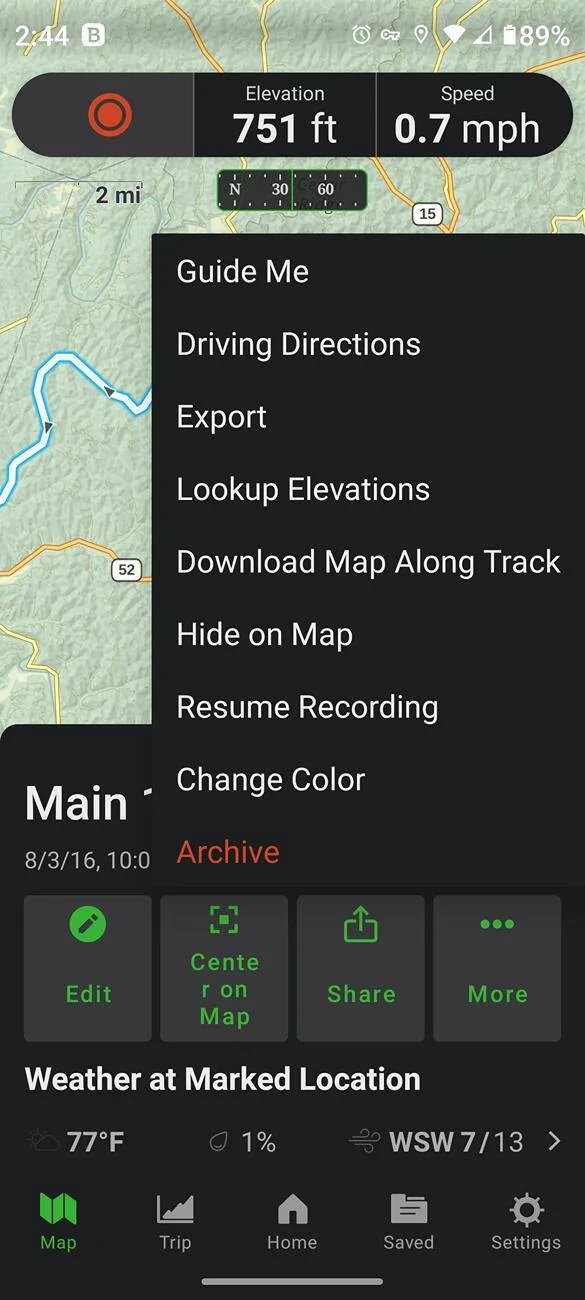
With the Gaia app and the website, a track or waypoint can be exported. This way a gpx file is saved. Then, any user or app can "import" the gpx file.

By saving a gpx file, no need to mess with a web link.

Jeep Wrangler JL Gaia - oh, dear... Screenshot_20250610-144500-458
 

Sponsored

embedded rock

Well-Known Member
Joined
Mar 11, 2023
Threads
13
Messages
687
Reaction score
1,312
Location
In the path of a future Kentucky tornado
Vehicle(s)
'24 JLUWX (traded) | JLRX for EJS'27? Let's see | CRF1000L, KLX300SM
Seems like in my current subscription year, Outside got involved. That hasn't really affected using Gaia. More emails and probably cookies, but what app or website isn't collecting more info about us?
 

Bandana

Well-Known Member
Joined
Sep 19, 2017
Threads
17
Messages
444
Reaction score
932
Location
Los Angeles, CA
Vehicle(s)
18 JLUR
I started with Gaia, but was not a fan of the Apple CarPlay integration. I've since switched over to OnX and find that the CarPlay experience is much better for me. I love how the offline maps are seamless for OnX and I don't have to fumble around with opening saved maps like I did with Gaia. Saves so much time for a feature that's key to actually using in the Jeep while off-roading.

I still use CalTopo for all my planning and always keep a paper map for backup when I am in places that I am not entirely familiar with.
 

andy29847

Well-Known Member
First Name
Andy
Joined
Oct 22, 2022
Threads
15
Messages
440
Reaction score
714
Location
Trenton, SC
Vehicle(s)
2020 JLUR
I clung to the old iPhone SE for as long as I could, so gave Gaia glitches a pass, but, alas can't take it anymore: with a brand new iPhone 16E and a brand new Willys and some 60GB of downloaded maps for offline use... Jesus, this thing does whatever the F it likes, and never the same twice:

1. Regardless if this is a wireless or wired CarPlay, upon connection (which may or may not happen, but suppose it had), the Gaia map will be in the night mode: The basic Gaia Topo feet map will be dark green. Even if it is noon. Yet if I open the app on the phone and move the next (whatever) map layer up - to make it default, then down again, and oh, look ma, daytime map!

2. Driving along car symbol will stay at the center of the screen. Or not - trailing off and out.

3. Driving along and changing direction, the pointy arrow of the car symbol will follow, changing orientation on the screen. Or not, pointing fixedly somewhere at random.

4. At some point the map will stop scaling: if I try to zoom in there will be no data, just a blur. Then, 20 min later it will resume scaling. Or not. Not until tomorrow.

When it works, it works. I have it on my iPad, and while glitchy too, it is more tolerable. Still, my Gaia membership is up for renewal and I am pondering if there is not a better mapping solution out there, or if there is a way to make Gaia behave?

I been using my Iphone 14, Gaia, and Carplay to try and determine if the combo is a good replacement for my Garmin GPS. So far, the answer is no.

Your item 1 - GAIA and Carplay seem sensitive to the order of connection. I've been connecting wirelessly via a Carplay dongle, and it seems like I need to follow an order of hookup/bootup. I do believe if you let Carplay connect, then open the GAIA APP on your phone, then open GAIA in Carplay you'll get a good screen.

Your item 2 - My little arrow on my radio screen quits tracking when I lose internet coverage. Yes, I have the local maps downloaded.

Your item 3 - My arrow always points north. There may be an option to have it point in the direction of travel, but I haven't found it yet.

Your item 4 - Internet connection, or processing power, or processing speed slowed by heat. Heat can be an enemy to things on the dash.

When the Iphone/GAIA/Carplay combo works, it is wonderful.
 
OP
OP
iklo

iklo

Well-Known Member
Joined
Mar 17, 2024
Threads
25
Messages
174
Reaction score
204
Location
Top right corner
Vehicle(s)
24' Willys 6MT
Speaking of Garmin: Some years back I purchased a DVD with the Garmin USA 2008 v4 topo map for Mapsource. It runs in my PC desktop Basecamp and is rather more primitive than Gaia's topo, but still better than nothing. Any way to use it with the Carplay?
 

andy29847

Well-Known Member
First Name
Andy
Joined
Oct 22, 2022
Threads
15
Messages
440
Reaction score
714
Location
Trenton, SC
Vehicle(s)
2020 JLUR
Speaking of Garmin: Some years back I purchased a DVD with the Garmin USA 2008 v4 topo map for Mapsource. It runs in my PC desktop Basecamp and is rather more primitive than Gaia's topo, but still better than nothing. Any way to use it with the Carplay?
CarPlay is designed to work only with phones. I do not know if there is a version of Basecamp that would load to a phone. Regardless, basecamp does not track location.. P.S.: I have not found much value in topo maps when driving.
 

Sponsored

Mocopo

Well-Known Member
First Name
Kevin
Joined
Jun 13, 2022
Threads
11
Messages
1,335
Reaction score
2,948
Location
Arizona
Vehicle(s)
22 JLURXR; 21 Bronco Badsquatch
Build Thread
Link
Multiples years now of flawless Gaia usage here... oh ya, I have a real phone, none of this iPhone garbage.

In all seriousness, I really do use Gaia because it has the smoothest and most reliable interface on my Android Auto. OnX is terrible for me, crashes all the time. Trails Offroad works ok, just doesn't have the capabilities/views id want.
 

JP52

Well-Known Member
First Name
John
Joined
Jan 17, 2022
Threads
9
Messages
187
Reaction score
217
Location
Walnut Creek, CA
Vehicle(s)
2022 JLU Rubicon XR
I'm a long time power Gaia user. Heck, I have a legacy subscription so I don't even have to pay an annual fee for the basic service though I do pay for the premium maps. I used love it but ever since Outside took them over it has gone downhill with so many glitches. I worked a few times with customer service and they did fix some of them but there are some that they have not fixed. The three most troubling glitches for me are that it won't sync properly so not all my tracks etc. will go from my computer to my phone. I can change folder etc. to make it sync but with thousands of routes and tracks that isn't really feasible. Second, sometimes it drains my phone's battery very fast to the point that my phone gets hot. It seems like it is stuck in some sort of loop. It also freezes often when I'm using it through Android auto. I still use it for some things but on my last couple of trips I mostly used OnX and I have been really impressed by the improvements they have made over that last few years and the number of trails that have ratings and information that Gaia just doesn't have. After so many great years with Gaia I am sad to say that if I had to use just one mapping program for off reading it would be OnX.
Sponsored


Top