Sponsored

Cell Phone Mounting

FatBoy01

Banned
Banned
Banned
Joined
Feb 9, 2018
Threads
50
Messages
1,266
Reaction score
1,442
Location
NY
Vehicle(s)
2014 Wrangler Sahara; 2001 Harley FatBoy; 2018 Wrangler Rubicon JL (Ordered)
Occupation
Retired @ 55
  • Thread starter
  • Banned
  • #1
I'm sure that many here will have factory GPS (I will) but as me you will still often use Google Maps on your cellphone or just want your cellphone mounted somewhere in front of you in the JL/JLU.

So, for you guys/gals with JLU's what mount are you using.. pluses and minuses of the mount. If you do post info please let us know the specifics on your JL and whether your Jl dash has Infotainment, 7" ...

Maybe post a pic..

Thanks in advance for any posts tendered..
Sponsored

 

ATX_Runner

Well-Known Member
Joined
Jan 26, 2018
Threads
1
Messages
60
Reaction score
136
Location
Austin, TX
Vehicle(s)
JLUR
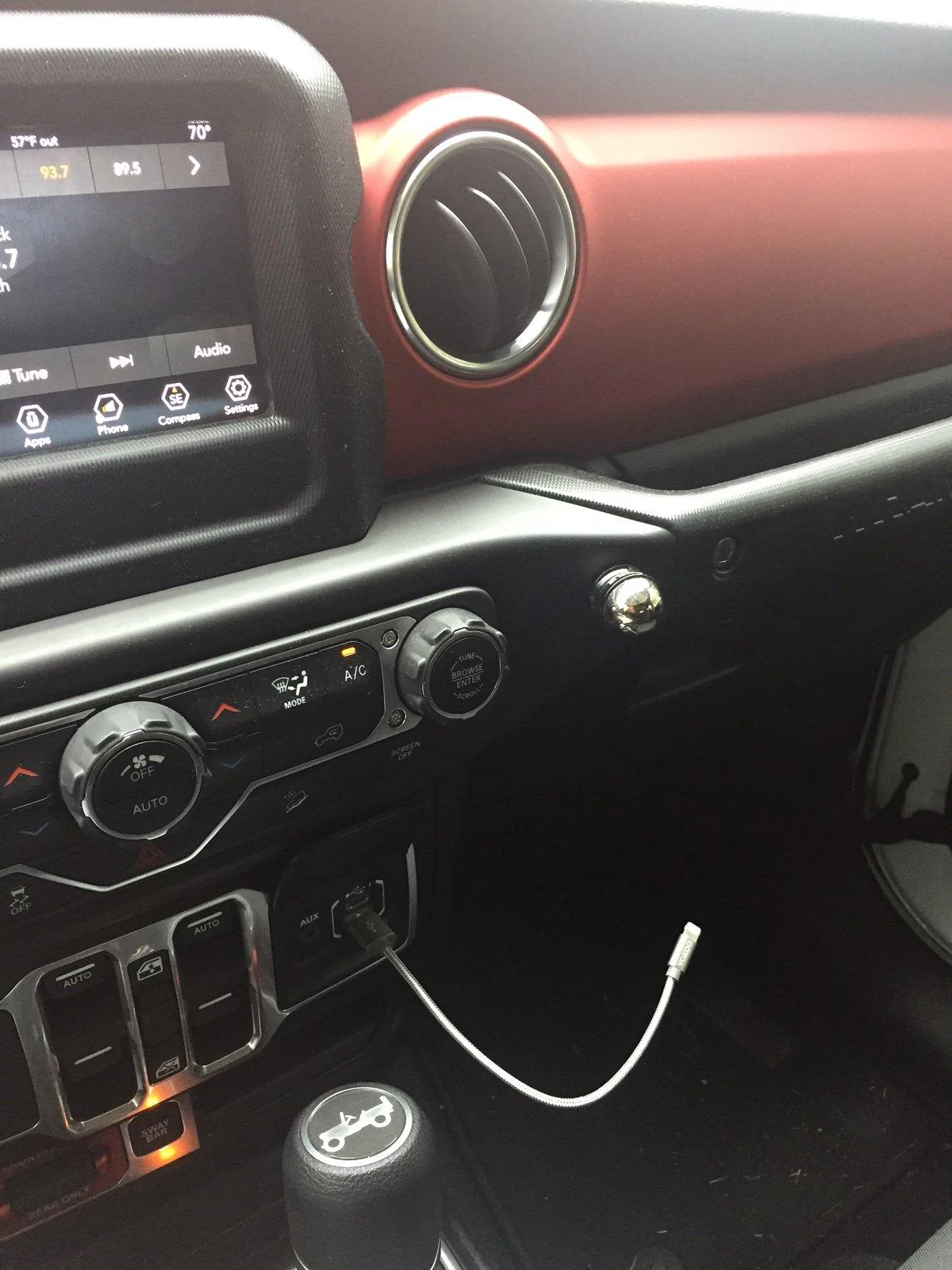
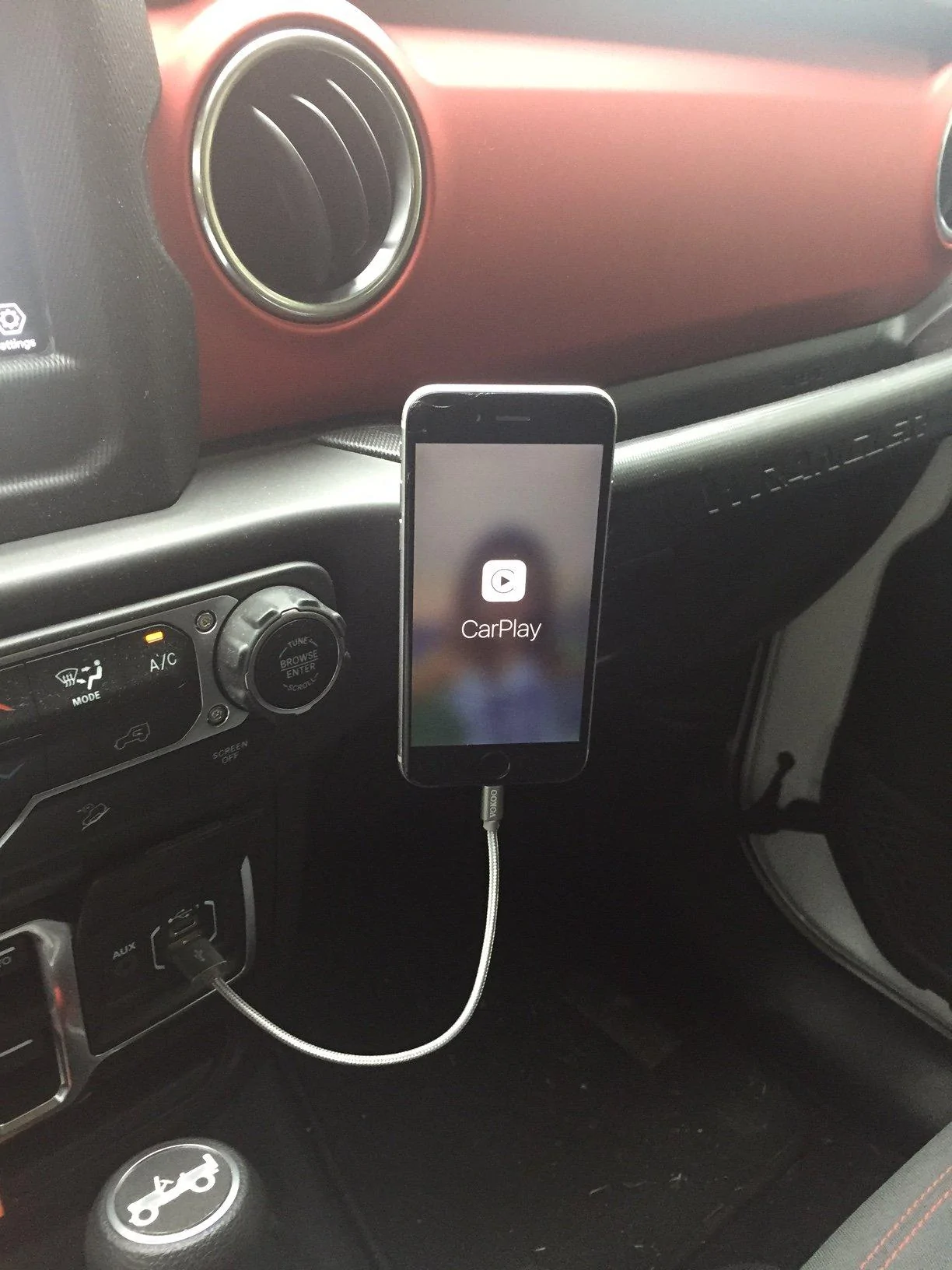
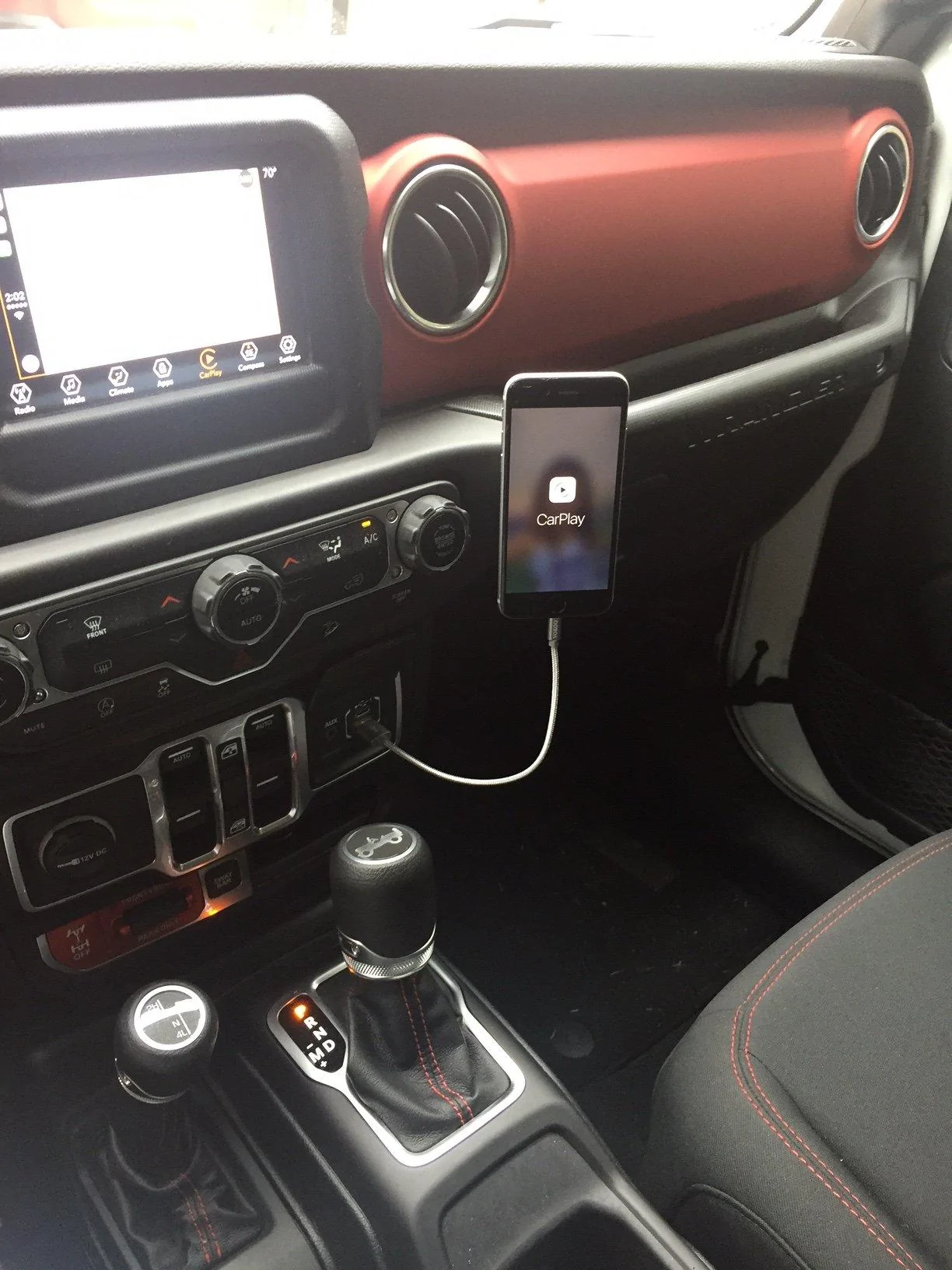
Here's what I did...

I hate wires and clutter, so I bypassed the traditional mount and ordered this item called Nite Ize Steelie Dash Mount from Amazon:

https://www.amazon.com/gp/product/B00BAQKRHY/ref=oh_aui_detailpage_o06_s00?ie=UTF8&psc=1

{EDIT: the mount and the magnet on the back of the phone are both ADHESIVE, so very easy to remove with a little floss. It'll be interesting to see how the mount holds up in the Texas summer heat.}

Then I bought some cheap 6 inch lightening cords:

https://www.amazon.com/gp/product/B07892M9LK/ref=oh_aui_detailpage_o01_s00?ie=UTF8&psc=1

All of it is very low profile and minimal. And here are some pics of the final result:

Jeep Wrangler JL Cell Phone Mounting image11
Jeep Wrangler JL Cell Phone Mounting image22.JPG
Jeep Wrangler JL Cell Phone Mounting image33
Jeep Wrangler JL Cell Phone Mounting image44
 
Last edited:

Scott1911

Well-Known Member
First Name
Scott
Joined
Dec 6, 2017
Threads
1
Messages
183
Reaction score
286
Location
Oklahoma
Vehicle(s)
JL 2 Door Unicorn
From pictures and 1 "visit" to a JL, I ordered a cigarette lighter mount with a built in Qi charger. I think it will clear the transfer case and not be a pain?
 

Nate

Well-Known Member
First Name
Mr. A-hole
Joined
Nov 16, 2017
Threads
11
Messages
836
Reaction score
2,640
Location
Ohio
Vehicle(s)
2020 Gladiator, 2019 Grand Cherokee, 2018 Road King, 1996 Bronco
Occupation
Machinist, Gunsmith and Dumbass Whisperer

Horse1200s

Well-Known Member
First Name
Stephen
Joined
Jan 26, 2018
Threads
5
Messages
52
Reaction score
32
Location
Minneapolis, MN
Vehicle(s)
2018 JLUR
I’ve used a vent mount in my cars for a couple of years now, they work great. If it fits, I’ll keep it.

I’ve never had a modern nav unit, can you send an address from your phone to google maps on unconnect through CarPlay?
 

Sponsored

The Great Grape Ape

Well-Known Member
Joined
Mar 30, 2017
Threads
9
Messages
2,840
Reaction score
4,125
Location
Canadian Rockies
Vehicle(s)
2015 JKU AspenX 5spd , 2015 JK Sport 6spd
I hate wires and clutter, so I bypassed the traditional mount and ordered this item called Nite Ize from Amazon:
It’s actually called the Steelie. Nite Ize is the Brand, they make tons of great stuff.

All of my Keychains are their Lighted Bottle Opener keychains, and a bunch of their Biner products, and a ton of their Gear Ties.
My Wrangler is covered in their stuff, including the Steelie, which as you say is very nice and simple and effective. I mount the Nexus 7 that way for maps and Torque OBDII monitoring.

Not sure about Texas heat, but it has held up well for me in the summer in 40C /105F temps, and that’s with a pretty heaving Nexus 7.
 

The Great Grape Ape

Well-Known Member
Joined
Mar 30, 2017
Threads
9
Messages
2,840
Reaction score
4,125
Location
Canadian Rockies
Vehicle(s)
2015 JKU AspenX 5spd , 2015 JK Sport 6spd
I'll be transferring over my magnetic mount. I love how all I need is a thin metal plate inside my phone case

Just be sure that it doesn’t affect your wireless/Qi charging.

You can also move to a triple element charger to help.
 
  • Like
Reactions: Cov

Bluerhino

Well-Known Member
Joined
Sep 6, 2017
Threads
3
Messages
118
Reaction score
171
Location
Vancouver, Canada
Vehicle(s)
2018 JLU Sahara, 2005 Porsche 911 S
I have a CD slot with magnetic mount in my current vehicle that uses a magnet. Works great but won’t work in the JLU.

But I was assuming I would not need a mount at all with the Uconnect 8.4 since it has Car Play. Can’t I just connect the cable and stick my phone in the cubbie and not have to touch it. My JLU is still a couple weeks away from being delivered and I have never used Car Play. But I thought that was the point? Am I missing something?
 

Hughesonthenet

Well-Known Member
First Name
Brian
Joined
Dec 9, 2017
Threads
6
Messages
138
Reaction score
224
Location
Spring Hill FL
Vehicle(s)
Ocean Blue 2018 Wrangler JL Unlimited Rubicon
Occupation
IT Director
But I was assuming I would not need a mount at all with the Uconnect 8.4 since it has Car Play. Can’t I just connect the cable and stick my phone in the cubbie and not have to touch it. My JLU is still a couple weeks away from being delivered and I have never used Car Play. But I thought that was the point? Am I missing something?
You certainly can do just that. It all depends on how you use your phone. Apple CarPlay only allows a limited set of apps to be displayed through the onboard system. For example, if you like to use Waze for navigation, you’ll still need your phone visible. This is not a function of the vehicle but of choices made by Apple.
 

Sponsored

Bluerhino

Well-Known Member
Joined
Sep 6, 2017
Threads
3
Messages
118
Reaction score
171
Location
Vancouver, Canada
Vehicle(s)
2018 JLU Sahara, 2005 Porsche 911 S
You certainly can do just that. It all depends on how you use your phone. Apple CarPlay only allows a limited set of apps to be displayed through the onboard system. For example, if you like to use Waze for navigation, you’ll still need your phone visible. This is not a function of the vehicle but of choices made by Apple.
Ok that makes sense. I am sure I will understand better when mine arrives and I get to start pushing buttons.
 

SkySurfer

Member
First Name
Matt
Joined
Feb 16, 2018
Threads
0
Messages
8
Reaction score
9
Location
NY
Vehicle(s)
'18 JL Rubicon
I have a CD slot with magnetic mount in my current vehicle that uses a magnet. Works great but won’t work in the JLU.

But I was assuming I would not need a mount at all with the Uconnect 8.4 since it has Car Play. Can’t I just connect the cable and stick my phone in the cubbie and not have to touch it. My JLU is still a couple weeks away from being delivered and I have never used Car Play. But I thought that was the point? Am I missing something?
That's what I do with mine and haven't needed to look at or touch my phone at all, just wish apple supported waze/google maps, Apple Maps still needs a lot of work especially if you live in a city and need traffic info.
 

1quick1

Moderator
Moderator
Joined
Oct 16, 2017
Threads
35
Messages
1,654
Reaction score
2,190
Location
Colorado
Vehicle(s)
2018 JLUS
Vehicle Showcase
1
If you have Android it works with Waze and Google maps, just an FYI.
 

mergedown

Well-Known Member
First Name
Jason
Joined
Feb 11, 2018
Threads
9
Messages
209
Reaction score
140
Location
Columbus, OH
Vehicle(s)
2018 JLU Sahara
I’ve used a vent mount in my cars for a couple of years now, they work great. If it fits, I’ll keep it.

I’ve never had a modern nav unit, can you send an address from your phone to google maps on unconnect through CarPlay?
First, Google Maps is not supported through CarPlay, so unfortunately you can't send from your phone to Uconnect to CarPlay. Additionally, CarPlay uses your phone, so you would never really have the need to send it to Uconnect. You would likely save your location as a favorite, or have it ready to go from your phone, and when you plug in and launch the app via CarPlay, it would continue from where it left off on the phone. But again, Google Maps and Waze are not supported via CarPlay.

With the Sirius Guardian package, the iPhone app does allow you to search a map within the Uconnect app on your phone and send it to your JL's built in Nav. When you start the vehicle, it asks if you want to proceed with your Nav. Nice feature, but uses the built in Nav vs Apple Maps (which might be better!).


Top