Sponsored

Wolfbox G900 Tripro Dash Cam Firmware Update 【V1.6.3_251103】

WOLFBOX CAR LIFE

Well-Known Member
Summit Sponsor (Level 3)
First Name
Zhong
Joined
Jul 25, 2023
Threads
168
Messages
645
Reaction score
541
Location
USA
Website
wolfbox.com
Vehicle(s)
4xe
Occupation
WOLFBOX OFFICIAL
G900 TriPro Firmware Update:

Download: https://wolfbox.com/pages/firmware

The new firmware version number is V1.6.3_251103, the main change of this version is:
  1. Optimized encryption methods, improved Wi-Fi connection protocols, and upgraded local bin
  2. Enhanced Wi-Fi and warning pages in the preview interface; users can now customize alert window positioning and appearance
  3. Within the preview interface, users can customize split-screen content display
  4. Users can customize which information and function to appear in the preview interface.
  5. Added voice commands “show bumper camera” and “show cabin camera” to control additional camera displays.
  6. Optimized the range of the bumper camera indicator lines.
  7. Rear camera zoom settings now can be automatically saved after adjustment.

Upgrade instructions:
  1. Copy the firmware file to the root directory of the SD card (the outermost).
  2. Insert the SD card into the dash cam, and it will recognize the firmware. A prompt will appear; click to confirm and start the upgrade.
  3. After the upgrade progress bar is completed, the dash cam will restart and turn on automatically, indicating that the upgrade is complete.

Note: Copying the firmware to the card separately to upgrade only for a single dash cam to update. The file will be automatically deleted after the completion of the firmware upgrade.
Sponsored

 

Terrymo

Well-Known Member
First Name
Terry
Joined
Jun 17, 2022
Threads
48
Messages
10,780
Reaction score
33,281
Location
SoCal
Vehicle(s)
2023 JLURXR 3.6 ET
Clubs
 
G900 TriPro Firmware Update:

Download: https://wolfbox.com/pages/firmware

The new firmware version number is V1.6.3_251103, the main change of this version is:
  1. Optimized encryption methods, improved Wi-Fi connection protocols, and upgraded local bin
  2. Enhanced Wi-Fi and warning pages in the preview interface; users can now customize alert window positioning and appearance
  3. Within the preview interface, users can customize split-screen content display
  4. Users can customize which information and function to appear in the preview interface.
  5. Added voice commands “show bumper camera” and “show cabin camera” to control additional camera displays.
  6. Optimized the range of the bumper camera indicator lines.
  7. Rear camera zoom settings now can be automatically saved after adjustment.

Upgrade instructions:
  1. Copy the firmware file to the root directory of the SD card (the outermost).
  2. Insert the SD card into the dash cam, and it will recognize the firmware. A prompt will appear; click to confirm and start the upgrade.
  3. After the upgrade progress bar is completed, the dash cam will restart and turn on automatically, indicating that the upgrade is complete.

Note: Copying the firmware to the card separately to upgrade only for a single dash cam to update. The file will be automatically deleted after the completion of the firmware upgrade.
Since I whined about item 5, thank you!
 
OP
OP
WOLFBOX CAR LIFE

WOLFBOX CAR LIFE

Well-Known Member
Summit Sponsor (Level 3)
First Name
Zhong
Joined
Jul 25, 2023
Threads
168
Messages
645
Reaction score
541
Location
USA
Website
wolfbox.com
Vehicle(s)
4xe
Occupation
WOLFBOX OFFICIAL

Sponsored

Wabujitsu

Well-Known Member
First Name
Jeff
Joined
Jul 26, 2019
Threads
157
Messages
3,989
Reaction score
8,210
Location
Sarasota, FL
Vehicle(s)
2021 JLUR, 2020 JLU Sahara
Build Thread
Link
Occupation
Retired US Army
Vehicle Showcase
1
G900 TriPro Firmware Update:

Download: https://wolfbox.com/pages/firmware

The new firmware version number is V1.6.3_251103, the main change of this version is:
  1. Optimized encryption methods, improved Wi-Fi connection protocols, and upgraded local bin
  2. Enhanced Wi-Fi and warning pages in the preview interface; users can now customize alert window positioning and appearance
  3. Within the preview interface, users can customize split-screen content display
  4. Users can customize which information and function to appear in the preview interface.
  5. Added voice commands “show bumper camera” and “show cabin camera” to control additional camera displays.
  6. Optimized the range of the bumper camera indicator lines.
  7. Rear camera zoom settings now can be automatically saved after adjustment.

Upgrade instructions:
  1. Copy the firmware file to the root directory of the SD card (the outermost).
  2. Insert the SD card into the dash cam, and it will recognize the firmware. A prompt will appear; click to confirm and start the upgrade.
  3. After the upgrade progress bar is completed, the dash cam will restart and turn on automatically, indicating that the upgrade is complete.

Note: Copying the firmware to the card separately to upgrade only for a single dash cam to update. The file will be automatically deleted after the completion of the firmware upgrade.
Zhong, FYI, I just completed the update. There is not a link to the updated firmware on the page link in your instructions. I had to initiate a chat session and justify my need for the update - which is not a problem at all. I just wanted to inform your customers on the changes for acquiring the update. The tech provided me with a link and also emailed the file to me.

Zhong, I have a suggestion for another update. Can a function be added to the menu, whereby the user can set the video length to indefinite? I’m thinking this would be a great choice for those of us who want to record an entire trail ride. As it is now, we have to stitch together a very large number of one-to-three-minute video loops, which is very labor and time intensive.

Thank you, sir!
 

Terrymo

Well-Known Member
First Name
Terry
Joined
Jun 17, 2022
Threads
48
Messages
10,780
Reaction score
33,281
Location
SoCal
Vehicle(s)
2023 JLURXR 3.6 ET
Clubs
 
Zhong, FYI, I just completed the update. There is not a link to the updated firmware on the page link in your instructions. I had to initiate a chat session and justify my need for the update - which is not a problem at all. I just wanted to inform your customers on the changes for acquiring the update. The tech provided me with a link and also emailed the file to me.

Zhong, I have a suggestion for another update. Can a function be added to the menu, whereby the user can set the video length to indefinite? I’m thinking this would be a great choice for those of us who want to record an entire trail ride. As it is now, we have to stitch together a very large number of one-to-three-minute video loops, which is very labor and time intensive.

Thank you, sir!
Yes I would like to switch to indefinite while off road. If I remember I take a pic during a section I think I want to see the video of later so I can use those pics as time stamps while searching, but 3 minute chunks is cumbersome.
 
OP
OP
WOLFBOX CAR LIFE

WOLFBOX CAR LIFE

Well-Known Member
Summit Sponsor (Level 3)
First Name
Zhong
Joined
Jul 25, 2023
Threads
168
Messages
645
Reaction score
541
Location
USA
Website
wolfbox.com
Vehicle(s)
4xe
Occupation
WOLFBOX OFFICIAL
Zhong, FYI, I just completed the update. There is not a link to the updated firmware on the page link in your instructions. I had to initiate a chat session and justify my need for the update - which is not a problem at all. I just wanted to inform your customers on the changes for acquiring the update. The tech provided me with a link and also emailed the file to me.

Zhong, I have a suggestion for another update. Can a function be added to the menu, whereby the user can set the video length to indefinite? I’m thinking this would be a great choice for those of us who want to record an entire trail ride. As it is now, we have to stitch together a very large number of one-to-three-minute video loops, which is very labor and time intensive.

Thank you, sir!
Thank you very much! The new firmware will be available again in a short time. And we will provide a how-to video for those who failed to update and brick their dash cam.

That's a good suggestion. I will surely pass this to our engineers. To explain, we make the footage one-to-three-minute because we don't want the loop recording to overwrite the whole video content. If it's an one-hour footage, then it may be overwriten and there's nothing left. But if it's recorded in terms of 2-minute footage and you get 30 of them, then only first couple may be overwriten.

I guess your thought is reasonable too. Thank you, sir! Cheers!
 

Wabujitsu

Well-Known Member
First Name
Jeff
Joined
Jul 26, 2019
Threads
157
Messages
3,989
Reaction score
8,210
Location
Sarasota, FL
Vehicle(s)
2021 JLUR, 2020 JLU Sahara
Build Thread
Link
Occupation
Retired US Army
Vehicle Showcase
1
Thank you very much! The new firmware will be available again in a short time. And we will provide a how-to video for those who failed to update and brick their dash cam.

That's a good suggestion. I will surely pass this to our engineers. To explain, we make the footage one-to-three-minute because we don't want the loop recording to overwrite the whole video content. If it's an one-hour footage, then it may be overwriten and there's nothing left. But if it's recorded in terms of 2-minute footage and you get 30 of them, then only first couple may be overwriten.

I guess your thought is reasonable too. Thank you, sir! Cheers!
Thank you for your consideration, sir!

I owe y’all some review videos, which I AM working on, sir. I have been delayed due to some unanticipated medical issues I’ve been dealing with. The videos will be forthcoming and thorough, though.

Zhong, your thoughts regarding my suggestion of a “trail indefinite“ recording length option are reasonable too, sir. I think there is a very valuable and workable solution, such as having a second microSD card, maybe 512 GB, available only for that period of time while running trails. When you hit the trails, swap the cards and change the recording length setting to “trail indefinite,“ perhaps. At the end of the trail ride, simply swap the cards and revert the settings back to the standard 1-3 minute loops.

Adding this option will make this outstanding camera system even MORE valuable to your off-road customers! It makes perfect sense to leverage the excellent 3-camera system to get three different views of an entire trail ride - without having to use a GoPro or some other additional and expensive system!
 

Tr4ckD4ys

Well-Known Member
Joined
Dec 4, 2022
Threads
29
Messages
951
Reaction score
1,876
Location
NY
Vehicle(s)
2025 Jeep Wrangler Rubicon Xtreme 35-inch 2-door, '41 Green
Build Thread
Link
Occupation
Tech
Thank you very much! The new firmware will be available again in a short time. And we will provide a how-to video for those who failed to update and brick their dash cam.

That's a good suggestion. I will surely pass this to our engineers. To explain, we make the footage one-to-three-minute because we don't want the loop recording to overwrite the whole video content. If it's an one-hour footage, then it may be overwriten and there's nothing left. But if it's recorded in terms of 2-minute footage and you get 30 of them, then only first couple may be overwriten.

I guess your thought is reasonable too. Thank you, sir! Cheers!
Thank you for your consideration, sir!

I owe y’all some review videos, which I AM working on, sir. I have been delayed due to some unanticipated medical issues I’ve been dealing with. The videos will be forthcoming and thorough, though.

Zhong, your thoughts regarding my suggestion of a “trail indefinite“ recording length option are reasonable too, sir. I think a workable solution is viable, such as having a second microSD card, maybe 512 GB, available only for that period of time while running trails. When you hit the trails, swap the cards and change the recording length setting to “trail indefinite,“ perhaps. At the end of the trail ride, simply swap the cards back and revert the settings back to the standard 1-3 minute loops.

Adding this option will make this outstanding camera system even MORE valuable to your off-road customers! It makes perfect sense to leverage the excellent 3-camera system to get three different views of an entire trail ride - without having to use a GoPro or some other additional and expensive system!
So based on this I’m guessing that what is currently available under the link as “G900Pro” is not the right file for the G900 TriPro?
Also, they seem to be zip files. Do you just put the zip in the root folder or do you put the folder that’s the zip unzips to in the root folder? Or do you put the file from the folder that’s in the zip in the root folder?
@Wabujitsu you still got that TriPro file laying around somewhere and can send to me in a DM?
 

Sponsored

Wabujitsu

Well-Known Member
First Name
Jeff
Joined
Jul 26, 2019
Threads
157
Messages
3,989
Reaction score
8,210
Location
Sarasota, FL
Vehicle(s)
2021 JLUR, 2020 JLU Sahara
Build Thread
Link
Occupation
Retired US Army
Vehicle Showcase
1
So based on this I’m guessing that what is currently available under the link as “G900Pro” is not the right file for the G900 TriPro?
Also, they seem to be zip files. Do you just put the zip in the root folder or do you put the folder that’s the zip unzips to in the root folder? Or do you put the file from the folder that’s in the zip in the root folder?
@Wabujitsu you still got that TriPro file laying around somewhere and can send to me in a DM?
I do; I just need your email address, as the file is quite large.

You are correct; the G900Pro is NOT the correct file for the G900 Tripro. Also, all you have to do is drop the updated firmware file, as-is, into the root directory of the microSD card. The camera OS will extract and install, and upon finishing the install it will delete the install file(s) automatically. It also will not affect the existing video files on the card. You will have to change your settings back to your preferred ones after the install, though.
 

Terrymo

Well-Known Member
First Name
Terry
Joined
Jun 17, 2022
Threads
48
Messages
10,780
Reaction score
33,281
Location
SoCal
Vehicle(s)
2023 JLURXR 3.6 ET
Clubs
 
Thank you for your consideration, sir!

I owe y’all some review videos, which I AM working on, sir. I have been delayed due to some unanticipated medical issues I’ve been dealing with. The videos will be forthcoming and thorough, though.

Zhong, your thoughts regarding my suggestion of a “trail indefinite“ recording length option are reasonable too, sir. I think there is a very valuable and workable solution, such as having a second microSD card, maybe 512 GB, available only for that period of time while running trails. When you hit the trails, swap the cards and change the recording length setting to “trail indefinite,“ perhaps. At the end of the trail ride, simply swap the cards and revert the settings back to the standard 1-3 minute loops.

Adding this option will make this outstanding camera system even MORE valuable to your off-road customers! It makes perfect sense to leverage the excellent 3-camera system to get three different views of an entire trail ride - without having to use a GoPro or some other additional and expensive system!
I second this concept. I got this specifically in lieu of a go pro because of the multiple views off road. On road footage is a benefit but not my priority to the point if I had to choose one or the other it would be recording without any breaks.
 
OP
OP
WOLFBOX CAR LIFE

WOLFBOX CAR LIFE

Well-Known Member
Summit Sponsor (Level 3)
First Name
Zhong
Joined
Jul 25, 2023
Threads
168
Messages
645
Reaction score
541
Location
USA
Website
wolfbox.com
Vehicle(s)
4xe
Occupation
WOLFBOX OFFICIAL
Thank you for your consideration, sir!

I owe y’all some review videos, which I AM working on, sir. I have been delayed due to some unanticipated medical issues I’ve been dealing with. The videos will be forthcoming and thorough, though.

Zhong, your thoughts regarding my suggestion of a “trail indefinite“ recording length option are reasonable too, sir. I think there is a very valuable and workable solution, such as having a second microSD card, maybe 512 GB, available only for that period of time while running trails. When you hit the trails, swap the cards and change the recording length setting to “trail indefinite,“ perhaps. At the end of the trail ride, simply swap the cards and revert the settings back to the standard 1-3 minute loops.

Adding this option will make this outstanding camera system even MORE valuable to your off-road customers! It makes perfect sense to leverage the excellent 3-camera system to get three different views of an entire trail ride - without having to use a GoPro or some other additional and expensive system!
That's fine. I believe you have been working hard on this. But your health comes first! We can wait for your videos until you're fully recovered.

I think this is a great idea, which can inspire our engineering team. Thank you! 🍻
 

Wabujitsu

Well-Known Member
First Name
Jeff
Joined
Jul 26, 2019
Threads
157
Messages
3,989
Reaction score
8,210
Location
Sarasota, FL
Vehicle(s)
2021 JLUR, 2020 JLU Sahara
Build Thread
Link
Occupation
Retired US Army
Vehicle Showcase
1
That's fine. I believe you have been working hard on this. But your health comes first! We can wait for your videos until you're fully recovered.

I think this is a great idea, which can inspire our engineering team. Thank you! 🍻
You‘re welcome, and thank you, sir. I greatly enjoy working with y’all and with your already excellent product.

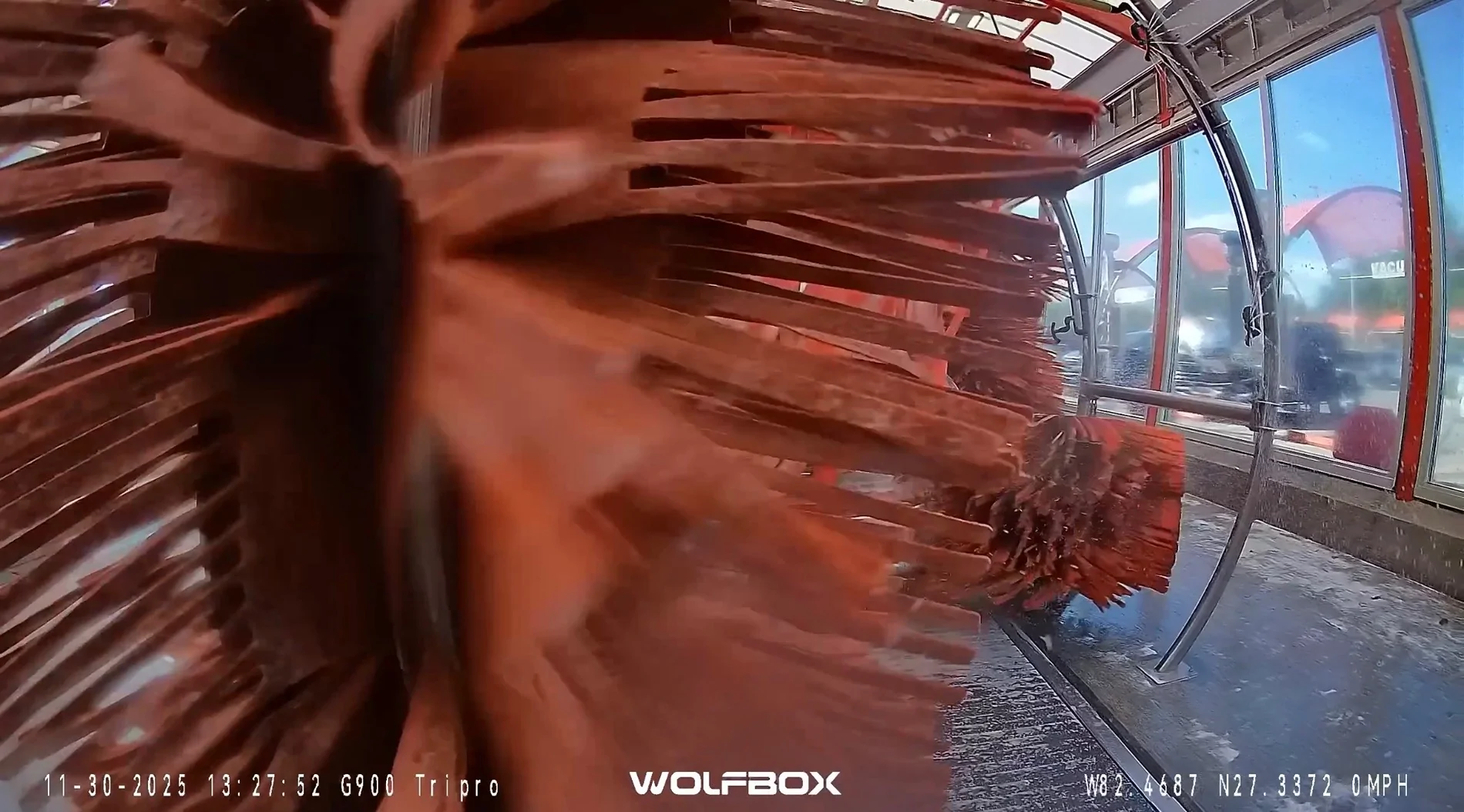
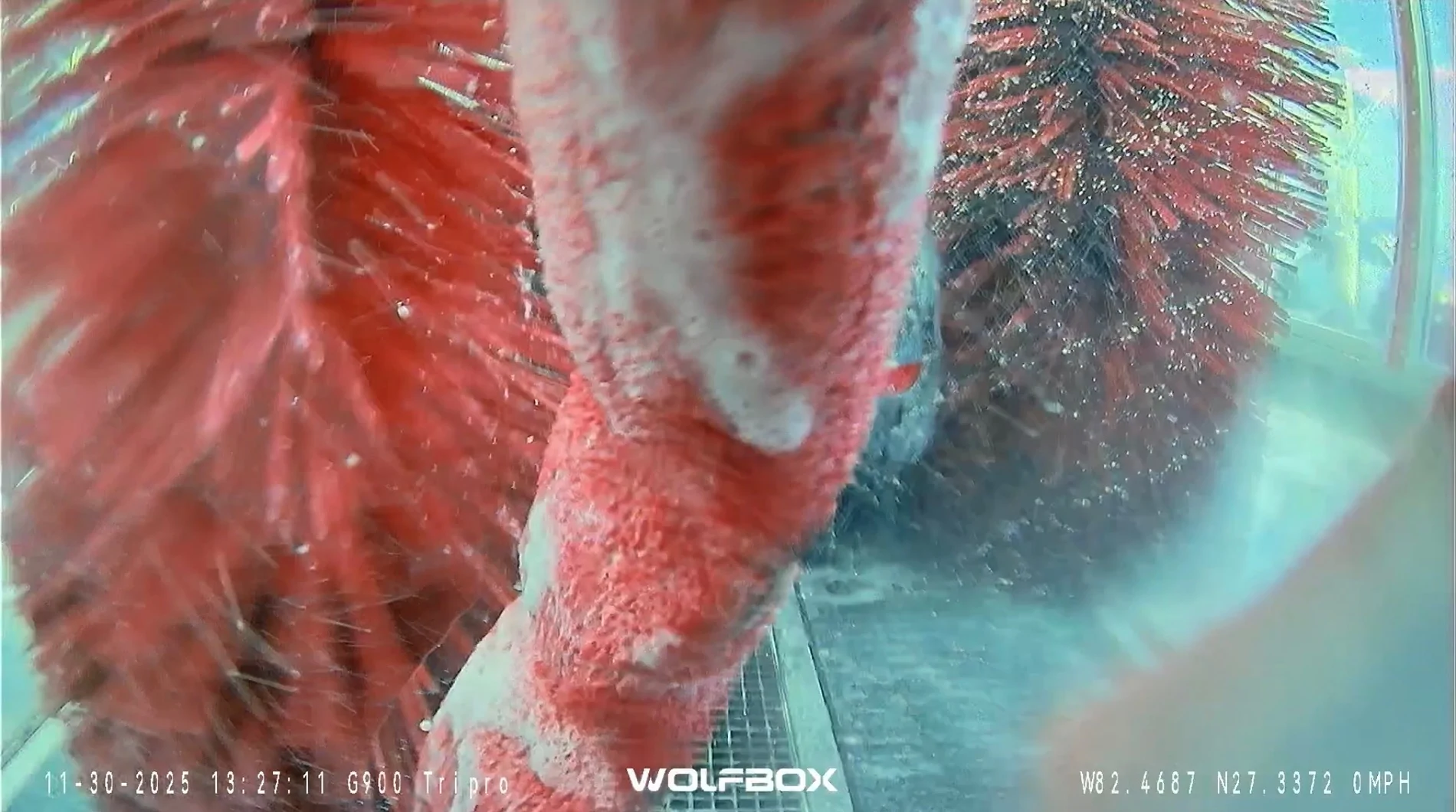
I did manage to test the mounting solutions we worked out (the wavy video issue) in my preferred car wash, a few days ago. It passed with flying colors; that will be part of the next video. Here are a couple of screenshots; one is from the bumper camera, the other is from the rearview camera.

IMG_3520.webp


IMG_3518.webp
 

Terrymo

Well-Known Member
First Name
Terry
Joined
Jun 17, 2022
Threads
48
Messages
10,780
Reaction score
33,281
Location
SoCal
Vehicle(s)
2023 JLURXR 3.6 ET
Clubs
 
You‘re welcome, and thank you, sir. I greatly enjoy working with y’all and with your already excellent product.

I did manage to test the mounting solutions we worked out (the wavy video issue) in my preferred car wash, a few days ago. It passed with flying colors; that will be part of the next video. Here are a couple of screenshots; one is from the bumper camera, the other is from the rearview camera.

IMG_3520.webp


IMG_3518.webp
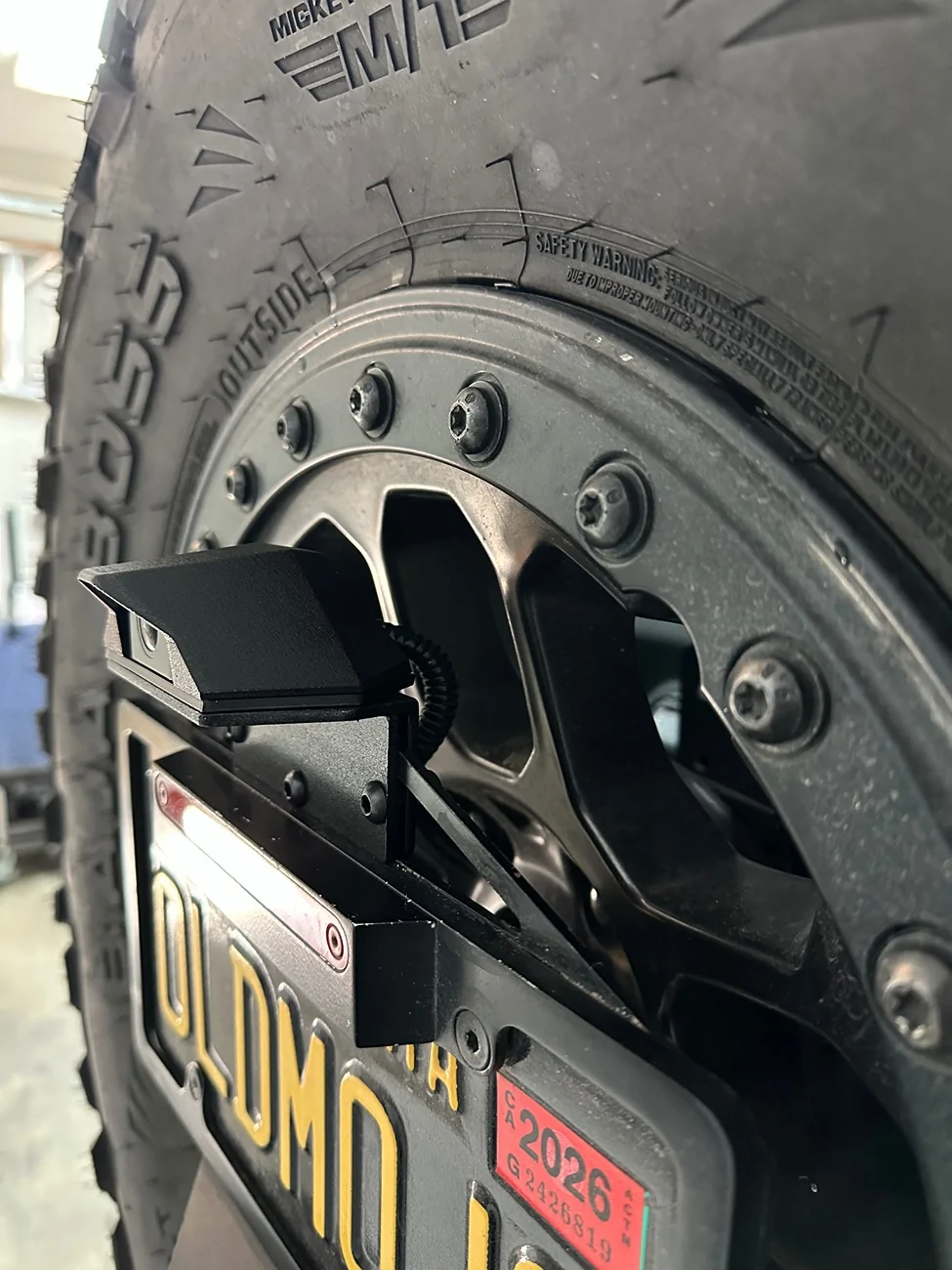
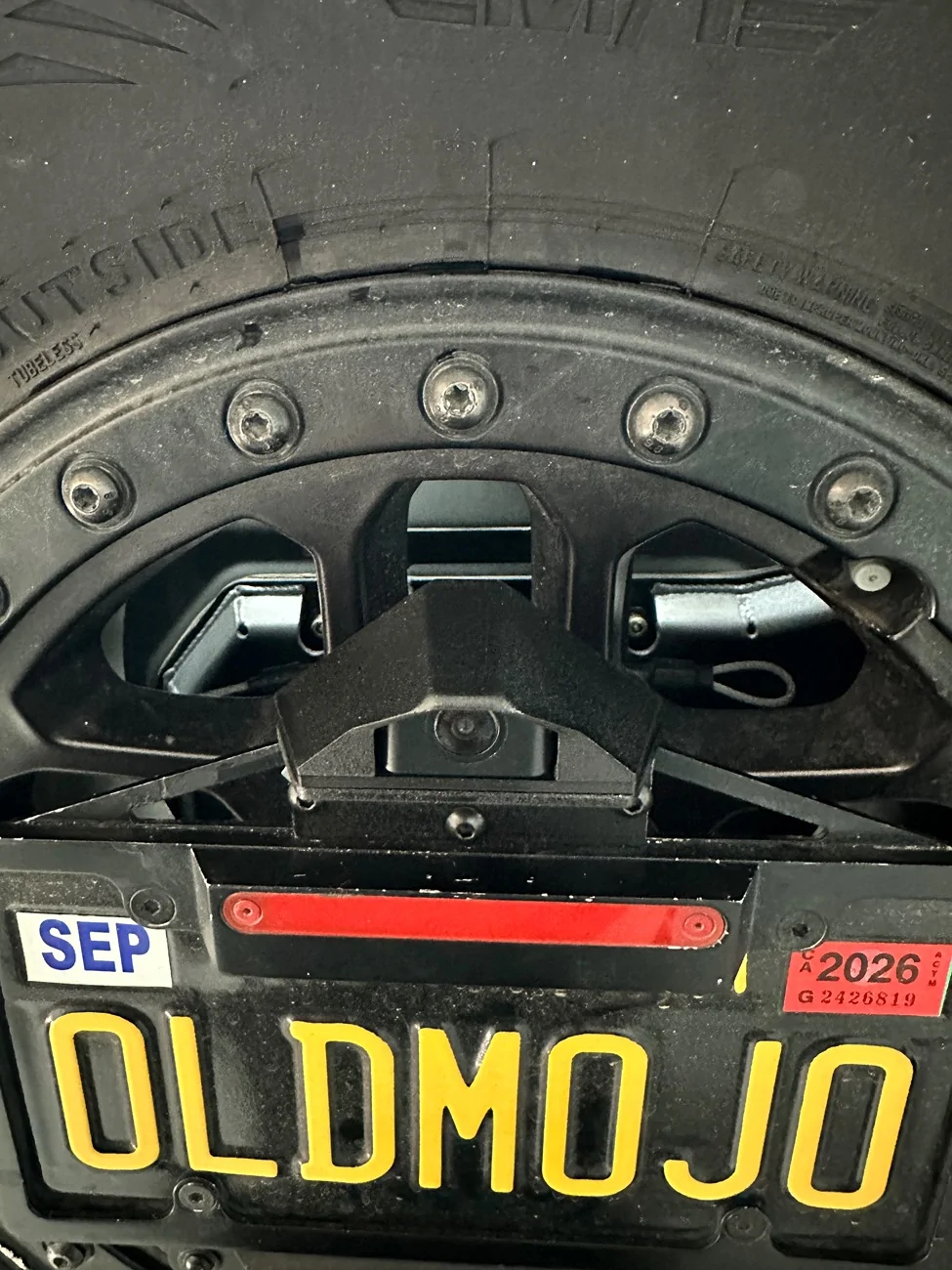
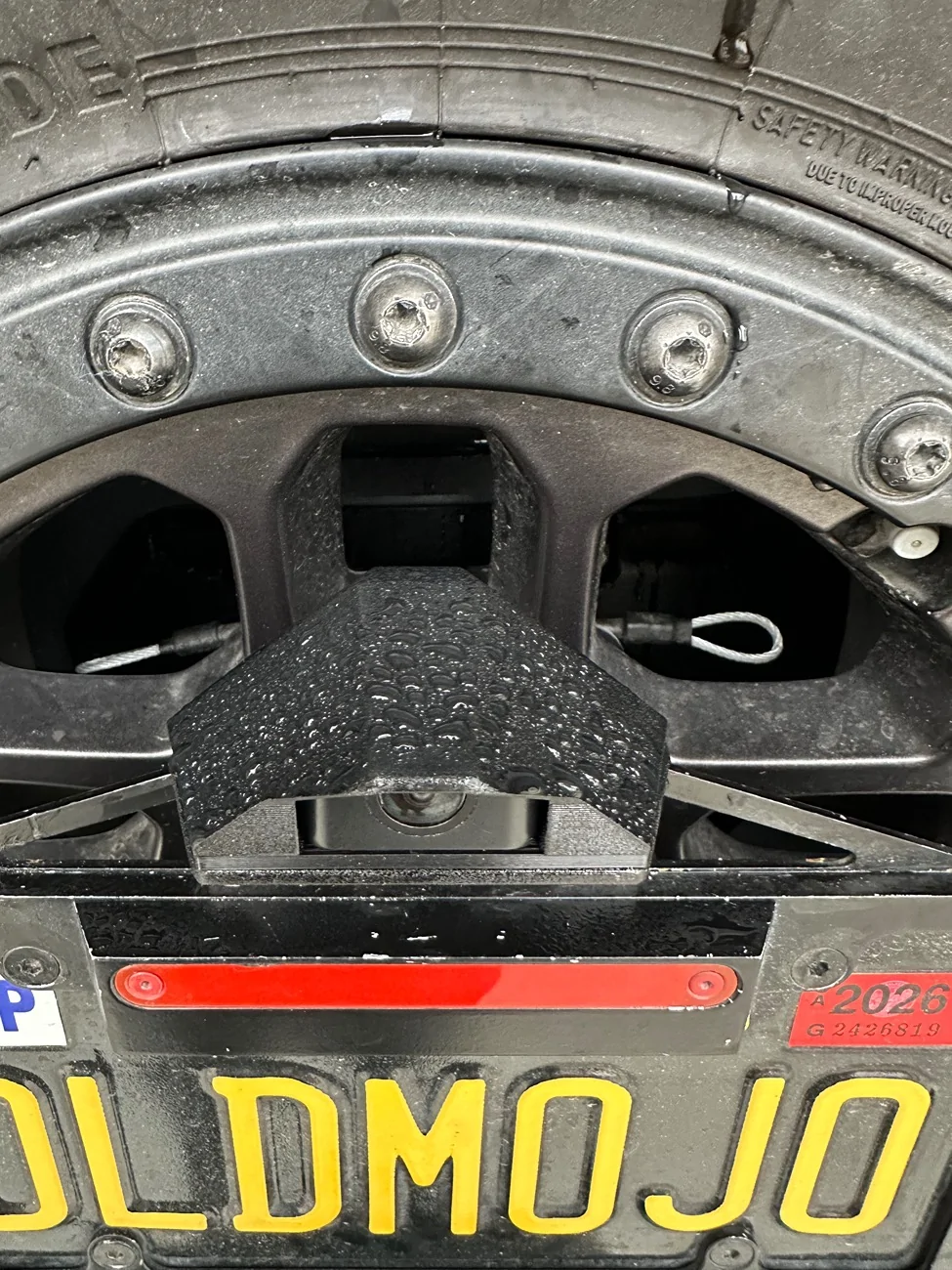
I drive through those car washes weekly with reckless abandon and a total disregard for my paint. But I found this on Etsy and made a mount for a little added protection.
IMG_1534.webp
IMG_1535.webp
IMG_1537.webp
Sponsored


Top