gt5426c
Active Member
- Thread starter
- #1
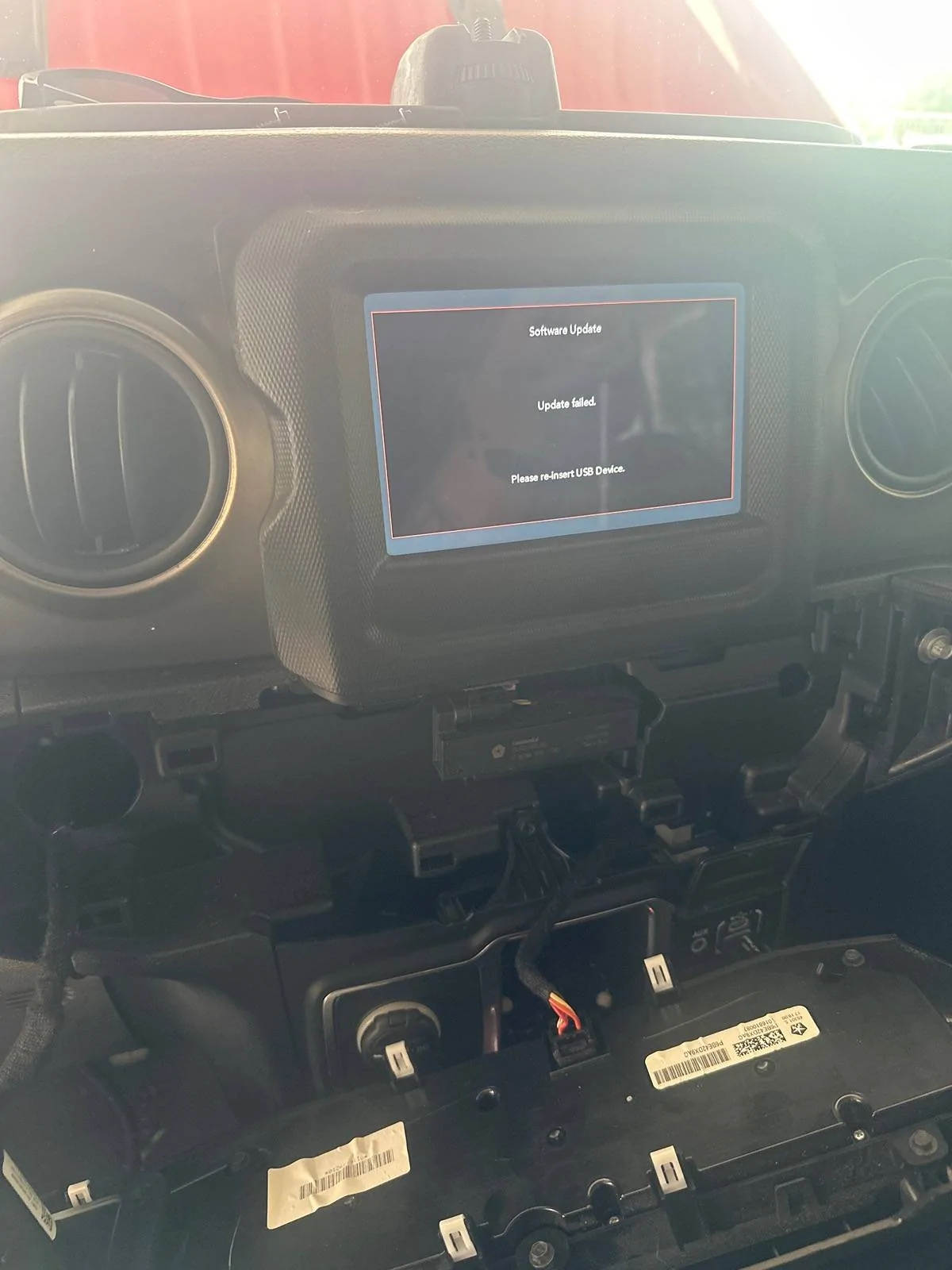
I bought a 2018 JLU with 7.0" Uconnect about 6 months ago. After unplugging the battery to do some work on the car, I plugged it back in and received this message: "Software Update | Update failed | Please reinsert USB Device". I was able to resolve this issue by flashing the radio.
This also resolved an intermittent distortion issue I have been having with the sound system. Since buying it, I have been chasing what sounded like blown speakers, even after replacing the speakers I was still hearing distortion. I was shocked to find that the distortion is now gone.
There are two Technical Service Bulletins which details this issue and states that it should be handled under the warranty. There is one for the 2018 (0801721) and one for the 2019 (08-016-21). However, if your car is out of warranty and you want to try this on your own, it should be a rather straightforward resolution.
You can direct message me and I will send you a link to the file.
NOTE: Completing these steps on your own could brick your Uconnect system and require it to be replaced or repaired by the dealer.
1) Locate a new 8 GB or larger jump drive (must be at least 8 GB because it backups files during process).
2) Quick Format as FAT32 using Quick Format.
3) Download flash image and extract folder named "18000000” onto jump drive.
4) Leave car off for 5 minutes prior just to ensure it's fully off (this may not be necessary, but why risk it?)
5) Plug in jump drive.
6) Press power button once.
7) Wait for about 2-3 minutes and you should see a message that the system is updating. May need to select Yes to install.
8) Wait approximate 30 minutes for install to finish.
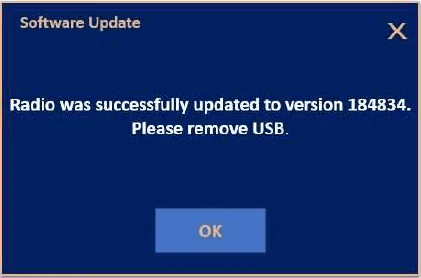
9) Once install completes you will see a message to remove USB drive.
10) After install completes, system will complete other updates in background for next hour or so. If you use car, give it time for everything to work itself out.

Below is a list of issues resolved by firmware update:
SYMPTOM/CONDITION:
Customers may experience one or more of the following:
• **Radio display screen flickers.
• Clock loses 6 seconds per day (JL with 5 inch screen).**
• Green horizontal lines on back up display, in reverse (If this is the customer concern use
camera LOP 186002Y7,
on JL vehicles only).
• Ghost Touch, features, modes and App’s changing, without drivers input.
• Speaker pop noise when using BluetoothT device.
• When vehicle is first started the radio will reset and the time display shows 12:00.
• Audio distortion and volume fluctuation.
• Blank rear camera image in reverse (If this is the customer concern use camera LOP 186002Y7
on JL vehicles only).
• Audio cutting in and out during memory recall.
• Ring tone too loud.
• AM/FM volume fluctuates.
• While in CarPlayT or AndroidAuto,T GoogleT maps showing wrong location.
• Phone disconnected after first call.
• Black screen or White screen with vertical lines.
• PIN clear and volume locked while KeySense is used.
• Audio static while in SXM/SAT modes.
• Echo heard during Bluetooth phone calls.
• The radio is locked up.
• The radio remains on after ignition has been turned off.
• The radio resets.
• The radio screen turns black.
• The radio screen shows messages “Software Update” or “Reinsert USB Device” and displays
that screen in a continuous loop.
Additional Note:
This updates the radio software level to 1848.34. I believe my previous software level was 184822.
This also resolved an intermittent distortion issue I have been having with the sound system. Since buying it, I have been chasing what sounded like blown speakers, even after replacing the speakers I was still hearing distortion. I was shocked to find that the distortion is now gone.
There are two Technical Service Bulletins which details this issue and states that it should be handled under the warranty. There is one for the 2018 (0801721) and one for the 2019 (08-016-21). However, if your car is out of warranty and you want to try this on your own, it should be a rather straightforward resolution.
You can direct message me and I will send you a link to the file.
NOTE: Completing these steps on your own could brick your Uconnect system and require it to be replaced or repaired by the dealer.
1) Locate a new 8 GB or larger jump drive (must be at least 8 GB because it backups files during process).
2) Quick Format as FAT32 using Quick Format.
3) Download flash image and extract folder named "18000000” onto jump drive.
4) Leave car off for 5 minutes prior just to ensure it's fully off (this may not be necessary, but why risk it?)
5) Plug in jump drive.
6) Press power button once.
7) Wait for about 2-3 minutes and you should see a message that the system is updating. May need to select Yes to install.
8) Wait approximate 30 minutes for install to finish.
9) Once install completes you will see a message to remove USB drive.
10) After install completes, system will complete other updates in background for next hour or so. If you use car, give it time for everything to work itself out.
Below is a list of issues resolved by firmware update:
SYMPTOM/CONDITION:
Customers may experience one or more of the following:
• **Radio display screen flickers.
• Clock loses 6 seconds per day (JL with 5 inch screen).**
• Green horizontal lines on back up display, in reverse (If this is the customer concern use
camera LOP 186002Y7,
on JL vehicles only).
• Ghost Touch, features, modes and App’s changing, without drivers input.
• Speaker pop noise when using BluetoothT device.
• When vehicle is first started the radio will reset and the time display shows 12:00.
• Audio distortion and volume fluctuation.
• Blank rear camera image in reverse (If this is the customer concern use camera LOP 186002Y7
on JL vehicles only).
• Audio cutting in and out during memory recall.
• Ring tone too loud.
• AM/FM volume fluctuates.
• While in CarPlayT or AndroidAuto,T GoogleT maps showing wrong location.
• Phone disconnected after first call.
• Black screen or White screen with vertical lines.
• PIN clear and volume locked while KeySense is used.
• Audio static while in SXM/SAT modes.
• Echo heard during Bluetooth phone calls.
• The radio is locked up.
• The radio remains on after ignition has been turned off.
• The radio resets.
• The radio screen turns black.
• The radio screen shows messages “Software Update” or “Reinsert USB Device” and displays
that screen in a continuous loop.
Additional Note:
This updates the radio software level to 1848.34. I believe my previous software level was 184822.
Sponsored