

JasonInDLH
Well-Known Member
- Thread starter
- #1
So I was able to get my Tazer Mini working on my MacOS Big Sur by doing the following:
1. Download “Parallels Desktops” from the App Store (this has a free 2 week trial, but then is a monthly charge ?). This brings you through the setup process quite easily (even through purchasing the Windows 10 download (another $140 ?) all the way through setting it all up. This whole process was very easy.
2. Download Tazer Automotive Programming Utility for Windows.
And then you’re good to go!

Z Automotive sent me updated drivers to try out on the Mac OS, but they didn’t work either. ?
Just posting this for any MacOS user out there.
1. Download “Parallels Desktops” from the App Store (this has a free 2 week trial, but then is a monthly charge ?). This brings you through the setup process quite easily (even through purchasing the Windows 10 download (another $140 ?) all the way through setting it all up. This whole process was very easy.
2. Download Tazer Automotive Programming Utility for Windows.
And then you’re good to go!
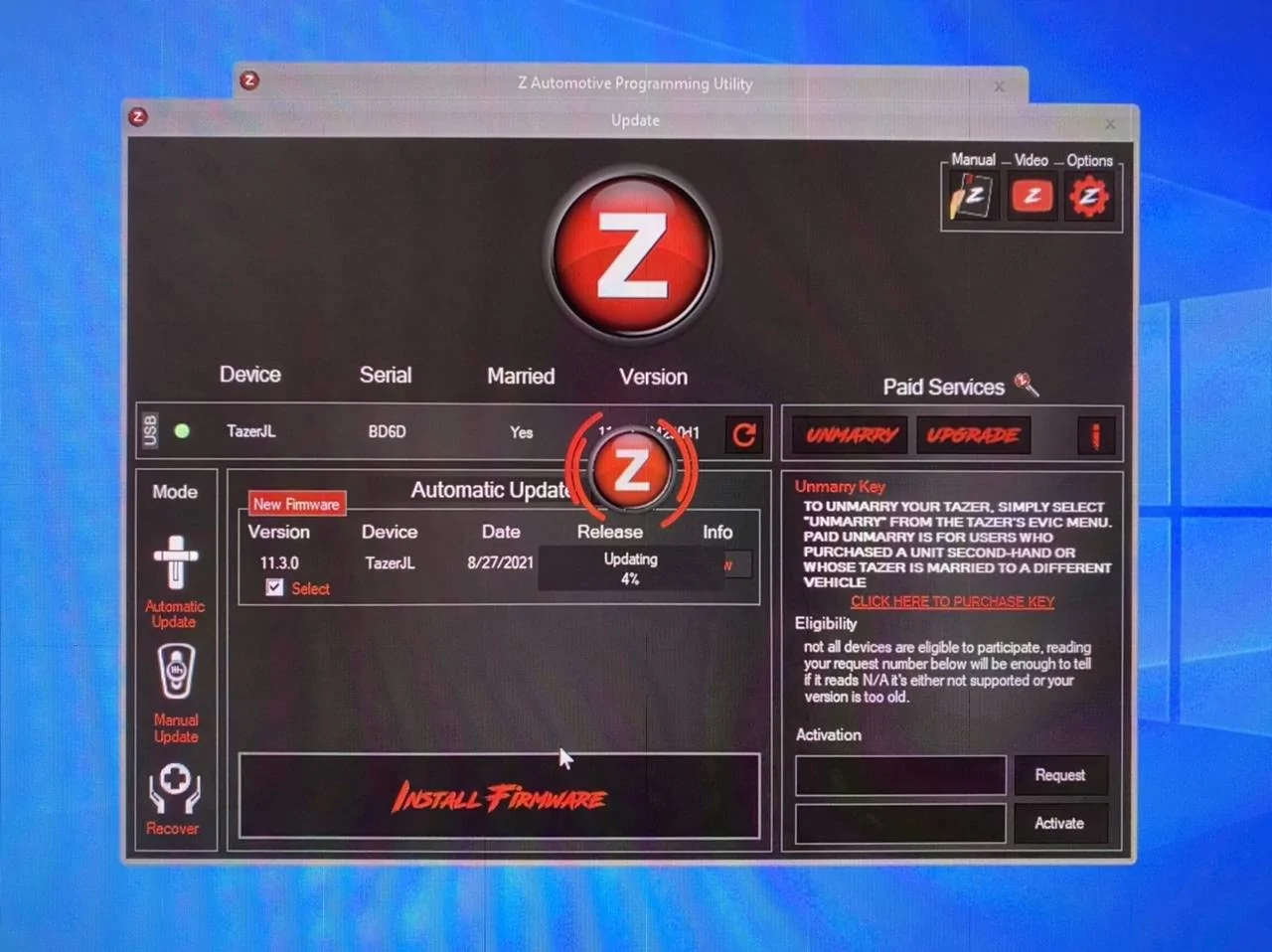
Z Automotive sent me updated drivers to try out on the Mac OS, but they didn’t work either. ?
Just posting this for any MacOS user out there.
Sponsored


