k1hog
Well-Known Member
- First Name
- Johnnie
- Joined
- Jun 8, 2019
- Threads
- 12
- Messages
- 73
- Reaction score
- 27
- Location
- Vivian Louisiana
- Vehicle(s)
- 2019 Jeep Wrangler JL
- Thread starter
- #1
Any thoughts on the new insane audio jl4001?
Sponsored




No the JL4001 by default uses IA Navigator (I believe that's the name) though I haven't actually used the navigation app yet except to make sure GPS satellites were visible. I'll put in a destination and try looking forward on the map this weekend to see if that works without causing issuesThanks for the post
Do you know if they are still using iGo Navigation for there GPS
My problem with iGo is every time I touch the screen to look forward it goes into SET DESTINATION and there is a red swirling circle. I just want to look move around on the map NOT SET DESTINATION
As far as the screen if you could
Put a white towel on the passenger seat back and drive around in daylight and see if you get a bad refection and can not read the screen
If it passes this test I will be swapping out my JL3001 for the JL4001
Thanks for your help
Larry
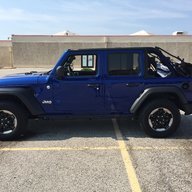
how tough was the install? is it actually plug and play?Long time lurker, first time poster
I thought I would chime in since I bought the JL4001 and installed it on Thursday (purchased directly from Insane Audio). So far really impressed with the head unit and the install was pretty straight forward, total install time was probably about 2 hours. I have the Alpine subwoofer from the factory as well and that was very easy to connect to the new head unit.
I have to say that the JL4001 is very responsive (including the navigation app) and so far have not had any issues seeing the display during the daytime. It's nice finally having an onboard GPS/navigation and connecting to WiFi at my house for updates/apps is a nice plus as well. Only thing I would say for install is don't be dumb like me and put the GPS antenna inside the dash (per manufacturer instructions). Some people apparently already know this but doesn't hurt to share lessons learned.
The only trouble I'm having is the backup camera not working but I reached out to Insane Audio's support yesterday and they have been very responsive, even had a call with one of their engineers yesterday evening. They are going to send me a replacement part that will be easy to swap out and we'll see if that fixes the issue.
It is essentially a plug and play upgrade. The only splicing you would have to do is if you are using more than just the factory backup cam but even that would be pretty straight-forward to do.how tough was the install? is it actually plug and play?