
Sponsored
Dear Admins, I didn't know this was AI, please delete this thread.
- Status
- Not open for further replies.


2nd 392
Well-Known Member




THAW
Well-Known Member
- First Name
- Foster
- Joined
- Oct 28, 2022
- Threads
- 4
- Messages
- 2,258
- Reaction score
- 3,116
- Location
- PNW - prefer Middle of Nowhere
- Vehicle(s)
- 23 JL4DrRubicon

YGBSM392
Well-Known Member
- First Name
- Kevin
- Joined
- Aug 24, 2022
- Threads
- 11
- Messages
- 1,040
- Reaction score
- 2,522
- Location
- Oklahoma City
- Vehicle(s)
- 2025 Rubicon 392, 2024 2-Door Rubicon X, 2024 Mojave X
- Occupation
- I fly da plane...
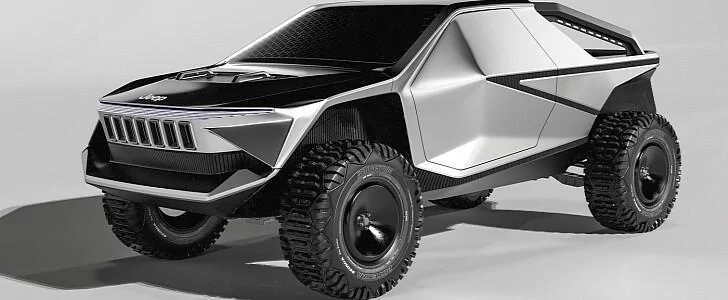
I no longer want to live in a world that would produce this...
Sponsored

Terrymo
Well-Known Member
Just call me Helpy Helperton and since I have nothing useful to add but I want to look smart, here you go
AI Overview
To delete an AI related thread on jlwranglerforums, you'll typically need to find the "Delete" option within the thread's menu or by hovering over the opening post, then clicking the trash icon.
Here's a more detailed breakdown:
Locate the Thread: Navigate to the forum and find the thread you want to delete.
Access the Thread Menu:
Hover over the opening post: Some forums allow you to hover over the first post in the thread, and a trash icon or "Delete" option will appear.
Check for a "Delete" button: Look for a "Delete" button or option within the thread's menu, often found near the top or bottom of the thread.
Confirm Deletion: If prompted, confirm that you want to delete the thread.
Note: You might not be able to delete a thread yourself if it has received a certain number of replies, in which case you may need to contact the forum administrators for assistance.
AI Overview
To delete an AI related thread on jlwranglerforums, you'll typically need to find the "Delete" option within the thread's menu or by hovering over the opening post, then clicking the trash icon.
Here's a more detailed breakdown:
Locate the Thread: Navigate to the forum and find the thread you want to delete.
Access the Thread Menu:
Hover over the opening post: Some forums allow you to hover over the first post in the thread, and a trash icon or "Delete" option will appear.
Check for a "Delete" button: Look for a "Delete" button or option within the thread's menu, often found near the top or bottom of the thread.
Confirm Deletion: If prompted, confirm that you want to delete the thread.
Note: You might not be able to delete a thread yourself if it has received a certain number of replies, in which case you may need to contact the forum administrators for assistance.
OP
OP

Flip
Well-Known Member
- Thread starter
- #22
I don't know about all that but I assumed I would get a few gifs similar to this. Where is everybody? It's a delete thread for the love of pete. Where's Beau!!!!!!Just call me Helpy Helperton and since I have nothing useful to add but I want to look smart, here you go
AI Overview
To delete an AI related thread on jlwranglerforums, you'll typically need to find the "Delete" option within the thread's menu or by hovering over the opening post, then clicking the trash icon.
Here's a more detailed breakdown:
Locate the Thread: Navigate to the forum and find the thread you want to delete.
Access the Thread Menu:
Hover over the opening post: Some forums allow you to hover over the first post in the thread, and a trash icon or "Delete" option will appear.
Check for a "Delete" button: Look for a "Delete" button or option within the thread's menu, often found near the top or bottom of the thread.
Confirm Deletion: If prompted, confirm that you want to delete the thread.
Note: You might not be able to delete a thread yourself if it has received a certain number of replies, in which case you may need to contact the forum administrators for assistance.

2nd 392
Well-Known Member
Just call me Helpy Helperton and since I have nothing useful to add but I want to look smart, here you go
AI Overview
To delete an AI related thread on jlwranglerforums, you'll typically need to find the "Delete" option within the thread's menu or by hovering over the opening post, then clicking the trash icon.
Here's a more detailed breakdown:
Locate the Thread: Navigate to the forum and find the thread you want to delete.
Access the Thread Menu:
Hover over the opening post: Some forums allow you to hover over the first post in the thread, and a trash icon or "Delete" option will appear.
Check for a "Delete" button: Look for a "Delete" button or option within the thread's menu, often found near the top or bottom of the thread.
Confirm Deletion: If prompted, confirm that you want to delete the thread.
Note: You might not be able to delete a thread yourself if it has received a certain number of replies, in which case you may need to contact the forum administrators for assistance.


TrailScooter
Well-Known Member

I no longer want to live in a world that would produce this...
That could be fixed with the right tool box...

Terrymo
Well-Known Member
Everybody fell asleep in the clown carI don't know about all that but I assumed I would get a few gifs similar to this. Where is everybody? It's a delete thread for the love of pete. Where's Beau!!!!!!

Sponsored
TrailScooter
Well-Known Member
Just call me Helpy Helperton and since I have nothing useful to add but I want to look smart, here you go
AI Overview
To delete an AI related thread on jlwranglerforums, you'll typically need to find the "Delete" option within the thread's menu or by hovering over the opening post, then clicking the trash icon.
Here's a more detailed breakdown:
Locate the Thread: Navigate to the forum and find the thread you want to delete.
Access the Thread Menu:
Hover over the opening post: Some forums allow you to hover over the first post in the thread, and a trash icon or "Delete" option will appear.
Check for a "Delete" button: Look for a "Delete" button or option within the thread's menu, often found near the top or bottom of the thread.
Confirm Deletion: If prompted, confirm that you want to delete the thread.
Note: You might not be able to delete a thread yourself if it has received a certain number of replies, in which case you may need to contact the forum administrators for assistance.
Damnit Terrymo, it's just this kind of attitude that gets things done.



- Joined
- Apr 28, 2023
- Threads
- 29
- Messages
- 3,638
- Reaction score
- 7,877
- Location
- Twin Peaks
- Vehicle(s)
- 2025 Wrangler 2-door
- Banned
- #28
Let's ride...just like old times!!



YGBSM392
Well-Known Member
- First Name
- Kevin
- Joined
- Aug 24, 2022
- Threads
- 11
- Messages
- 1,040
- Reaction score
- 2,522
- Location
- Oklahoma City
- Vehicle(s)
- 2025 Rubicon 392, 2024 2-Door Rubicon X, 2024 Mojave X
- Occupation
- I fly da plane...
NIGHT RIDER!!!!!!Now you're talking buddy! Wahoo!!!

Sponsored
- Status
- Not open for further replies.


