Sponsored

2025 Uconnect?

Brotman

Member
First Name
Mark
Joined
Feb 6, 2026
Threads
4
Messages
12
Reaction score
5
Location
Chicago
Vehicle(s)
2025 2 door Wrangler
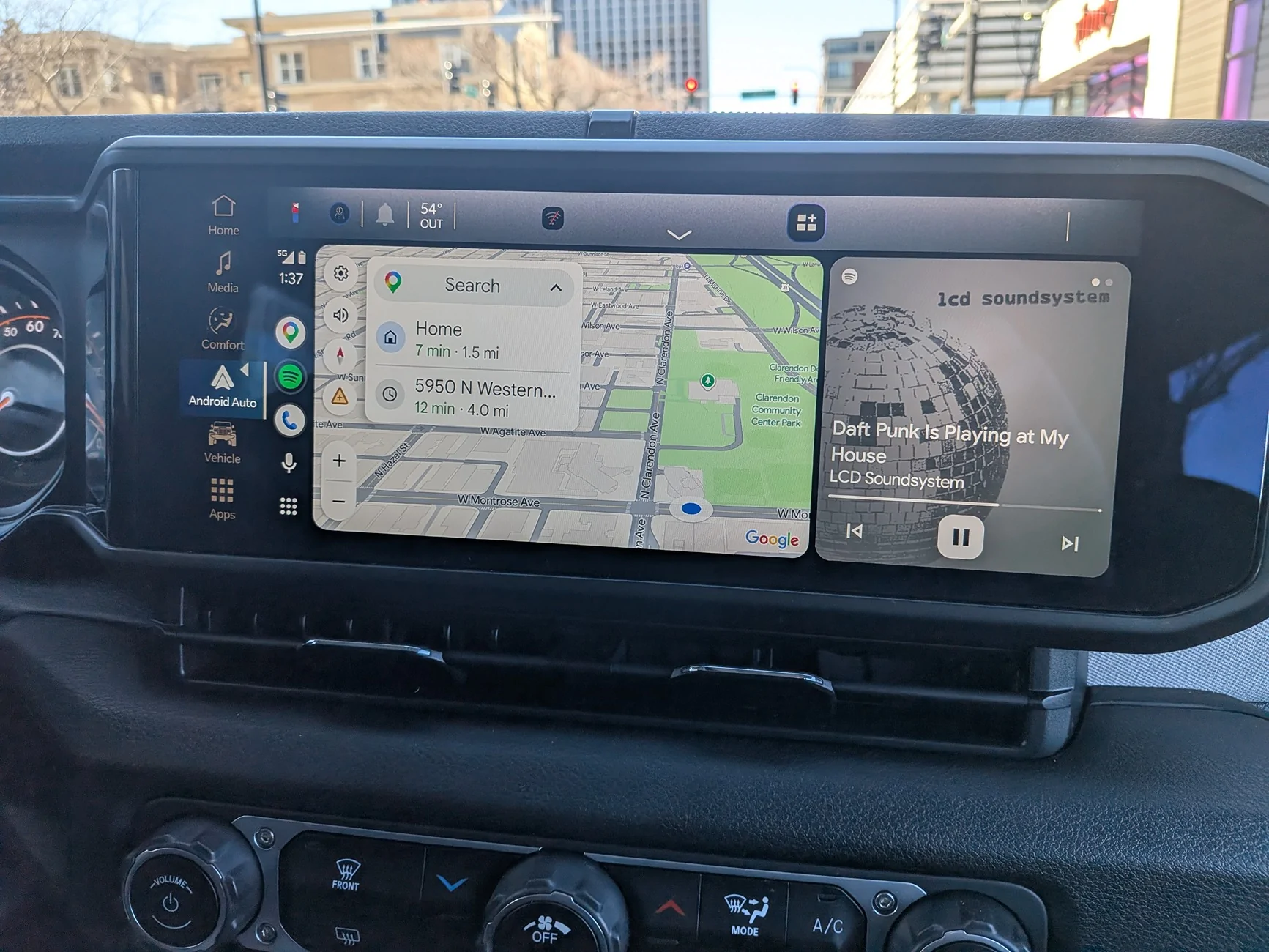
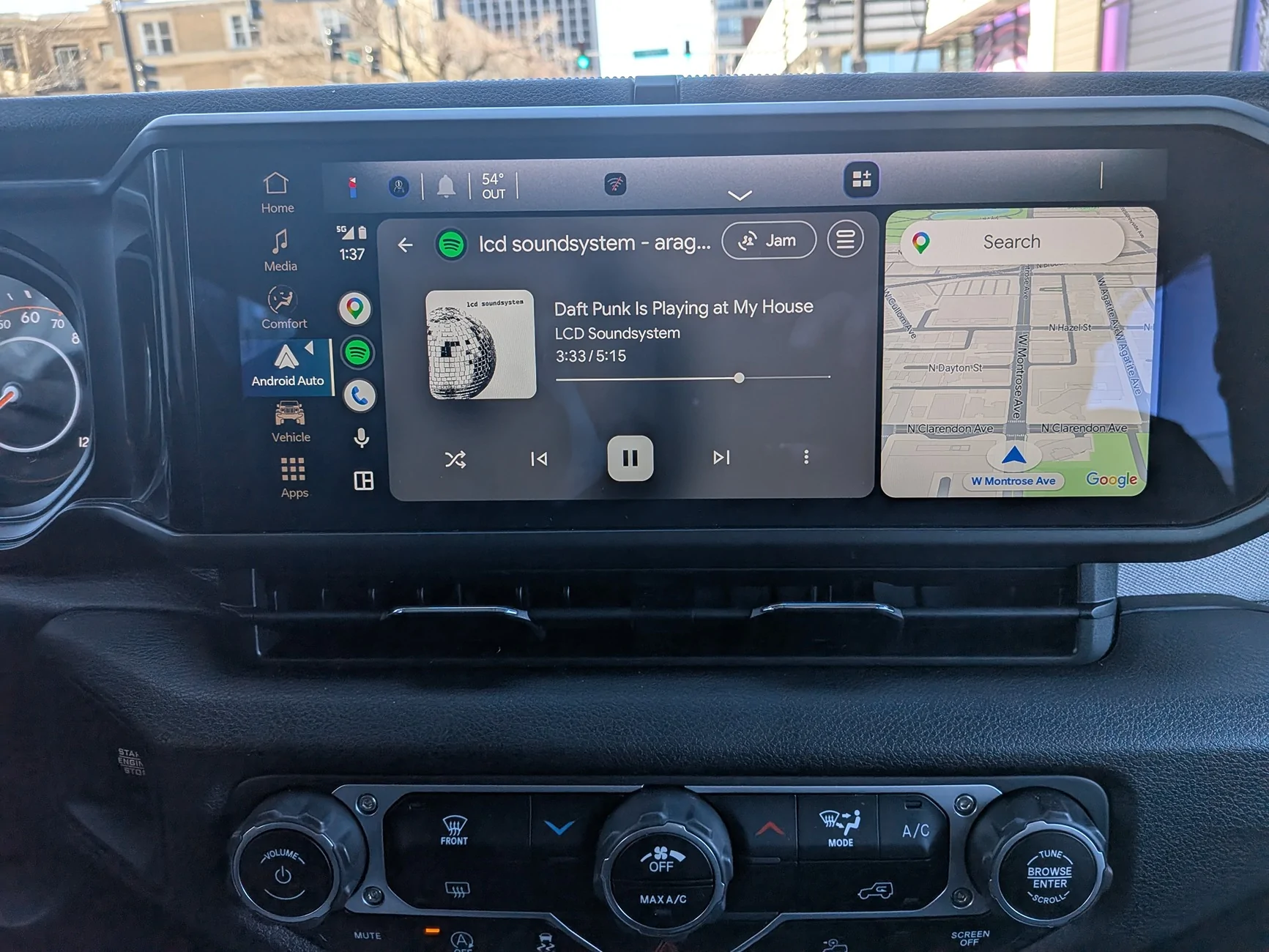
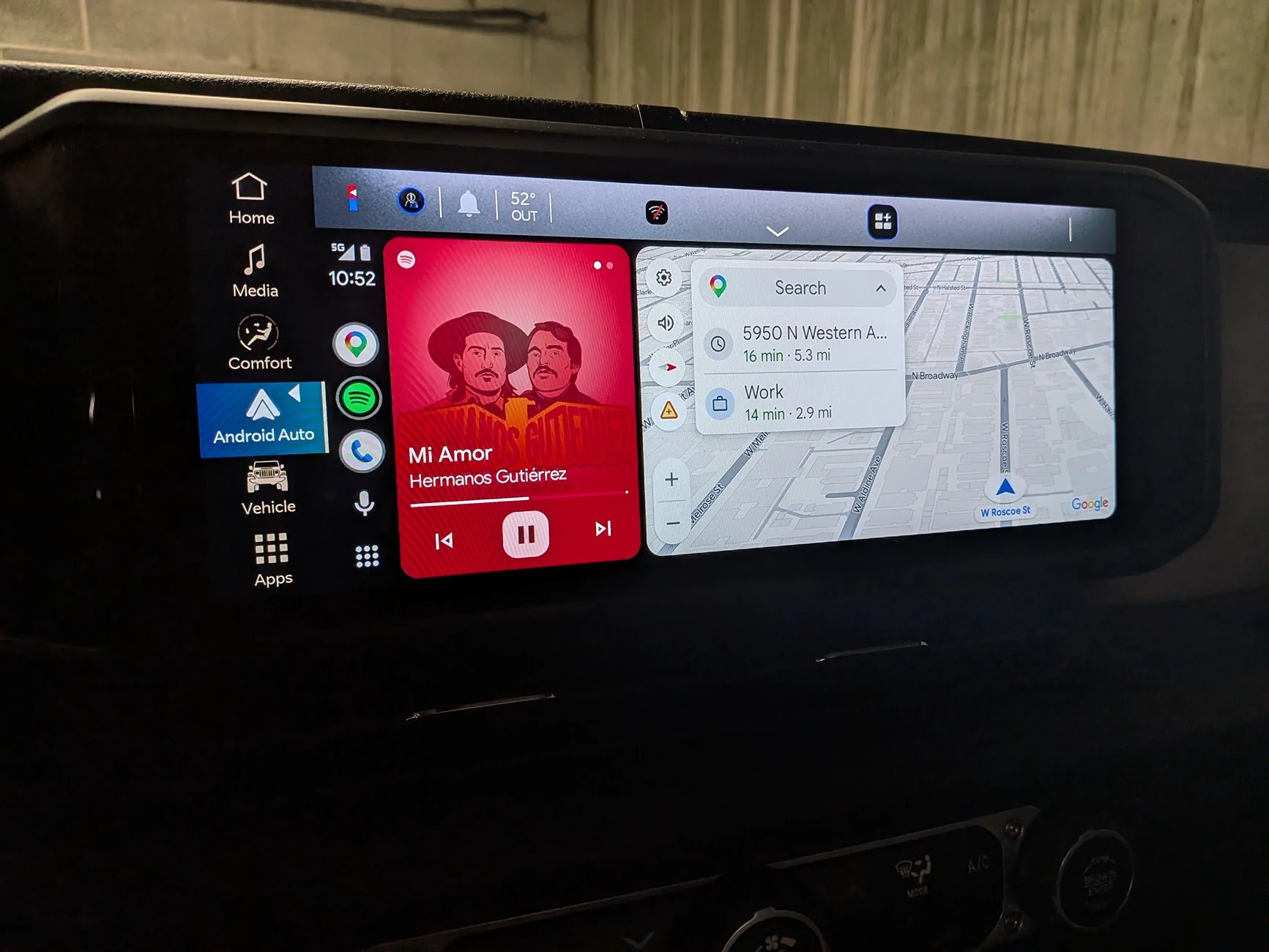
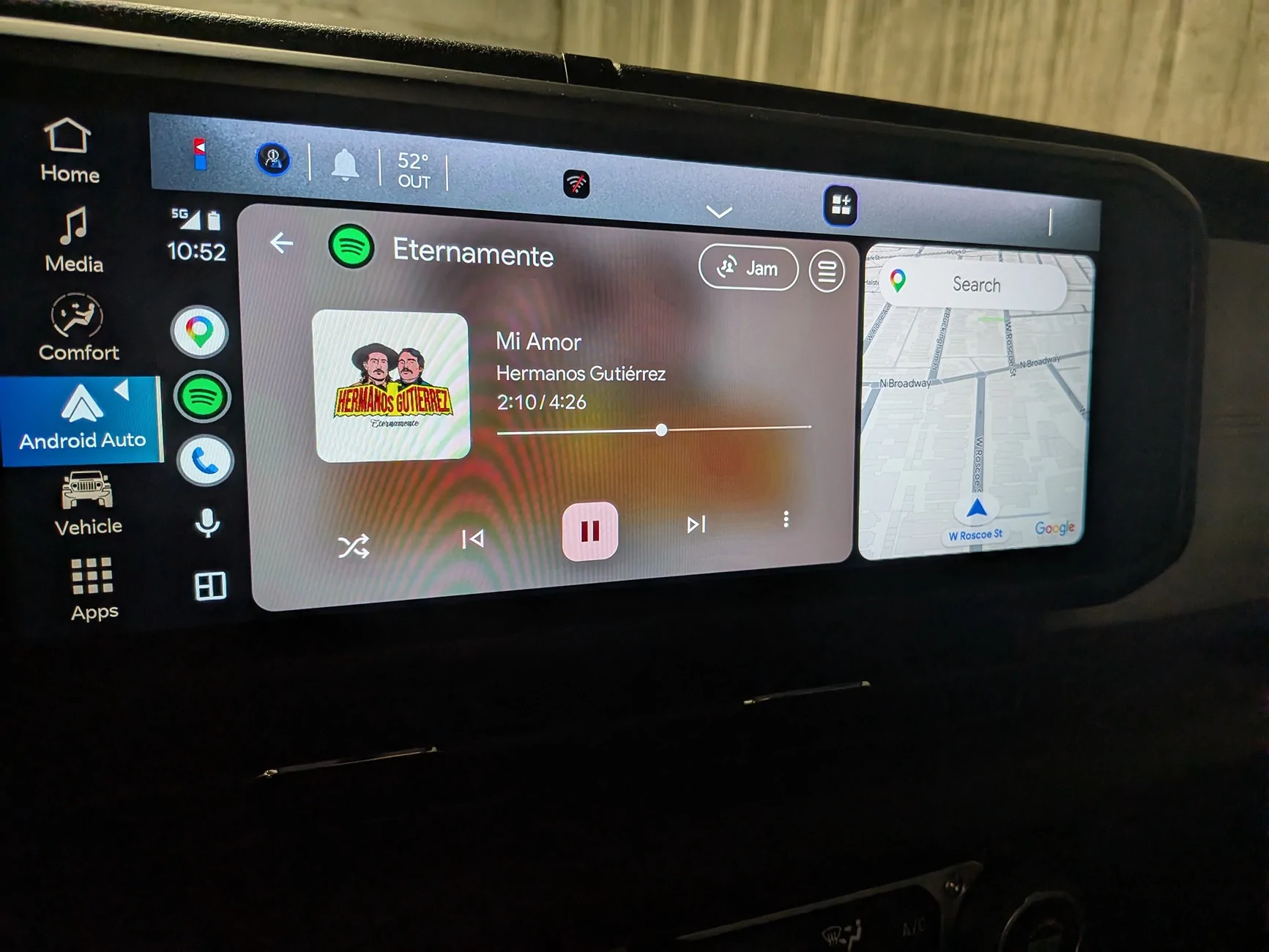
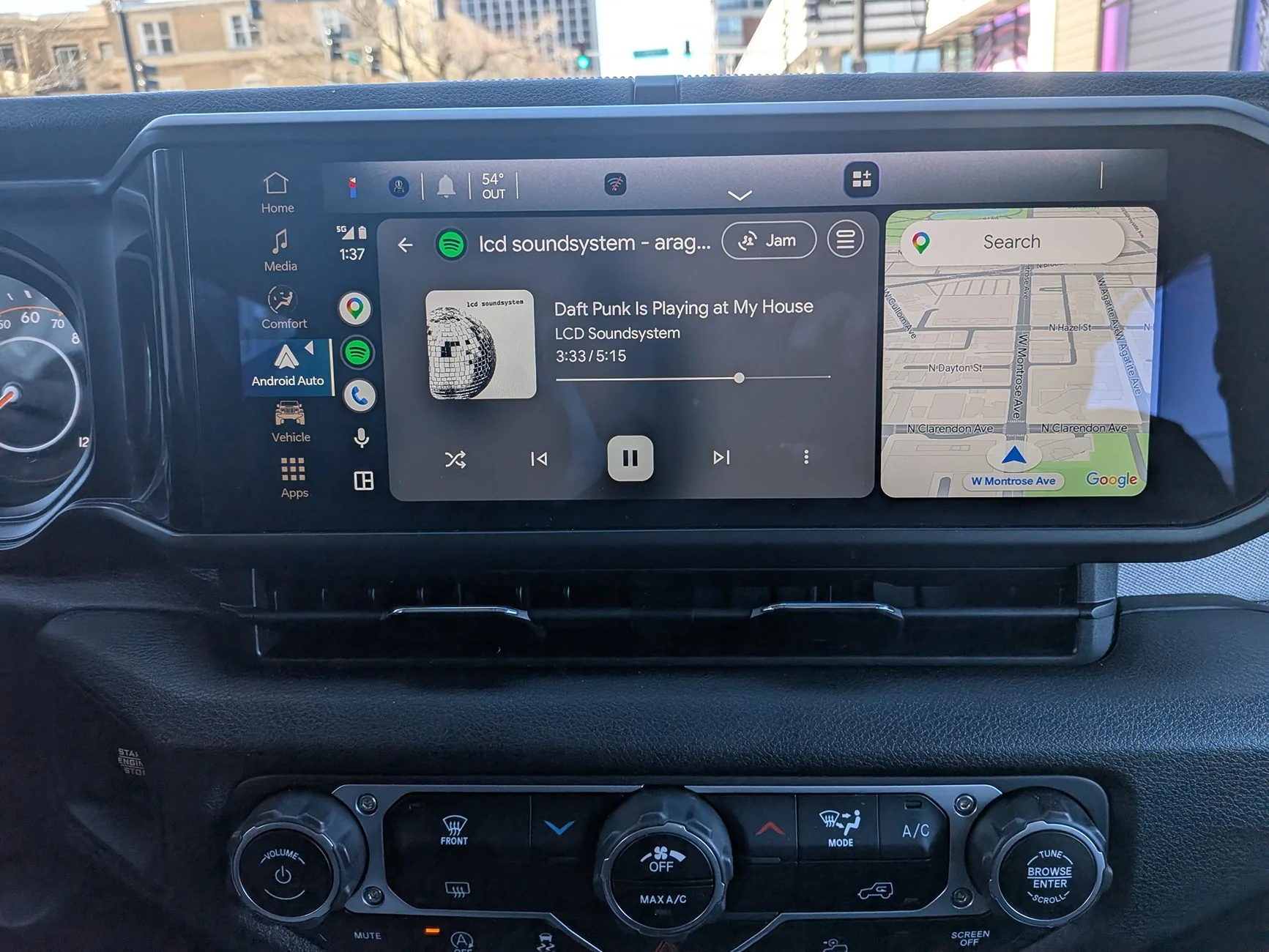
does anyone have an accurate link for the uconnect 2025 Wrangler. every one I watch is different than the next. I'm trying to customize the screen using Android auto. the default screen always keeps the map, not navigation but Google maps from Android, on the left and larger and Spotify on the right. I would like that reversed as a default and can't figure out how to do it.

Jeep Wrangler JL 2025 Uconnect? PXL_20260308_183759491


Jeep Wrangler JL 2025 Uconnect? PXL_20260308_183743848
Sponsored


TrentYoung

Well-Known Member
First Name
Trent
Joined
Nov 9, 2023
Threads
0
Messages
455
Reaction score
543
Location
Phoenix
Vehicle(s)
2024 Jeep Wrangler Rubicon X 4Xe
On Apple Car Play you just take your finger and move it to where you want it by sliding it.
 

Staccato

Member
Joined
Apr 17, 2025
Threads
0
Messages
15
Reaction score
10
Location
USA
Vehicle(s)
2025 Jeep Wrangler Rubicon 2 Door
I researched this awhile back. And yes, you can change the default layout. But it also moves the strip of quick-launch app icons to the far right side of the screen as well. Here's the instructions I found:

Yes, you can absolutely reverse this layout. However, the adjustment is actually made in the Android Auto settings on your phone, rather than through your Jeep's Uconnect system.

Android Auto is designed by default to place the navigation app closest to the driver's side. To move Google Maps to the right and Spotify to the left, you just need to tell the app that you are in a right-hand drive vehicle.

How to Swap the Split Screen Layout

  1. Disconnect your phone from your vehicle. You cannot access the full settings menu while the phone is actively projecting to the Uconnect screen.

  2. Open the Settings app on your Android phone.

  3. Search for Android Auto and tap to open its settings menu.

  4. Scroll down and tap on Driver seat location.

  5. Change the setting from "Default (set by vehicle)" or "Left" to "Right".
Note: On some versions of the app, this might be located under a broader Change layout menu where you can explicitly toggle whether you want "Navigation" or "Media" closer to the driver.

6. Reconnect your phone to your vehicle.​

When Android Auto boots back up, Google Maps will be on the right and Spotify will be on the left. Keep in mind that doing this will also move your Android Auto taskbar (the strip of quick-launch app icons) to the far right side of the screen as well.
 
OP
OP

Brotman

Member
First Name
Mark
Joined
Feb 6, 2026
Threads
4
Messages
12
Reaction score
5
Location
Chicago
Vehicle(s)
2025 2 door Wrangler
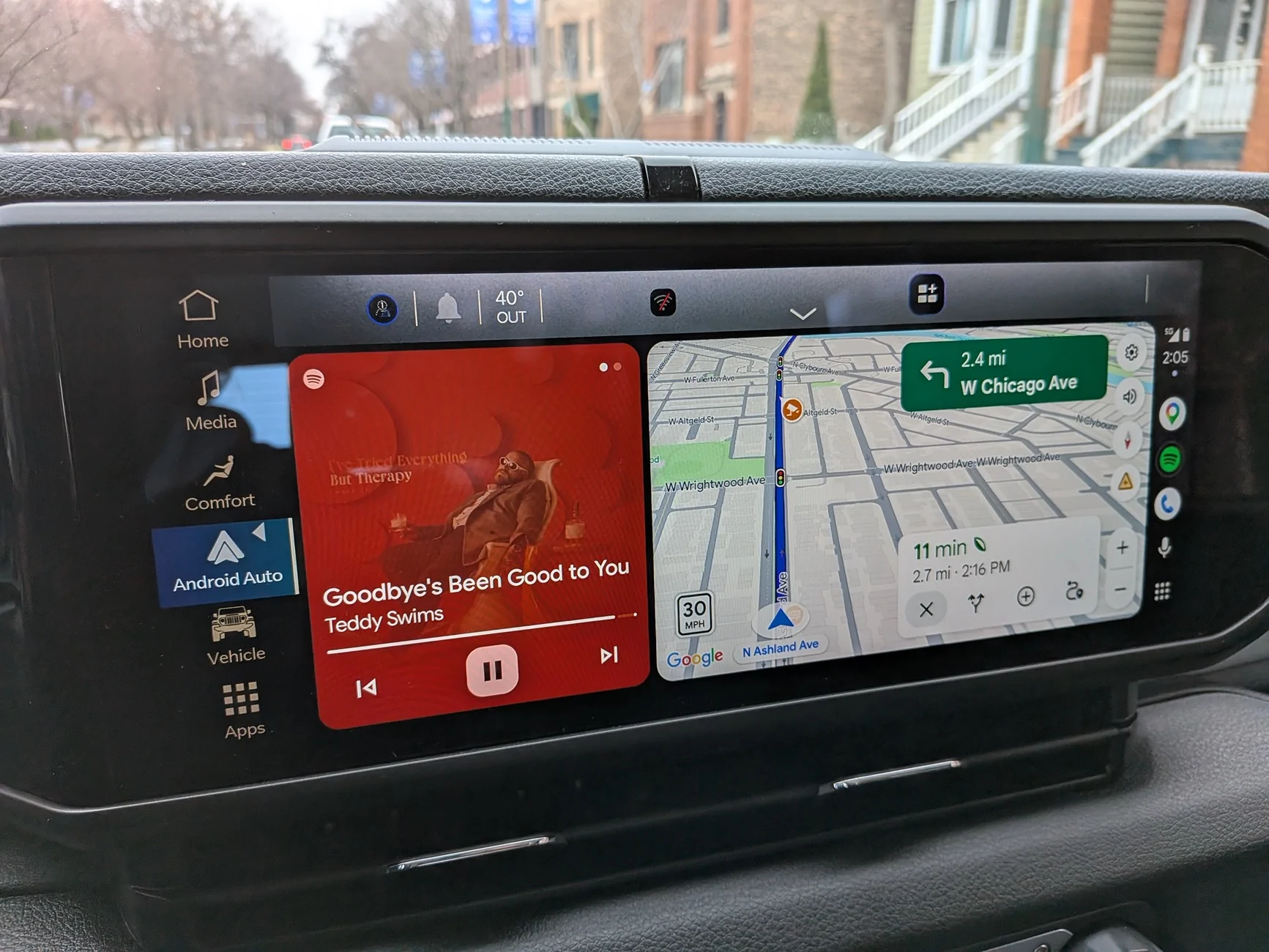
hey thanks, that did move the default layout, Left to right, but still the default seems to be the Google maps is 3/4 of a screen and the music one quarter of the screen, what I'm just hoping to do is to avoid having to tap the music to move it left and shrink essentially the maps. so first picture is what you got me to do and the second picture is what I'm hoping to make the default without the tap to swap, obviously not the biggest deal in the world but somehow annoying to me.

where did you get that information is that just from a Jeep manual ?

Jeep Wrangler JL 2025 Uconnect? PXL_20260310_190525533


Jeep Wrangler JL 2025 Uconnect? PXL_20260308_183759491
 

Staccato

Member
Joined
Apr 17, 2025
Threads
0
Messages
15
Reaction score
10
Location
USA
Vehicle(s)
2025 Jeep Wrangler Rubicon 2 Door
I did a google search and asked the AI overlord (from which the info came from). I came to the conclusion that there is no way to have the system default to the exact layout you & I both would rather have.
 

Sponsored

heynavt1

Active Member
Joined
Oct 7, 2025
Threads
1
Messages
26
Reaction score
20
Location
Freeport, FL
Vehicle(s)
Ram 3500
mine defaults the maps to the left, unless I had the music on the left when the Jeep is shut off. Whatever configuration it was at when I shut off is what it is when I get back in and start her up. But that might be because of a setting somewhere,. Spent more hours than I want doing all kinds of playing with settings.
 
OP
OP

Brotman

Member
First Name
Mark
Joined
Feb 6, 2026
Threads
4
Messages
12
Reaction score
5
Location
Chicago
Vehicle(s)
2025 2 door Wrangler
thanks all,
my 2025 uconn, does not stay with the current position after turning off the wrangler and then fixed at a re-start. i guess all that can be done is the tap to swap every time i get in the jeep.

this is maddening ! ( tho not the biggest issue )
 

GinaC

Well-Known Member
First Name
Gina
Joined
Jul 18, 2024
Threads
8
Messages
1,188
Reaction score
2,129
Location
Newport, VT
Vehicle(s)
2026 Willys 2.0T 2DR Hard Top in Mojito built for me!
I also use Android Auto and have the vehicle auto-connect to my phone when I start it up.

I HATE HATE HATE that it will switch to the Android Auto screen by itself every single time.

Just stay on my Sirius XM screen, damn you! :angry:

(Has anybody found a remedy for this?)
 

Staccato

Member
Joined
Apr 17, 2025
Threads
0
Messages
15
Reaction score
10
Location
USA
Vehicle(s)
2025 Jeep Wrangler Rubicon 2 Door
I also use Android Auto and have the vehicle auto-connect to my phone when I start it up.

I HATE HATE HATE that it will switch to the Android Auto screen by itself every single time.

Just stay on my Sirius XM screen, damn you! :angry:

(Has anybody found a remedy for this?)
The AI overlord has suggestions:

Yes, you can stop Android Auto from automatically taking over the screen on startup. The Uconnect 5 system is designed to prioritize wireless smartphone projection, but you can change this behavior by tweaking a few settings on both your phone and the Uconnect screen.

Here are the most effective ways to make your system default to SiriusXM:

1. Adjust Settings on Your Android Phone

The most reliable method is to stop the Android Auto app from aggressively forcing a connection from your phone's side.

  • Open your phone's Settings and search for Android Auto.


  • Scroll down to the setting called Start Android Auto automatically.


  • Change the selection from "Always" to "If used on last drive".


  • Find the toggle for Start Android Auto while locked and turn it off.

If you turn off your Jeep while SiriusXM is playing, these settings should ensure it boots right back up to the SiriusXM screen on your next drive instead of instantly launching the projection screen.

2. Disable Wireless Auto-Connect in Uconnect 5

If tweaking the phone settings doesn't completely solve the issue, you can manage the connection directly through the Uconnect system. This keeps your phone connected for regular Bluetooth calls but requires a manual tap to launch Android Auto.

  • On your Uconnect screen, go to Phone > Device Manager.
  • Find your paired phone in the list. Next to your device, you will see icons for Phone, Music, and Android Auto.
  • Tap the Android Auto icon to deselect it.
Your Jeep will now default to its native screens (like the radio) on startup. When you actually want to use Google Maps or your phone's media apps, you can just tap the Android Auto widget on your home screen to launch it manually.

3. Turn Off Auto Play
Sometimes the Uconnect system tries to automatically pull audio from a connected device the moment it pairs.

  • On the Uconnect screen, go to Media > Audio Settings.
  • Locate the Auto Play feature and turn it off.
 
OP
OP

Brotman

Member
First Name
Mark
Joined
Feb 6, 2026
Threads
4
Messages
12
Reaction score
5
Location
Chicago
Vehicle(s)
2025 2 door Wrangler
ok finally, thanks Staccato, I had no idea that many of the settings for the uconnect are on the Android auto app itself. so now I did switch the media to the left and I'm just about satisfied except I would prefer the sizing of those windows to be different. i want the media big and the map small, so another tap to do that!​

Jeep Wrangler JL 2025 Uconnect? PXL_20260311_155242305


Jeep Wrangler JL 2025 Uconnect? PXL_20260311_155235184
 

GinaC

Well-Known Member
First Name
Gina
Joined
Jul 18, 2024
Threads
8
Messages
1,188
Reaction score
2,129
Location
Newport, VT
Vehicle(s)
2026 Willys 2.0T 2DR Hard Top in Mojito built for me!
Hey @Staccato this worked, thank you!


  • Open your phone's Settings and search for Android Auto.


  • Scroll down to the setting called Start Android Auto automatically.


  • Change the selection from "Always" to "If used on last drive".
Sponsored


Top