Sponsored

Jeep humor waiting room ( ** NO POLITICS ** )


Sponsored

Krondor

Well-Known Member
Joined
Jan 23, 2018
Threads
49
Messages
30,827
Reaction score
212,631
Location
Here, but soon there
Vehicle(s)
2018 Punk'n Jeep Wrangler JLR
Build Thread
Link
Mornin Jeep Peeps!

Still seeing some effects of that stupid weknow.ac shit! Just can't seem to get Chrome to run correctly and even Safari has some issues when trying to read JHWR. I was able to get Firefox installed and working fine and that's what I"m using for now. I'll probably give Apple another call and see if they can help me with Safari or if it's just a matter of reinstalling the OS.
Burn it! Killz it with FIRE!


- Boot scanner to scan your system before starting the OS. Look up Mac virus scanners that you can get on disk. This will allow you to find the malware before it loads into memory. If you have the OS on disk and don't need any of the files on the system, that is my preferred sledge hammer approach.

:)

Then make sure you have a virus scanner and don't install software you are unsure of.
 

Sponsored

obwahn

Well-Known Member
First Name
Mike
Joined
Feb 3, 2018
Threads
1
Messages
29,340
Reaction score
179,113
Location
Inland Empire
Website
www.youtube.com
Vehicle(s)
2018 JLR (Wrikki), 2018 Grand Sport (V)
Occupation
Retired puter dork
Vehicle Showcase
1
@Lurvis33

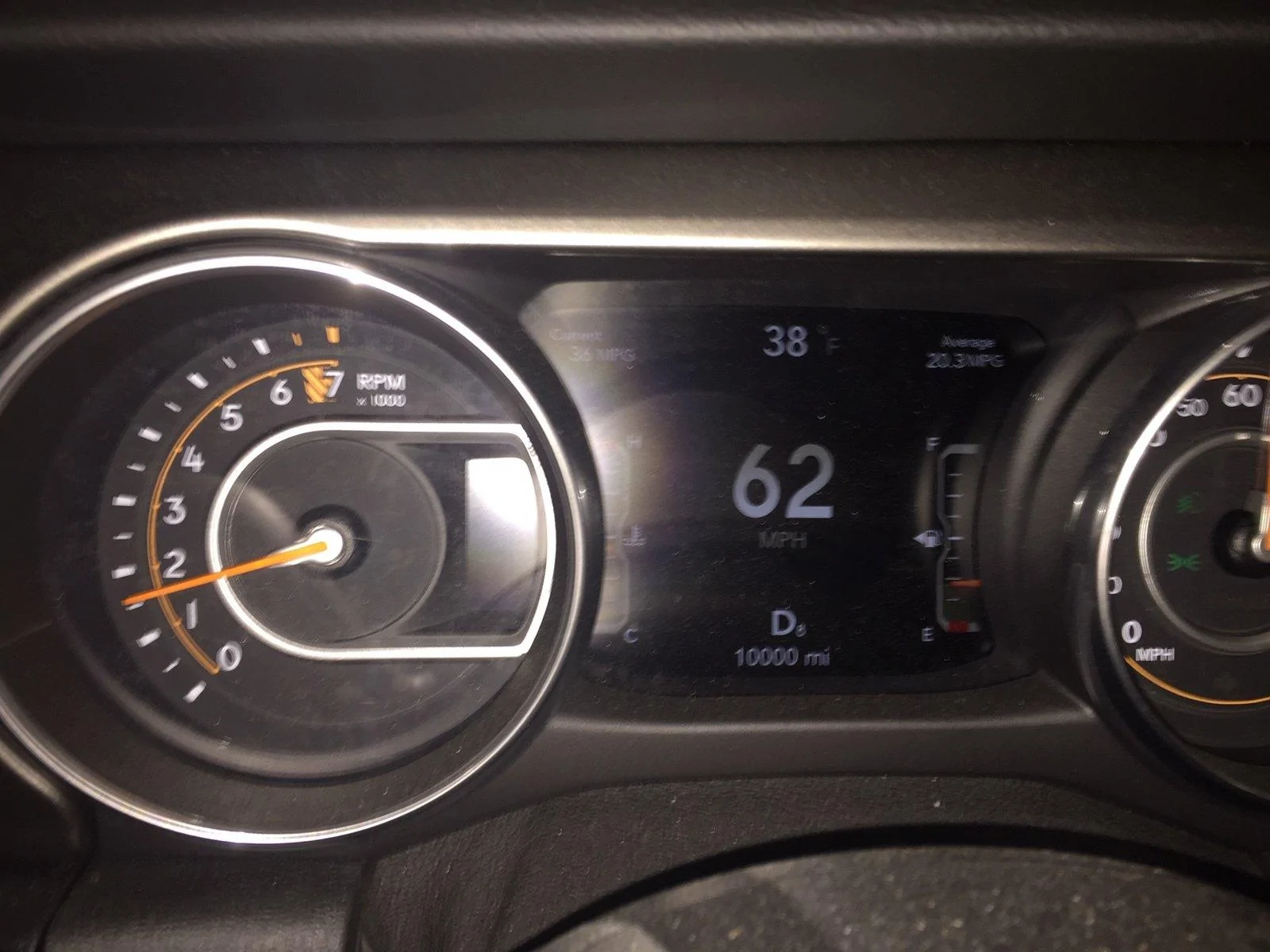
Luke, Is there any way to clear the flash out of this photo? I couldn't (safely) get the flash turned off in time.

IMG_1349.webp
Current MPG=36! eeeehaaaaa! Downhill with a tail wind! :)
 

CrazyKASG

Well-Known Member
Joined
Mar 4, 2018
Threads
0
Messages
16,835
Reaction score
82,267
Location
Minnesota
Vehicle(s)
2018 JLUR (JRex)
Quite a bit warmer today. Supposed to be pushing 60! It didn't get out of the 30's on Tuesday! We live on a roller coaster around here. Its always interesting.
If any of you in the colder climates ever get tired of it, your welcome to come join us. Be glad to have some more good Jeep folks down here.
Keeping this in mind...
 

obwahn

Well-Known Member
First Name
Mike
Joined
Feb 3, 2018
Threads
1
Messages
29,340
Reaction score
179,113
Location
Inland Empire
Website
www.youtube.com
Vehicle(s)
2018 JLR (Wrikki), 2018 Grand Sport (V)
Occupation
Retired puter dork
Vehicle Showcase
1
Burn it! Killz it with FIRE!


- Boot scanner to scan your system before starting the OS. Look up Mac virus scanners that you can get on disk. This will allow you to find the malware before it loads into memory. If you have the OS on disk and don't need any of the files on the system, that is my preferred sledge hammer approach.

:)

Then make sure you have a virus scanner and don't install software you are unsure of.
Thx, it was a totally boneheaded move on my part. I should not have fired up that installer I found in my downloads dir since I wasn't sure why it was still sitting there. But it said flashplayer so I went ahead. BIG mistake. Live and learn, hopefully.

The malware is gone except there seems to be some after shock. Apple helped me rid my browser of it but now Safari won't play video files, like Mr Dan's happy doggy video. It just flashes a spinning circle and then ends. I'll see what they suggest.


Top