Rhinebeck01
Well-Known Member
- Joined
- May 9, 2018
- Threads
- 169
- Messages
- 12,679
- Reaction score
- 19,169
- Location
- Ormond Beach, Florida
- Vehicle(s)
- '18 JL Rubi, '26 Cybertruck, '01 Harley FatBoy
- Occupation
- Retired at 55 ..
- Thread starter
- #1
I had a local fellow who owns a JL stop me today and ask me to help him get Android Auto to work with his Samsung S20 cellphone. He has been trying to get his Samsung S20 cellphone to work with Android Auto for weeks now, to no avail. It did work with his old Samsung S10. He had the dealer look at it and they could not get it going with his new S20... Android Auto, reps claimed the S20 should be compatible with it. Hmmmmm........
Anyway, I successfully got it working for him. Here's how........
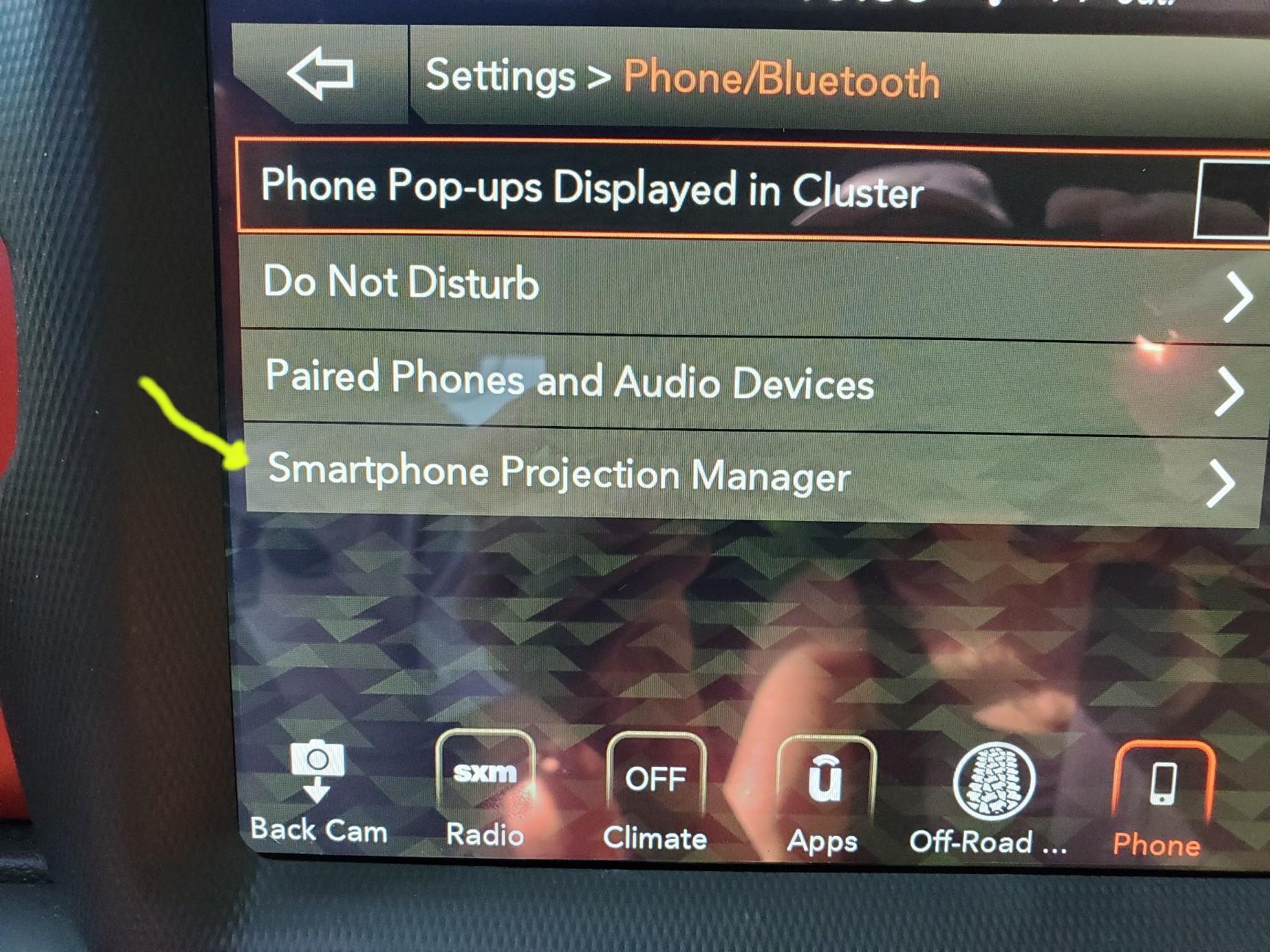
First thing I did was to go to UConnect and unpair his Samsung S20. After that I went to UConnect...... Settings>Phone/Bluetooth and then to Smartphone Projection Manager. In Smartphone Projection Manager, I found three, Android phones listed.... Not sure why... ANYWAY, I deleted all Samsung's listed in Smartphone Projection Manager and then went and paired the guy's Samsung S20. Android Auto, immediately started working when we connected the S20 to the USB port. 8-)
SO, if you are having trouble getting Android Auto working with a cellphone, do be sure you have a decent cable between USB post and your cellphone and then, if you can't get Android Auto working, remember the info in this post.

Anyway, I successfully got it working for him. Here's how........
First thing I did was to go to UConnect and unpair his Samsung S20. After that I went to UConnect...... Settings>Phone/Bluetooth and then to Smartphone Projection Manager. In Smartphone Projection Manager, I found three, Android phones listed.... Not sure why... ANYWAY, I deleted all Samsung's listed in Smartphone Projection Manager and then went and paired the guy's Samsung S20. Android Auto, immediately started working when we connected the S20 to the USB port. 8-)
SO, if you are having trouble getting Android Auto working with a cellphone, do be sure you have a decent cable between USB post and your cellphone and then, if you can't get Android Auto working, remember the info in this post.
Sponsored