Sponsored

How To: Install Stinger 4-camera DVR system & Echomaster 7" screen

RubiDukkie

Well-Known Member
First Name
David
Joined
Oct 27, 2022
Threads
2
Messages
73
Reaction score
43
Location
Virginia
Vehicle(s)
2021 Jeep Gladiator Rubicon
@C.Sco, really nice write-up. I see the monitor supports only two channels, but you have it working with four cameras. I take it there is no correlation between the two?
Ooops, I just realized the Stinger camera system comes with a video multiplexer, so I'm guessing that it takes care of splitting the screen, meaning you only actually need one channel input to the monitor. Please correct me if I got that wrong.
Sponsored

 
OP
OP
C.Sco

C.Sco

Well-Known Member
Joined
Mar 19, 2023
Threads
13
Messages
1,264
Reaction score
2,698
Location
California
Vehicle(s)
2023 4xe Rubicon
Build Thread
Link
Vehicle Showcase
1
Ooops, I just realized the Stinger camera system comes with a video multiplexer, so I'm guessing that it takes care of splitting the screen, meaning you only actually need one channel input to the monitor. Please correct me if I got that wrong.
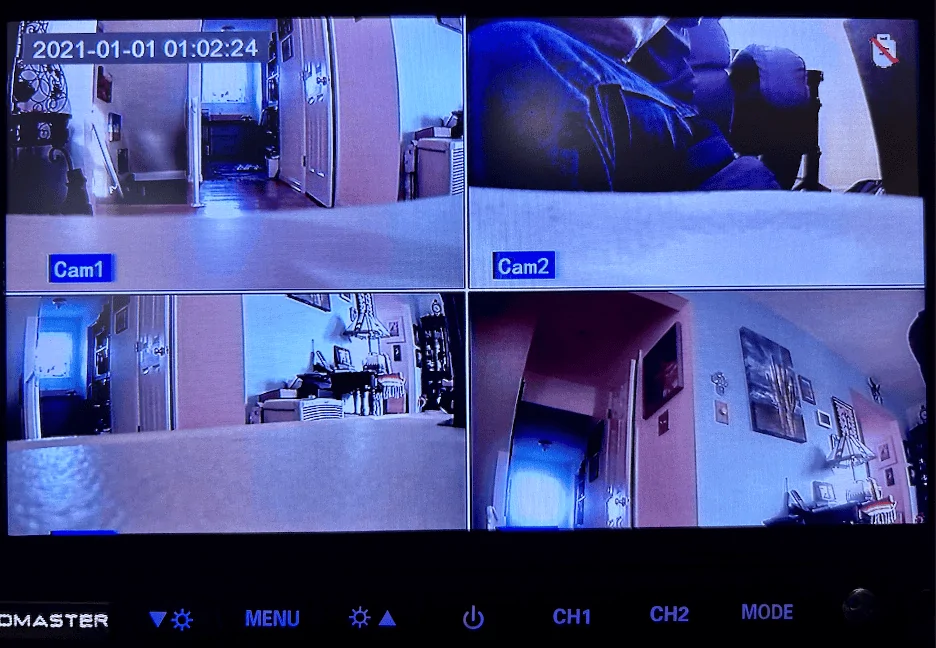
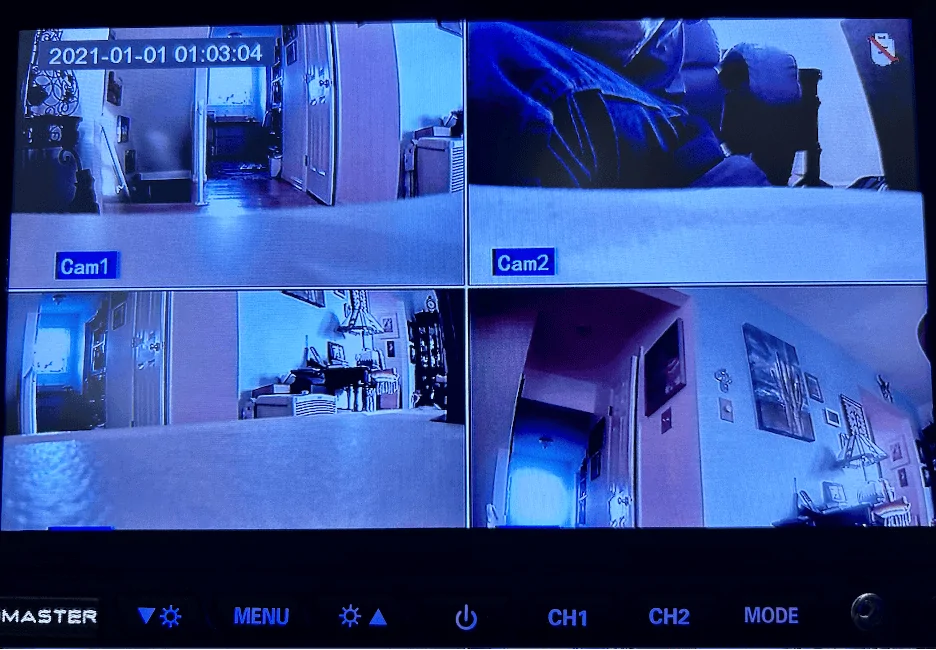
Yes that is correct, the monitor itself has 2 video inputs but it's actually only using 1 of them. The video multiplexer module tucked under the dash handles the 4-way video feed and sends out 1 video output. You can use the remote control, or the button I have mounted under my steering column, to control which feeds show up on the screen at any given time.

And if you really wanted to, you could get a second multiplexer and 4 more cameras, connect to the 2nd channel of the monitor, and toggle between 8 cameras.

With some infotainment screens you could actually run the video feed from the multiplexer into your infotainment, and not even have a second monitor at all. But from what I understand, this wouldn't work with my 8.4" infotainment screen for some reason - and I didn't really want to, anyways, because I like being able to use my infotainment screen and view my cameras at the same time.

99% of the time, I leave it on the 4-camera mode so I can see everything all at once. Once or twice, I've set it to view only one camera full-screen when I really wanted to closely examine what was going on underneath, but that's a pretty rare occurrence because I can generally see more than enough detail in the quarter-screen view.
 

RubiDukkie

Well-Known Member
First Name
David
Joined
Oct 27, 2022
Threads
2
Messages
73
Reaction score
43
Location
Virginia
Vehicle(s)
2021 Jeep Gladiator Rubicon
How often do you have to clean the underneath cameras, especially when venturing on muddy trails? Also, is that monitor location still working well for you?
 
OP
OP
C.Sco

C.Sco

Well-Known Member
Joined
Mar 19, 2023
Threads
13
Messages
1,264
Reaction score
2,698
Location
California
Vehicle(s)
2023 4xe Rubicon
Build Thread
Link
Vehicle Showcase
1
How often do you have to clean the underneath cameras, especially when venturing on muddy trails? Also, is that monitor location still working well for you?
Surprisingly, almost never! I know that sounds unbelievable, but I have only really gotten underneath to rub crud off my camera lenses maybe twice since I installed them. I honestly thought it would need to be like a weekly thing when I put them in, but that hasn't been the case at all. Did the whole Rubicon trail without having to wipe them off at all.

One time I did get a glob of mud covering one of the cameras, and instead of wiping it off I just veered into a big puddle and hit the gas to spin up a flood of water which rinsed it right off :LOL:

It's made me realize that the washer nozzle on the OEM trailcam is probably just a gimmick, I can't imagine it really needs to be washed very often considering how little the ones I have underneath need it.
 

RubiDukkie

Well-Known Member
First Name
David
Joined
Oct 27, 2022
Threads
2
Messages
73
Reaction score
43
Location
Virginia
Vehicle(s)
2021 Jeep Gladiator Rubicon
Good to know
Surprisingly, almost never! I know that sounds unbelievable, but I have only really gotten underneath to rub crud off my camera lenses maybe twice since I installed them.
Good to know! I am looking into a similar setup using the 7" EchoMaster monitor. Would like to have it in place before I head out to Colorado and Moab in mid-May, after Easter Jeep Safari is over. The only thing I'm on the fence about is the mounting location. Either on the side like you did or a more center dash mounting solution using a system from Bulletpoint or 67 Designs.
 

Sponsored

OP
OP
C.Sco

C.Sco

Well-Known Member
Joined
Mar 19, 2023
Threads
13
Messages
1,264
Reaction score
2,698
Location
California
Vehicle(s)
2023 4xe Rubicon
Build Thread
Link
Vehicle Showcase
1
Good to know


Good to know! I am looking into a similar setup using the 7" EchoMaster monitor. Would like to have it in place before I head out to Colorado and Moab in mid-May, after Easter Jeep Safari is over. The only thing I'm on the fence about is the mounting location. Either on the side like you did or a more center dash mounting solution using a system from Bulletpoint or 67 Designs.
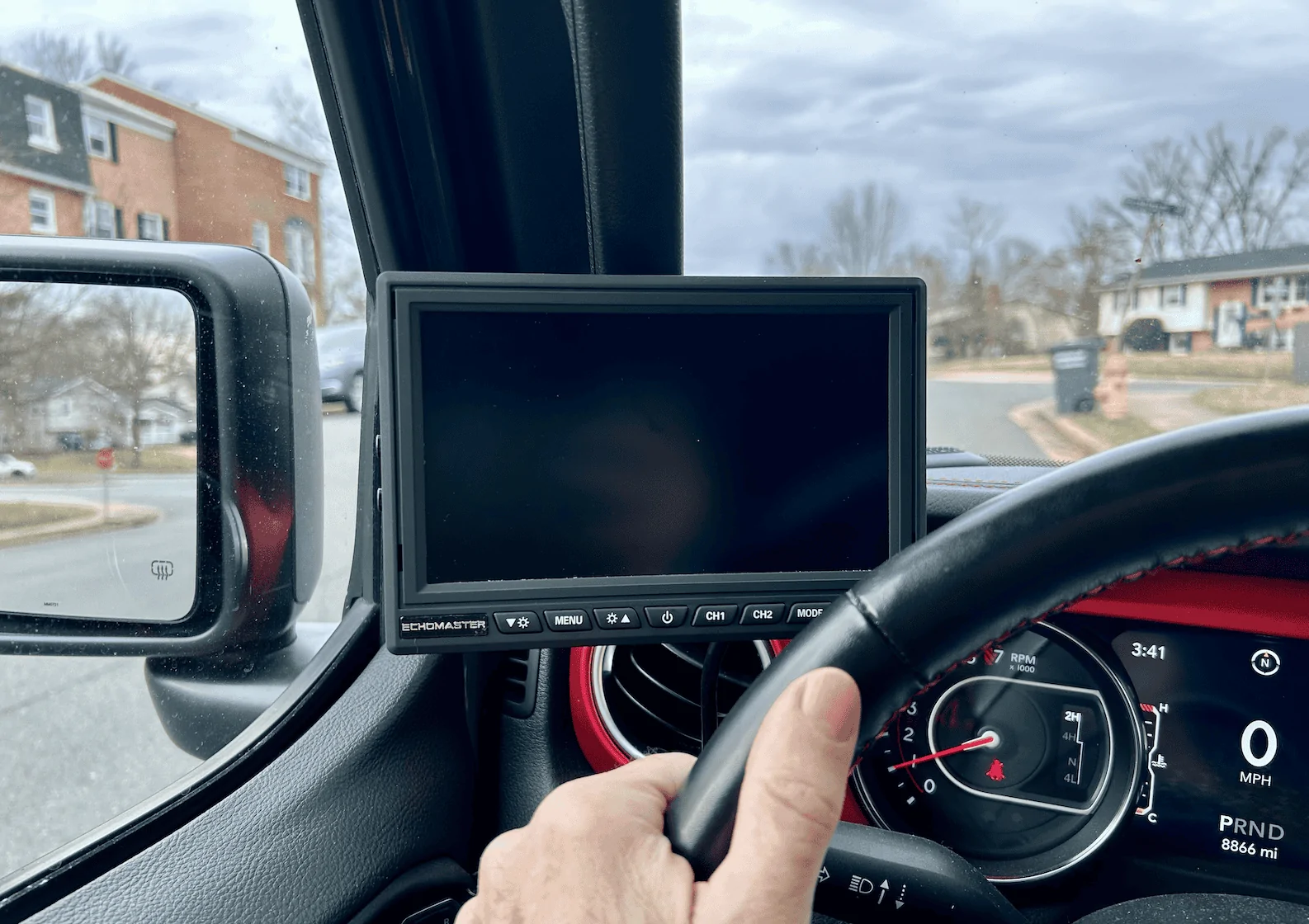
When I had a similar camera system and monitor in my previous Grand Cherokee, I had it up on the center dash but found that it did block my view out the windshield a little. I waited until I got the 7" Echomaster screen to decide where to put it in the Wrangler, and holding it up in a variety of different places I found that the spot I put it is the most out of the way of my view while not blocking things I need to reach (vents, buttons, etc). The only downside is I occasionally bump it when I use my blinker, but I've gotten used to it.
 

RubiDukkie

Well-Known Member
First Name
David
Joined
Oct 27, 2022
Threads
2
Messages
73
Reaction score
43
Location
Virginia
Vehicle(s)
2021 Jeep Gladiator Rubicon
Received the four camera system today. Ordered it on Thursday from Autoplicity.com for $399 using the free shipping and optional $6 insurance,

https://autoplicity.com/18012079-echomaster-emubcamkit

Also, they have the monitor for $40 less than what I paid on Amazon.

https://autoplicity.com/18012099-echomaster-pmon-7022-ahd

Hoping to bench test the system later this week. Not sure when I will have time to install the system, but will report back here whenever it gets done. I also need to decide if I will mount the monitor like @C.Sco did or use something like a Bulletpoint mount on the dash,
 

RubiDukkie

Well-Known Member
First Name
David
Joined
Oct 27, 2022
Threads
2
Messages
73
Reaction score
43
Location
Virginia
Vehicle(s)
2021 Jeep Gladiator Rubicon
I just ordered from Amazon the same A-pillar mounting solution that @C.Sco used. The only thing I may do differently is to mount it on top of the grab handle instead of on the bottom.
 

RubiDukkie

Well-Known Member
First Name
David
Joined
Oct 27, 2022
Threads
2
Messages
73
Reaction score
43
Location
Virginia
Vehicle(s)
2021 Jeep Gladiator Rubicon
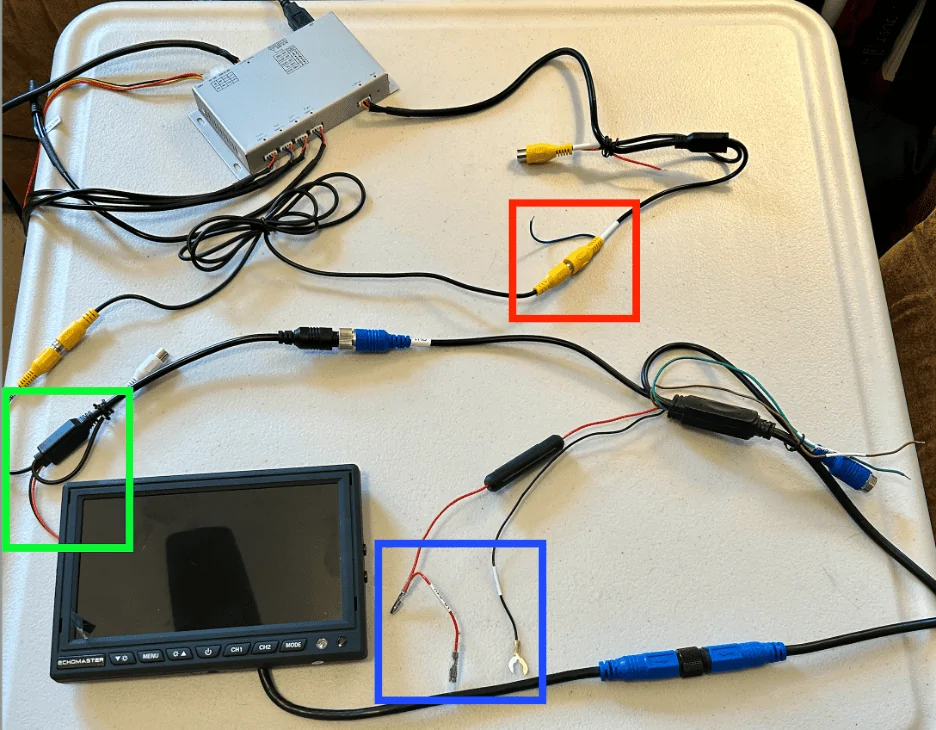
@C.Sco, I did a table-top markup today of the connections. Can you confirm my statements regarding the colored boxes below.?

Jeep Wrangler JL How To: Install Stinger 4-camera DVR system & Echomaster 7" screen 1707936028225


Blue box (lower-center) -> Monitor main video harness -> Ground and power wires

I may have missed it in your notes, but I’m assuming you hooked these up with one of the power connectors (red wire) going to your 12V source, otherwise I’m thinking there is no power to the monitor. Correct? Any idea what the pigtailed power connector is for? Unused?

Green box (lower-left) -> Monitor video adapter harness -> Ground and power wires

Unused.

Red box (upper-right) ->Video output harness -> Blue wire (reverse trigger wire)

Unused.

Thanks
 

Sponsored

OP
OP
C.Sco

C.Sco

Well-Known Member
Joined
Mar 19, 2023
Threads
13
Messages
1,264
Reaction score
2,698
Location
California
Vehicle(s)
2023 4xe Rubicon
Build Thread
Link
Vehicle Showcase
1
Oh man I might need to pop my head under my dash and take a look, I can't exactly remember now.

I'm pretty sure the answers are:

Red box: yes I believe the blue wire is unused.

Green box: Crap, I can't remember now. I think probably black/red wires unused.

Blue box: I think I cut the ends off those wires and just soldered them to 12V+ and ground, but don't do that yet, I'll see if I can double check that and get the answer
 

RubiDukkie

Well-Known Member
First Name
David
Joined
Oct 27, 2022
Threads
2
Messages
73
Reaction score
43
Location
Virginia
Vehicle(s)
2021 Jeep Gladiator Rubicon
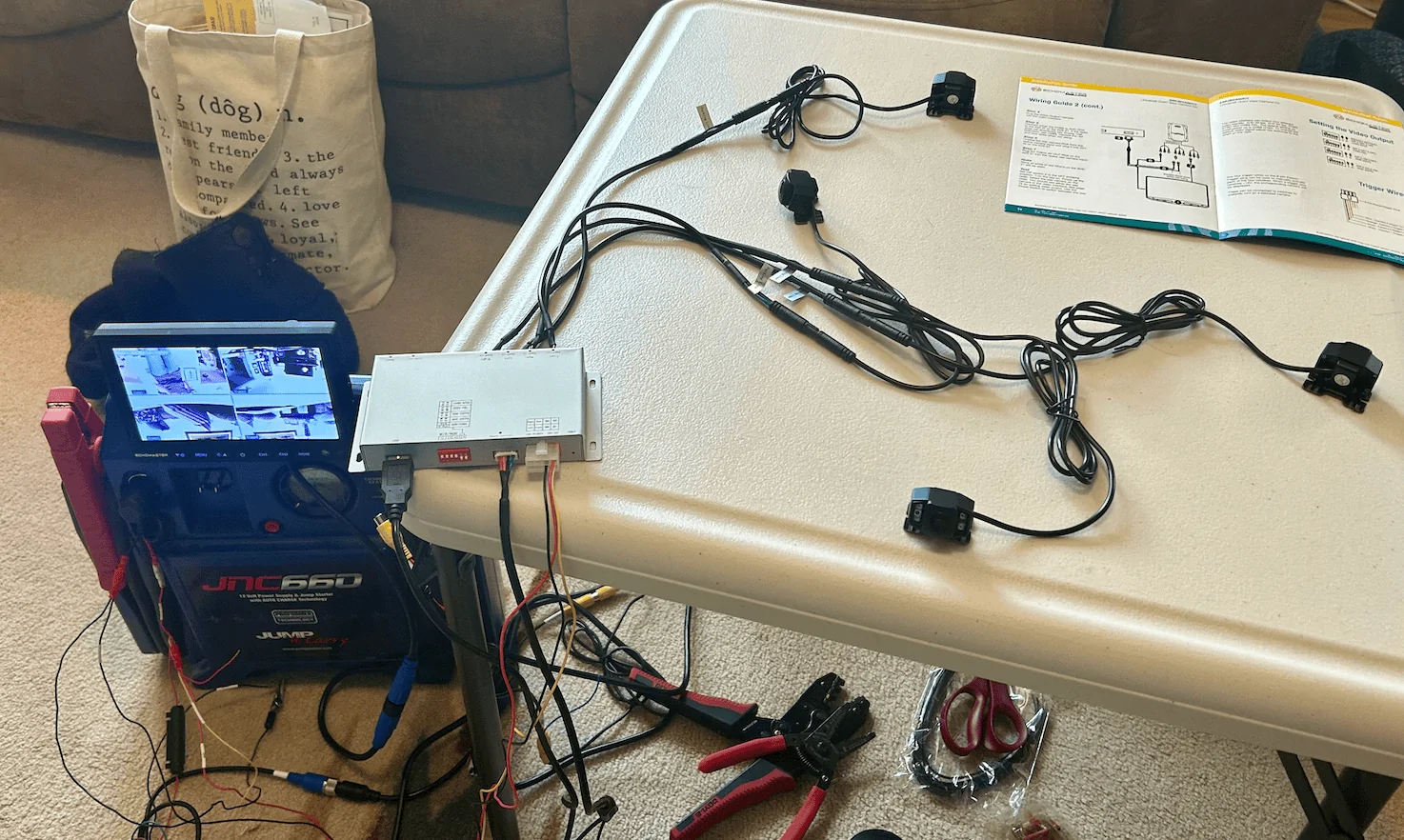
I was able to bench test it today and verified that both the red and black wires for the monitor (blue box in my previous post) need to be hooked to power and ground as well.

Jeep Wrangler JL How To: Install Stinger 4-camera DVR system & Echomaster 7" screen 1708108279734
 

RubiDukkie

Well-Known Member
First Name
David
Joined
Oct 27, 2022
Threads
2
Messages
73
Reaction score
43
Location
Virginia
Vehicle(s)
2021 Jeep Gladiator Rubicon
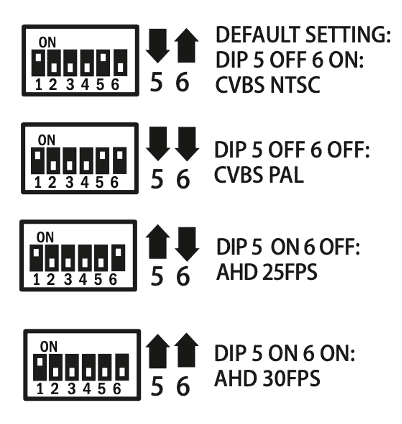
I played around with the different DIP 5 & 6 switches in combination with the Settings: Input Type with the monitor plugged into the AHD connection.

NOTE: The arrows in the below diagram from the User Guide are correct. The graphic showing the DIP switches UP or DOWN are incorrect and do not match the arrows.

Jeep Wrangler JL How To: Install Stinger 4-camera DVR system & Echomaster 7" screen 1708467265955


Settings -
DIP 5 DIP 6 Input Type Video Quality

UP DOWN 720p 30fps Good, better color contrast than UP, UP

Jeep Wrangler JL How To: Install Stinger 4-camera DVR system & Echomaster 7" screen 1708467376477


Settings -
DIP 5 DIP 6 Input Type Video Quality

UP UP 720p 30fps Good, slightly worse color contrast than UP, DOWN

Jeep Wrangler JL How To: Install Stinger 4-camera DVR system & Echomaster 7" screen 1708467476100
 

RubiDukkie

Well-Known Member
First Name
David
Joined
Oct 27, 2022
Threads
2
Messages
73
Reaction score
43
Location
Virginia
Vehicle(s)
2021 Jeep Gladiator Rubicon
@C.Sco you definitely found the best place to mount the monitor. I tried mounting on top instead of bottom like here and it both obstructed my view and interfered with the pulling down the visor all the way.

Jeep Wrangler JL How To: Install Stinger 4-camera DVR system & Echomaster 7" screen 1708637251162
 
OP
OP
C.Sco

C.Sco

Well-Known Member
Joined
Mar 19, 2023
Threads
13
Messages
1,264
Reaction score
2,698
Location
California
Vehicle(s)
2023 4xe Rubicon
Build Thread
Link
Vehicle Showcase
1
@C.Sco you definitely found the best place to mount the monitor. I tried mounting on top instead of bottom like here and it both obstructed my view and interfered with the pulling down the visor all the way.

1708637251162.webp
Looks good!
Only tricky part now is dealing with the cable draping down. I ziptied mine to the far left defroster vent, and then routed it through the steering column slot. But it is sort of annoyingly draped across the headlight control knob sometimes. I haven't found a great solution for that yet, but also admittedly haven't spent a lot of time trying, either
Sponsored


Top